
1. Introducció
This manual provides essential information for the setup, operation, maintenance, and troubleshooting of your NINGMEI Soul Gaming PC Desktop. Please read this manual thoroughly before using your new computer to ensure proper functionality and longevity.
The NINGMEI Soul Gaming PC Desktop is equipped with an AMD Ryzen 7 5700G processor, 16GB DDR4 RAM, and a 1TB NVME SSD, running on Windows 11 Home. It features a case designed for optimal airflow and aesthetics, including 6 RGB fans and a removable magnetic dust screen.
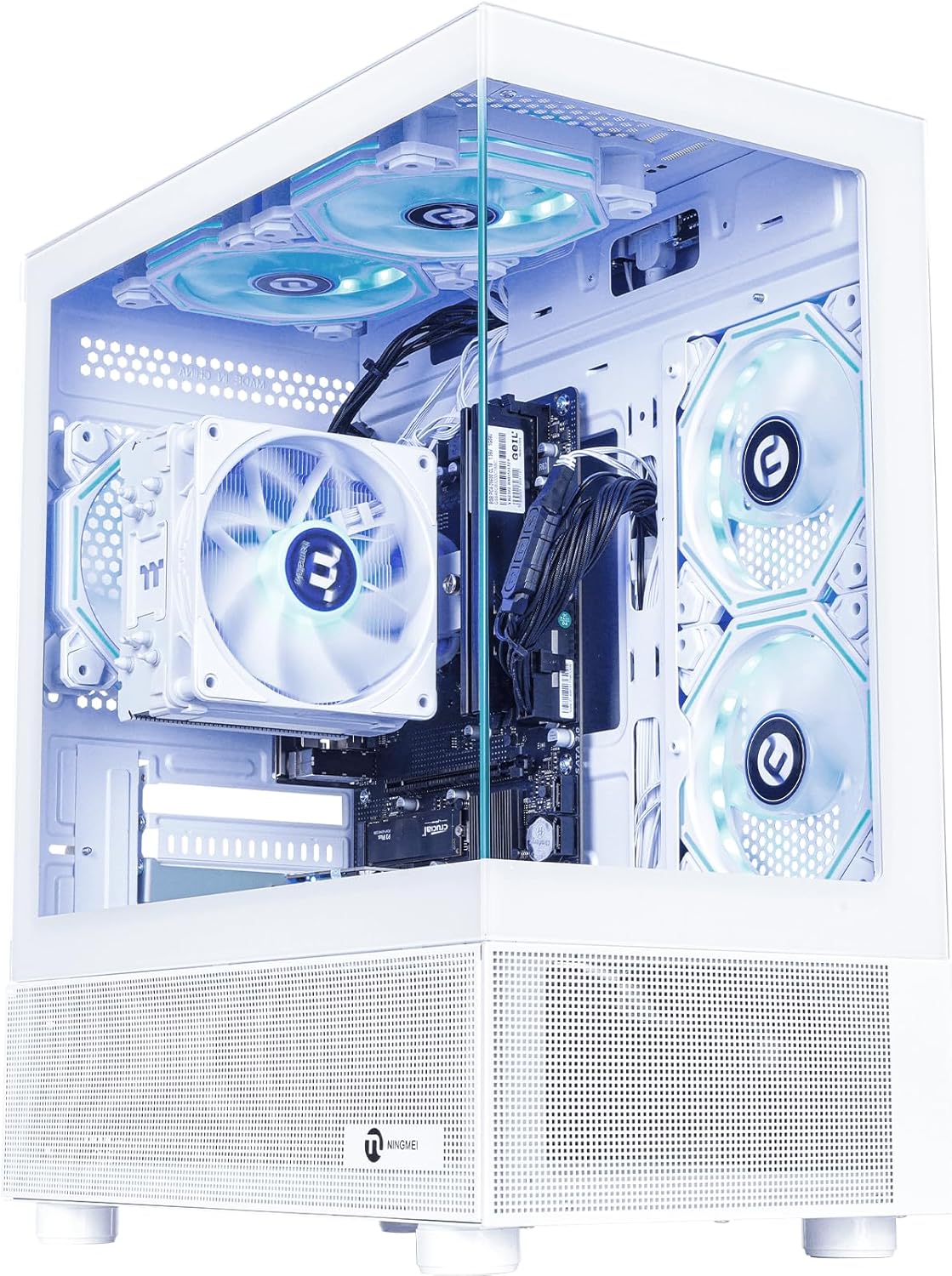
Imatge: Anvers view of the NINGMEI Soul Gaming PC Desktop, showcasing its internal components and illuminated RGB fans.
2. Guia de configuració
2.1 Unboxing
- Carefully remove the PC desktop from its packaging.
- Inspect the computer for any visible damage. If damage is found, contact customer support immediately.
- Remove any protective films or packaging materials from the exterior and interior of the PC.
2.2 Connexió de perifèrics
- Monitor: Connect your monitor to the PC using an HDMI or DisplayPort cable. The PC utilizes integrated AMD Radeon Vega Graphics.
- Teclat i ratolí: Connecteu el teclat i el ratolí als ports USB disponibles (4x USB 2.0, 2x USB 3.0).
- Potència: Connect the power cable to the PC's power supply unit (PSU) and then to a wall outlet.
- Xarxa: Connect an Ethernet cable for a wired internet connection, or use the integrated Bluetooth for wireless connectivity.
2.3 Engegada inicial
- Assegureu-vos que tots els cables estiguin ben connectats.
- Press the power button located on the PC case.
- Follow the on-screen instructions to complete the Windows 11 Home setup process. This typically involves setting up your user account, network preferences, and privacy settings.
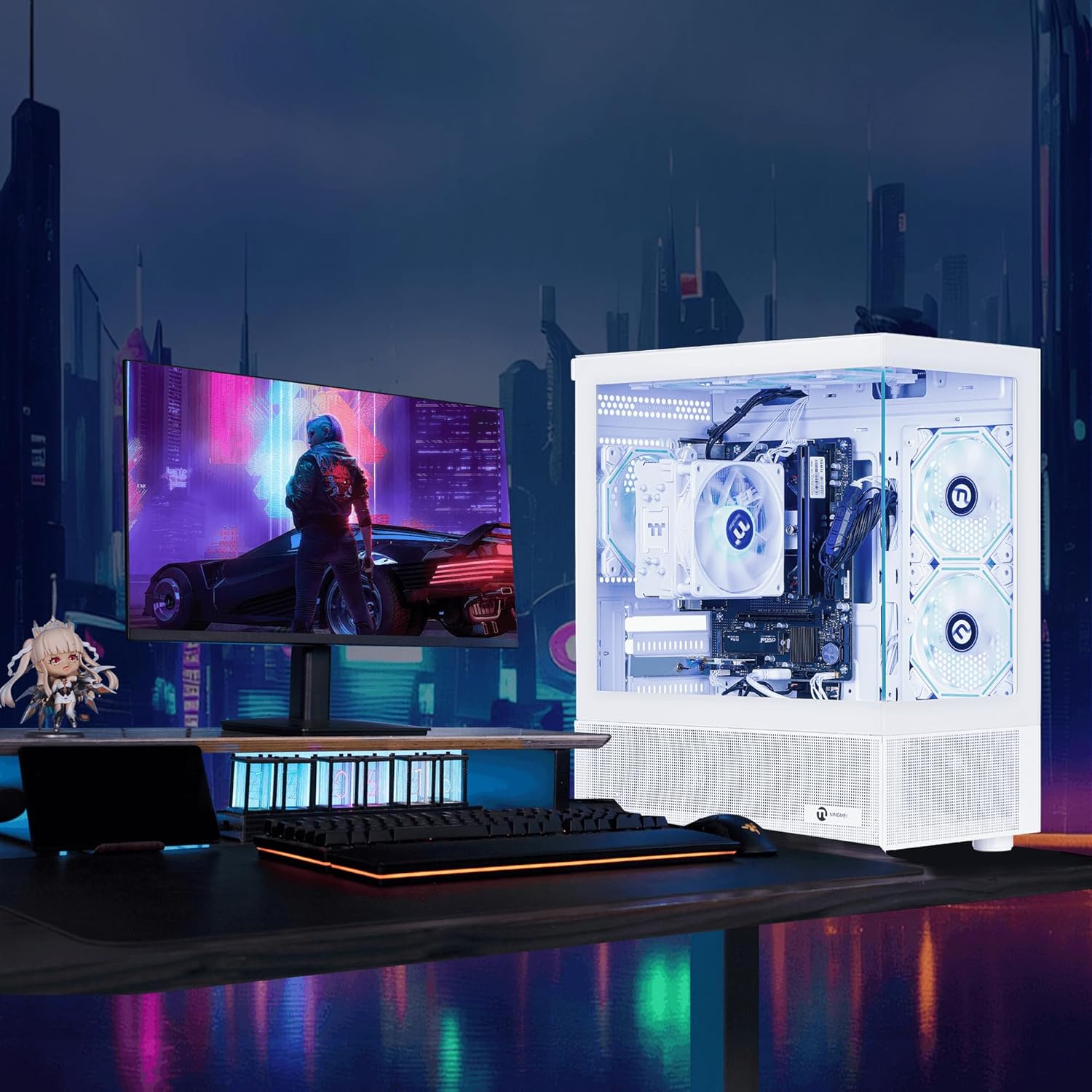
Image: The NINGMEI Soul Gaming PC Desktop displayed in a typical desk setup, connected to a monitor and peripherals.
3. Instruccions de funcionament
3.1 Windows 11 Home
Your NINGMEI Soul Gaming PC Desktop comes pre-installed with Windows 11 Home 64-bit. Familiarize yourself with the operating system's interface, Start Menu, and settings to customize your experience.
3.2 RGB Fan Control
The PC features 6 RGB fans for enhanced cooling and aesthetics. These fans are controlled by an included remote. Refer to the remote's instructions for changing lighting modes, colors, and fan speeds.
3.3 Ús general
This PC is designed for a variety of tasks, including gaming, online learning, and office/design work. Its AMD Ryzen 7 5700G processor and 16GB DDR4 RAM provide sufficient performance for demanding applications and modern games.
4. Manteniment
4.1 Cleaning and Dust Management
To maintain optimal performance and cooling, regular cleaning is recommended. The top of the chassis is equipped with an independent and removable magnetic dust screen. Periodically remove and clean this filter to prevent dust buildup.

Imatge: Un primer pla view highlighting the magnetic dust filter on the top panel of the NINGMEI PC case, emphasizing its design for easy removal and cleaning.
4.2 Internal Access
The case can be opened from either side. Locate the tab on the top left of both the right and left side panels. Pull outward on the tab to release the panel. This allows access for internal cleaning or component upgrades. Ensure the PC is powered off and unplugged before opening the case.

Imatge: Una imatge interna view of the NINGMEI Soul Gaming PC Desktop, illustrating the layout of components such as the motherboard, RAM, CPU cooler, and organized cabling.
5. Solució De Problemes
- Sense pantalla: Ensure your monitor is powered on and correctly connected to the PC's video output port (HDMI/DisplayPort). Verify the input source on your monitor is set correctly.
- L'ordinador no s'encén: Check that the power cable is securely connected to both the PC and the wall outlet. Ensure the power switch on the PSU (if present) is in the 'On' position.
- PC Does Not Go to Sleep: This can sometimes be related to specific Windows settings or connected peripherals. Check power management settings in Windows 11 and ensure all drivers are up to date. Disconnecting non-essential USB devices temporarily can help identify if a peripheral is preventing sleep.
- Alentiment del sistema: Ensure your operating system and drivers are updated. Check for background applications consuming resources. Regular cleaning of dust filters can also help maintain optimal performance.
- Soroll del ventilador: While the PC is designed for efficient cooling, increased fan noise during heavy load is normal. If noise is excessive during idle, ensure dust filters are clean and no obstructions are present.
6. Especificacions
| Component | Especificació |
|---|---|
| Processador | AMD Ryzen 7 5700G (8 Cores, 3.8 GHz base, up to 4.6 GHz boost) |
| Gràfics | AMD Radeon Vega Graphics (Integrated, 2 GB RAM Size) |
| RAM | 16 GB DDR4 3200 MHz |
| Emmagatzematge | SSD NVME de 1 TB |
| Sistema operatiu | Windows 11 Home de 64 bits |
| Font d'alimentació | PSU de 550 W |
| Ports USB | 4x USB 2.0, 2x USB 3.0 |
| Connectivitat sense fil | Bluetooth |
| Resolució de pantalla màxima | 4096 x 2160 |
| Dimensions (LxWxH) | 15.74 x 8.26 x 16.65 polzades |
| Pes de l'article | 22.4 lliures |
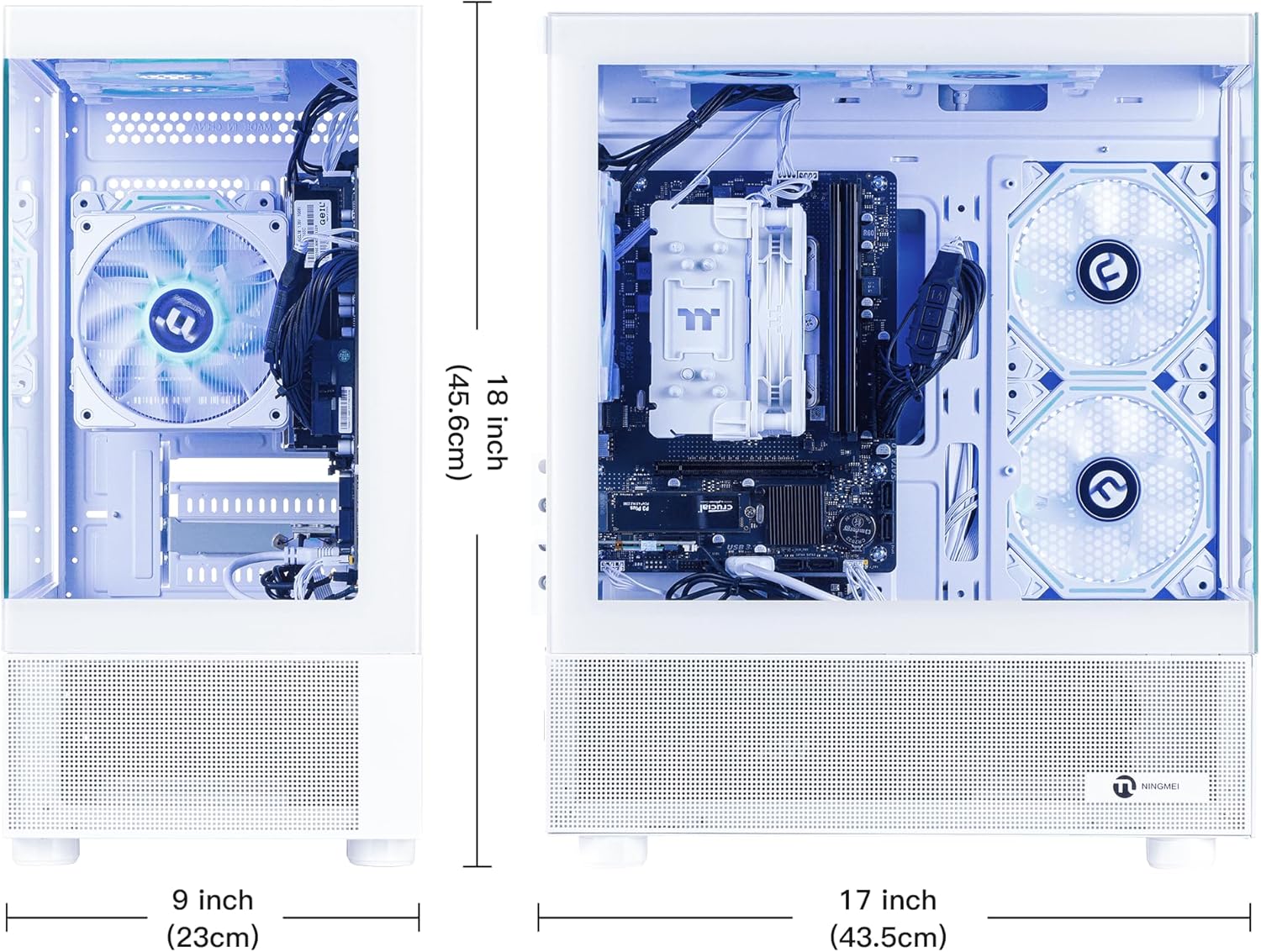
Imatge: Dimensional view of the NINGMEI Soul Gaming PC Desktop, indicating its height, width, and depth measurements.
7. Garantia i Suport
Your NINGMEI Soul Gaming PC Desktop comes with a free one-year warranty. Additionally, NINGMEI provides assistència tècnica gratuïta de per vida for this product. For any technical assistance or warranty claims, please contact NINGMEI customer service.
As a token of appreciation, each PC includes an additional genuine oversized mouse pad.