
1. Introducció
The Unitek CFexpress Type A and SD4.0 UHS-II Memory Card Reader is designed for high-speed data transfer from CFexpress Type A and SD cards to your computer or compatible device. Featuring USB 3.2 Gen 2 connectivity, it supports transfer speeds up to 10Gbps, making it suitable for professionals requiring efficient handling of large files such as high-resolution photos and Full HD videos.

Image 1.1: Unitek CFexpress Type A and SD4.0 UHS-II Memory Card Reader.
2. Característiques del producte
- Transferència de dades d'alta velocitat: Supports up to 10Gbps (1250MB/s) via USB 3.2 Gen 2x1 for CFexpress Type A and SD4.0 UHS-II cards. Backward compatible with USB 3.1 Gen 1 and USB 3.0. An LED indicator shows data transfer activity.
- Ranures per a targetes duals: Features dedicated slots for CFexpress Type A and SD cards (SD/SDHC/SDXC/SDUC). Both slots can be used simultaneously. Note: Not compatible with CFexpress Type B/C or XQD cards.
- Àmplia compatibilitat: Compatible with Windows, macOS, Linux, and Android operating systems. Supports CFexpress cards up to 2TB capacity.
- Disseny durador i portàtil: Constructed with an aluminum alloy housing for durability and efficient heat dissipation. Its compact size is suitable for travel.

Image 2.1: Illustration of CFexpress Type A and SD card compatibility.
3. Contingut del paquet
Si us plau, verifiqueu que tots els elements siguin presents al paquet:
- 1 x Unitek CFexpress Type A and SD4.0 UHS-II Memory Card Reader
- 1 x cable USB-C a USB-C
- 1 x Manual d'usuari (aquest document)
4. Configuració
- Connect one end of the provided USB-C to USB-C cable to the USB-C port on the Unitek card reader.
- Connect the other end of the USB-C cable to an available USB-C port on your computer, laptop, tablet, or smartphone.
- The device is plug-and-play and does not require any driver installation. Your operating system should automatically recognize the card reader.
- For optimal 10Gbps transfer speeds, ensure your host device's USB-C port supports USB 3.2 Gen 2.
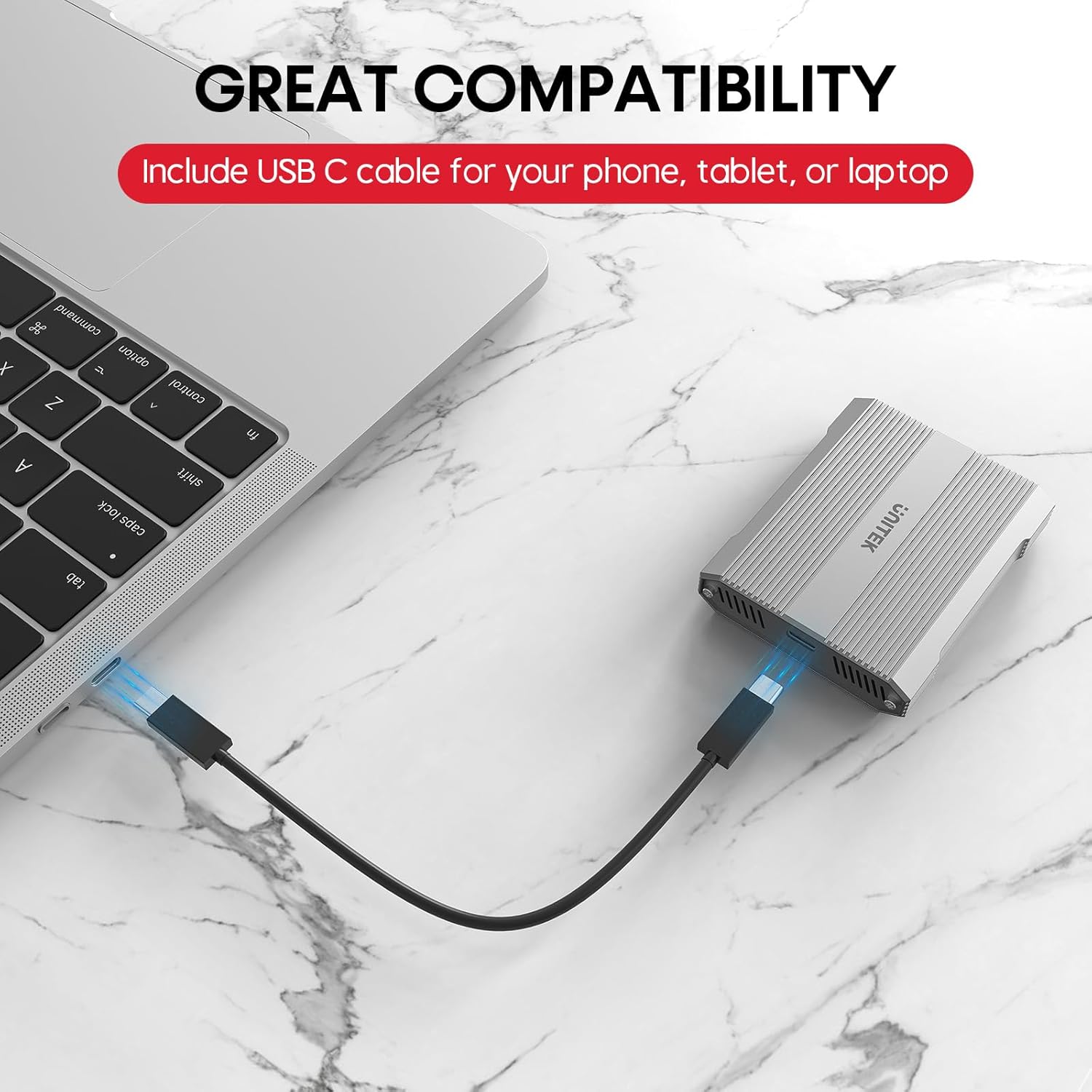
Image 4.1: Connecting the card reader to a laptop via USB-C.
5. Instruccions de funcionament
5.1 Inserció de targetes de memòria
- For CFexpress Type A Cards: Gently insert your CFexpress Type A card into the designated CFexpress Type A slot on the reader until it clicks into place. Ensure the card is oriented correctly.
- Per a targetes SD: Gently insert your SD, SDHC, SDXC, or SDUC card into the designated SD slot on the reader until it clicks into place. Ensure the card is oriented correctly.

Image 5.1: Correct insertion of a CFexpress Type A card.

Image 5.2: Correct insertion of an SD card.
5.2 Transferència de dades
- Once a card is inserted and the reader is connected, it will appear as a removable drive in your computer's file l'explorador (Windows) o el Finder (macOS).
- Ara podeu arrossegar i deixar anar files, copy, or move data between your memory card and your computer.
- The LED indicator on the reader will flicker during active data transfer.

Image 5.3: Visual representation of 10Gbps data transfer.
5.3 Safely Ejecting Cards
To prevent data corruption, always safely eject the memory card or the card reader from your operating system before physically removing the card or disconnecting the reader.
- Windows: Right-click on the drive icon in 'This PC' or 'File Explorer' and select 'Eject'.
- macOS: Drag the drive icon from the desktop or Finder sidebar to the Trash, or right-click and select 'Eject'.
6. Compatibilitat
The Unitek R1022A card reader offers broad compatibility:
- Memory Card Types: CFexpress Type A, SD, SDHC, SDXC, SDUC (SD4.0 UHS-II).
- Sistemes operatius: Windows, macOS, Linux, Android.
- Dispositius amfitrions: Laptops, desktop computers, tablets, and smartphones with a USB-C port.
Nota important: This card reader is specifically designed for CFexpress Type A cards and is no compatible with CFexpress Type B, CFexpress Type C, or XQD cards.

Image 6.1: Compatibility with various operating systems and devices.
7. Manteniment
- Keep the card reader clean and free from dust and debris. Use a soft, dry cloth for cleaning.
- Eviteu exposar el dispositiu a temperatures extremes, llum solar directa o humitat elevada.
- Do not attempt to disassemble or modify the card reader, as this will void the warranty.
- Gestió de la calor: The aluminum alloy housing aids in heat dissipation. However, during prolonged high-speed data transfers or if left connected with cards inserted, the device and cards may become warm. To prolong the lifespan of your cards and the reader, it is recommended to remove cards when not actively transferring data.
8. Solució De Problemes
- Dispositiu no reconegut:
- Ensure the USB-C cable is securely connected to both the card reader and your host device.
- Prova de connectar-te a un altre port USB-C del dispositiu.
- Prova amb un altre cable USB-C si està disponible.
- Reinicieu l'ordinador o el dispositiu amfitrió.
- Velocitats de transferència lentes:
- Verify that your host device's USB-C port supports USB 3.2 Gen 2 (10Gbps). Older USB versions will result in lower speeds.
- Ensure your memory cards (CFexpress Type A or SD) are high-speed cards capable of 10Gbps or UHS-II speeds.
- Close any background applications that might be consuming system resources or performing other data transfers.
- Memory Card Not Reading:
- Ensure the memory card is inserted correctly and fully into the appropriate slot.
- Check if the memory card is damaged or corrupted. Try the card in another device if possible.
- Confirm that you are using a compatible card type (CFexpress Type A or SD). This reader does not support CFexpress Type B/C or XQD cards.
- Sobreescalfament del dispositiu:
- It is normal for the device to become warm during operation, especially during large data transfers.
- If the device feels excessively hot, ensure it has adequate ventilation and is not covered.
- Remove memory cards from the reader when not in active use to reduce heat buildup.
9. Especificacions
| Marca | Unitek |
| Nom del model | R1022A |
| Tipus de suport | CFexpress Type A, SD4.0 UHS-II (SD/SDHC/SDXC/SDUC) |
| Tecnologia de connectivitat | USB Type C (USB 3.2 Gen 2x1) |
| Velocitat de transferència de dades | Fins a 10 gigabits per segon |
| Dispositius compatibles | Ordinador portàtil, PC, telèfon, tauleta |
| Sistema operatiu | Windows, macOS, Linux, Android |
| Característica especial | Compact, Plug & Play |
| Material de l'habitatge | Aliatge d'alumini |
| Max CFexpress Card Capacity | 2 TB |

Image 9.1: Compact design and dimensions of the card reader.
10. Vídeo oficial del producte
Video 10.1: Official product video demonstrating the Unitek CFexpress Type A and SD4.0 UHS-II Memory Card Reader, highlighting its dual card slots, 10Gbps data transfer speed, and USB-C connectivity.
11. Garantia i Suport
The Unitek CFexpress Type A and SD4.0 UHS-II Memory Card Reader comes with a 1 any de garantia des de la data de compra.
For technical support, warranty claims, or any other inquiries, please contact Unitek customer service. Refer to the product packaging or the official Unitek weblloc web per obtenir la informació de contacte més actualitzada.