
DOOGEE S200-Silver Rugged Smartphone 5G
DOOGEE S200 Rugged Smartphone 5G User Manual
Model: S200-Silver Rugged Smartphone 5G | Brand: DOOGEE
Introducció
Welcome to the user manual for your new DOOGEE S200 Rugged Smartphone. This guide provides essential information on setting up, operating, maintaining, and troubleshooting your device. The DOOGEE S200 is engineered for durability and high performance, featuring advanced capabilities suitable for various environments.

Davant i posterior view of the DOOGEE S200 Rugged Smartphone, showcasing its robust design and rear display.
Configuració
Contingut del paquet
Abans de començar, comproveu que tots els elements estiguin presents al paquet:
- 1 x DOOGEE S200 5G Cellphone
- 1 x cable USB tipus C
- 1 x Charger (33W)
- 1 x Anti-explosion film (Screen Protector)
- 1 x Manual d'usuari
Configuració inicial del dispositiu
- Insert SIM Card(s) and TF Card: Locate the SIM card tray on the side of the phone. Use the provided SIM ejector tool to open the tray. Insert your Nano-SIM card(s) and/or a TF (microSD) card into the designated slots. Ensure the tray is securely closed to maintain water and dust resistance.
- Carregueu el dispositiu: Connect the Type-C USB cable to the phone's charging port and the other end to the 33W charger. Plug the charger into a power outlet. The phone's battery indicator will show charging progress. For optimal battery life, fully charge the device before first use.
- Encès: Press and hold the Power button (usually on the side) until the DOOGEE logo appears. Follow the on-screen prompts to complete the initial setup, including language selection, Wi-Fi connection, and Google account sign-in.
Video demonstrating the unboxing and initial setup process for the DOOGEE S200 Rugged Smartphone.
Funcionament del vostre dispositiu
Visualització i interacció
The DOOGEE S200 features a 6.72-inch FHD+ display with a 120Hz refresh rate for smooth visuals and responsive touch. It also includes a unique 1.32-inch AMOLED rear display.
- Pantalla principal: Navigate through apps, browse the web, and enjoy multimedia content with vibrant colors and sharp details. The 120Hz refresh rate enhances gaming and scrolling experiences.
- Pantalla posterior: This customizable AMOLED screen allows you to check time, date, notifications, battery status, control music, and answer calls without activating the main screen. It helps conserve power and provides quick access to essential information.

The 1.32-inch AMOLED rear display offers customizable options for quick information access.
Rendiment i emmagatzematge
Equipped with a Dimensity 7050 octa-core processor and 32GB RAM (12GB physical + 20GB virtual), the S200 delivers robust performance for multitasking and demanding applications. The 256GB internal storage can be expanded up to 2TB using a TF card.

Internal memory and storage architecture of the DOOGEE S200.
Característiques de la càmera
The S200 features a versatile quad-camera setup:
- Càmera principal amb IA de 100 MP: Captures high-resolution photos with enhanced clarity and AI-driven stabilization.
- Càmera de visió nocturna de 20MP: Allows for clear photography in low-light or complete darkness.
- Càmera frontal de 20MP: Per a selfies i videotrucades d'alta qualitat.
- Càmera macro de 2MP: Per a primers plans detallats.

Acabatview of the DOOGEE S200's camera system.
Bateria i càrrega
The device is equipped with a 10100mAh battery, providing extended usage times. It supports 33W fast charging and OTG reverse charging.
- Càrrega: Use the provided 33W charger for rapid charging.
- Càrrega inversa OTG: Connect other compatible devices to your S200 using an OTG cable to charge them, effectively turning your phone into a power bank.
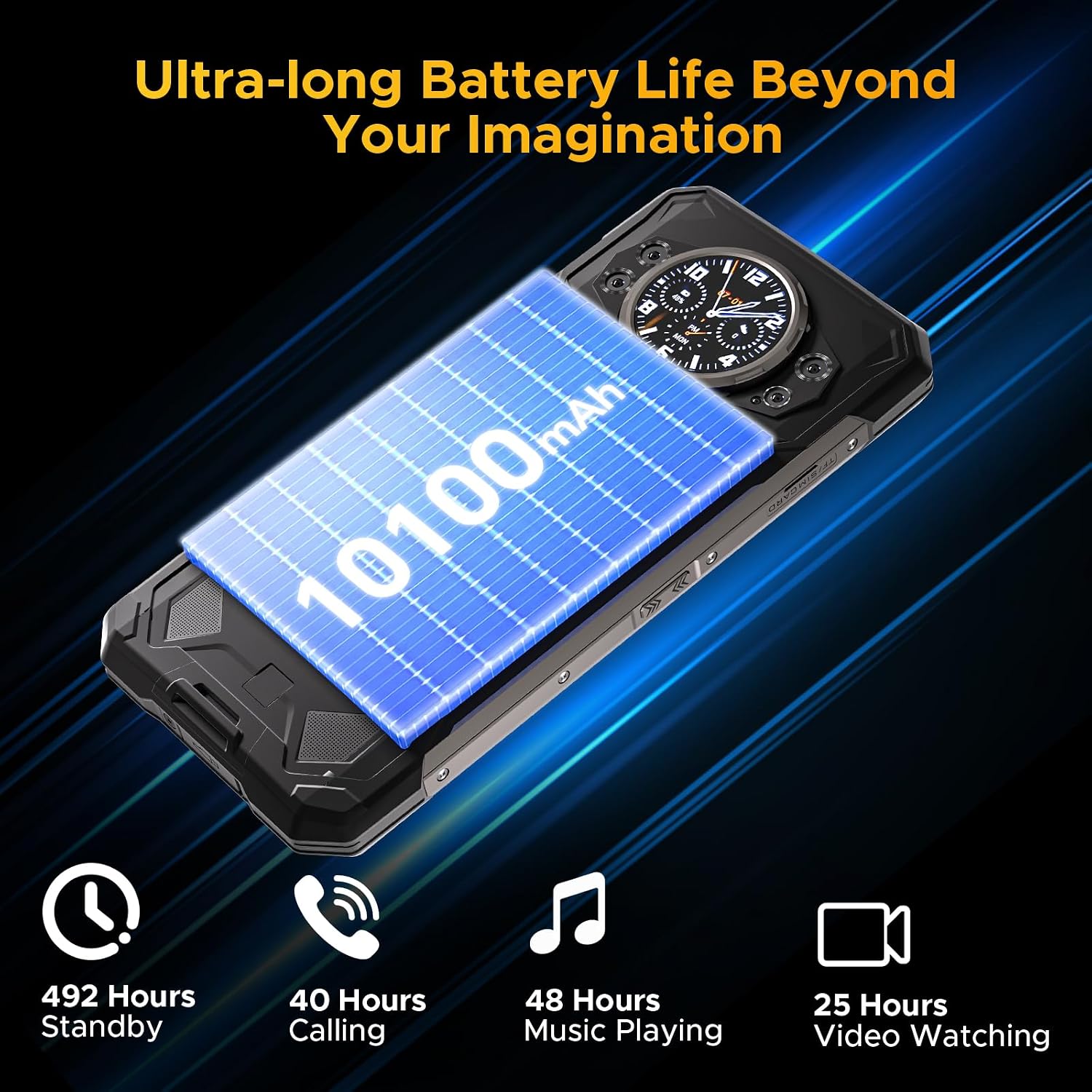
The S200 offers ultra-long battery life for extended use.
Seguretat i connectivitat
The S200 offers multiple security and connectivity options:
- Fingerprint ID & Face Unlock: Securely unlock your device using the side-mounted fingerprint sensor or facial recognition.
- NFC: Per a pagaments sense contacte i intercanvi de dades.
- Wi-Fi 6: Proporciona connexions a Internet sense fil més ràpides i estables.
- GPS: Supports GPS, Glonass, Galileo, and Beidou for accurate navigation.
Manteniment
The DOOGEE S200 is built to be rugged, but proper care will ensure its longevity and optimal performance.
- Neteja: Netegeu el telèfon regularment amb un drap suau iamp cloth to remove dirt and dust. For stubborn grime, use a mild soap solution. Ensure all ports are closed before cleaning with liquids.
- Resistència a l'aigua i a la pols: The phone is IP68/IP69K/MIL-STD-810H certified. This means it can withstand immersion in water up to 1.5 meters for 30 minutes and is protected against dust ingress. Always ensure the SIM tray and USB port cover are fully sealed before exposing the phone to water or dusty environments.
- Temperatura: Eviteu exposar el telèfon a temperatures extremes (molt caloroses o molt fredes), ja que això pot afectar la durada de la bateria i els components interns.
- Protecció contra impactes: While drop-proof up to 1.8 meters, excessive force or repeated drops can still cause damage. Handle with care, especially on hard surfaces.
- Actualitzacions de programari: Keep your phone's software updated to the latest version to ensure security, performance improvements, and access to new features.

The DOOGEE S200 is built to withstand challenging conditions.
Resolució de problemes
If you encounter issues with your DOOGEE S200, try the following common solutions:
| Problema | Possible solució |
|---|---|
| El dispositiu no s'encén | Ensure the battery is charged. Connect to the charger and wait a few minutes before attempting to power on again. If unresponsive, try a forced restart by holding the Power button for 10-15 seconds. |
| La bateria s'esgota ràpidament | Close unused apps running in the background. Reduce screen brightness. Disable Wi-Fi, Bluetooth, or GPS when not in use. Check for power-intensive apps in battery settings. |
| Network connectivity issues (no signal/slow data) | Check if airplane mode is off. Restart the phone. Re-insert the SIM card. Verify your carrier's network coverage in your area. Go to Settings > Network & internet > Mobile network to ensure correct settings. |
| Les aplicacions es bloquegen o es bloquegen | Clear the cache and data for the problematic app (Settings > Apps > [App Name] > Storage). Update the app from the Google Play Store. If the issue persists, uninstall and reinstall the app. |
| Rear display not responding | Ensure the main screen is off. Check settings related to the rear display in the phone's display settings. Restart the device. |
Especificacions
Key technical specifications for the DOOGEE S200 Rugged Smartphone:
| Característica | Detall |
|---|---|
| Nom del model | S200-Silver Rugged Smartphone 5G |
| Sistema operatiu | Android 14 |
| Processador | Dimensity 7050 Octa-core (2.6 GHz) |
| RAM | 32GB (12GB Physical + 20GB Virtual) |
| Emmagatzematge intern | 256GB ROM (Expandable up to 2TB via TF card) |
| Pantalla principal | 6.72 Inches FHD+ (2400 x 1080) IPS, 120Hz Refresh Rate |
| Pantalla posterior | 1.32 Inches AMOLED (466x466) |
| Capacitat de la bateria | 10100 mAh |
| Carregant | Càrrega ràpida de 33 W, càrrega inversa OTG |
| Càmera principal | 100MP AI Ultra-clear |
| Càmera de visió nocturna | 20MP |
| Càmera frontal | 20MP |
| Càmera macro | 2MP |
| Durabilitat | IP68, IP69K, MIL-STD-810H (Waterproof, Dustproof, Drop-proof) |
| Connectivitat | 5G Dual SIM, Wi-Fi 6, Bluetooth, NFC, USB Type-C |
| Navegació | GPS, Glonass, Galileo, Beidou |
| Dimensions | 7.07 x 3.25 x 0.63 polzades |
| Pes | 12.8 unces (364 g) |
Garantia i Suport
For warranty information and technical support, please refer to the official DOOGEE website or contact their customer service directly. Details regarding warranty periods and service procedures are typically provided with your purchase documentation or on the manufacturer's support pages.
També podeu visitar el DOOGEE Store on Amazon per obtenir informació i recursos addicionals sobre el producte.
Ask a question about this manual
Ask about setup, troubleshooting, compatibility, parts, safety, or missing instructions. Manuals+ will review the question and use this page’s manual context to help answer it.