
Linksys LN1301 / MX4300
Linksys LN1301 WiFi Router User Manual
Model: LN1301 / MX4300
Introducció
This manual provides comprehensive instructions for the setup, operation, and maintenance of your Linksys LN1301 WiFi Router. Please read this manual thoroughly before using the device to ensure optimal performance and safety.
The Linksys LN1301 is a Tri-Band WiFi router designed for seamless connectivity, offering speeds up to 4.2 Gbps and covering up to 2700 sq. ft., capable of handling 40+ devices. It features a Plug-n-Play setup, enhanced Parental Controls, and a secure Guest network.
Producte acabatview
Contingut del paquet
- Linksys LN1301 WiFi Router
- Adaptador d'alimentació
- Cable Ethernet
- Guia d'inici ràpid
Característiques físiques
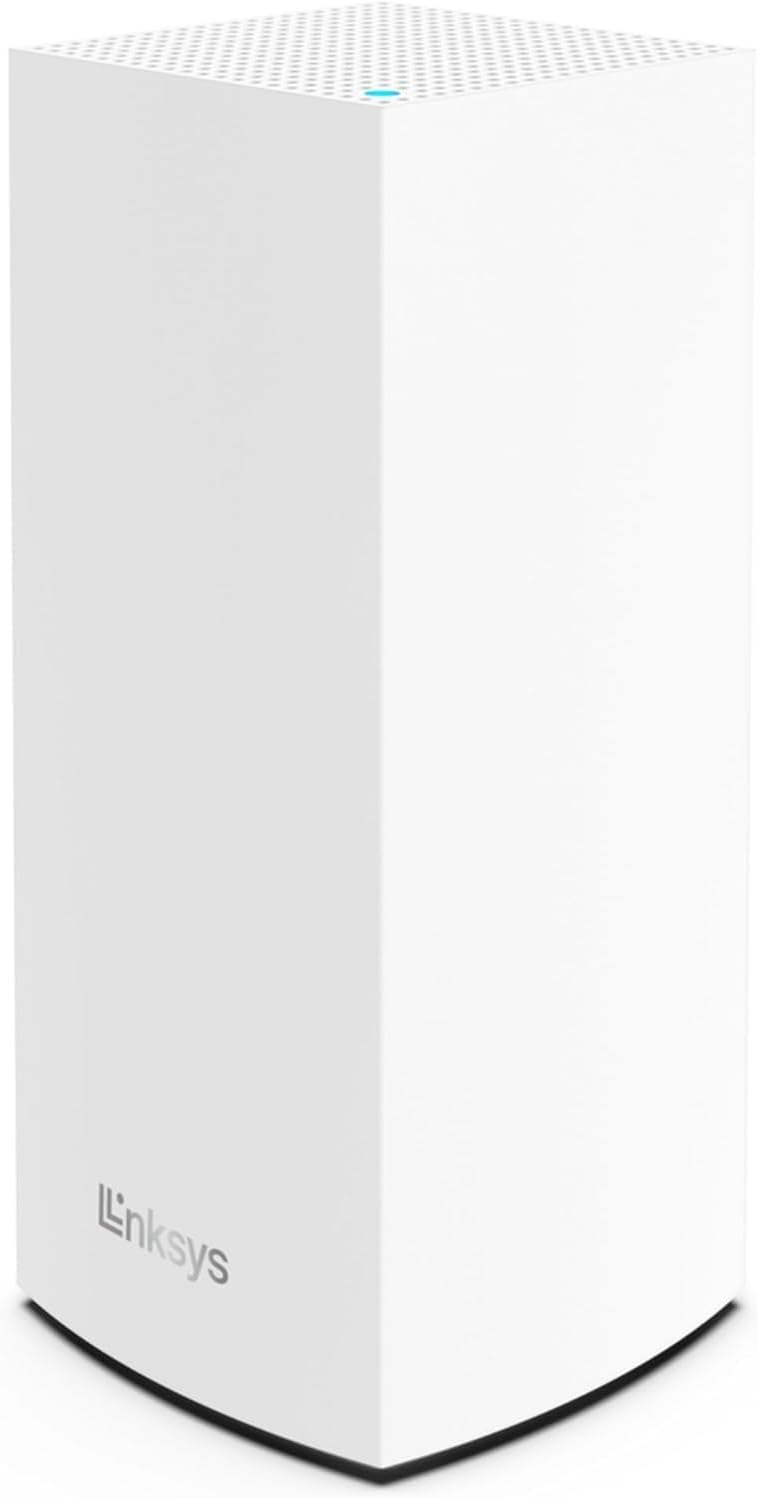
Figura 1: Davant view of the Linksys LN1301 WiFi Router, showing its minimalist white tower design with the Linksys logo at the bottom.
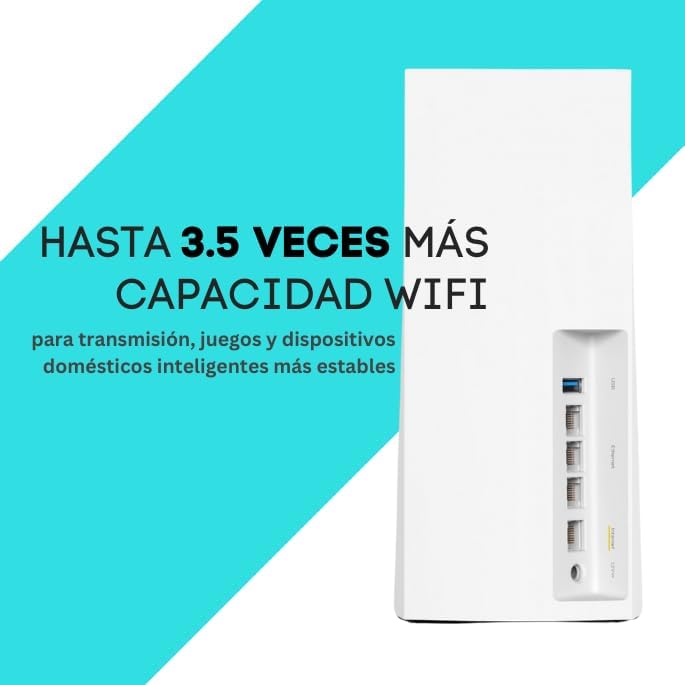
Figura 2: A dalt view of the router, highlighting the perforated top surface for ventilation and the single blue LED indicator light.

Figura 3: posterior view of the router, displaying the USB port, four Ethernet LAN ports, one Internet (WAN) port, and the 12V power input.
Indicador LED d'estat
| Color LED | Estat | Descripció |
|---|---|---|
| Blau sòlid | Connectat | Router is online and working correctly. |
| Blau parpellejant | Starting Up / Connecting | Router is booting up or attempting to establish an internet connection. |
| Vermell sòlid | Sense connexió a Internet | Router is not connected to the internet. Check your modem and internet service. |
| Vermell parpellejant | Error | A system error has occurred. Try restarting the router. |
Guia de configuració
Abans de començar
- Assegureu-vos que el vostre servei d'Internet estigui actiu.
- Disconnect your old router (if any) from the modem.
- Have your Wi-Fi network name (SSID) and password ready if you plan to use existing credentials.
Instal·lació pas a pas
- Posicioneu el router: Place the router in a central location in your home, away from obstructions and large metal objects.
- Connecteu el mòdem: Connect one end of the provided Ethernet cable to the Internet (WAN) port on the back of the Linksys LN1301 router (typically yellow or blue) and the other end to your modem's Ethernet port.
- Connectar l'alimentació: Plug the power adapter into the router's 12V power port and then into a wall outlet.
- Wait for Startup: Wait for the router's LED indicator on top to turn solid blue. This may take a few minutes.
- Connecta't a Wi-Fi:
- Ús d'un ordinador: On your computer, search for available Wi-Fi networks. Select the network name (SSID) printed on the bottom of your router. Enter the Wi-Fi password (also on the bottom of the router) when prompted.
- Using a Mobile Device: Download the Linksys App from your device's app store. Follow the on-screen instructions to connect to your new router and complete the setup.
- Complete Setup via App or Web Navegador:
- Linksys App: The app will guide you through personalizing your network name and password, setting up parental controls, and creating a guest network.
- Web Navegador: Obre a web navegador (per exemple, Chrome, Firefox) i escriviu linksyssmartwifi.com or 192.168.1.1 into the address bar. Follow the on-screen instructions to configure your router settings.
Nota: For optimal performance, it is recommended to update the router's firmware after initial setup. This can usually be done through the Linksys App or the web interfície.
Funcionament del vostre encaminador
Dispositius de connexió
- Dispositius sense fil: Connect smartphones, tablets, laptops, and smart home devices to your Wi-Fi network using the SSID and password you configured during setup.
- Dispositius amb cable: Use Ethernet cables to connect devices like desktop computers, gaming consoles, or smart TVs to the Ethernet LAN ports on the back of the router for a stable, high-speed connection.
Gestió de la vostra xarxa
The Linksys App and the web interfície (linksyssmartwifi.com) provide tools to manage your network:
- Accés convidat: Crea una xarxa Wi-Fi separada per als convidats, mantenint la teva xarxa principal segura.
- Controls parentals: Bloc específic websites, restrict internet access during certain hours, or pause internet for specific devices.
- Device Prioritization (QoS): Prioritize bandwidth for specific devices or applications (e.g., gaming consoles, streaming services) to ensure smooth performance.
- Network Name and Password: Easily change your Wi-Fi network name (SSID) and password.
- Actualitzacions de firmware: Check for and install the latest firmware to ensure security and optimal performance.
Manteniment
- Reinicis regulars: Periodically reboot your router (unplug from power for 10 seconds, then plug back in) to clear its memory and improve performance.
- Actualitzacions de firmware: Keep your router's firmware updated to the latest version. Firmware updates often include security patches and performance improvements.
- Neteja física: Keep the router clean and free of dust. Ensure ventilation holes are not blocked to prevent overheating. Use a soft, dry cloth for cleaning.
- Col·locació segura: Ensure the router is placed in a secure location where it won't be easily knocked over or damaged.
Resolució de problemes
Problemes comuns i solucions
- No Internet Connection (Solid Red LED)
- Check the connection between the router's Internet port and your modem.
- Reboot your modem first, wait for it to fully come online, then reboot your router.
- Poseu-vos en contacte amb el vostre proveïdor de serveis d'Internet (ISP) per confirmar que no hi ha cap servei fora de servei.tages.
- Velocitat Wi-Fi lenta
- Ensure your router is centrally located and not obstructed.
- Reduce the number of active devices on your network.
- Try prioritizing critical devices using QoS settings in the Linksys App.
- Consider changing your Wi-Fi channel to avoid interference from neighboring networks.
- No es pot connectar a la Wi-Fi
- Comproveu el nom de la xarxa Wi-Fi (SSID) i la contrasenya.
- Assegureu-vos que el Wi-Fi del vostre dispositiu estigui activat.
- Reboot both the router and the device you are trying to connect.
- If you recently changed your Wi-Fi password, update it on all devices.
- Forgotten Admin Password
- If you set up the router with the Linksys App, you can reset the password through the app.
- As a last resort, perform a factory reset on the router. This will revert all settings to default, and you will need to set up the router again. To factory reset, press and hold the reset button on the back of the router for 10-15 seconds until the LED blinks rapidly.
Especificacions
| Característica | Detall |
|---|---|
| Número de model | LN1301 / MX4300 |
| Dimensions (L x A x A) | 4.5 x 4.5 x 9.57 polzades |
| Pes | 4.31 lliures |
| Wi-Fi estàndard | 802.11ax (Wi-Fi 6) |
| Classe de banda de freqüència | Tri-banda |
| Velocitat màxima | Fins a 4.2 Gbps |
| Àrea de cobertura | Fins a 2700 peus quadrats |
| Nombre de dispositius | Handles 40+ Devices |
| Ports Ethernet | 4 x Gigabit LAN, 1 x Gigabit WAN |
| Port USB | 1 x USB |
| Protocol de seguretat | WPA2 |
| Mètode de control | Linksys App, Web Navegador |
Garantia i Suport
Informació de la garantia
For specific warranty details, please refer to the warranty card included with your product or visit the official Linksys weblloc. Els termes i condicions de la garantia poden variar segons la regió.
Suport tècnic
For technical assistance, troubleshooting, or further inquiries, please visit the official Linksys support website or contact their customer service. You can find support resources at: www.linksys.com/support
When contacting support, please have your router's model number (LN1301 / MX4300) and serial number ready.