
SEDSEY B0D78Y5BMM
SEDSEY Smart Watch User Manual
Model: B0D78Y5BMM
Introducció
This manual provides comprehensive instructions for the operation, maintenance, and troubleshooting of your SEDSEY Smart Watch. Please read this manual carefully before using the device to ensure proper functionality and to maximize your user experience.

Figure 1: SEDSEY Smart Watch (Orange Silver variant) with active display and flashlight feature.
Configuració
1. Càrrega del dispositiu
Before first use, fully charge your smart watch. Connect the magnetic charging cable to the charging points on the back of the watch and plug the USB end into a compatible power adapter (not included) or a computer USB port.
- Temps de càrrega: Aproximadament 2 hores per a una càrrega completa.
- Battery Life: Up to 15 days of working time, or 30 days standby time.

Figure 2: Smart Watch with LED Flashlight and Battery Information.
2. Instal·lació i emparellament de l'aplicació
To unlock the full features of your smart watch, download and install the FitCloudPro aplicació al telèfon intel·ligent.
- Scan the QR code in the watch manual (if provided) or search for "FitCloudPro" in your smartphone's app store (compatible with Android 4.4+ and iOS 8.0+).
- Obre l'aplicació FitCloudPro i segueix les instruccions que apareixen a la pantalla per crear un compte o iniciar la sessió.
- Activa el Bluetooth al teu telèfon intel·ligent.
- In the FitCloudPro app, navigate to the device pairing section and select your SEDSEY Smart Watch from the list of available devices. Confirm the pairing request on both your watch and smartphone.
Instruccions de funcionament
1. Navegació bàsica
The smart watch features a 1.43" AMOLED HD display. Swipe across the screen to access different functions and menus. Use the physical buttons on the side for power, back, and quick access to features like the flashlight.

Figure 3: 1.43" AMOLED Display Features.
2. Fer i rebre trucades
The smart watch supports Bluetooth calls. Once paired with your mobile phone, you can dial, receive, and reject calls directly from your wrist using the built-in high-quality speaker and microphone.
- Marcació: Access the dial pad on the watch or select a contact from your synced phonebook.
- Recepció: When a call comes in, the watch will vibrate and display the caller ID. Tap to answer or reject.

Figure 4: Bluetooth Call and Smart Notification Features.
3. Notificacions intel·ligents
Receive notifications for calls, messages, and app alerts (e.g., Twitter, Facebook, Skype, WhatsApp) directly on your watch. Ensure notification permissions are enabled in the FitCloudPro app and your phone settings.
4. Monitorització de la salut
The smart watch features upgraded sensors for continuous health monitoring.
- Monitorització de la freqüència cardíaca: Seguiment de la freqüència cardíaca en temps real durant tot el dia.
- Monitorització del son: Tracks your sleep patterns and provides comprehensive analysis.
- Seguiment de l'activitat: Accurately tracks steps, calories burned, distance, and activity time.
View detailed health data and trends within the FitCloudPro app.

Figure 5: Health Monitoring Features.
5. Modes esportius
The watch supports over 100 sports modes, including walking, running, hiking, cycling, and more. Select your desired mode before starting an activity to record specific data.
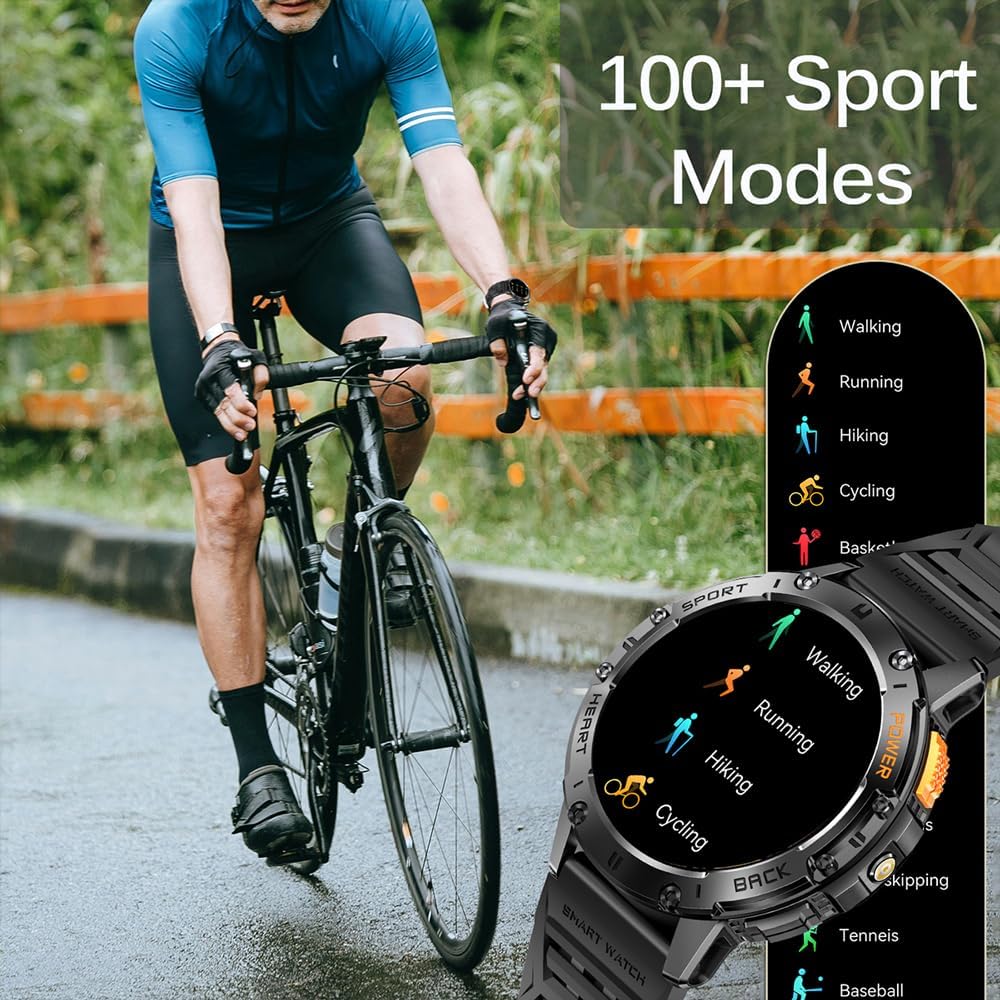
Figure 6: 100+ Sports Modes.
6. Llanterna LED
Activate the built-in LED flashlight for convenience in low-light conditions. This feature is useful for outdoor adventures, night running, or short-term home lighting.
7. Esferes de rellotge personalitzables
Personalize your watch with over 200 watch faces available through the FitCloudPro app. You can also customize watch faces with your own images.
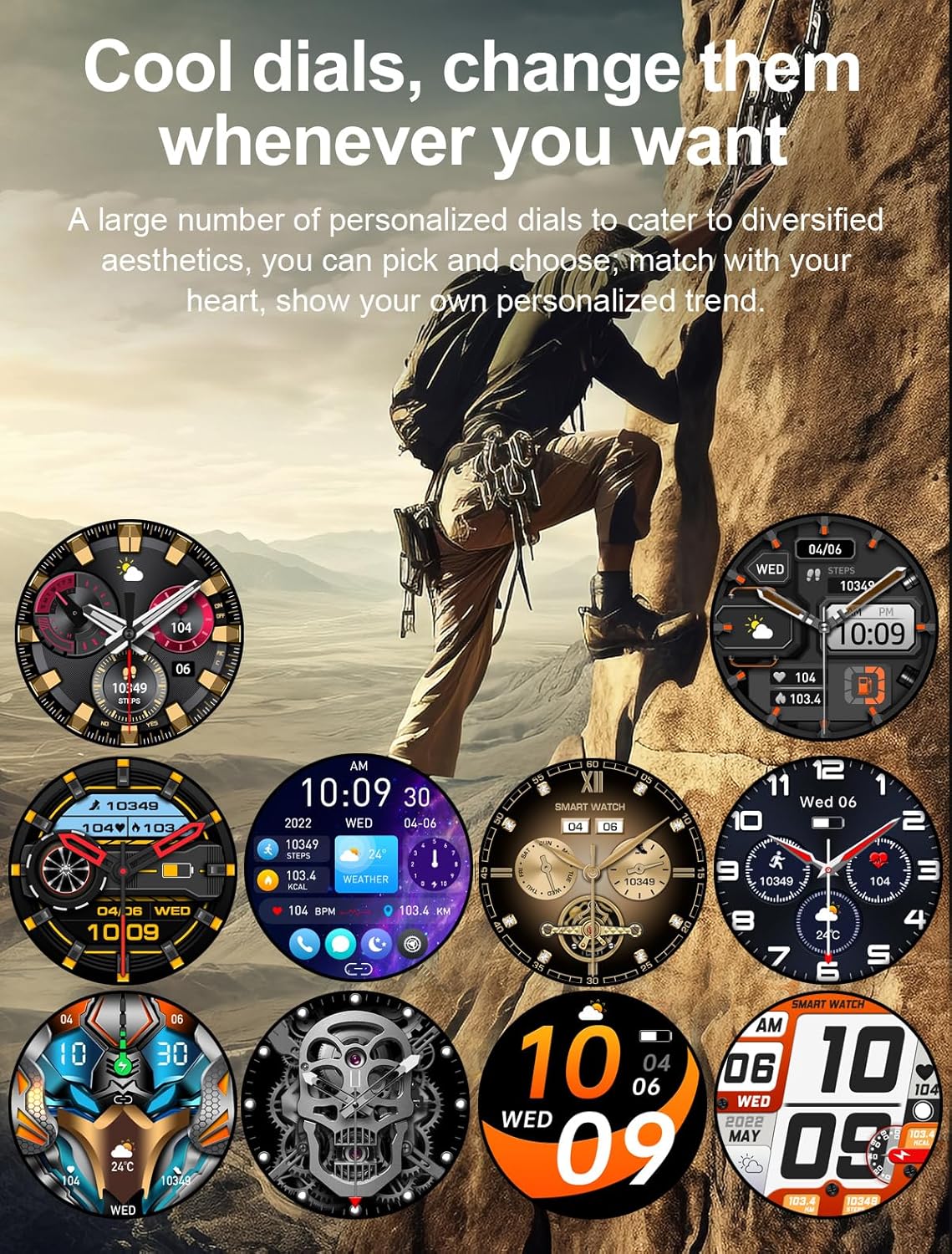
Figure 7: Customizable Watch Faces.
8. Altres característiques
- Assistent de veu AI
- 7-day Weather Forecast
- Cronòmetre
- Rellotge despertador
- Control de música
- Control de càmera
- Recordatori sedentari
Manteniment
1. Neteja
Regularly clean your smart watch and wrist strap with a soft, dry cloth. If necessary, use a slightly damp drap i després eixugueu-lo bé. Eviteu utilitzar productes químics agressius o materials abrasius.
2. Resistència a l'aigua
The watch is IP68 waterproof, meaning it can withstand hand washing and rain. However, it is no suitable for diving, saunas, or hot showers. Avoid prolonged submersion in water.

Figure 8: IP68 Waterproof and Additional Features.
3. Emmagatzematge
Guardeu el rellotge en un lloc fresc i sec, allunyat de la llum solar directa i de temperatures extremes quan no l'utilitzeu durant períodes prolongats.
Resolució de problemes
- El rellotge no s'encén: Assegura't que el rellotge estigui completament carregat. Connecta'l al carregador durant almenys 10 minuts.
- No es pot emparellar amb el telèfon:
- Assegura't que el Bluetooth estigui activat al telèfon i al rellotge.
- Assegureu-vos que el rellotge estigui dins de l'abast del Bluetooth del telèfon.
- Reinicia tant el rellotge com el telèfon.
- Clear Bluetooth cache on your phone (if applicable) and try pairing again.
- Notificacions no rebudes:
- Check notification permissions in the FitCloudPro app.
- Ensure app notifications are enabled in your phone's system settings.
- Verifiqueu que el rellotge estigui connectat correctament via Bluetooth.
- Dades de salut inexactes:
- Assegureu-vos de portar el rellotge ben ajustat al canell, ni massa fluix ni massa ajustat.
- Netegeu la zona del sensor a la part posterior del rellotge.
- Note that health data is for reference only and not for medical diagnosis.
Especificacions
| Característica | Detall |
|---|---|
| Mostra | 1.43" AMOLED HD (460*460 resolution) |
| Capacitat de la bateria | 530 mAh |
| Temps de càrrega | Aprox. 2 hores |
| Durada de la bateria | 15 days (working), 30 days (standby) |
| Classificació impermeable | IP68 |
| Connectivitat | Bluetooth |
| Compatibilitat de sistemes operatius | Android 4.4+/iOS 8.0+ |
| Nom de l'aplicació | FitCloudPro |
| Material de la caixa | Zinc Alloy (Military-grade tested) |
| Dimensions | 48mm (diameter), 12.9mm (thickness) |
| Wrist Strap Size | 150-260 mm |

Figura 9: Dimensions del producte.
Suport
For any questions or assistance, please contact our customer service. We provide 7/24 service to ensure your satisfaction.
Please refer to your purchase documentation or the FitCloudPro app for specific contact details.
Ask a question about this manual
Ask about setup, troubleshooting, compatibility, parts, safety, or missing instructions. Manuals+ will review the question and use this page’s manual context to help answer it.