
weelikeit CP35S
Weelikeit Portable Mini Projector CP35S User Manual
Model: CP35S | Brand: Weelikeit
Introducció
This manual provides detailed instructions for the setup, operation, and maintenance of your Weelikeit Portable Mini Projector CP35S. This projector supports 1080P native resolution with 4K support, features 5G WiFi 6 and Bluetooth connectivity, and includes automatic focusing and keystone correction for an optimized viewexperiència.
Què hi ha a la caixa
En desembalar, assegureu-vos que hi hagi tots els elements següents:
- 1x Weelikeit Projector CP35S
- 1x adaptador de corrent
- 1x comandament a distància
- 1x cable HDMI
- 1 x manual d'usuari

Image: Contents of the Weelikeit Projector CP35S retail box.
Producte acabatview
The Weelikeit CP35S projector is designed for portability and ease of use. It features multiple connectivity options and automatic image adjustment capabilities.
Ports i connexions
The rear panel of the projector provides various ports for connecting external devices:
- Ports USB: Per connectar dispositius d'emmagatzematge USB.
- Port HDMI: For connecting devices such as laptops, gaming consoles, or media players.
- Audio Port (3.5mm Jack): Per connectar sistemes d'àudio externs o auriculars.
- Entrada d'alimentació: Per connectar l'adaptador de corrent.

Imatge: Part posterior view of the Weelikeit CP35S Projector, highlighting the various input/output ports.
Configuració
- Col·locació: Place the projector on a stable, flat surface. Ensure there are no obstructions in front of the lens. The optimal projection distance is approximately 3 meters for a 100-inch screen.
- Connexió d'alimentació: Connect the power adapter to the projector's power input port and then plug it into a power outlet.
- Encès: Premeu el botó d'encesa del projector o del comandament a distància per encendre el dispositiu.

Image: Recommended projection distances for different screen sizes.
Instruccions de funcionament
Ajust automàtic d'imatge
The CP35S projector features intelligent automatic focus, keystone correction, and obstacle avoidance. When the projector is moved or initially powered on, it will automatically adjust the image for clarity and proper geometry on the projection surface. This ensures a clear, rectangular image without manual intervention.

Image: Visual representation of the projector's intelligent auto-focus and auto-keystone correction.
Connexió a Wi-Fi
To access online content and streaming services, connect your projector to a Wi-Fi network:
- Navigate to the "Settings" menu using the remote control.
- Seleccioneu "Xarxa i Internet".
- Trieu la xarxa Wi-Fi que vulgueu de la llista i introduïu la contrasenya si se us demana.
- The projector supports 2.4G/5G dual-band WiFi 6 for stable and fast connections.
Connectivitat Bluetooth
Pair Bluetooth devices like external speakers or headphones for enhanced audio:
- Go to the "Settings" menu.
- Select "Bluetooth" and turn it on.
- The projector will scan for available devices. Select your device from the list to pair.
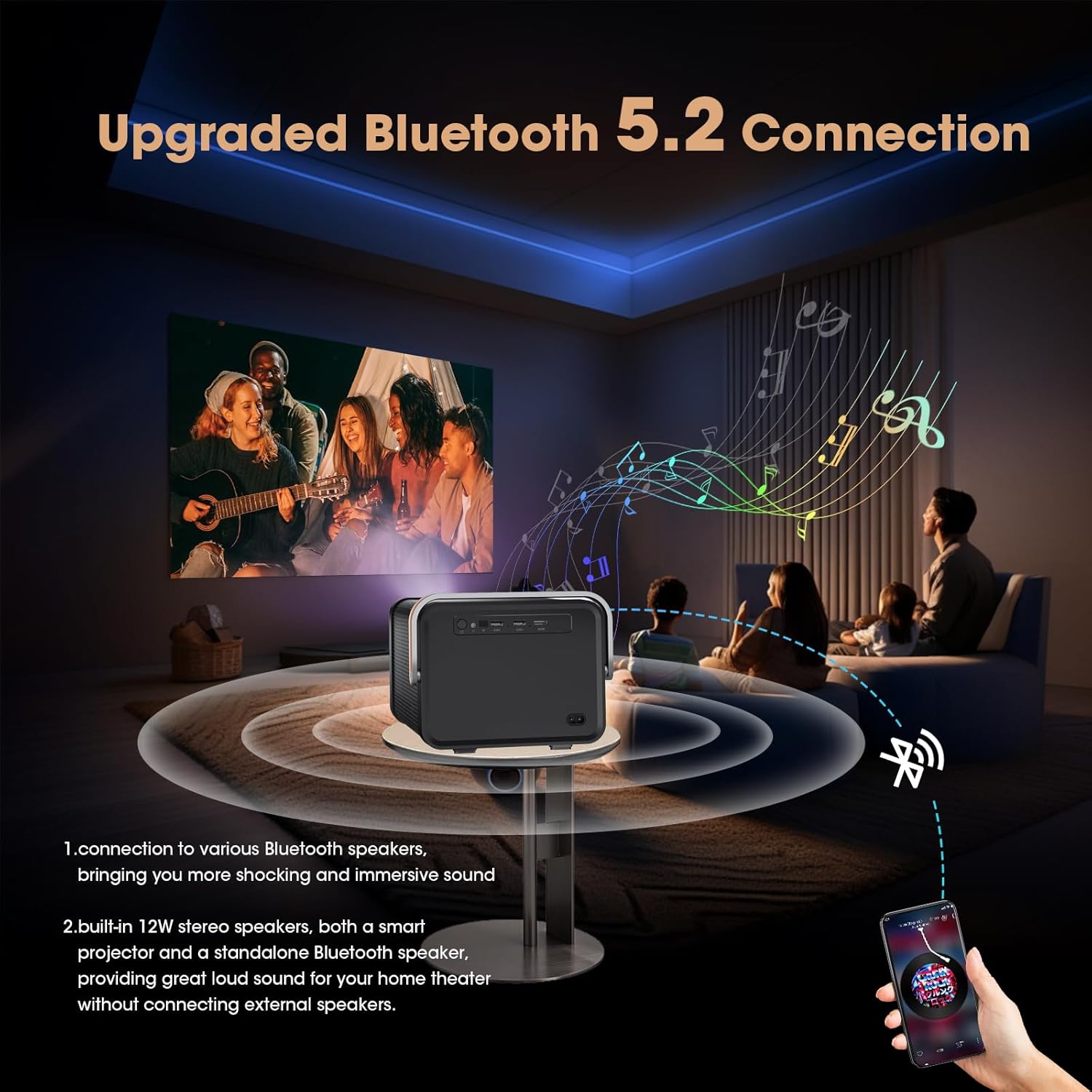
Image: Projector connected to external Bluetooth speakers for an immersive audio experience.
Using HDMI and USB Inputs
To display content from external sources:
- HDMI: Connect your device (e.g., laptop, game console, TV stick) to the projector's HDMI port using an HDMI cable. Select the HDMI input source from the projector's main menu.
- USB: Insert a USB drive into a USB port. The projector's media player will allow you to browse and play compatible files.
Accessing Built-in Apps
The projector comes with a pre-installed Android TV system, offering access to popular streaming applications:
- From the home screen, select the desired application (e.g., Netflix, YouTube, Prime Video).
- Inicia la sessió amb les credencials del teu compte per accedir al contingut.
- Additional applications can be downloaded from the AppMarket or Play Store.

Image: Home screen of the projector showing pre-installed streaming applications.
Manteniment
- Neteja de lents: Feu servir un drap suau i sense borrissol dissenyat específicament per a lents òptiques per netejar suaument la lent del projector. Eviteu materials abrasius o productes químics agressius.
- Eliminació de pols: Regularly clean the projector's vents to prevent dust buildup, which can affect performance and lifespan. Use a soft brush or compressed air.
- Emmagatzematge: Quan no l'utilitzeu durant períodes prolongats, guardeu el projector en un lloc fresc i sec, allunyat de la llum solar directa i de temperatures extremes.
Resolució de problemes
| Problema | Causa possible | Solució |
|---|---|---|
| Sense imatge o imatge borrosa | Incorrect focus, projector too far/close, lens obstruction. | Ensure auto-focus is enabled or manually trigger it via remote. Adjust projector distance. Clean the lens. |
| Sense so | Volume too low, external audio device not connected, incorrect audio output selected. | Increase volume. Check Bluetooth connection or 3.5mm audio cable. Verify audio settings. |
| Connexió Wi-Fi inestable | Senyal feble, contrasenya incorrecta, problemes amb el router. | Move projector closer to router. Re-enter Wi-Fi password. Restart router and projector. |
| El comandament a distància no funciona | Piles gastades, obstrucció, comandament a distància no emparellat. | Replace batteries (AAA). Ensure clear line of sight to projector. Re-pair remote if necessary (refer to device settings). |
Especificacions
| Característica | Detall |
|---|---|
| Dimensions del producte | 24 x 25.5 x 23.19 cm |
| Pes de l'article | 1.17 kg (2.59 lliures) |
| Número de model de l'article | CP35S |
| Usos recomanats | Negocis, Educació, Jocs, Cinema a casa |
| Característiques especials | Auto Focus, Auto Obstacle Avoidance, Auto Screen Alignment, Built-In Speaker, Digital Keystone Correction |
| Tecnologia de connectivitat | WiFi (2.4G/5G WiFi 6), Bluetooth, HDMI, USB, VGA, AV, 3.5mm Jack |
| Resolució nativa | 1920 x 1080 píxels |
| Resolució de pantalla màxima | 1920 x 1080 Pixels (4K Support) |
| Tipus de visualització | LCD |
| Factor de forma | Portàtil |
| Tipus de muntatge | Muntatge de taula |
| Brillantor | 400 ANSI Lumen |
| Relació de contrast | 15000:1 |
| Distància màxima de llançament | 20 peus |
| Mida màxima de la imatge | 214 polzades |
| Distància mínima de llançament | 2.6 peus |
| Mida mínima de la imatge | 29 polzades |
| Tipus de controlador | Control remot |
| Dispositius compatibles | Laptops, smartphones, gaming consoles, media players |
Vídeo oficial del producte
Vídeo: Una anàlisi completaview and demonstration of the Weelikeit CP35S Projector, showcasing its unboxing, port details, automatic focus and keystone correction, built-in app functionality, and outdoor usage scenarios.
Garantia i Suport
The product comes with a 1-year warranty. For technical support, troubleshooting, or warranty claims, please contact Weelikeit customer service.
Informació de contacte del fabricant: Shenzhenshichengfengleqidianziyouxiangongsi dalangjiedaohenglangshequweihuagongyequAdong1ceng,longhuaqu,shenzhenshi,guangdongsheng,CN Contact: 17711075006
Ask a question about this manual
Ask about setup, troubleshooting, compatibility, parts, safety, or missing instructions. Manuals+ will review the question and use this page’s manual context to help answer it.