
1. Introducció
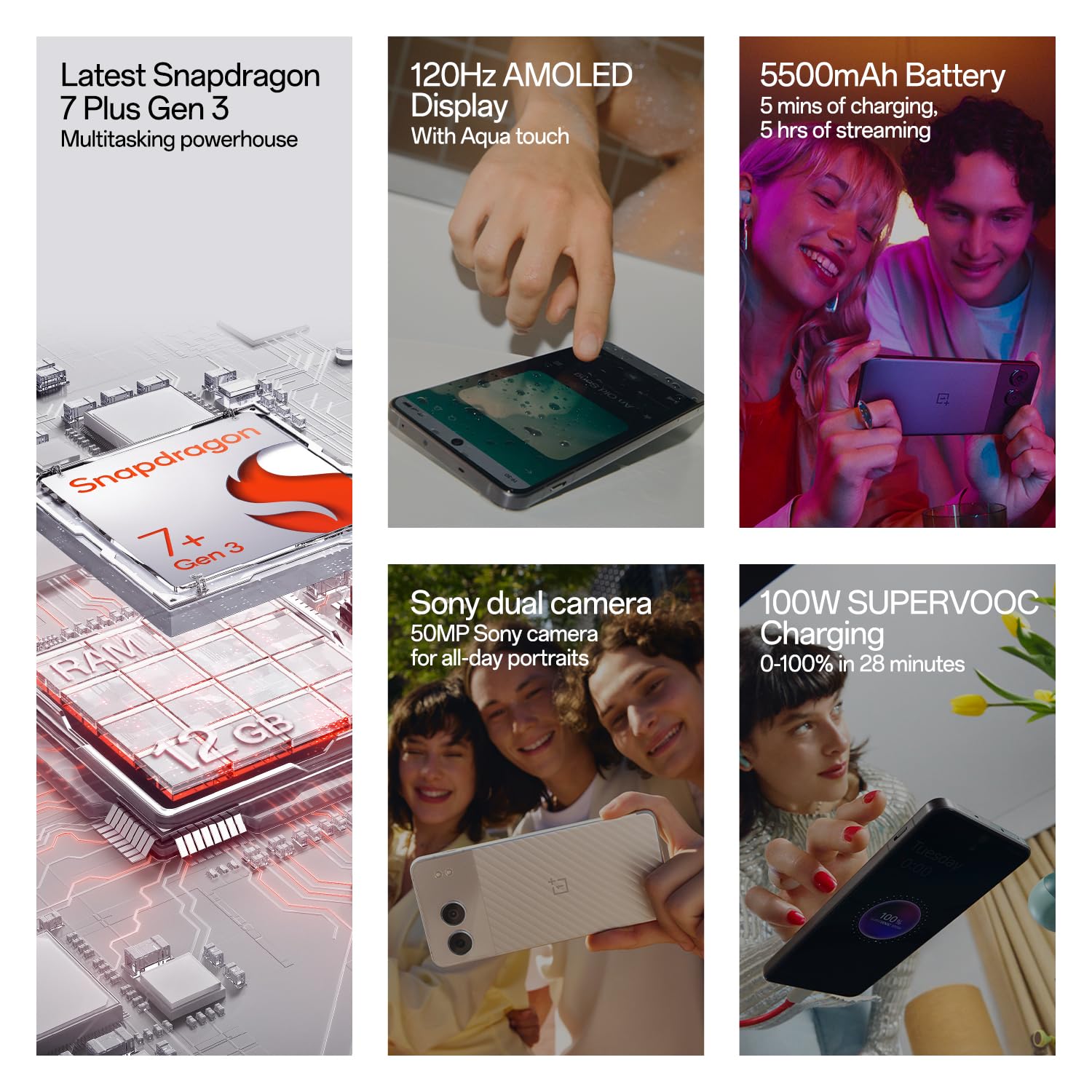
Welcome to the user manual for your new OnePlus Nord 4 5G smartphone. This guide provides essential information to help you set up, operate, maintain, and troubleshoot your device. The OnePlus Nord 4 5G combines powerful performance with a sleek design, featuring a Snapdragon 7+ Gen 3 processor, a vibrant 120Hz AMOLED display, and a long-lasting 5500mAh battery with 100W SUPERVOOC fast charging.

Image: OnePlus Nord 4 5G showcasinel seu disseny i les seves característiques principals.
2. Què hi ha a la caixa
Upon unboxing your OnePlus Nord 4 5G, you should find the following items:
- OnePlus Nord 4 5G Phone
- Adaptador de corrent (100W SUPERVOOC)
- Cable USB (tipus C)
- Expulsor de la safata SIM
- Funda de telèfon
3. Configuració
3.1 Inserció de la targeta SIM
- Localitza la safata de la targeta SIM al lateral del telèfon.
- Introduïu l'eina d'expulsió de la safata de la SIM al forat petit que hi ha al costat de la safata i premeu fermament fins que la safata surti.
- Place your Nano-SIM card(s) into the tray with the gold contacts facing down. Ensure they are correctly seated. The device supports Dual SIM.
- Torneu a inserir amb cura la safata de la targeta SIM al telèfon.

Imatge: Lateral view of the OnePlus Nord 4 5G, highlighting the SIM card tray location.
3.2 Engegada i configuració inicials
- Premeu i manteniu premut el botó d'engegada (situat al costat dret) fins que aparegui el logotip de OnePlus.
- Segueix les instruccions que apareixen a la pantalla per seleccionar l'idioma, connectar-te a la Wi-Fi i configurar el teu compte de Google.
- You will be guided through setting up security features like fingerprint unlock and face unlock.
4. Funcionament del vostre dispositiu
4.1 Engegar/apagar i reiniciar
- Encès: Mantingueu premut el botó d'engegada fins que el dispositiu vibri i aparegui el logotip.
- Apagar/Reiniciar: Mantingueu premut el botó d'engegada i el botó d'augmentar el volum simultàniament. Seleccioneu "Apagar" o "Reiniciar" al menú.
4.2 Volume and Alert Slider
- The Volume Up and Down buttons are located on the left side of the device.
- The Alert Slider, located on the right side, allows you to quickly switch between Ring, Vibrate, and Silent modes without unlocking your phone.
4.3 Navigation and Gestures (OxygenOS)
Your OnePlus Nord 4 5G runs on OxygenOS, offering a smooth and intuitive user experience. You can choose between gesture navigation or traditional navigation buttons in the settings.
- Inici: Swipe up from the bottom of the screen (gesture) or tap the Home button.
- Enrere: Swipe inward from the left or right edge of the screen (gesture) or tap the Back button.
- Aplicacions recents: Swipe up from the bottom and hold (gesture) or tap the Recent Apps button.
Imatge: Frontal view of the OnePlus Nord 4 5G, displaying the screen.
5. Característiques de la càmera
The OnePlus Nord 4 5G is equipped with a versatile camera system to capture your moments.
- Càmera principal: 50MP Sony True-skin Main Camera with OIS for high-resolution photos and 4K 60fps video recording.
- Càmera ultra gran angular: 8MP Ultra-wide Camera with a 112° Field of View for expansive shots.
- Càmera selfie: 16MP True-skin Selfie Camera with skin-tone optimization.

Image: The OnePlus Nord 4 5G highlighting its dual camera setup.
6. Característiques de la IA
Experience enhanced functionality with the integrated AI features on your Nord 4 5G:
- Goma d'esborrar de la IA: Remove unwanted objects or 'photobombers' from your pictures with a single tap.
- AI Best Face: Automatically fix blinking eyes or unexpected expressions in group photos.
- AI Audio & Article Summary: Summarize lectures, meetings, or long articles to quickly grasp key points.
- Retall intel·ligent d'IA: Lasso objects from images to create stickers or save them for creative photo editing.

Image: Demonstration of the AI Eraser feature removing an object from a photo.

Image: Demonstration of the AI Best Face feature correcting expressions in a photo.
7. Bateria i càrrega
Your device is equipped with a powerful battery and advanced charging technology:
- Capacitat de la bateria: 5500mAh Lithium-Ion battery for extended usage.
- Càrrega ràpida SUPERVOOC de 100 W: Achieve 0-100% charge in approximately 28 minutes. A 5-minute charge can provide up to 5 hours of video streaming.
- Motor d'estat de la bateria: Intelligent AI and hardware synergy adapt to your charging habits, extending battery life to an impressive 4 years with daily charges up to 80% or more. Monitor and adjust settings to maximize performance.

Image: Visual representation of the 100W SUPERVOOC fast charging and 5500mAh battery capacity.
8. Visualització
Enjoy a superior visual experience with the OnePlus Nord 4 5G's display:
- Tipus: 120Hz AMOLED Display.
- Resolució: 2772 x 1240 píxels.
- Brillantor: Up to 2150 nits peak brightness for clear visibility even in bright sunlight.
- Aqua Touch: Provides precise typing and swiping, even with wet fingers.

Image: Visual representation of the 120Hz OLED display's vibrant and deep visuals.
9. Rendiment
The OnePlus Nord 4 5G is engineered for smooth and powerful performance:
- Processador: Qualcomm Snapdragon 7+ Gen 3, transforming your device into a powerhouse for gaming and AI tasks.
- Sistema operatiu: OxygenOS, based on Android.
- RAM: 8GB RAM (for this variant) for efficient multitasking.
- Emmagatzematge: 128GB UFS3.1 storage (for this variant).
- System Fluency: Rated 'A' by TUV SUD for 6 years of system fluency, ensuring a consistently fast and smooth experience.

Image: Diagram illustrating the Snapdragon 7 Plus Gen 3 processor and memory components.
10. Manteniment
10.1 Neteja del vostre dispositiu
- Use a soft, lint-free cloth to clean the screen and body of your phone.
- Eviteu utilitzar productes químics o materials abrasius.
- The device is Water Resistant; however, avoid intentional submersion in water.
10.2 Actualitzacions de programari
OnePlus is committed to providing long-term support for your device:
- Rebràs 4 Android updates, ensuring access to the latest features and improvements.
- Rebràs 6 years of security updates to protect your device from vulnerabilities.
- Regularly check for and install system updates via Configuració > Quant al dispositiu > Versió d'OxygenOS.
10.3 Cura de la bateria
- To prolong battery lifespan, consider enabling the 'Charging Limit' feature in Battery Health settings, which can halt charging at 80%.
- Avoid exposing your phone to extreme temperatures.
11. Solució De Problemes
If you encounter issues with your OnePlus Nord 4 5G, try the following steps:
- El dispositiu no s'encén: Assegureu-vos que la bateria estigui carregada. Connecteu-la al carregador durant almenys 10 minuts i, a continuació, proveu d'encendre-la.
- Les aplicacions es bloquegen o es bloquegen: Restart the device. If the issue persists, clear the app's cache (Settings > Apps > App management > [App Name] > Storage usage > Clear cache).
- Problemes de connectivitat de xarxa: Check if Airplane Mode is off. Restart your device. Verify your SIM card is correctly inserted. Contact your network provider if problems persist.
- Problemes de càrrega: Assegureu-vos que el carregador i el cable estiguin connectats correctament i no estiguin danyats. Proveu una altra presa de corrent o carregador.
- Rendiment lent: Close unnecessary background apps. Clear cache regularly. Ensure your device software is up to date.
Per a problemes més complexos, consulteu el suport oficial de OnePlus. weblloc o contacteu amb el servei d'atenció al client.
12. Especificacions
| Característica | Especificació |
|---|---|
| Marca | OnePlus |
| Model | Nord 4 5G |
| Sistema operatiu | OxygenOS |
| Processador | Qualcomm Snapdragon 7+ Gen 3 (2.8 GHz) |
| RAM | 8 GB |
| Emmagatzematge | 128 GB (UFS3.1) |
| Tipus de visualització | AMOLED |
| Mida de la pantalla | 6.74 polzades |
| Resolució | 2772 x 1240 píxels |
| Càmera posterior | 50 MP (Main) + 8 MP (Ultrawide) |
| Càmera frontal | 16 MP |
| Capacitat de la bateria | 5500 mAh |
| Carregant | 100W SUPERVOOC Fast Charging |
| Ranura per a targeta SIM | Dual SIM (Nano) |
| Connectivitat | 5G, Bluetooth, USB Type C, Wi-Fi |
| Resistència a l'aigua | Resistent a l'aigua |
| Dimensions | 16.3 x 7.5 x 0.8 centímetres |
| Pes | 200 grams |
13. Garantia i Suport
13.1 Garantia del producte
Your OnePlus Nord 4 5G comes with a 1 any de garantia del fabricant for the device itself and a 1-year manufacturer warranty for in-box accessories, including batteries, from the date of purchase.
OnePlus also provides a Garantia de pantalla de per vida for industry-wide green line issues. This service does not cover damage caused by human or external factors. Specific terms apply and will be based on the conditions at the service center on the day of service. OnePlus reserves the right of final interpretation regarding this service.

Image: OnePlus Lifetime Display Warranty logo, indicating coverage for green line issues.
13.2 Atenció al client
For any queries, technical assistance, or warranty claims, please contact OnePlus Customer Service:
- Número de contacte: 1800 102 8411
- WhatsApp: +91-9289606888
- Fabricant: Oppo Mobiles India Private Limited
També podeu visitar el Botiga oficial de OnePlus per obtenir més informació i recursos de suport.