
VGN ATK RS7 PRO
Manual d'usuari del teclat d'efecte Hall ATK RS7 Pro RGB eSports Edition
Model: ATK RS7 PRO | Marca: VGN
Introducció
Aquest manual proporciona instruccions completes per al teclat d'efecte Hall ATK RS7 Pro RGB eSports Edition. Cobreix la configuració, el funcionament, el manteniment i la resolució de problemes per garantir un rendiment òptim i la longevitat del dispositiu. L'ATK RS7 Pro presenta un disseny d'efecte Hall amb una zona morta 0 ajustable, una taxa de sondeig de 8000 Hz i una latència ultrabaixa de 0.3 ms, utilitzant interruptors magnètics Gateron Jade (edició limitada Amethyst).
Característiques clau
- Teclat d'efecte Hall: Utilitza sensors magnètics per a l'actuació de les tecles, oferint punts d'actuació precisos i personalitzables.
- Zona morta 0 ajustable: Permet ajustar amb precisió la sensibilitat i la resposta de les tecles.
- Taxa de sondeig de 8000 Hz: Proporciona una comunicació extremadament ràpida entre el teclat i l'ordinador, reduint el retard d'entrada.
- Latència ultrabaixa de 0.3 ms: Dissenyat per a jocs competitius, minimitzant el retard des de la pulsació de la tecla fins a l'acció del joc.
- Interruptors magnètics de jade Gateron: Inclou interruptors Amethyst Limited Edition per a una experiència tàctil i auditiva única.
- Disseny del 75%: Disseny compacte que conserva les tecles essencials per a jocs i productivitat.
- Caixa superior d'aliatge d'alumini: Construcció duradora i de primera qualitat.
- Estructura de GAS resilient: Millora la sensació i el so de l'escriptura.
- Nivells de sensibilitat ajustables: Personalitza l'accionament de les tecles segons les teves preferències.
- Activació/reinici ràpid (RT): Funció avançada per al joc competitiu, que permet que les tecles es tornin a activar instantàniament en reiniciar-se.
- Compatibilitat amb l'ATK V HUB: Suport de programari per a una personalització avançada.
- NKRO (N-Key Rollover): Assegura que es registrin totes les pulsacions simultànies de tecles.
- Tecles Dye-Sub: Llegendes de tecles duradores que resisteixen la decoloració.
- Funcions clau avançades: Tecles i macros programables per a un control millorat.
- Il·luminació de fons: Equipat amb retroil·luminació RGB per a una estètica personalitzable.
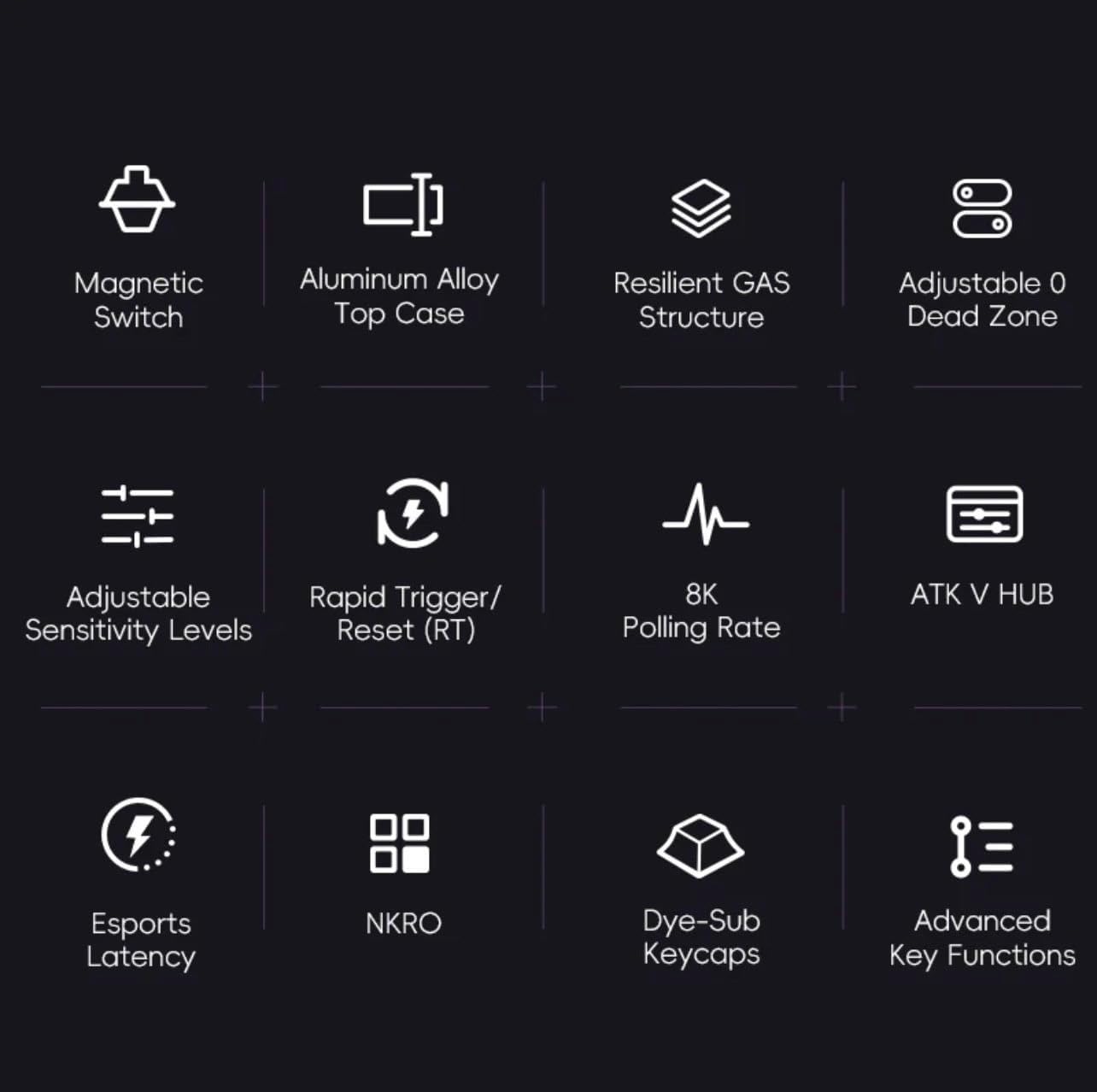
Figura 1: Mésview de les funcions avançades d'ATK RS7 Pro.
Contingut del paquet
Si us plau, comproveu el paquet per veure si hi ha els elements següents:
- Teclat d'efecte Hall ATK RS7 Pro RGB eSports Edition
- Cable USB (connexió USB-A)
- Manual d'usuari (aquest document)
Configuració
- Connecteu el teclat: Localitza un port USB-A disponible a l'ordinador. Insereix l'extrem USB-A del cable proporcionat al port USB de l'ordinador i l'altre extrem al port USB del teclat.
- Instal·lació del controlador: El teclat normalment és plug-and-play. El sistema operatiu hauria de detectar i instal·lar automàticament els controladors necessaris.
- Instal·lació del programari (opcional): Per a una personalització avançada, com ara l'ajust dels punts d'actuació, la configuració ràpida del disparador, la il·luminació RGB i les macros, descarregueu i instal·leu el programari ATK V HUB des del lloc web oficial de VGN. weblloc.

Figura 2: Teclat ATK RS7 Pro connectat mitjançant USB-A.
Instruccions de funcionament
Ús bàsic
L'ATK RS7 Pro funciona com un teclat QWERTY estàndard per escriure i per a ús general de l'ordinador. Totes les tecles són completament funcionals un cop connectades.
Funcions avançades i personalització
L'ATK RS7 Pro ofereix diverses funcions avançades per a un rendiment millorat, especialment en jocs. Aquestes funcions es configuren principalment a través del programari ATK V HUB.
- Ajust del punt d'actuació: Personalitza la distància que ha de recórrer una tecla abans de registrar una pulsació. Això es pot configurar individualment per a cada tecla.
- Disparador ràpid (RT): Aquesta funció permet que una tecla es torni a activar immediatament després de reiniciar-se, sense necessitat de tornar a la seva posició de repòs completa. Això és molt beneficiós per a entrades ràpides en jocs. Configureu els punts d'activació i desactivació dins del programari.
- 0 Zona morta: Assegureu-vos que no hi hagi cap distància de recorregut sense resposta al principi o al final de la pulsació d'una tecla, proporcionant la màxima resposta.
- Taxa de votació: El teclat funciona per defecte a una velocitat de sondeig de 8000 Hz, proporcionant una latència de 0.3 ms. Aquesta configuració és fixa per a un rendiment òptim.
- Il·luminació RGB: Personalitza els efectes d'il·luminació, els colors i la brillantor amb el programari ATK V HUB.
- Macros i remapatge de tecles: Assigna seqüències complexes d'ordres a una sola tecla o remapeix les tecles a diferents funcions mitjançant el programari.

Figura 3: L'ATK RS7 Pro presenta una latència ultrabaixa de 0.3 ms amb una taxa de sondeig de 8000 Hz.
Manteniment
- Neteja: Feu servir un drap suau i sec per netejar la superfície del teclat. Per a una neteja més profunda, feu servir aire comprimit per eliminar la pols i les restes entre les tecles. Eviteu utilitzar productes químics agressius o materials abrasius.
- Eliminació de la tapa de les tecles: Si cal, les tecles es poden treure amb cura amb un extractor de tecles (no inclòs) per a una neteja a fons. Torneu-les a instal·lar alineant-les i prement suaument fins que encaixin al seu lloc.
- Emmagatzematge: Quan no l'utilitzeu, guardeu el teclat en un lloc net i sec, allunyat de la llum solar directa i de temperatures extremes.

Figura 4: Components interns de l'ATK RS7 Pro, que il·lustren la seva construcció en capes per a una major durabilitat i so.
Resolució de problemes
| Problema | Causa possible | Solució |
|---|---|---|
| El teclat no respon | Connexió USB fluixa, port USB defectuós, problema amb el controlador. | Assegureu-vos que el cable USB estigui ben connectat. Proveu un port USB diferent. Reinicieu l'ordinador. Consulteu el Gestor de dispositius per detectar problemes de controladors. |
| Les claus no es registren correctament | Pols/restes sota la tapa de les tecles, configuració del programari, mal funcionament de l'interruptor. | Netegeu sota la tapa de les tecles amb aire comprimit. Consulteu el programari ATK V HUB per conèixer la configuració del punt d'actuació. Si el problema persisteix, contacteu amb el servei d'assistència. |
| La il·luminació RGB no funciona | Configuració del programari, problema d'alimentació. | Assegureu-vos que el programari ATK V HUB estigui en funcionament i que la il·luminació estigui activada. Comproveu la connexió USB per assegurar-vos que el subministrament d'energia sigui suficient. |
| El programari (ATK V HUB) no detecta el teclat | Programari no actualitzat, conflicte de controladors, processos en segon pla. | Assegureu-vos que teniu la darrera versió d'ATK V HUB. Torneu a instal·lar els controladors del teclat. Tanqueu altres aplicacions en segon pla que puguin interferir. |
Especificacions
| Característica | Detall |
|---|---|
| Marca | VGN |
| Número de model | ATK RS7 PRO |
| Descripció del teclat | Teclat per a jocs |
| Ús recomanat | Jocs |
| Tecnologia de connectivitat | USB-A |
| Dispositius compatibles | Ordinador personal |
| Característica especial | Retroil·luminat |
| Components inclosos | Cable USB |
| Tipus de canvi | Tàctil (Jade Magnètic Gateron) |
| Disposició del teclat | QWERTY (disseny del 75%) |
| Orientació de la mà | Ambidextre |
| Taxa de votació | 8000 Hz |
| Latència | 0.3 ms |
| Zona Morta | Zona morta 0 ajustable |
Garantia i Suport
El teclat d'efecte Hall ATK RS7 Pro RGB eSports Edition inclou una garantia estàndard del fabricant. Consulteu la targeta de garantia inclosa al paquet o visiteu el lloc web oficial de VGN. weblloc web per obtenir informació detallada sobre els termes i condicions de la garantia.
Per a assistència tècnica, assistència per a la resolució de problemes o consultes sobre el vostre producte, poseu-vos en contacte amb el servei d'atenció al client de VGN a través del seu servei oficial. weblloc web o la informació de contacte proporcionada amb la compra. Assegureu-vos de tenir a mà el número de model del producte (ATK RS7 PRO) i els detalls de la compra quan contacteu amb el servei d'assistència.
Ask a question about this manual
Ask about setup, troubleshooting, compatibility, parts, safety, or missing instructions. Manuals+ will review the question and use this page’s manual context to help answer it.