
cellularline BTSPIRITL
cellularline SPIRIT Open-Ear Bluetooth Sport Earphones User Manual
Model: BTSPIRITL | Brand: cellularline
Introducció
The cellularline SPIRIT Open-Ear Bluetooth Sport Earphones are engineered for active individuals who prioritize both audio enjoyment and situational awareness. Featuring an open-ear design and Air Conduction technology, these earphones allow you to listen to music and take calls while remaining conscious of your surroundings. With IPX4 certification, they are resistant to sweat and splashes, making them suitable for various sports activities. The ergonomic design ensures a comfortable and secure fit during intense workouts.
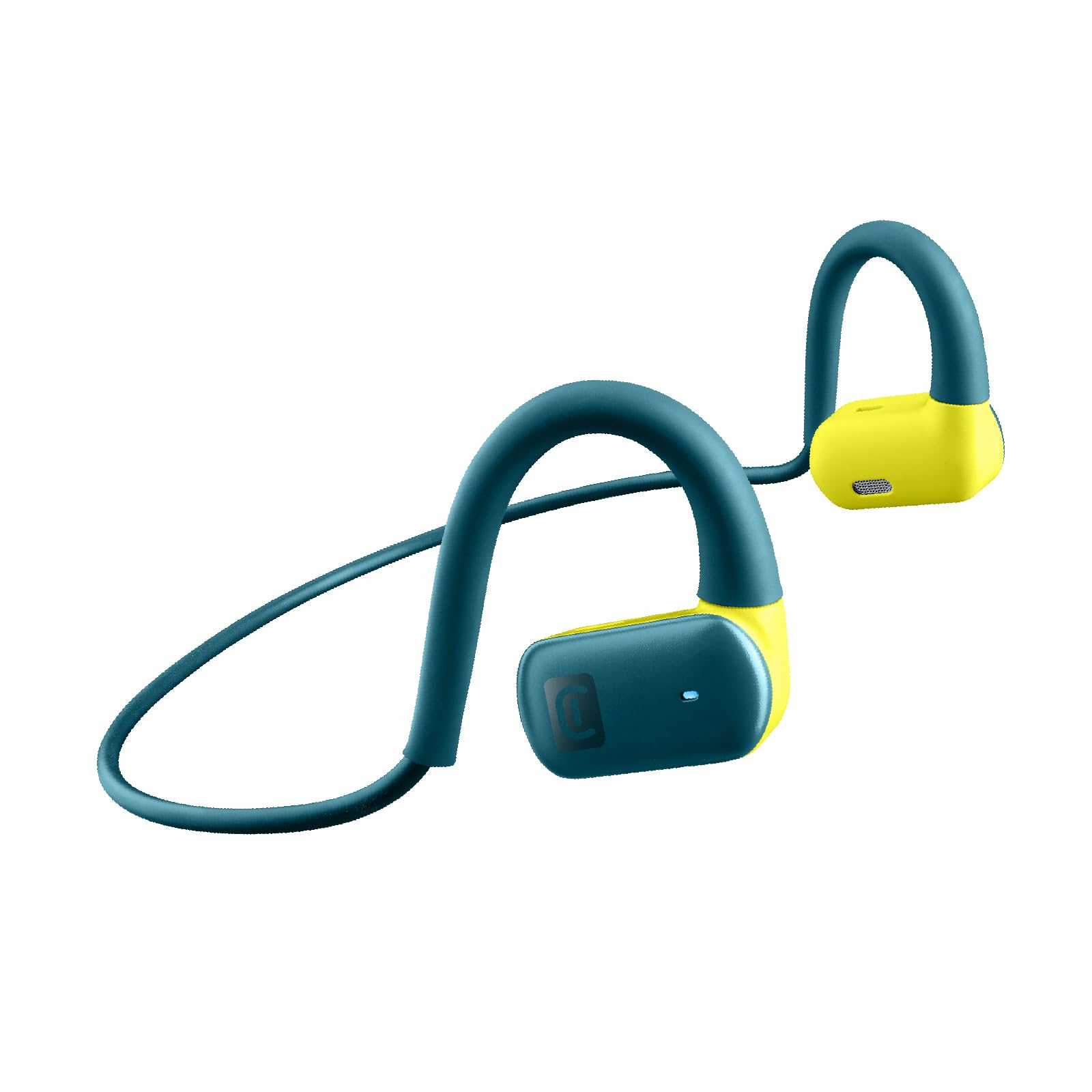
Image: The cellularline SPIRIT Open-Ear Bluetooth Sport Earphones, showcasinel seu disseny i color.

Imatge: Una imatge detallada view of the cellularline SPIRIT earphones, emphasizing the open-ear design for environmental awareness.

Image: A person wearing the cellularline SPIRIT earphones while running, demonstrating the ability to listen to music and remain aware of their surroundings.

Image: A cyclist wearing the cellularline SPIRIT earphones, illustrating how the open-ear design allows for safety and connectivity during activities.
Què hi ha a la caixa
- cellularline SPIRIT Bluetooth Earphones
- Cable de càrrega
- Manual d'usuari
Configuració
1. Càrrega dels auriculars
Before first use, fully charge your SPIRIT earphones. Connect the provided charging cable to the charging port on the earphones and to a USB power source. The charging indicator light will show the charging status. A full charge takes approximately 1.5 hours and provides up to 7 hours of playback time.

Image: The cellularline SPIRIT earphones highlighting their 7-hour total play time on a light background.
2. Vinculació amb un dispositiu Bluetooth
- Assegureu-vos que els auriculars estiguin apagats.
- Press and hold the multi-function button on the earphones until the LED indicator flashes blue and red, indicating pairing mode.
- Al dispositiu (telèfon intel·ligent, tauleta, etc.), activeu el Bluetooth i cerqueu els dispositius disponibles.
- Select "SPIRIT" from the list of found devices.
- Once connected, the LED indicator on the earphones will flash blue slowly.
Els auriculars intentaran tornar a connectar-se automàticament amb l'últim dispositiu emparellat quan s'engeguin.
Instruccions de funcionament
Encès/Apagat
- Encès: Press and hold the multi-function button for approximately 3 seconds until the LED indicator flashes blue.
- Apagar: Press and hold the multi-function button for approximately 5 seconds until the LED indicator flashes red and then turns off.
Reproducció de música
- Reproduir/pausa: Premeu el botó multifunció una vegada.
- Pista següent: Premeu dues vegades el botó multifunció.
- Pista anterior: Premeu tres vegades el botó multifunció.
Gestió de trucades
- Respondre/Finalitzar la trucada: Premeu el botó multifunció una vegada.
- Rebutja la trucada: Manteniu premut el botó multifunció durant 2 segons.
Assistent de veu
To activate your device's voice assistant (e.g., Siri, Google Assistant), press the multi-function button for 2 seconds until you hear a prompt.
Manteniment
Neteja
Wipe the earphones with a soft, dry, or slightly damp drap. No utilitzeu productes químics agressius ni materials abrasius. Assegureu-vos que el port de càrrega estigui sec abans de carregar-lo.
Emmagatzematge
Store the earphones in a cool, dry place away from direct sunlight and extreme temperatures. Avoid storing them with sharp objects that could cause damage.

Image: The cellularline SPIRIT earphones showing their flexible and stable design, indicating comfort during wear.
Resolució de problemes
| Problema | Solució |
|---|---|
| Els auriculars no s'encenen. | Ensure the earphones are fully charged. Connect them to a power source using the charging cable. |
| No es pot emparellar amb un dispositiu. |
|
| Sense so o amb un volum baix. |
|
| Connexió intermitent. |
|
Especificacions
- Nom del model: BTSPIRITL
- Connectivitat: Sense fil (Bluetooth 4.0)
- Rang Bluetooth: Fins a 10 metres
- Tipus d'auriculars: Open-ear, On-ear
- Tipus de controlador d'àudio: Tecnologia de conducció d'aire
- Resposta de freqüència: 20 Hz - 20,000 Hz
- Temps de joc: Fins a 7 hores
- Temps de càrrega: Aproximadament 1.5 hores
- Resistència a l'aigua: IPX4 (resistent a la suor i a les esquitxades)
- Material: Cautxú de silicona
- Característiques: Built-in microphone, Voice Assistant support

Image: The cellularline SPIRIT earphones with water droplets on the surface, illustrating their sweat and rain-proof design (IPX4).
Garantia i Suport
Aquest producte ve amb un 2 any de garantia from the date of purchase. For warranty claims or technical support, please contact cellularline customer service through their official weblloc web o el distribuïdor on es va comprar el producte. Si us plau, conserveu el comprovant de compra per validar la garantia.
For more information, visit the official cellularline weblloc: www.cellularline.com
Documents relacionatsBTSPIRITL


Ask a question about this manual
Ask about setup, troubleshooting, compatibility, parts, safety, or missing instructions. Manuals+ will review the question and use this page’s manual context to help answer it.