
1. Introducció
Thank you for choosing the FUNYET 2-in-1 Touchscreen Laptop, Model FUN01-03. This device combines the versatility of a tablet with the productivity of a laptop, featuring a 14-inch display, 12th Gen N100 Processor, 16GB DDR5 RAM, and a 512GB SSD. This manual provides essential information for setting up, operating, maintaining, and troubleshooting your new device to ensure optimal performance and longevity.
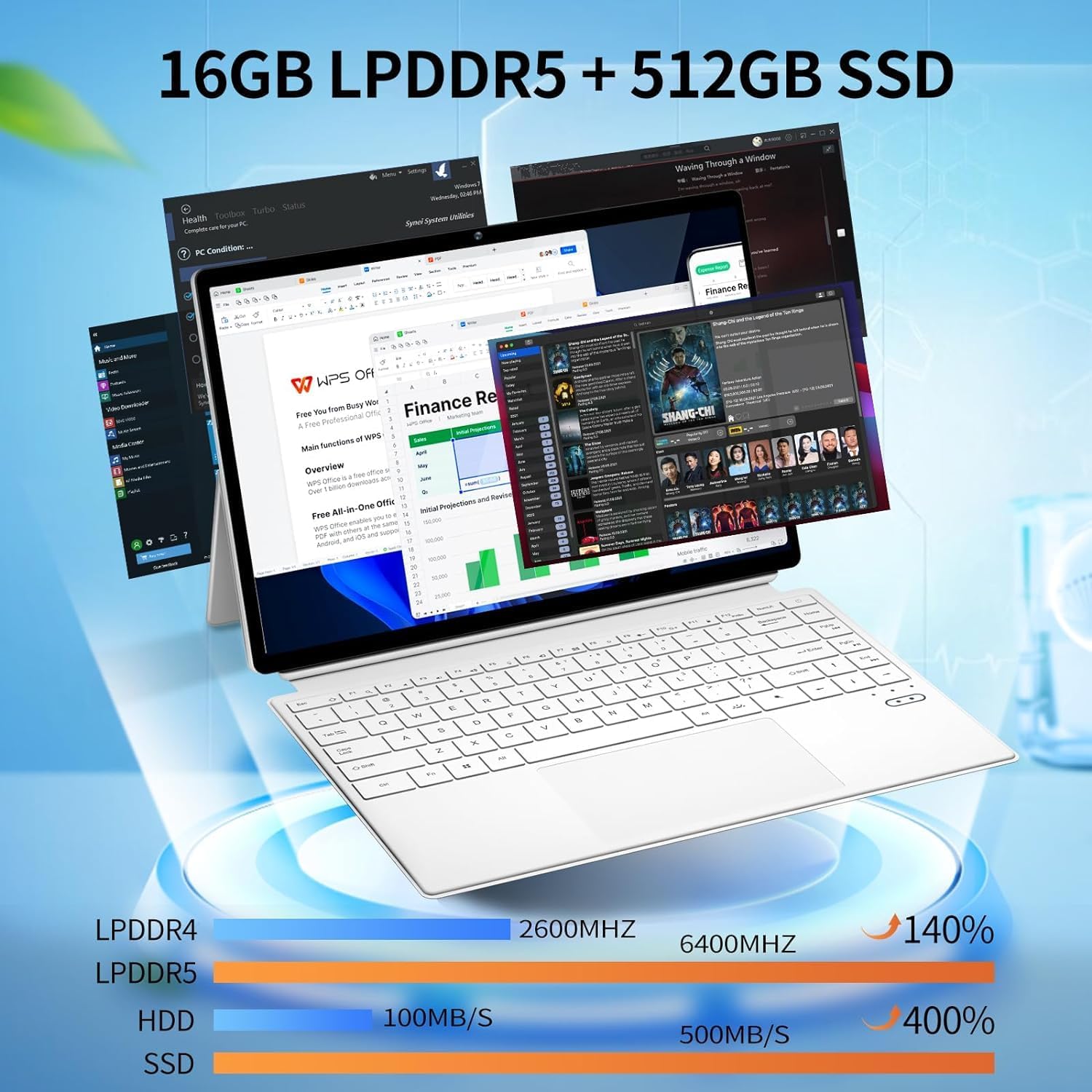
Figure 1: FUNYET 2-in-1 Laptop in its standard laptop configuration.
2. Contingut del paquet
Verifiqueu que tots els elements estiguin presents a l'embalatge del producte:
- Tauleta de 14 polzades
- Adaptador de CA
- Instruccions (aquest manual)
- Targeta de garantia
3. Producte acabatview
3.1 especificacions clau
- Processador: 12th Gen Celeron N100 (up to 3.4 GHz, 4 cores, 4 threads)
- RAM: 16 GB DDR5
- Emmagatzematge: SSD de 512 GB
- Visualització: 14-inch Touchscreen, 1920 x 1200 pixels (16:10 aspect ratio)
- Sistema operatiu: Windows 11 Pro
- Connectivitat sense fils: Wi-Fi 6 (802.11ax), Bluetooth 5.2
- Càmeres: 2MP frontal, 5MP posterior
- Durada de la bateria: Fins a 8 hores (ús mitjà)
- Pes: Aproximadament 2 lliures
- Dimensions: 12.5 x 8.4 x 0.4 polzades

Figure 2: Device showcasing its memory and storage capabilities with multiple applications running.
3.2 Sobrepassament físicview (Ports i botons)
Familiarize yourself with the various ports and buttons on your FUNYET 2-in-1 Laptop:

Figura 3: Detallada view of the device's ports and controls.
- Botó d'encesa: Manteniu premut per encendre o apagar el dispositiu.
- Control de volum: Ajusta el nivell de sortida d'àudio.
- Type-C (Full-featured): Admet la transferència de dades, la sortida de vídeo i el subministrament d'energia.
- Type-C (Charging and Data Transfer): Primarily for charging the device and basic data transfer.
- Micro HDMI: Connecteu-vos a pantalles o projectors externs.
4. Configuració inicial
4.1 Encès
- Ensure the device is charged or connected to the AC adapter.
- Manteniu premut el botó Botó d'engegada (refer to Figure 3) until the screen illuminates.
4.2 Connexió a Wi-Fi
- Once the device is powered on, navigate to the Wi-Fi settings in Windows 11.
- Select your preferred network and enter the password if prompted.
4.3 Configuració del sistema operatiu (Windows 11 Pro)
Follow the on-screen prompts to complete the Windows 11 Pro setup, including language selection, user account creation, and privacy settings.

Figure 4: The Windows 11 Pro interface pre-installed on the device.
5. Instruccions de funcionament
5.1 Teclat i touchpad
The device features a full-sized backlit keyboard and a responsive touchpad for navigation and input.

Figure 5: The backlit keyboard and integrated touchpad.
5.2 Funcionalitat de la pantalla tàctil
Utilize the 14-inch touchscreen for intuitive interaction with Windows 11 Pro. Pinch-to-zoom, swipe, and tap gestures are supported.

Figure 6: Device used in tablet mode, highlighting the touchscreen.
5.3 Modes 2 en 1
The flexible hinge allows the device to transform into various modes:
- Mode portàtil: Configuració estàndard d'ordinador portàtil per a la mecanografia i la productivitat.
- Mode tauleta: Fold the keyboard back to use as a tablet.
- Mode de peu: Position the screen for media consumption or presentations.

Figure 7: Proper and improper kickstand usage for stable positioning.
For a visual guide on transforming your device into different modes, please watch the official product video below:
Video 1: Official FUNYET demonstration of the 2-in-1 laptop's various modes and tablet functionality.
6. Gestió de la bateria
6.1 Càrrega
Connect the provided AC adapter to the designated Type-C port (refer to Figure 3) and plug it into a power outlet. The charging indicator light will illuminate.
6.2 Optimització de la durada de la bateria
Per maximitzar la durada de la bateria:
- Ajusteu la brillantor de la pantalla a un nivell còmode.
- Close unused applications and browser tabs.
- Enable battery saver mode in Windows settings.
- Desconnecteu els perifèrics externs quan no els feu servir.

Figure 8: Battery performance estimates for various usage scenarios.
7. Connectivitat
7.1 Wi-Fi 6 and Bluetooth 5.2
The device supports Wi-Fi 6 for fast and stable internet connections and Bluetooth 5.2 for connecting wireless peripherals like headphones or mice.

Figura 9: Mésview of wireless connectivity and camera specifications.
7.2 External Displays
Use the Micro HDMI port to connect your laptop to an external monitor or television for an extended display experience.
8. Integrated Cameras
The FUNYET 2-in-1 Laptop is equipped with two cameras:
- Càmera frontal: 2 Megapixels, suitable for video calls and online meetings.
- Càmera posterior: 5 Megapixels, for capturing photos and videos.
9. Especificacions tècniques
| Característica | Especificació |
|---|---|
| Nom del model | DIVERTIMENT 1 |
| Número de model de l'article | FUN01-03 |
| Mida de la pantalla de peu | 14 polzades |
| Resolució de pantalla | 1920 x 1200 píxels |
| Resolució de pantalla màxima | 1920 x 1200 píxels |
| Processador | 1.0 Celeron (12th Gen N100) |
| RAM | 16 DDR5 |
| Disc dur | SSD de 512 GB |
| Coprocessador gràfic | Gràfics Intel UHD |
| Sistema operatiu | Windows 11 Pro |
| Tipus sense fil | Bluetooth, Wi-Fi 6 |
| Durada mitjana de la bateria | 8 hores |
| Pes de l'article | 2 lliures |
| Dimensions del producte | 12.5 x 8.4 x 0.4 polzades |
10. Solució De Problemes
Si teniu problemes amb el dispositiu, proveu les solucions següents:
- El dispositiu no s'encén: Ensure the AC adapter is securely connected and the battery has sufficient charge. Try a different power outlet.
- Screen is blank or unresponsive: Restart the device. If in tablet mode, ensure the screen is clean and free of obstructions.
- Problemes de connectivitat Wi-Fi: Check your router and modem. Restart the device and your network equipment. Ensure Wi-Fi is enabled in Windows settings.
- Rendiment lent: Close unnecessary applications. Check for Windows updates. Ensure sufficient free space on the SSD.
- El teclat o el touchpad no responen: Restart the device. Ensure no physical obstructions are present.
11. Garantia i atenció al client
FUNYET offers a 1-year free repair warranty for all products. Additionally, we provide 30 dies d'intercanvi gratuït. If you have any questions or require assistance with your FUNYET 2-in-1 Laptop, please do not hesitate to contact our customer support team. We are dedicated to providing prompt assistance and will reply within 24 hours.
Informació de contacte:
- Correu electrònic: funyetstore@outlook.com
- Telèfon: +1 800-986-9631 (4AM-10PM PT)

Figure 10: FUNYET customer support and warranty details.