
1. Introducció
Thank you for choosing the Phomemo M834 A4 Portable Thermal Printer. This device offers a convenient, inkless printing solution for various needs, from business documents to personal use. Its compact design and versatile connectivity make it an ideal companion for professionals, students, and home users. This manual provides essential information for setting up, operating, maintaining, and troubleshooting your printer to ensure optimal performance.
2. Producte acabatview
Característiques clau
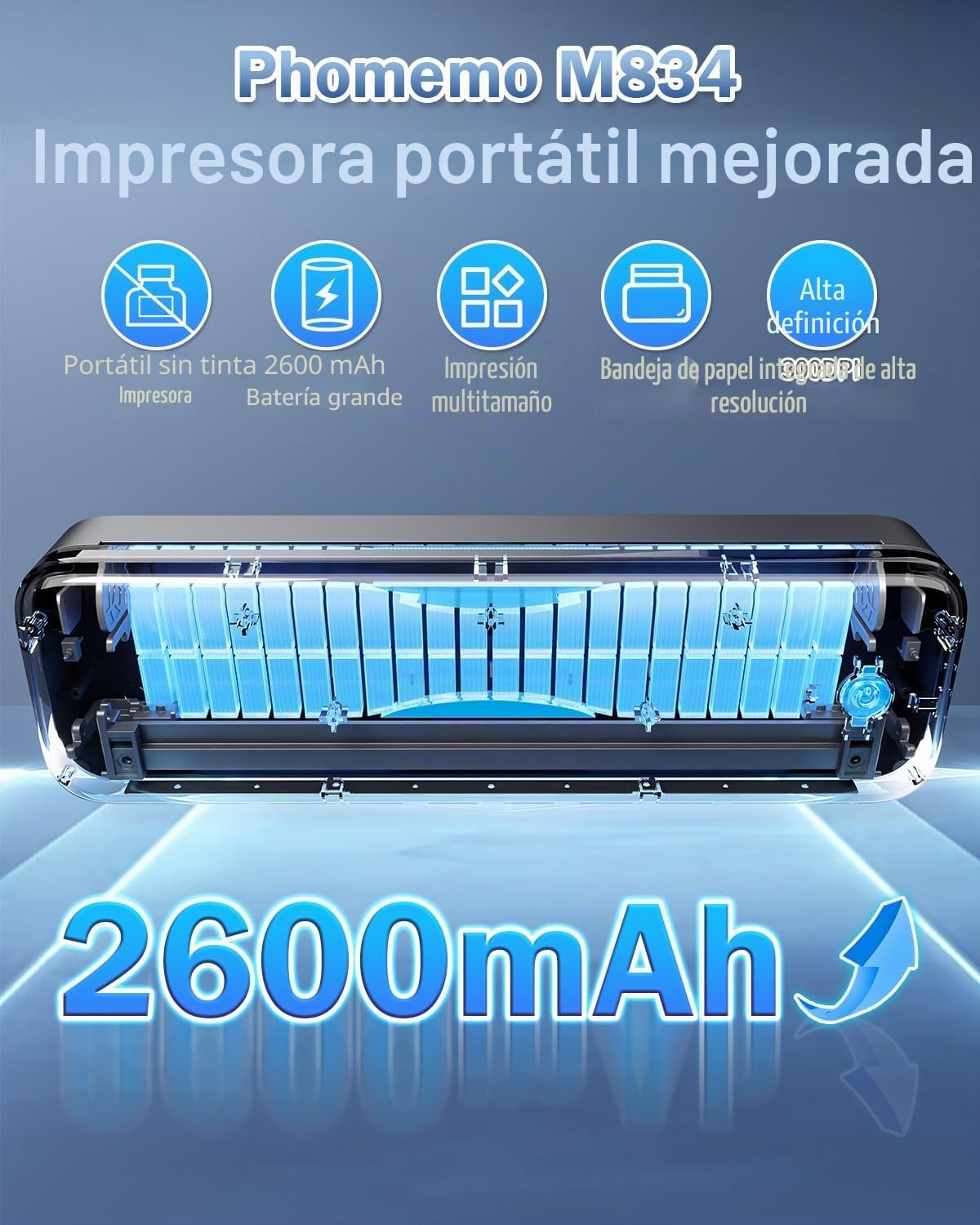
- Impressió tèrmica sense tinta: Eliminates the need for ink cartridges or ribbons.
- Alta resolució: 300 DPI per a impressions clares i nítides.
- Disseny portàtil: Weighs approximately 690g with dimensions of 26.4 x 7.8 x 4.5 cm, similar to a 500ml water bottle.
- Multi-size Paper Support: Compatible with 210mm (A4), 110mm, 80mm, and 53mm thermal paper, including roll, sheet, and folded paper.
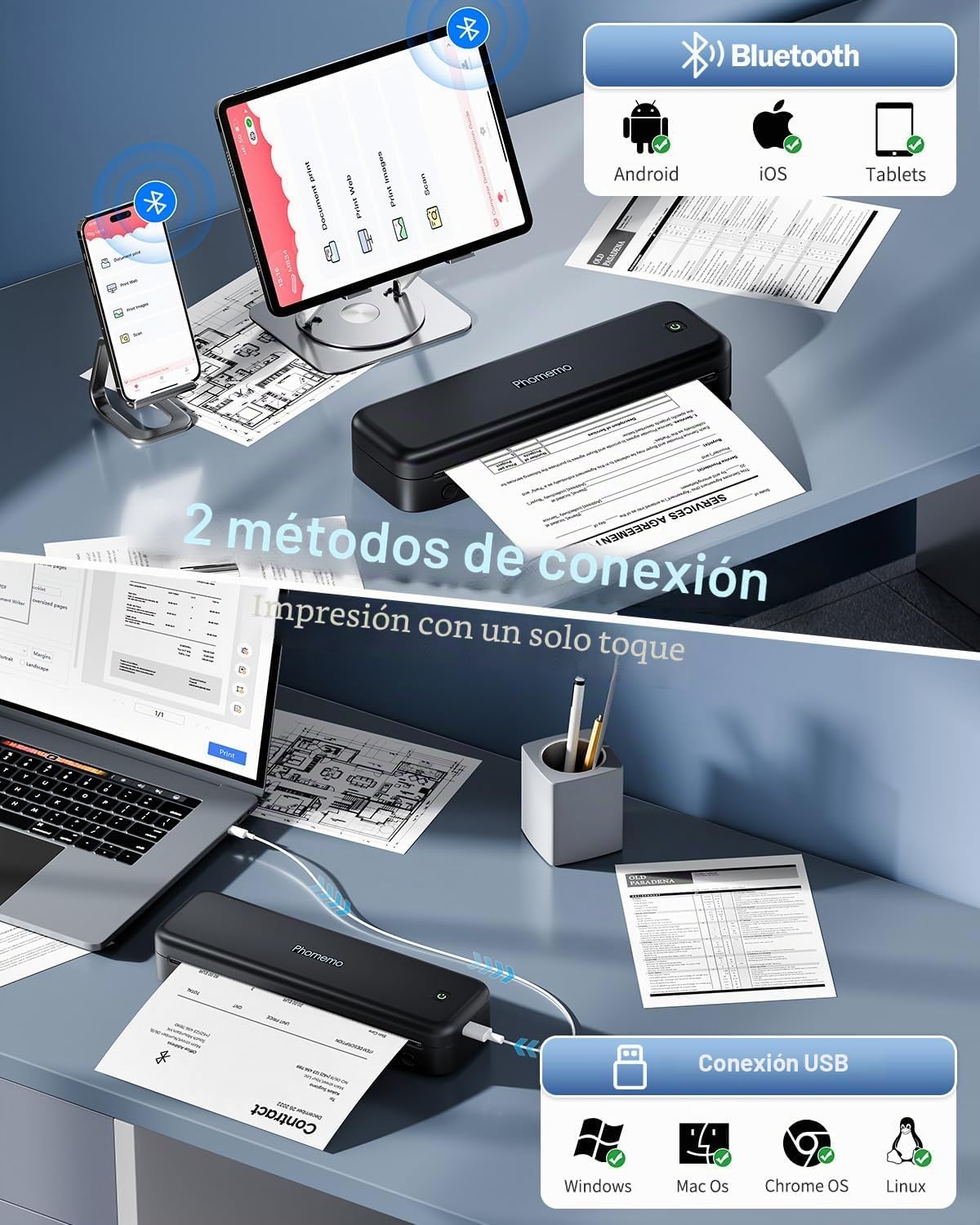
- Connectivitat versàtil: Supports Bluetooth for smartphones/tablets (iOS/Android) and USB for PCs (Windows/macOS).
- Llarga vida útil de la bateria: Equipped with a 2600 mAh battery for extended use.
- Integrated Paper Box: Conveniently holds paper, reducing the need to carry separate sheets.
Què hi ha a la caixa
- Impressora tèrmica portàtil Phomemo M834
- Rotlle de paper tèrmic A4
- Cable USB-C
- Manual d'usuari
Diagrama del producte
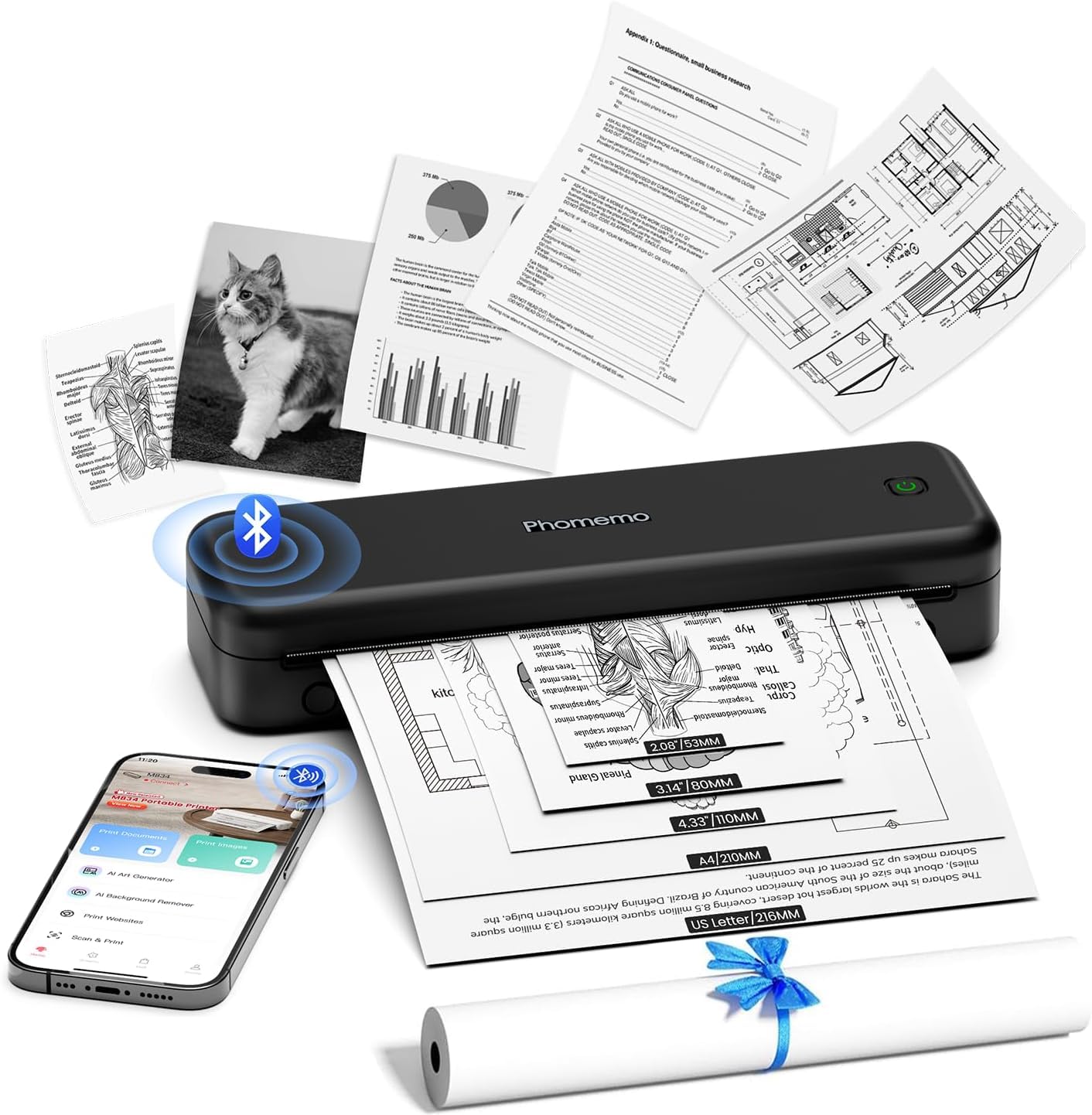
The Phomemo M834 printer features a sleek, compact design. The main body houses the thermal print head, paper feed mechanism, and battery. On the side, you will find the power button and USB-C port for charging and wired connection. The paper input slot is located at the top, and printed documents exit from the front.
3. Configuració
3.1 Càrrega de la impressora
Before initial use, fully charge the printer. Connect the provided USB-C cable to the printer's USB-C port and the other end to a compatible USB power adapter (not included) or a computer's USB port. The indicator light will show charging status (e.g., red for charging, green for fully charged).
3.2 Càrrega de paper tèrmic
- Obriu la coberta del compartiment de paper.
- Insert the thermal paper roll or stack of sheets into the compartment, ensuring the printable side faces the print head. The printable side is typically smoother and will produce a mark when scratched with a fingernail.
- Gently feed the leading edge of the paper into the printer's feed slot until it is gripped by the rollers.
- Close the paper compartment cover. Ensure the paper is aligned correctly to prevent jams.

3.3 Driver Installation (for PC/Mac)
For printing from a computer, you need to install the appropriate drivers. Visit M834.Phomemo.com to download the latest drivers for your Windows or macOS operating system. Follow the on-screen instructions for installation.
4. Instruccions de funcionament
4.1 Connecting via Bluetooth (for Mobile/Tablet)
- Download the "Phomemo" application from the App Store (iOS) or Google Play Store (Android).
- Turn on your Phomemo M834 printer by pressing and holding the power button.
- Activa el Bluetooth al teu dispositiu mòbil.
- Obriu l'aplicació Phomemo i seguiu les instruccions de l'aplicació per cercar i connectar-vos a la impressora M834.
- Once connected, you can select documents (Word, Excel, PDF, TXT, JPG) or images within the app to print.
4.2 Connecting via USB (for PC/Mac)
- Ensure the printer drivers are installed on your computer (refer to Section 3.3).
- Turn on your Phomemo M834 printer.
- Connecteu la impressora a l'ordinador amb el cable USB-C proporcionat.
- Your computer should recognize the printer. You can now print documents from any application as you would with a standard printer.
4.3 Using the Phomemo App
The Phomemo app provides enhanced control over your printing experience:
- Document Print: Supports various formats including Word, Excel, PDF, TXT, and JPG.
- Print Images: Offers free-form editing, batch printing, and collage printing.
- Imprimeix Web: Imprimeix contingut directament des de web pàgines.
- Escaneig: Scan documents using your phone's camera and print them directly.
- Personalització: Adjust print depth and speed for optimal results.
5. Manteniment
5.1 Neteja del capçal d'impressió
Per mantenir la qualitat d'impressió, netegeu regularment el capçal d'impressió. Utilitzeu un drap suau i sense borrissol, netegeu-lo suaument.ampHumitejat amb alcohol isopropílic. Netegeu suaument la superfície del capçal d'impressió. Assegureu-vos que la impressora estigui apagada i refredada abans de netejar-la.
5.2 Cura de la bateria
- Eviteu descarregar completament la bateria amb freqüència.
- Guardeu la impressora en un lloc fresc i sec quan no la feu servir durant períodes prolongats.
- Charge the printer at least once every three months to prevent battery degradation.
5.3 Paper Storage
Store thermal paper in a cool, dry place away from direct sunlight and heat. Exposure to high temperatures or light can cause the paper to darken prematurely or reduce print longevity.
6. Solució De Problemes
| Problema | Causa possible | Solució |
|---|---|---|
| La impressora no s'encén | Bateria baixa; el botó d'engegada no s'ha premut correctament | Carregueu la impressora; manteniu premut el botó d'engegada durant uns segons. |
| Mala qualitat d'impressió (tèbil, amb ratlles) | Dirty print head; Low battery; Old/poor quality thermal paper; Incorrect print density setting | Clean the print head (Section 5.1); Charge the printer; Use fresh, high-quality thermal paper; Adjust print density in the Phomemo app. |
| Embús de paper | Càrrega incorrecta de paper; Paper danyat | Turn off the printer, carefully remove jammed paper; Reload paper correctly (Section 3.2); Use undamaged paper. |
| No es pot connectar mitjançant Bluetooth | Bluetooth desactivat al dispositiu; la impressora no està en mode d'emparellament; problema amb l'aplicació | Ensure Bluetooth is enabled; Restart printer and app; Try pairing again through the app. |
| No puc imprimir des de l'ordinador mitjançant USB | Drivers not installed; Loose USB connection | Instal·leu els controladors des de M834.Phomemo.com; Ensure USB cable is securely connected. |
7. Especificacions
| Característica | Detall |
|---|---|
| Número de model | M834-BK |
| Tecnologia d'impressió | Tèrmica |
| Resolució d'impressió | 300 DPI |
| Connectivitat | Bluetooth, USB-C |
| Compatible Paper Sizes | A4 (210x297 mm), 110mm, 80mm, 53mm, 8.5" x 11" US Letter |
| Velocitat màxima d'impressió monocroma | 20 pàgines per minut |
| Bateria | Polímer de liti de 2600 mAh |
| Dimensions del producte (L x A x A) | 26.4 x 7.8 x 4.5 cm |
| Pes del producte | 695 grams |
| Sistemes operatius compatibles | Android, iOS, Windows, macOS |
| Color de tinta | Black (Monochrome output) |
| País d'origen | Xina |
8. Garantia i Suport
Phomemo products come with a standard manufacturer's warranty. For specific warranty details, please refer to the warranty card included with your product or visit the official Phomemo website. Our professional technical support team is available to assist you with any questions or issues you may encounter.
For support, please:
- Visita el nostre oficial weblloc: www.phomemo.com
- Contact us through the "Phomemo" application.
- Consulteu la informació de contacte que trobareu a l'embalatge del producte.