
Introducció
This manual provides essential instructions for the assembly, operation, and maintenance of your FLEXISPOT QB2M-1880-IE Height-Adjustable Desk. Please read this manual thoroughly before use to ensure proper function and safety. This desk is designed to provide a versatile workspace, allowing seamless transitions between sitting and standing positions.

Image: The FLEXISPOT QB2M-1880-IE Height-Adjustable Desk in a typical office setup, showcasing its spacious maple desktop and white dual-motor frame.
Informació de seguretat
- Capacitat de càrrega màxima: Do not exceed the recommended maximum load of 120 kg (264 lbs). Overloading can cause instability and damage.
- Posicionament estable: Ensure the desk is positioned on a flat, stable surface to prevent tipping or collisions during height adjustments.
- Entorn clar: Keep the area around the desk clear of obstructions during height adjustments to avoid pinching or damage to objects.
- Nens i animals de companyia: Mantingueu els nens i les mascotes allunyats de l'escriptori durant el funcionament.
- Cable d'alimentació: Assegureu-vos que el cable d'alimentació no estigui pinçat ni danyat. Desconnecteu l'alimentació abans de netejar-lo o fer-ne el manteniment.
- Sistema anticol·lisió: The desk is equipped with an anti-collision system. However, always exercise caution and monitor the desk's movement.
Contingut del paquet
Verifiqueu que tots els components siguin presents i no estiguin danyats abans de començar el muntatge. Si falta alguna peça o està danyada, poseu-vos en contacte amb el servei d'atenció al client.
- Desktop (multi-piece)
- Desk Frame (legs, crossbar)
- Motors duals
- Tauler de control
- Adaptador d'alimentació i cable
- Hardware Kit (screws, tools)
- Manual d'instruccions
Muntatge i muntatge
Follow these general steps for assembling your FLEXISPOT height-adjustable desk. Refer to the included assembly diagram for detailed illustrations.
- Desempaquetar components: Traieu amb cura totes les peces de l'embalatge i col·loqueu-les sobre una superfície neta i suau per evitar ratllades.
- Muntar el marc: Attach the desk legs to the crossbar using the provided hardware. Ensure all connections are secure.
- Instal·lar motors: Secure the dual motors within the frame structure as indicated in the assembly guide.
- Adjunta l'escriptori: Place the desktop sections onto the assembled frame. The desktop is composed of multiple parts designed to connect securely. Fasten the desktop to the frame using the appropriate screws.
- Connecta el tauler de control: Mount the control panel to the underside of the desktop in a convenient location. Connect the control panel and motors to the power adapter unit.
- Gestió de cables: Use cable ties or clips (if provided) to organize and secure all cables, preventing them from interfering with desk movement.
- Engegada inicial: Connecteu el cable d'alimentació a una presa de corrent. L'escriptori pot realitzar un cicle de calibratge inicial.

Image: Product details showing the desk dimensions (180cm x 80cm) and illustrating that the desktop is made of 4 parts.
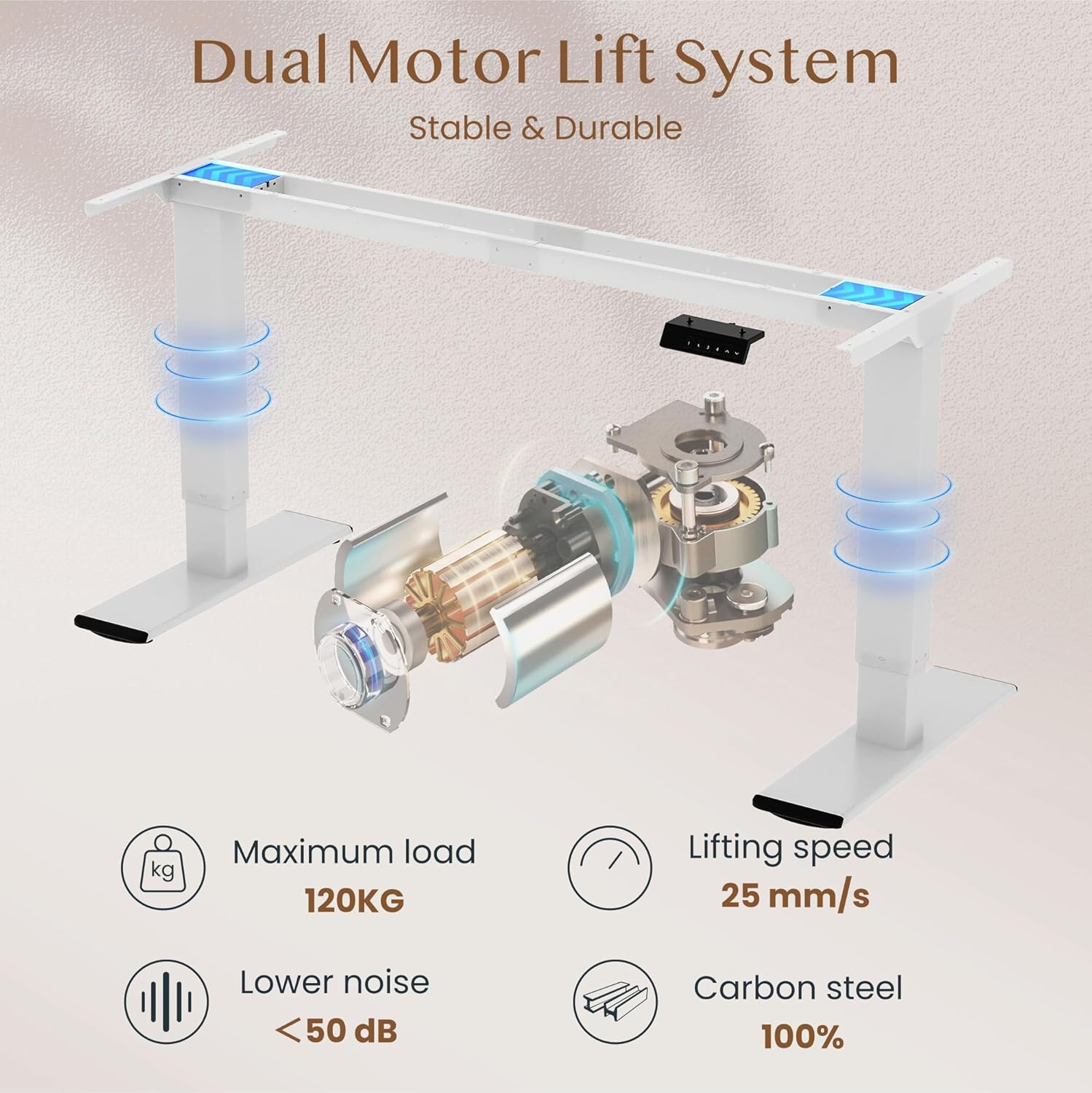
Image: Diagram illustrating the dual motor lift system, highlighting its stability, 120kg maximum load, 25 mm/s lifting speed, and quiet operation (<50 dB).
Instruccions de funcionament
Funcions del tauler de control
The intelligent control panel allows for easy height adjustment and memory presets.

Image: Close-up of the intelligent control panel with buttons for up/down adjustment, four memory presets, and an LED screen.
- Botons amunt/avall (^ / v): Press and hold to continuously adjust the desk height. Release to stop at the desired position.
- Preajustos de memòria (1, 2, 3, 4):
- Ajusteu l'escriptori a l'alçada desitjada amb els botons Amunt/Avall.
- Press the "M" or "SET" button (if present, otherwise directly press the number) followed by one of the number buttons (1, 2, 3, or 4) within 3 seconds. The LED display will show "S-" followed by the number, indicating the height is saved.
- Per recuperar una alçada desada, simplement premeu el botó numèric corresponent (1, 2, 3 o 4). L'escriptori es mourà automàticament a la posició desada.
- Anti-Collision Function: The desk is equipped with an anti-collision system. If the desk encounters an obstruction during movement, it will automatically stop and reverse slightly to prevent damage.

Image: Illustration of the desk's height adjustment range, from 72cm (sitting) to 121cm (standing).

Image: Comparison showing the anti-collision function preventing an object from being crushed (left) versus a system without it (right).
Manteniment
- Neteja: Netegeu l'escriptori i el marc amb un drap suauamp drap. Eviteu netejadors abrasius o productes químics agressius que puguin danyar l'acabat.
- Inspecció: Reviseu periòdicament tots els cargols i connexions per assegurar-vos que romanen ajustats. Torneu a apretar-los si cal.
- Gestió de cables: Ensure cables are neatly organized and not interfering with the desk's movement.
- Lubricació: The lifting mechanism is generally maintenance-free. Do not attempt to lubricate internal components unless specifically instructed by FLEXISPOT support.
Resolució de problemes
| Problema | Causa possible | Solució |
|---|---|---|
| L'escriptori no es mou. | Cable d'alimentació desconnectat; sobrecàrrega; error del motor. | Check power connections. Reduce load on desk. Unplug and replug power to reset. |
| L'escriptori es mou de manera irregular o fa sorolls estranys. | Loose connections; uneven load; obstruction. | Check all assembly screws. Redistribute weight evenly. Check for obstructions. |
| El sistema anticol·lisió s'activa amb freqüència. | Sensitivity setting; actual obstruction. | Ensure no objects are in the path of movement. Consult manual for sensitivity adjustment if available. |
| Els preajustaments de memòria no funcionen. | Els preajustos no s'han desat correctament. | Re-save your desired height presets following the operating instructions. |
If you encounter issues not listed here or if solutions do not resolve the problem, please contact FLEXISPOT customer support.
Especificacions
| Marca | FLEXISPOT |
| Número de model | QB2M-1880-IE |
| Dimensions (L x A x A) | 180 cm x 80 cm x 72-119 cm (adjustable) |
| Pes | 38.7 kg |
| Material | Maple desktop, Metal frame |
| Color | White frame + Maple desktop |
| Sistema Motor | Motors duals |
| Velocitat d'elevació | Fins a 25 mm/s |
| Capacitat de càrrega estàtica | 120 kg |
| Capacitat de càrrega dinàmica | 100 kg |
| Nivell de soroll | Per sota dels 50 dB |
| Característiques especials | Height adjustable, 4 memory presets, Anti-collision system |

Image: Close-up of the thickened table legs (70cm height shown) designed for enhanced stability.

Image: Visual representation of the desk's 120kg weight capacity and the thick 75x45mm table legs ensuring stability.
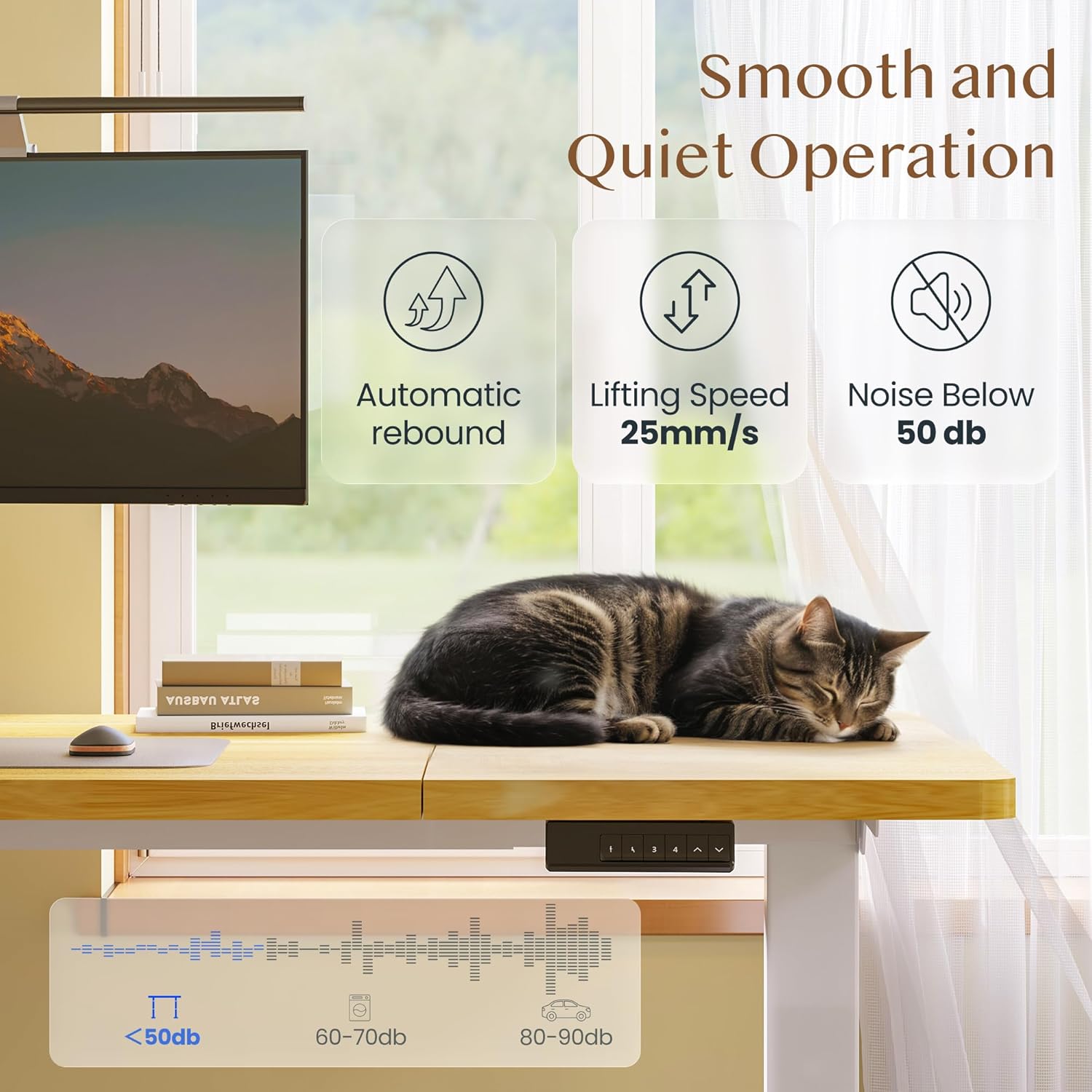
Image: Depiction of the desk's smooth and quiet operation, highlighting automatic rebound, 25mm/s lifting speed, and noise level below 50 dB.
Garantia i Suport
For warranty information, technical support, or to inquire about replacement parts, please refer to the warranty card included with your product or visit the official FLEXISPOT website. Please have your model number (QB2M-1880-IE) and purchase date ready when contacting support.