
1. Introducció
The Tyenaza H8 2-Way Voice Intercom System provides reliable and convenient two-way communication for various environments such as homes, offices, and classrooms. This system allows for clear voice transmission over long distances and can also function as a doorbell unit. This manual provides detailed instructions for setting up, operating, and maintaining your intercom system.
2. Contingut del paquet
Si us plau, verifiqueu que tots els elements que s'enumeren a continuació estiguin inclosos al vostre paquet:
- 2 x Tyenaza H8 2-Way Voice Intercom Units
- 2 bases de càrrega
- 2 x cables USB
- 1 x Manual d'usuari (aquest document)
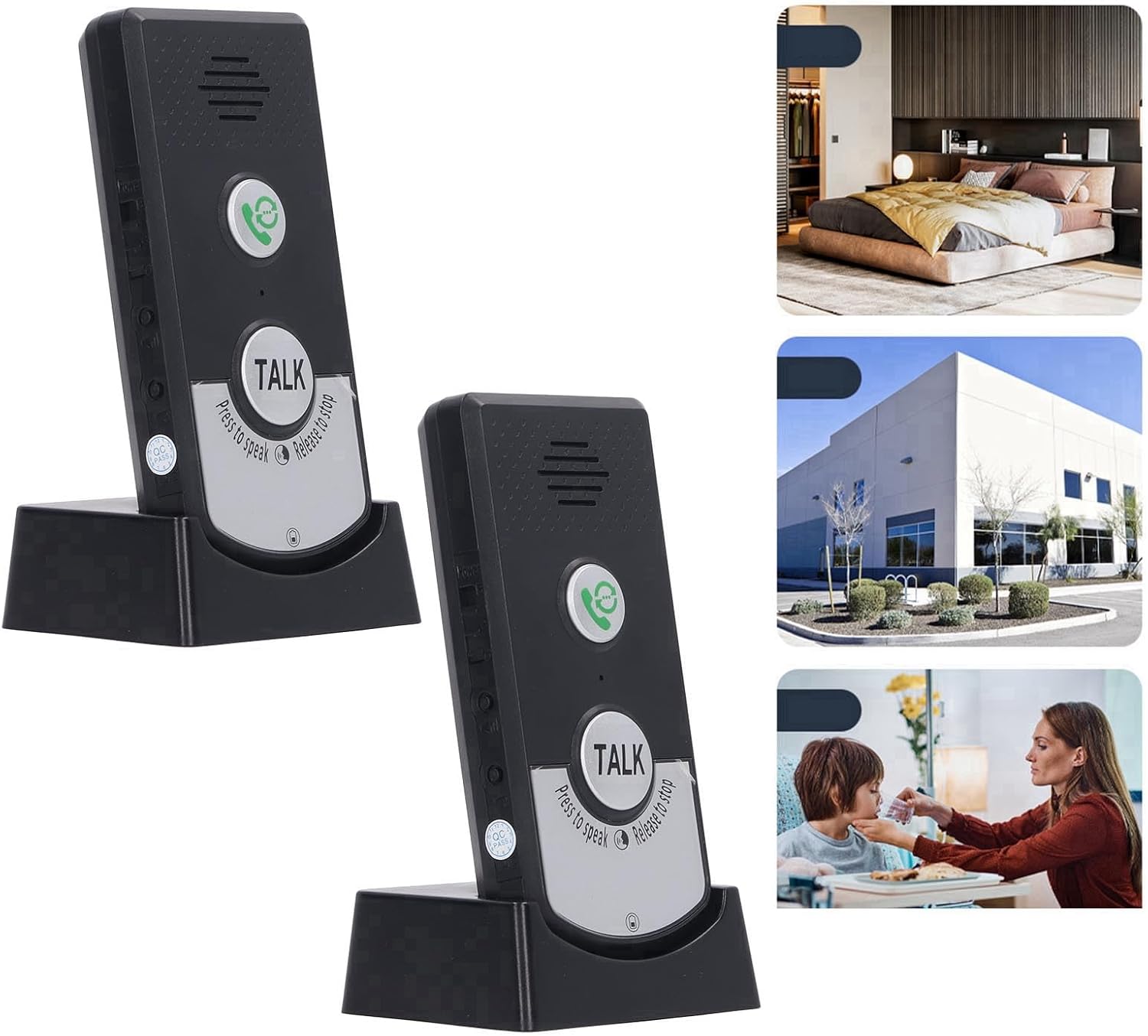
Image: Two Tyenaza H8 intercom units shown in their charging bases, illustrating the complete system. The image also includes small insets depicting potential usage scenarios in a home, office, and for caregiving.
3. Producte acabatview
Familiarize yourself with the components and controls of your Tyenaza H8 intercom unit.

Imatge: Frontal view of a single Tyenaza H8 intercom unit in its charging base, highlighting the main buttons and speaker. Dimensions are overlaid on the image: 12.5cm/4.9in height, 7cm/2.8in width, and 6cm/2.3in depth of the base.
- Ponent: Located at the top of the unit for audio output.
- Botó de trucada: Green button with a phone icon, used to initiate a call or ring the other unit.
- Botó de conversa: Large silver button labeled "TALK", used for two-way communication. Press to speak, release to listen.
- Micròfon: Integrated for voice input.
- Contactes de càrrega: Located at the bottom of the unit, connecting to the charging base.
- Port de càrrega USB: Located on the charging base for power input.
- Llums indicadores: For intercom status and power status.

Image: A detailed close-up of the "TALK" button on the intercom unit, clearly showing the instructions "Press to speak" and "Release to stop" around its perimeter.
4. Configuració
4.1 Càrrega de les unitats
- Connect one end of the provided USB cable to the USB charging port on the charging base.
- Connecteu l'altre extrem del cable USB a un adaptador de corrent USB compatible (no inclòs) o a un port USB de l'ordinador.
- Place the intercom unit into the charging base, ensuring the charging contacts align.
- The power indicator light will illuminate to show that the unit is charging. Allow sufficient time for a full charge before first use.

Imatge: Un primer pla view of the charging base, highlighting the two metal charging contacts where the intercom unit sits.
4.2 Col·locació
For optimal performance, consider the following when placing your intercom units:
- The system offers a transmission distance of up to 1000 meters (approximately 3280 feet) in open areas.
- Through walls, the effective range is typically 20 to 50 meters (approximately 65 to 164 feet).
- Avoid placing units near large metal objects or other electronic devices that may cause interference.
- Ensure units are within range of each other for reliable communication.

Image: An intercom unit placed in a modern living room, demonstrating its discreet integration into a home environment. Text on the image indicates "About 1000 meter far distance" and "No network required, no wiring required, turn on to use."
5. Instruccions de funcionament
5.1 Engegada/apagada
The units are typically powered on when removed from the charging base after being charged, or by a dedicated power button if available (refer to unit for specific button location, usually a small switch on the side).
5.2 Funció d'intercomunicador bidireccional
- To speak to the other unit, premeu i manteniu premut the large "TALK" button.
- Parleu clarament al micròfon.
- Alliberament the "TALK" button to listen for a response from the other unit.
- The intercom light will indicate active communication.
5.3 Doorbell Function
The units can switch between intercom mode and doorbell mode. To use as a doorbell:
- Press the green Call button (phone icon) on one unit.
- The other unit will ring, signaling an incoming call.
- To answer, the recipient can press the green Call button or the "TALK" button to initiate two-way communication.
5.4 Llums indicadors
- Llum de potència: Indicates the power status and charging status of the unit.
- Intercom Light: Illuminates during active intercom communication.
6. Manteniment
- Neteja: Netegeu les unitats amb un drap suau i sec. No utilitzeu productes de neteja abrasius ni dissolvents.
- Cura de la bateria: The units contain built-in rechargeable lithium batteries. For optimal battery life, avoid fully discharging the units frequently. Charge them regularly.
- Emmagatzematge: If storing the units for an extended period, ensure they are partially charged and store them in a cool, dry place.
- Resistència a l'aigua: The units are designed to be waterproof, but avoid submerging them in water.
7. Solució De Problemes
| Problema | Causa possible | Solució |
|---|---|---|
| Sense alimentació / La unitat no s'encén | La bateria està descarregada. | Place the unit on its charging base and ensure it is connected to a power source. Allow time for charging. |
| No hi ha so durant l'intercomunicador | Unit is out of range. "TALK" button not pressed or released correctly. Volum massa baix. | Move units closer together. Ensure "TALK" button is pressed while speaking and released while listening. Check if there is a volume control and adjust it. |
| Poor communication range | Obstruccions (parets gruixudes, objectes metàl·lics). Les unitats estan massa allunyades. | Relocate units to minimize obstructions. Ensure units are within the specified operating range. |
| Doorbell function not working | Unit is out of range. La bateria és baixa. | Move units closer together. Charge the units. |
8. Especificacions
| Paràmetre | Valor |
|---|---|
| Model | H8 |
| Material | ABS |
| Tipus de bateria | Rechargeable Lithium Battery 3.7V 1800mAh (Built-in) |
| Temperatura de treball | -20 ℃ a 55 ℃ (-4 °F a 131 °F) |
| Transmission Distance (Open Area) | Up to 1000m (approx. 3280 ft) |
| Transmission Distance (Through Wall) | 20 to 50m (approx. 65 to 164 ft) |
| Freqüència de funcionament | 410M a 490M |
| Pes de l'article | 10.6 unces (per unitat, aproximat) |
| Dimensions del paquet | 8.27 x 5.12 x 1.57 polzades |
9. Garantia i Suport
For warranty information and technical support, please refer to the documentation provided with your purchase or contact Tyenaza customer service through their official channels. Keep your purchase receipt for warranty claims.