
FLEXISPOT MAH0002206
FLEXISPOT Standing Desk User Manual
Model: MAH0002206
1. Introducció
Thank you for choosing the FLEXISPOT Standing Desk. This manual provides essential information for the safe and efficient assembly, operation, and maintenance of your new adjustable height desk. Please read this manual thoroughly before use and retain it for future reference.
2. Informació de seguretat
Per garantir un funcionament segur i evitar danys, observeu les següents precaucions de seguretat:
- No supereu la capacitat màxima de pes de 154 lliures (70 kg). Overloading may cause instability or damage.
- Mantingueu els nens i les mascotes allunyats de l'escriptori durant el funcionament.
- Assegureu-vos que no hi hagi obstacles en el recorregut de l'escriptori durant els ajustaments d'alçada.
- No us asseieu ni us poseu drets a l'escriptori.
- Only use the desk indoors in a dry environment.
- Desconnecteu l'alimentació abans de netejar o realitzar tasques de manteniment.
- If any parts are damaged or missing, contact customer support immediately. Do not attempt to repair the desk yourself.
Important: This desk is designed for office and home use. Any other use is considered improper and may lead to injury or damage.
3. Contingut del paquet
Verify that all components are present and undamaged before beginning assembly. Refer to the image below for a visual representation of the package contents.
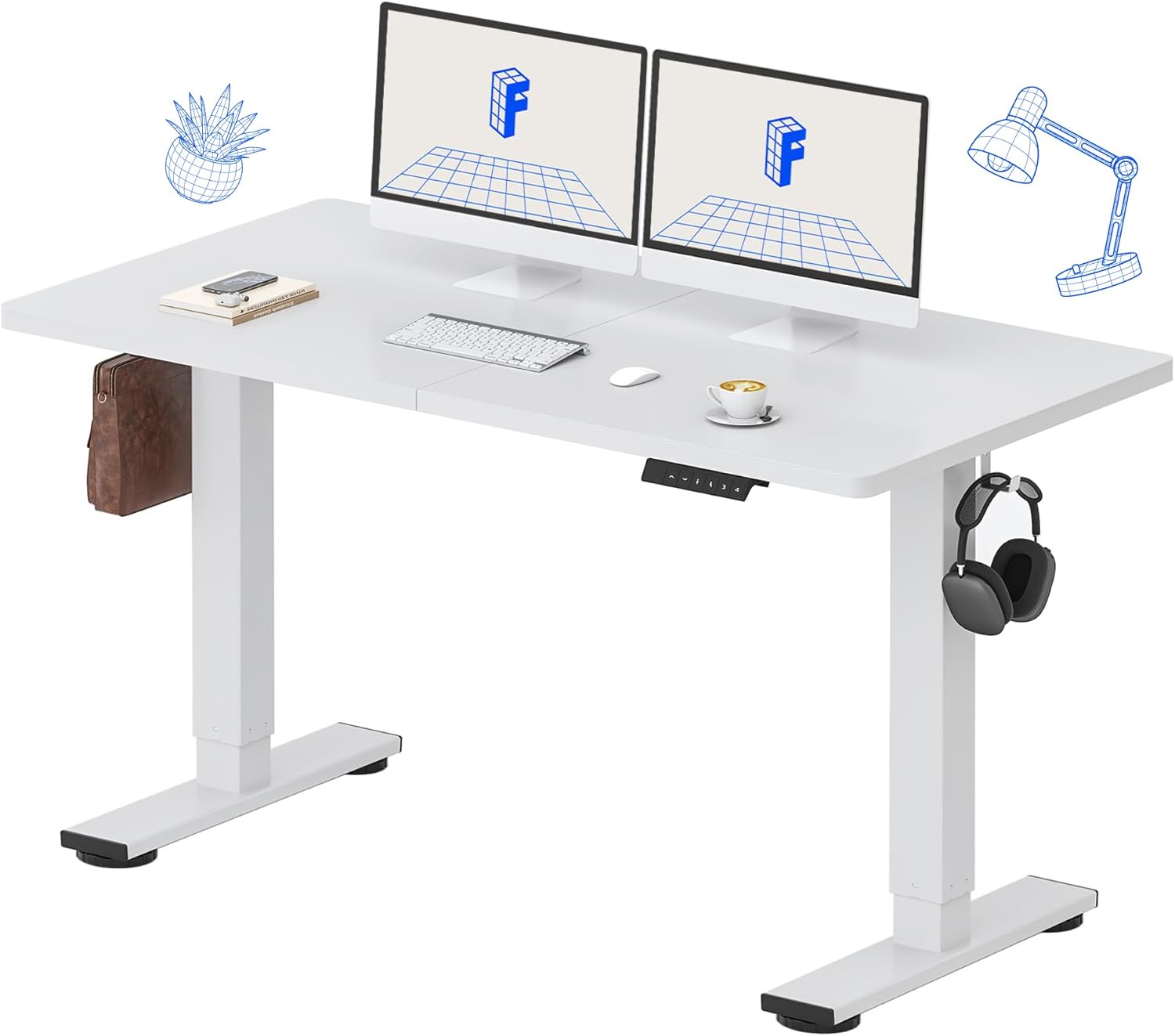
Image: All components of the FLEXISPOT Standing Desk, including the white desktop, white frame, and control panel.
- Desktop (55" x 24" White)
- Desk Frame (White)
- Tauler de control amb pantalla LED
- Adaptador d'alimentació
- Eines de muntatge
- Organitzador d'escriptori
- Side Storage Hooks (Set of 2)
4. Muntatge i muntatge
Assembly is straightforward and all necessary tools are included. For detailed visual instructions, please refer to the included instruction booklet.
Passos de muntatge:
- Desembaleu tots els components i col·loqueu-los sobre una superfície neta i plana.
- Attach the lifting columns to the desktop using the provided screws and tools.
- Secure the foot supports to the bottom of the lifting columns.
- Mount the control panel to the underside of the desktop in a convenient location.
- Connect all cables (motor, control panel, power adapter) according to the diagram in the included instruction booklet.
- Connecteu l'adaptador de corrent a una presa de corrent.
- Perform the initial reset (refer to Operating Instructions).

Image: The FLEXISPOT Standing Desk is shipped in a single package for convenience.
5. Instruccions de funcionament
Funcions del tauler de control:

Imatge: Detallada view of the multi-function keypad, showing the LED display, Up/Down keys, and memory function buttons.
- Pantalla LED: Mostra l'alçada actual de l'escriptori en polzades.
- Up/Down Keys (∧ / ∨): Press and hold to adjust the desk height upwards or downwards. Release to stop.
- Preajustos de memòria (1, 2, 3, 4):
- To save a height: Adjust the desk to your desired height, then press the 'M' button (or similar memory set button, if present) followed by the desired number (1, 2, 3, or 4). The display will show 'S-' followed by the number to confirm.
- To recall a height: Press the corresponding number button (1, 2, 3, or 4). The desk will automatically move to the saved position.
Interval d'ajust d'alçada:
The desk can be adjusted from a minimum height of 28.9 polzades to a maximum height of 46.5 polzades.

Image: Illustration showing the adjustable height range of the desk from 28.9 inches to 46.5 inches.
Initial Reset Procedure:
After initial setup or if the desk encounters an error, a reset may be required:
- Press and hold the 'Down' (∨) button until the desk reaches its lowest position and slightly retracts.
- Release the button. The desk is now reset and ready for use.
6. Manteniment
Regular maintenance ensures the longevity and optimal performance of your FLEXISPOT Standing Desk.
- Neteja: Netegeu l'escriptori i el marc amb un drap suauamp cloth. Avoid abrasive cleaners or harsh chemicals. Ensure the desk is unplugged before cleaning. The desktop is waterproof and scratch-resistant.
- Gestió de cables: Periodically check all cables to ensure they are securely connected and not pinched or damaged.
- Capacitat de pes: Do not exceed the 154 lb weight limit. Distribute weight evenly across the desktop.
- Soroll del motor: The desk features a whisper-quiet motor (<50dB). If you notice unusual noises, discontinue use and contact support.

Image: The desk's high-quality desktop is waterproof, scratch-resistant, and smooth.

Image: A comparison chart illustrating the low noise level of the desk's motor (under 50dB) compared to other common sounds.
7. Solució De Problemes
If you encounter issues with your FLEXISPOT Standing Desk, refer to the table below for common problems and solutions.
| Problema | Causa possible | Solució |
|---|---|---|
| L'escriptori no es mou. | Cable d'alimentació desconnectat; Sobrecàrrega; Error del motor. | Check power connection. Reduce weight on desk. Perform reset procedure. |
| L'escriptori es mou de manera desigual. | Uneven weight distribution; Obstruction. | Redistribute weight. Check for obstructions under or around the desk. Perform reset procedure. |
| Codi d'error a la pantalla. | Mal funcionament del sistema. | Unplug the desk for 10 minutes, then plug back in. If error persists, contact customer support. |
| Els preajustaments de memòria no funcionen. | Els preajustos no s'han desat correctament. | Torneu a desar la configuració d'alçada desitjada seguint les instruccions de la secció 5. |
If the problem persists after attempting these solutions, please contact FLEXISPOT customer support.
8. Especificacions
| Característica | Detall |
|---|---|
| Número de model | MAH0002206 |
| Dimensions de l'escriptori | 55 cm (amplada) x 24 cm (profunditat) |
| Interval d'ajust d'altura | 28.9" - 46.5" |
| Capacitat màxima de pes | 154 lliures (70 kg) |
| Material (Desktop) | Fusta d'enginyeria |
| Material (marc) | Acer d'aliatge |
| Nivell de soroll del motor | <50dB |
| Color | White Top + White Frame |
| Components inclosos | Desk Organizer, Side Storage Hooks |

Image: The FLEXISPOT Standing Desk in use, demonstrating its versatility for both sitting and standing work, even accommodating a walking pad.

Imatge: Primer pla view of the side storage hooks, useful for hanging headphones or bags.

Image: Technical diagram illustrating the desktop and frame dimensions, including the adjustable height range.
9. Garantia i Suport
FLEXISPOT products come with a warranty to ensure your satisfaction. The specific warranty type is either 'Limited' or 'Lifetime' as per product registration and terms.
- Garantia: Refer to your product registration or the official FLEXISPOT weblloc web per obtenir informació detallada sobre els termes i condicions de la garantia.
- Devolucions: Enjoy 30-day easy returns.
- Atenció al client: If you have any questions, require assistance with assembly, or encounter any issues not covered in this manual, please contact FLEXISPOT customer support.
For further assistance, visit the official FLEXISPOT Store: FLEXISPOT Store on Amazon
Ask a question about this manual
Ask about setup, troubleshooting, compatibility, parts, safety, or missing instructions. Manuals+ will review the question and use this page’s manual context to help answer it.