
Producte acabatview
The iHome PowerPlant is a versatile charging station designed to power multiple devices while seamlessly blending into your home or office decor. It features a modern faux succulent design and provides both USB-C and USB-A charging ports.

Image: The iHome PowerPlant USB Charging Station, featuring a white pot with a faux succulent and a smartphone connected for charging.
Què hi ha a la caixa
- iHome PowerPlant Charging Station
- Cable USB
- Power Adapter (30W wall adapter)
- Manual d'instruccions (aquest document)

Image: The iHome PowerPlant packaging, illustrating the charging station, included USB cable, and power adapter.
Configuració
- Desempaquetar el dispositiu: Carefully remove the iHome PowerPlant, USB cable, and power adapter from the packaging.
- Connecteu l'adaptador d'alimentació: Plug the included power adapter into a standard Type A - 2 pin (North American) wall outlet (120 Volts AC).
- Connect to PowerPlant: Insert the other end of the power adapter cable into the power input port located on the iHome PowerPlant.
- Col·locació: Place the iHome PowerPlant on a stable, flat surface. The rubber non-slip feet will help secure it in place. Ensure the faux succulent is positioned as desired.

Image: The iHome PowerPlant charging station positioned on a kitchen counter, demonstrating its integration into a living space while charging a phone.
Instruccions de funcionament
Dispositius de càrrega
The iHome PowerPlant is equipped with three charging ports:
- Two USB-C ports (20W max shared output)
- One USB-A port (10W max output)
Per carregar els vostres dispositius:
- Connect your device's charging cable to the appropriate USB-C or USB-A port on the iHome PowerPlant.
- Connect the other end of the cable to your device (e.g., iPhone, Android phone, tablet, earbuds, smartwatch).
- El dispositiu hauria de començar a carregar-se automàticament.
Nota: The two USB-C ports share a maximum output of 20W. If multiple devices are connected, the power will be distributed. The total maximum output for all ports combined is 30W, as it operates on a 30W wall adapter.
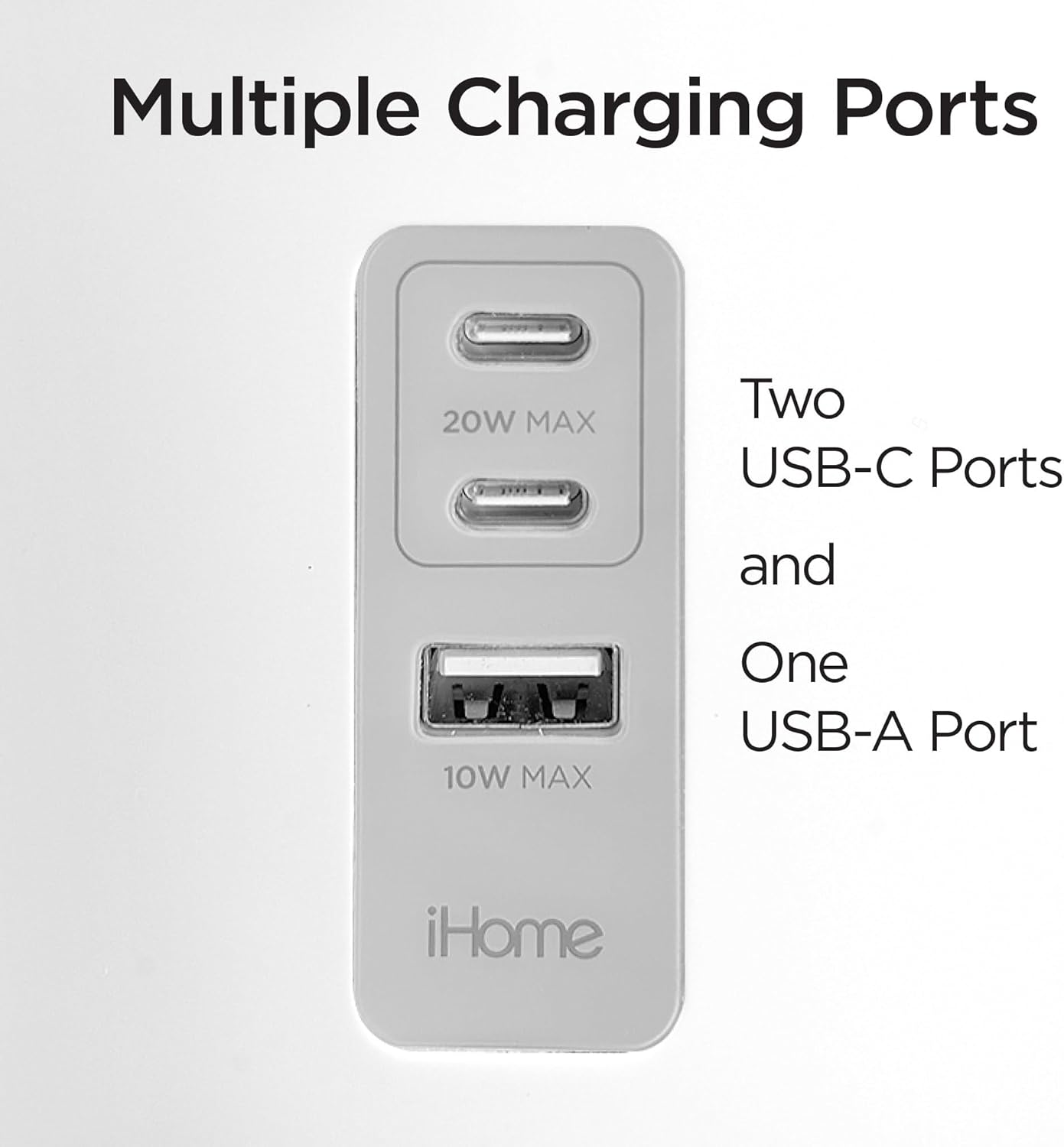
Imatge: Una imatge detallada view of the iHome PowerPlant's charging interface, highlighting the two USB-C ports and one USB-A port.

Image: The iHome PowerPlant actively charging a smartphone, wireless earbuds, and a smartwatch, demonstrating its multi-device capability.
Manteniment
Neteja de la unitat
- Ensure the PowerPlant is unplugged from the wall outlet before cleaning.
- Use a soft, dry cloth to wipe down the exterior of the charging station.
- For the faux succulent, a soft brush or a slightly damp cloth can be used to remove dust. Avoid excessive moisture.
- No utilitzeu netejadors abrasius, dissolvents ni productes químics agressius, ja que poden danyar l'acabat.
Resolució de problemes
El dispositiu no es carrega
- Comproveu la connexió d'alimentació: Ensure the iHome PowerPlant is securely plugged into a working wall outlet and the power adapter is firmly connected to the unit.
- Verify Cable Connection: Make sure the charging cable is properly connected to both the PowerPlant's USB port and your device.
- Prova un port/cable diferent: Test charging with a different USB port on the PowerPlant or a different charging cable to rule out a faulty port or cable.
- Compatibilitat del dispositiu: Confirma que el teu dispositiu és compatible amb la càrrega USB.
- Distribució d'energia: Remember that the two USB-C ports share 20W max output. If you are charging multiple high-power devices simultaneously, charging speed may be reduced or one device might charge slower.
Unit Appears Damaged
- If the unit or its components appear physically damaged, discontinue use immediately.
- Contact iHome customer support for assistance.
Especificacions
| Característica | Especificació |
|---|---|
| Marca | iHome |
| Número de model | iPP45 |
| Tipus de connector | USB tipus A, USB tipus C |
| Dispositius compatibles | Cellular Phones (iPhone, Android) |
| Entrada Voltage | 120 volts de corrent altern |
| Ampedat | 2 Amps |
| Ports USB totals | 3 (2x USB-C, 1x USB-A) |
| Wattage | 30 Watts (max total output) |
| Corrent de sortida | 20 Amps (USB-C shared) |
| Vol. De sortidatage | 12 volts (CA) |
| Font d'alimentació | Adaptador de paret de 30 W |
| Material | Plàstic |
| Dimensions (aprox.) | 7.25" d'alçada x 4.4" d'amplada x 4.4" de profunditat |

Image: The iHome PowerPlant with its approximate height, width, and depth dimensions indicated.
Garantia i Suport
Informació de la garantia
The iHome PowerPlant Charging Station comes with a 1 anys de garantia limitada des de la data de compra. Aquesta garantia cobreix els defectes de fabricació i la mà d'obra en condicions d'ús normal.
Conserveu el vostre comprovant de compra per a reclamacions de garantia.
Atenció al client
For technical assistance, warranty inquiries, or further information, please contact iHome customer support. Refer to the iHome official weblloc web per obtenir les dades de contacte més actualitzades.