
1. Introducció
This manual provides instructions for the SMATAR RC813 Replacement Remote Control, designed for use with various TCL Google Smart TV models. This remote offers a direct replacement solution without the need for complex programming or pairing.
Compatible TCL Google Smart TV Models include:
- QM8, QM7, S5, S4, S3, Q7, Q6, Q5 Series
- Specific models: 55Q550G, 50Q550G, 65Q550G, 50S45G, 98S550G, 55S470G, 55Q670G, 65Q670G, 75Q670G, 85Q670G, 65QM850G, 75QM850G, 85QM850G, 98QM850G, 85Q650G, 75Q650G, 65Q650G, 55Q650G, 55Q750G, 65Q750G, 75Q750G, 85Q750G, 32S370G, 40S370G, 43S370G, 43S470G, 50S470G, 58S470G, 65S470G, 70S470G, 75S470G, 85S470G, 43S450G, 50S450G, 55S450G, 58S450G, 65S450G, 75S450G, 85S450G.
2. Configuració
The SMATAR RC813 remote control requires no programming or pairing. Simply insert batteries, and it will be ready for immediate use with your compatible TCL Google Smart TV.
2.1 Instal·lació de la bateria
- Localitzeu el compartiment de la bateria a la part posterior del comandament a distància.
- Feu lliscar la tapa del compartiment de la bateria cap avall per obrir-lo.
- Introduïu dues (2) piles AAA, assegurant-vos que els terminals positiu (+) i negatiu (-) s'alineïn correctament amb les marques de l'interior del compartiment.
- Feu lliscar la tapa del compartiment de la bateria fins que faci clic de manera segura.
Nota: Les piles no estan incloses amb el comandament a distància.

Figure 1: Battery installation in the SMATAR RC813 remote control.
3. Instruccions de funcionament
Once batteries are installed, the remote is ready to control your TCL Google Smart TV. Point the remote directly at your television for optimal performance.
3.1 Funcionament general
- The remote operates effectively within a range of up to 50 feet (approximately 15 meters).
- It features 360-degree multi-angle signal transmission for reliable control.
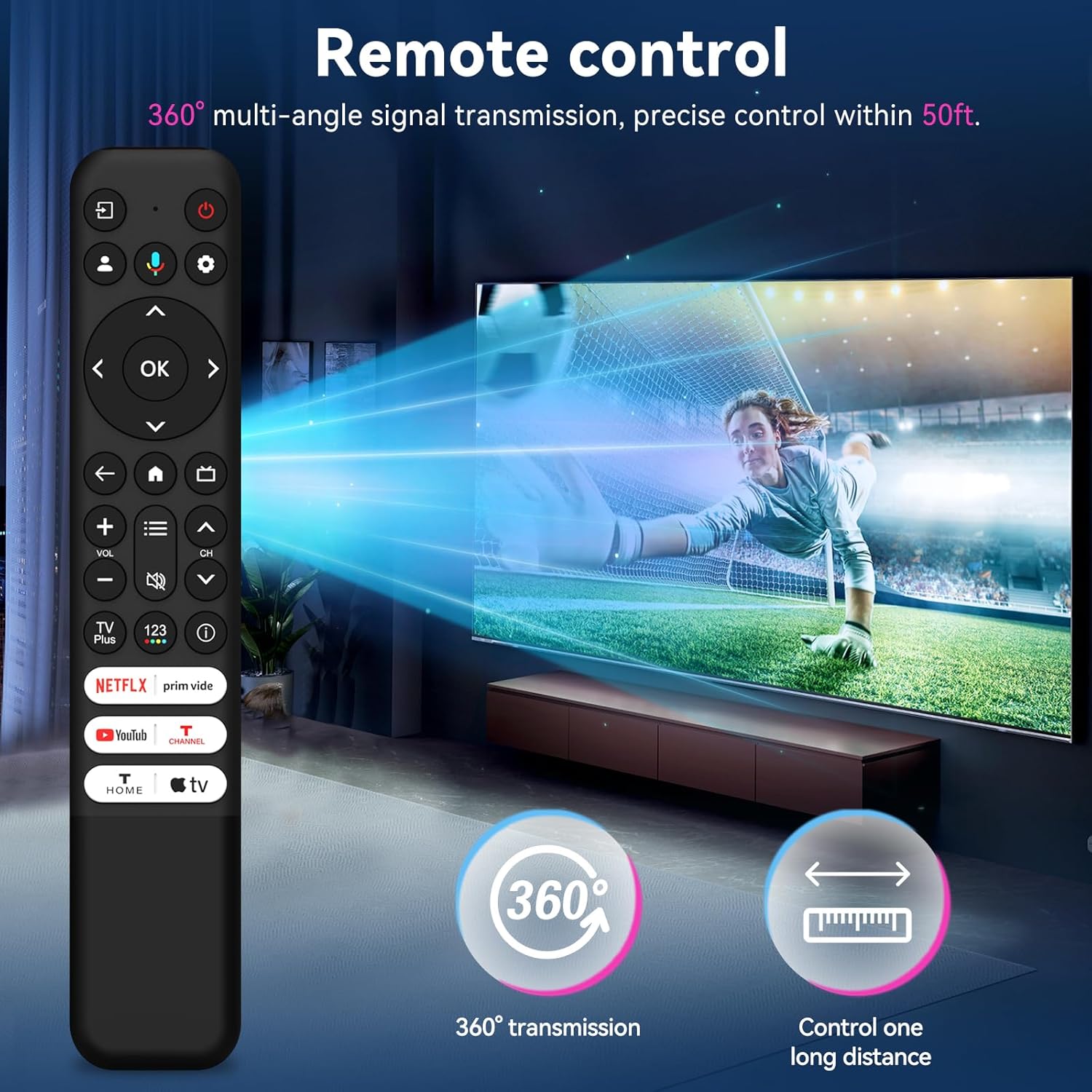
Figure 2: The remote control offers 360-degree signal transmission and a control range of up to 50 feet.
3.2 Botons d'accés ràpid
The remote includes dedicated shortcut keys for popular streaming channels, allowing quick access to your favorite content.
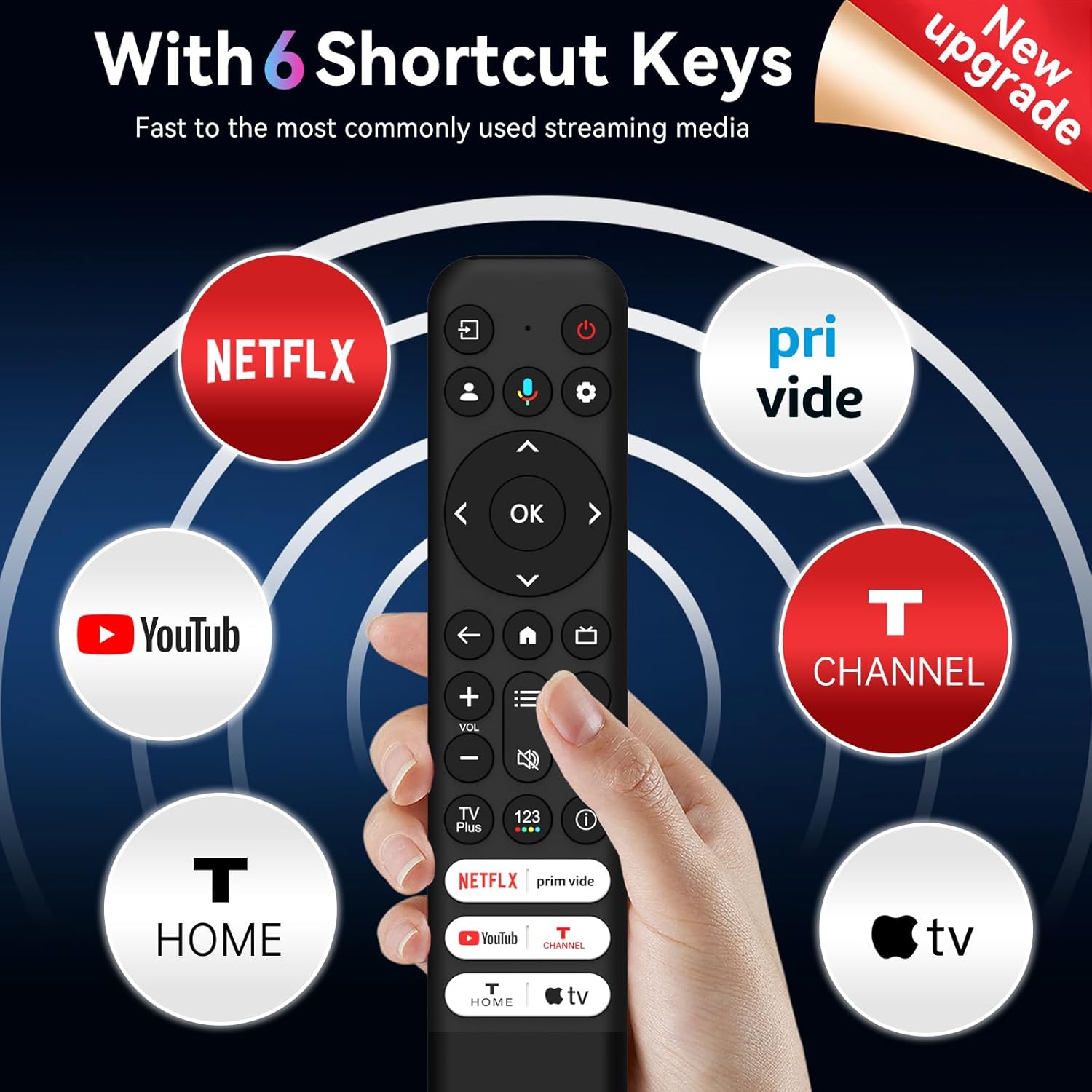
Figure 3: Six dedicated shortcut keys for popular streaming services.
4. Funcions del botó
Familiarize yourself with the functions of each button on your SMATAR RC813 remote control:

Figure 4: Detailed button layout and functions.
- ENTRADA: Select input source and display the quick panel.
- POTÈNCIA: Encendre i apagar la televisió.
- PROFILE SELECTOR: Switch user profiles.
- CONFIGURACIÓ: Display the dashboard menu.
- CIRCULAR D-PAD: Navigation direction buttons (Up / Down / Left / Right).
- BOTÓ D'acord: Confirmeu una entrada o selecció.
- ESQUENA: Torna a la pantalla anterior.
- INICI: Access the TV homepage.
- GUIA EN DIRECTE: Open the TV EPG (Electronic Program Guide).
- +/- VOLUM: Raise and lower volume.
- ^/v CHANNEL: Canviar canals.
- QUICK SETTINGS: Open the quick menu.
- MUT: Premeu el botó per silenciar el so.
- TV Plus: Access to network Live Channel.
- 123 VIRTUAL KEYBOARD: Open virtual keyboard on screen.
- INFORMACIÓ: A la font de TV, premeu per view informació del programa.
- NETFLIX, Prime Video, YouTube, T-CHANNEL, T-HOME, Apple TV: Accés directe a aquests serveis de streaming.
5. Manteniment
Per garantir la longevitat i el rendiment òptim del comandament a distància, seguiu aquestes pautes de manteniment:
- Neteja: Netegeu el comandament a distància amb un drap suau i sec. No utilitzeu netejadors líquids ni materials abrasius.
- Substitució de la bateria: Canvieu les piles quan la resposta del comandament a distància es torni lenta o deixi de funcionar. Canvieu sempre les dues piles alhora per unes de noves del mateix tipus (AAA).
- Emmagatzematge: Guardeu el comandament a distància en un lloc fresc i sec, allunyat de la llum solar directa i de temperatures extremes. Si no l'utilitzeu durant períodes prolongats, traieu les piles per evitar fuites.
- Eviteu les gotes: Protegiu el comandament a distància d'impactes físics, ja que les caigudes poden danyar els components interns.
6. Solució De Problemes
If you encounter issues with your SMATAR RC813 remote control, refer to the following common solutions:
- El comandament a distància no respon:
- Comproveu si les piles estan inserides correctament amb la polaritat correcta.
- Substitueix les piles velles per piles AAA noves.
- Assegureu-vos que no hi hagi obstacles entre el comandament a distància i el receptor d'infrarojos del televisor.
- Apunta el comandament a distància directament al televisor.
- Buttons are stiff or unresponsive:
- Assegureu-vos que el comandament a distància estigui net i lliure de brutícia al voltant dels botons.
- Press buttons firmly.
- No voice function:
- Nota important: This SMATAR RC813 remote control does no include a voice control function. This is a standard feature of this replacement model.
- Rang limitat:
- Assegureu-vos que hi hagi piles noves instal·lades.
- Remove any potential interference sources (e.g., bright lights, other electronic devices).
If problems persist after attempting these troubleshooting steps, please contact customer support for further assistance.
7. Especificacions
| Marca | SMATAR |
| Número de model | RC813 |
| Dispositius compatibles | TCL Google Smart Televisions |
| Nombre màxim de dispositius compatibles | 1 |
| Característica especial | Substitució universal |
| Color | Negre |
| Pes de l'article | 2.08 unces (aproximadament 59 grams) |
| Dimensions del paquet | 8.23 x 1.65 x 0.67 polzades (aproximadament 20.9 x 4.2 x 1.7 cm) |
8. Suport
For any questions, concerns, or issues not covered in this manual, please contact SMATAR customer support. Refer to your product packaging or retailer's weblloc web per obtenir informació de contacte específica.