
Introducció
Thank you for choosing the AMIR WA162 LCD Display Alarm Clock. This manual provides detailed instructions for setting up, operating, and maintaining your new alarm clock. Please read this manual thoroughly before use to ensure proper function and to maximize your user experience.
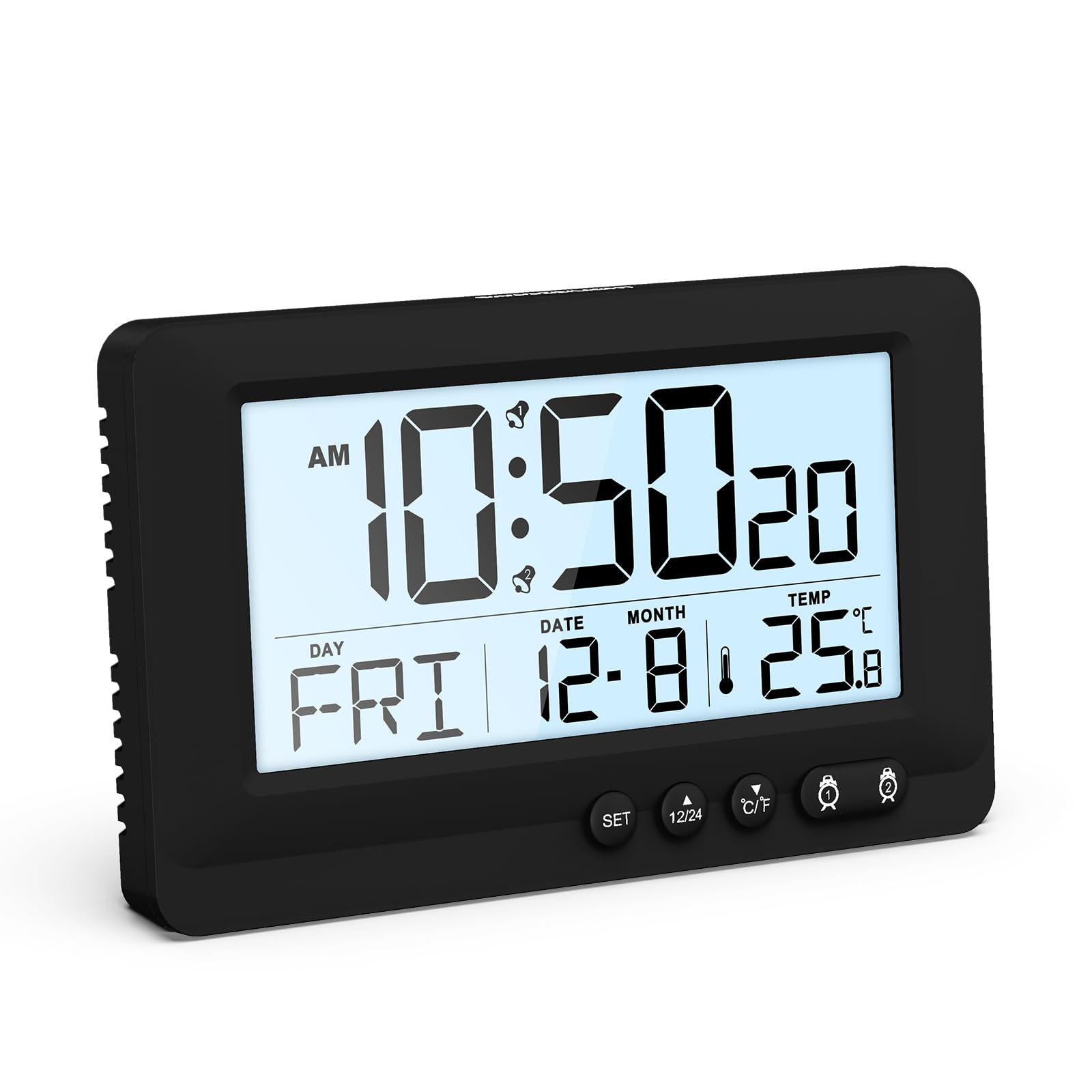
Figure 1: AMIR WA162 LCD Display Alarm Clock with key features highlighted. The clock displays time, date, day, and temperature. Icons below indicate 12/24H time, temperature, snooze, battery powered, week display, calendar, dual alarm, and 5-second backlight.
Informació de seguretat
- No exposeu el dispositiu a temperatures extremes, llum solar directa ni humitat elevada.
- Eviteu deixar caure o sotmetre el dispositiu a forts impactes.
- No intenteu desmuntar ni reparar el dispositiu vosaltres mateixos. Poseu-vos en contacte amb personal de servei qualificat.
- Mantenir fora de l'abast dels nens.
- Eliminar les bateries segons la normativa local.
Contingut del paquet
- 1 x AMIR WA162 LCD Display Alarm Clock
- 1 x Manual d'usuari (aquest document)
Nota: Es necessiten 2 piles AAA i no estan incloses en el paquet.
Producte acabatview
The AMIR WA162 is a versatile LCD alarm clock designed for clarity and ease of use. It features a large display, dual alarms, snooze function, backlight, and temperature display.

Figura 2: Frontal view of the alarm clock with display elements and control buttons labeled for easy identification. Labels include Alarm 1, Hour, AM, Alarm 2, Week, Month & Date, 12/24H switch, °C/°F switch, Minute, Second, Temperature, and SNOOZE/LIGHT button.
Característiques principals:
- Large LCD Display: Clear and easy to read time, date, day, and temperature.
- Dual Alarm: Set two separate alarms for different schedules.
- Snooze Function: Provides 5 extra minutes of sleep.
- 5-Second Touch Backlight: Soft, non-glaring illumination for night viewing.
- Temperature Display: Shows ambient temperature in Celsius or Fahrenheit.
- 12/24 Hour Format: Switch between standard and military time.
- Battery Powered: Portable and cable-free operation.

Figure 3: The AMIR WA162 alarm clock is suitable for various environments, including bedrooms, offices, camping trips, and travel.
Configuració
1. Instal·lació de la bateria
- Localitza la tapa del compartiment de les piles a la part posterior del despertador.
- Feu lliscar la coberta oberta.
- Introduïu 2 piles AAA noves, assegurant-vos de la polaritat correcta (+ i -).
- Tanqueu bé la tapa del compartiment de la bateria.

Figure 4: Battery compartment on the back of the clock. Insert 2 AAA batteries (not included) as shown, observing correct polarity.
2. Engegada inicial
Once batteries are installed, the clock will power on automatically and display a default time. You will then need to set the current time and date.
Instruccions de funcionament
Configuració de l'hora i la data
- Manteniu premut el botó SET button for approximately 3 seconds until the display flashes. This indicates you are in setting mode.
- Premeu el botó SET button repeatedly to cycle through the settings: Year → Month → Day → 12/24H Format → Hour → Minute.
- Mentre un valor parpelleja, utilitzeu la tecla Amunt (▲) or BAIX (▼) botons per ajustar el valor.
- Després de configurar els minuts, premeu SET again to exit setting mode. If no button is pressed for 10 seconds, the clock will automatically exit setting mode.
Setting Alarms (Alarm 1 & Alarm 2)
- Premeu el botó ALARM 1 (🕑) button once to display the current Alarm 1 time.
- Manteniu premut el botó ALARM 1 (🕑) button for approximately 3 seconds until the Alarm 1 time flashes.
- Utilitza el Amunt (▲) or BAIX (▼) buttons to set the desired alarm hour. Press ALARM 1 (🕑) per confirmar.
- Utilitza el Amunt (▲) or BAIX (▼) buttons to set the desired alarm minute. Press ALARM 1 (🕑) to confirm and exit Alarm 1 setting mode.
- To activate/deactivate Alarm 1, press the ALARM 1 (🕑) breument el botó. Apareixerà/desapareixerà una icona d'alarma a la pantalla.
- Repetiu els passos 1-5 per a ALARM 2 (🕑) utilitzant el ALARM 2 (🕑) botó.
Funció de posposar
Quan soni una alarma, premeu la tecla gran SNOOZE / LIGHT button on top of the clock. The alarm will pause for 5 minutes and then sound again. The snooze icon will flash on the display.

Figure 5: Activating the snooze function by pressing the SNOOZE/LIGHT button. This provides an additional 5 minutes before the alarm sounds again.
Per aturar l'alarma completament, premeu qualsevol altre botó (per exemple, SET, UP, ABAIX, ALARMA 1, ALARMA 2) or let it ring for 2 minutes until it automatically turns off.
Funció de llum de fons
Premeu breument SNOOZE / LIGHT button to activate the backlight. The backlight will illuminate for approximately 5 seconds, providing soft, non-glaring visibility in low light conditions.

Figure 6: The clock display with and without the 5-second touch backlight activated, illustrating its soft illumination for night viewing.
Temperature Display (°C/°F Switch)
The clock displays the ambient temperature. To switch between Celsius (°C) and Fahrenheit (°F), briefly press the ° C / ° F button located on the front of the clock.
12/24 Hour Format Switch
To switch between 12-hour (with AM/PM indicator) and 24-hour (military time) formats, briefly press the 12/24H button located on the front of the clock.
Manteniment
Neteja
- Netegeu el rellotge amb un drap suau i sec.
- No utilitzeu netejadors abrasius, dissolvents ni esprais químics, ja que poden danyar la pantalla o laasing.
Canvi de bateria
- When the display becomes dim or the clock functions erratically, it is time to replace the batteries.
- Follow the battery installation steps in the "Setup" section.
- Always replace both batteries at the same time with new AAA batteries.
Resolució de problemes
| Problema | Causa possible | Solució |
|---|---|---|
| La pantalla està en blanc o tènue. | Les piles estan baixes o instal·lades incorrectament. | Canvieu les piles per piles AAA noves, assegurant-vos de la polaritat correcta. |
| L'alarma no sona. | L'alarma no està activada o està configurada incorrectament. | Ensure the alarm icon is displayed. Re-set the alarm time. |
| L'hora/data és incorrecta. | Time/Date was not set or batteries were removed. | Re-set the time and date following the "Setting Time and Date" instructions. |
| Backlight does not work. | Les bateries estan baixes. | Substituïu les piles. |
Especificacions
- Model: WA162
- Marca: AMIR
- Tipus de visualització: LCD
- Color: Negre
- Material: Plàstic
- Font d'alimentació: 2 piles AAA (no incloses)
- Característiques especials: Alarm, Backlight, Snooze, Temperature Display
- Dimensions del producte: 14.3 d'amplada x 8.6 d'alçada centímetres
- Pes de l'article: 0.15 quilos
- Ús interior/exterior: Interior
- Tipus de muntatge: Taula
Garantia i Suport
AMIR products are designed for reliability and performance. For any questions, technical support, or warranty inquiries, please refer to your purchase documentation or contact the retailer where the product was purchased. Please retain your proof of purchase for warranty claims.