
1. Introducció
The BTQILEYOO Y80 Motorcycle Helmet Bluetooth Headset provides a seamless audio experience for motorcycle riders. Featuring Bluetooth 5.3 technology, smart noise reduction, and HiFi level sound quality, it allows for clear communication and music playback while riding. Its IP67 waterproof rating ensures durability in various weather conditions, and it is designed to be compatible with all helmet types.
2. Què hi ha a la caixa
Si us plau, comproveu el contingut del paquet en desembalar-lo per assegurar-vos que hi hagi tots els elements:
- BTQILEYOO Y80 Bluetooth Headset Unit
- Speakers with Microphone
- Clip de muntatge
- Velcro Pads (Circular and Square)
- Cable de càrrega USB tipus C
- Manual d'usuari
3. Característiques clau
- Connectivitat Bluetooth 5.3: Ensures stable connection, low latency, and high-quality audio.
- Smart Noise Reduction (CVC DSP): Utilizes a silicon microphone and CVC DSP dual intelligent noise reduction to effectively reduce ambient noise and improve call quality.
- HiFi Level Sound Quality: Delivers clear and rich audio for music and calls.
- Classificació impermeable IP67: Provides protection against dust and water, suitable for various riding conditions.
- Llarga vida útil de la bateria: Equipped with a 1000mAh high-capacity battery, offering up to 32 hours of continuous use.
- Assistència de veu: One-click activation for AI voice assistants (Siri, Alexa, Bixby) for hands-free control.
- Connexió de telèfon dual: Connects to two mobile phones simultaneously, allowing seamless switching between music, navigation, and calls.
- Resposta automàtica de trucades: Incoming calls are answered automatically after a voice announcement of the telephone number, eliminating manual operation.
- EQ Sound Switching: Allows for adjustment of sound modes.

Figura 3.1: Mésview of BTQILEYOO Y80 Headset Advantages.

Figure 3.2: Bluetooth 5.3 Chip Technology.

Figure 3.3: CVC Noise Reduction Explanation.
4. Instal·lació
The BTQILEYOO Y80 headset offers flexible installation options to fit various helmet types. Follow these steps for proper setup:
4.1 Instal·lació d'altaveus i micròfon
- Prepare Helmet: Remove the internal cushions from the left and right sides of your helmet to access the inner shell.
- Attach Velcro for Speakers: Affix the circular velcro pads to the left and right interior sides of the helmet where the speakers will be placed.
- Attach Velcro for Microphone: Secure the square velcro pad to the interior front of the helmet where the microphone will be positioned.
- Posició dels oradors: Place the speaker with the shorter wire on the left side of the helmet. Place the speaker with the longer wire on the right side. Ensure the wires are routed neatly and tucked under the helmet lining.
- Posició del micròfon: Attach the microphone to the square velcro pad, ensuring it is positioned correctly for clear voice pickup.
- Gestionar l'excés de cable: Carefully tuck any excess speaker and microphone wire inside the helmet lining to prevent discomfort or interference.
- Torneu a instal·lar coixins: Restore the helmet's internal cushions to their original positions.
4.2 Headset Unit Installation
The headset unit can be attached to the helmet using a clip, velcro, or a combination of both.
- Remove Clip from Headset: If using the velcro-only method, carefully detach the metal clip from the headset unit.
- Attach Velcro to Headset: Apply one velcro pad to the back of the headset unit.
- Attach Velcro to Helmet: Apply the corresponding velcro pad to the exterior side of the helmet where you intend to mount the headset.
- Mount Headset: Securely attach the headset unit to the helmet using either the clip, the velcro, or both for maximum stability.

Figure 4.1: Split Installation Design for Easy Charging.

Figure 4.2: Compatibility with Various Helmet Types.
Video 4.1: Y80 Helmet Headset Installation Guide. This video demonstrates the step-by-step process of installing the speakers, microphone, and main unit into a motorcycle helmet.
5. Instruccions de funcionament
5.1 Controls bàsics
The headset features intuitive controls for various functions:
- Encès/apagat: Manteniu premut el botó principal.
- Play/Pause/Answer Call/Hang Up: Premeu breument el botó principal.
- Pujar el volum: Premeu llargament el botó '+'.
- Baixar el volum: Premeu llargament el botó '-'.
- Pista següent: Premeu breument el botó '+'.
- Pista anterior: Premeu breument el botó '-'.
- Activa l'Assistent de veu: Short press the dedicated voice button (often labeled with an AI icon).
- EQ Sound Mode Key: Press the EQ button to switch between sound modes.

Figure 5.1: Headset Control Layout and Functions.
5.2 Vinculació Bluetooth
- Assegureu-vos que els auriculars estan apagats.
- Press and hold the main button until the indicator light flashes red and blue, indicating pairing mode.
- On your mobile device, enable Bluetooth and search for "Y80" in the list of available devices.
- Select "Y80" to connect. The indicator light will turn blue when successfully paired.
- To connect a second device, repeat the pairing process. The headset supports simultaneous connection to two devices, allowing seamless switching between audio sources.
5.3 Assistent de veu
The Y80 headset supports one-click activation of your smartphone's voice assistant (e.g., Siri, Alexa, Bixby). Short press the dedicated voice button to activate the assistant and issue commands for navigation, music control, or calls.
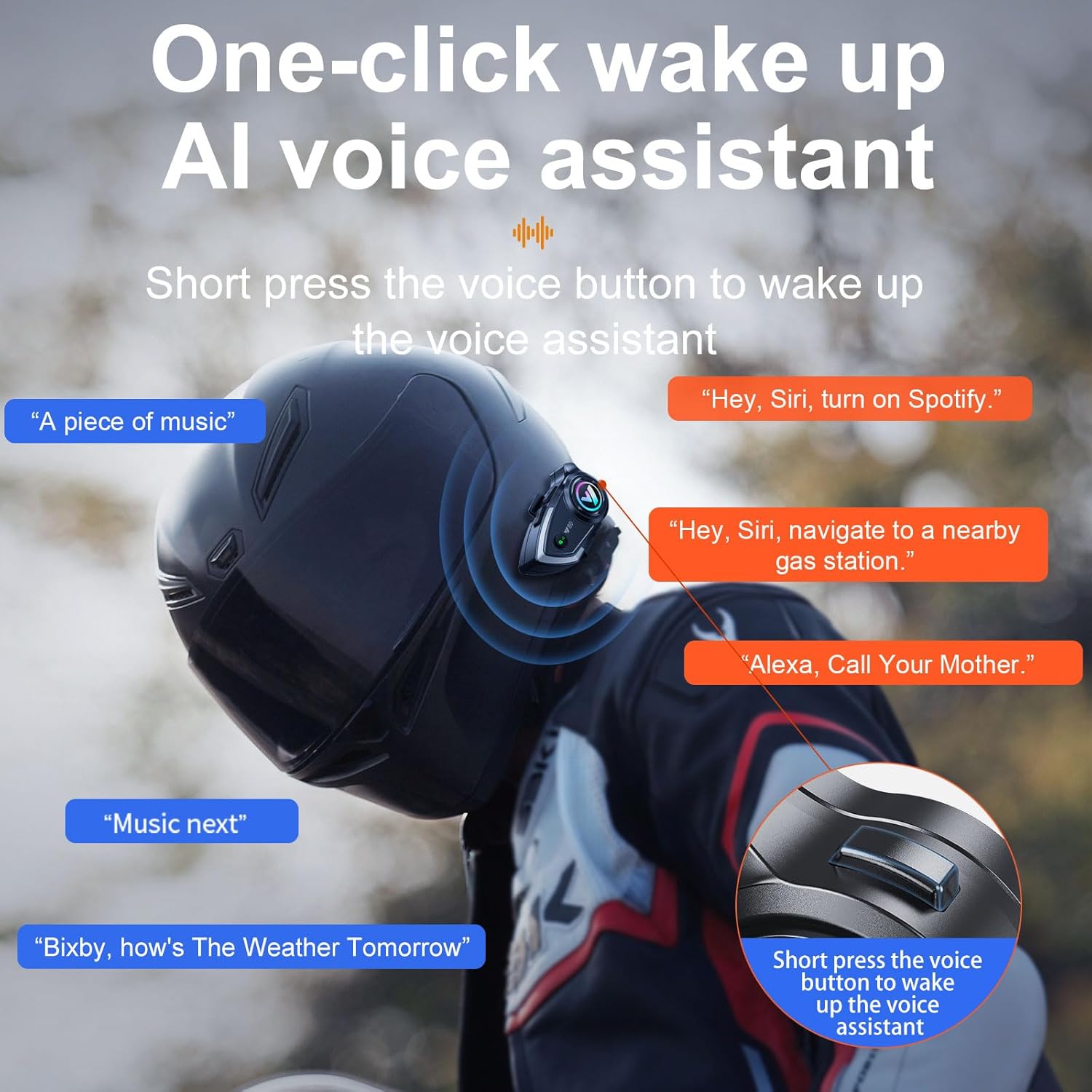
Figure 5.2: Voice Assistant Activation and Usage.
5.4 Gestió de trucades
The headset is designed for convenient call management while riding:
- Contestar trucades: Incoming calls are automatically answered after a voice announcement of the caller's number, eliminating the need for manual interaction.
- Finalització de trucades: Short press the main button to end an active call.

Figure 5.3: Automatic Incoming Call Answering.
6. Manteniment
6.1 Impermeabilització
The Y80 headset boasts an IP67 deep water-resistant rating, providing protection against dust and temporary immersion in water. This ensures reliable performance in various weather conditions. However, it is recommended to avoid prolonged exposure to heavy rain or submersion to maintain optimal device longevity.

Figure 6.1: IP67 Deep Water Resistance.
6.2 Càrrega
To charge the headset, connect the provided USB Type-C cable to the charging port on the unit and a suitable power source. The indicator light will show charging status. A full charge provides up to 32 hours of usage. The split installation design allows for convenient removal of the main unit for charging.

Figure 6.2: 32-Hour Battery Life.
7. Solució De Problemes
| Problema | Causa possible | Solució |
|---|---|---|
| El dispositiu no s'encén | Bateria baixa; Mal funcionament del dispositiu | Carregueu el dispositiu completament; contacteu amb l'atenció al client si el problema persisteix. |
| No es pot emparellar amb el telèfon | Headset not in pairing mode; Bluetooth off on phone; Device too far apart | Ensure headset is in pairing mode (flashing red/blue); Enable Bluetooth on phone; Keep devices within 1 meter during pairing. |
| Poor sound quality / Noise during calls | Microphone/speaker placement; High ambient noise; Weak Bluetooth connection | Adjust microphone closer to mouth; Ensure speakers are aligned with ears; Check Bluetooth connection strength; CVC noise reduction should mitigate most noise. |
| Els controls no responen | Device frozen; Low battery | Restart the device; Charge the device. |
8. Especificacions
| Característica | Detall |
|---|---|
| Marca | BTQILEYOO |
| Número de model | Y80 |
| Tecnologia de connectivitat | Sense fil (Bluetooth) |
| Versió Bluetooth | 5.3 |
| Control de soroll | Adaptive Noise Cancellation (CVC DSP) |
| Nivell de resistència a l'aigua | Impermeable IP67 |
| Durada mitjana de la bateria | 32 hores |
| Tipus de control | Media Control, Call Control |
| Mètode de control | Toc, veu |
| Dispositius compatibles | Bluetooth-enabled Devices, Motorcycle Communication Systems |
| Col·locació de l'orella | Sobre l'orella |
| Interval de freqüència | 20 Hz - 20,000 Hz |
| Material | Plastic, Metal, Silicone, Fabric |
9. Garantia i assistència
For warranty information, technical support, or any inquiries regarding your BTQILEYOO Y80 Motorcycle Helmet Bluetooth Headset, please refer to the contact details provided on the product packaging or visit the official BTQILEYOO weblloc web. Conserveu el rebut de compra com a comprovant de compra per a reclamacions de garantia.