
1. Introducció
This manual provides detailed instructions for the T-Wolf TF800 Gaming Combo, a 4-in-1 package designed for an enhanced gaming experience. The combo includes a backlit keyboard, a gaming mouse, a stereo headset with microphone, and a mouse pad. Please read this manual carefully before using the product to ensure proper setup and operation.

Image: T-Wolf TF800 Gaming Combo retail box. The box displays the included keyboard, mouse, headset, and mouse pad, highlighting features like floating keycaps, highlight light, multimedia keys, and ergonomic design.
2. Contingut del paquet
Assegureu-vos que tots els elements següents estiguin presents al vostre paquet:
- 1 x T-Wolf Gaming Keyboard
- 1 x T-Wolf Gaming Mouse
- 1 x T-Wolf Gaming Headset
- 1 x T-Wolf Gaming Mouse Pad
3. Instruccions de configuració
Follow these steps to set up your T-Wolf TF800 Gaming Combo:
3.1 Keyboard Setup
- Locate an available USB 2.0 port on your computer.
- Connecteu el connector USB del teclat al port USB.
- El sistema operatiu detectarà i instal·larà automàticament els controladors necessaris.
- The keyboard backlight will illuminate upon successful connection.
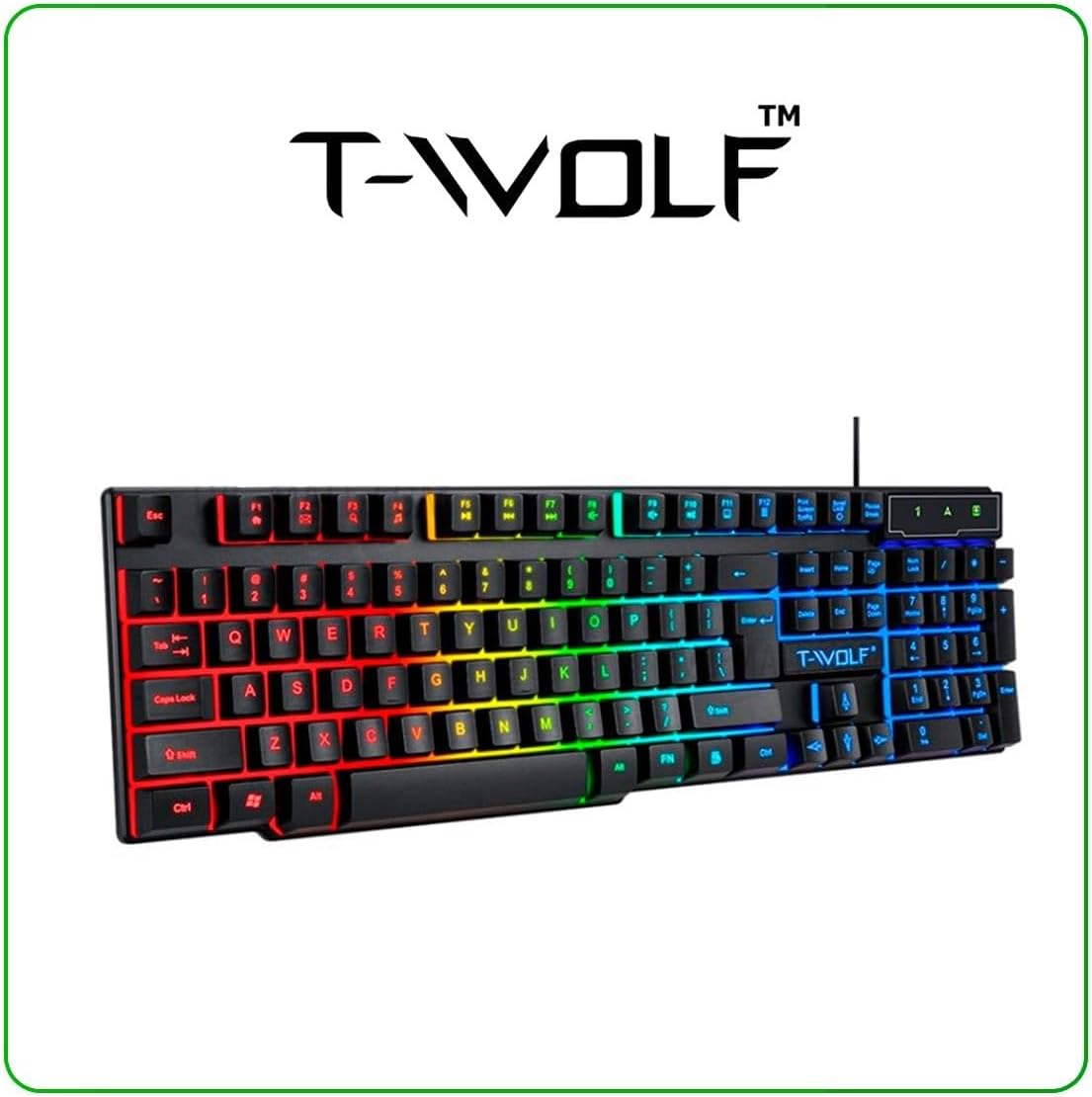
Image: T-Wolf Gaming Keyboard. This image shows the full 104-key layout with vibrant RGB backlighting, including the 'Ñ' key.
3.2 Mouse Setup
- Locate another available USB 2.0 port on your computer.
- Connecteu el connector USB del ratolí al port USB.
- El sistema operatiu detectarà i instal·larà automàticament els controladors necessaris.
- The mouse LED lighting will activate upon successful connection.

Image: T-Wolf Gaming Mouse. This image displays the ergonomic design of the mouse with multi-color RGB lighting accents.
3.3 Headset Setup
- Locate the 3.5mm audio jack on your computer (usually marked with a headphone icon).
- Plug the 3.5mm connector of the headset into the audio jack.
- If your computer has separate microphone and headphone jacks, you may need a Y-splitter (not included) or connect to a combined audio jack.
- Adjust the volume using the in-line control on the headset cable.
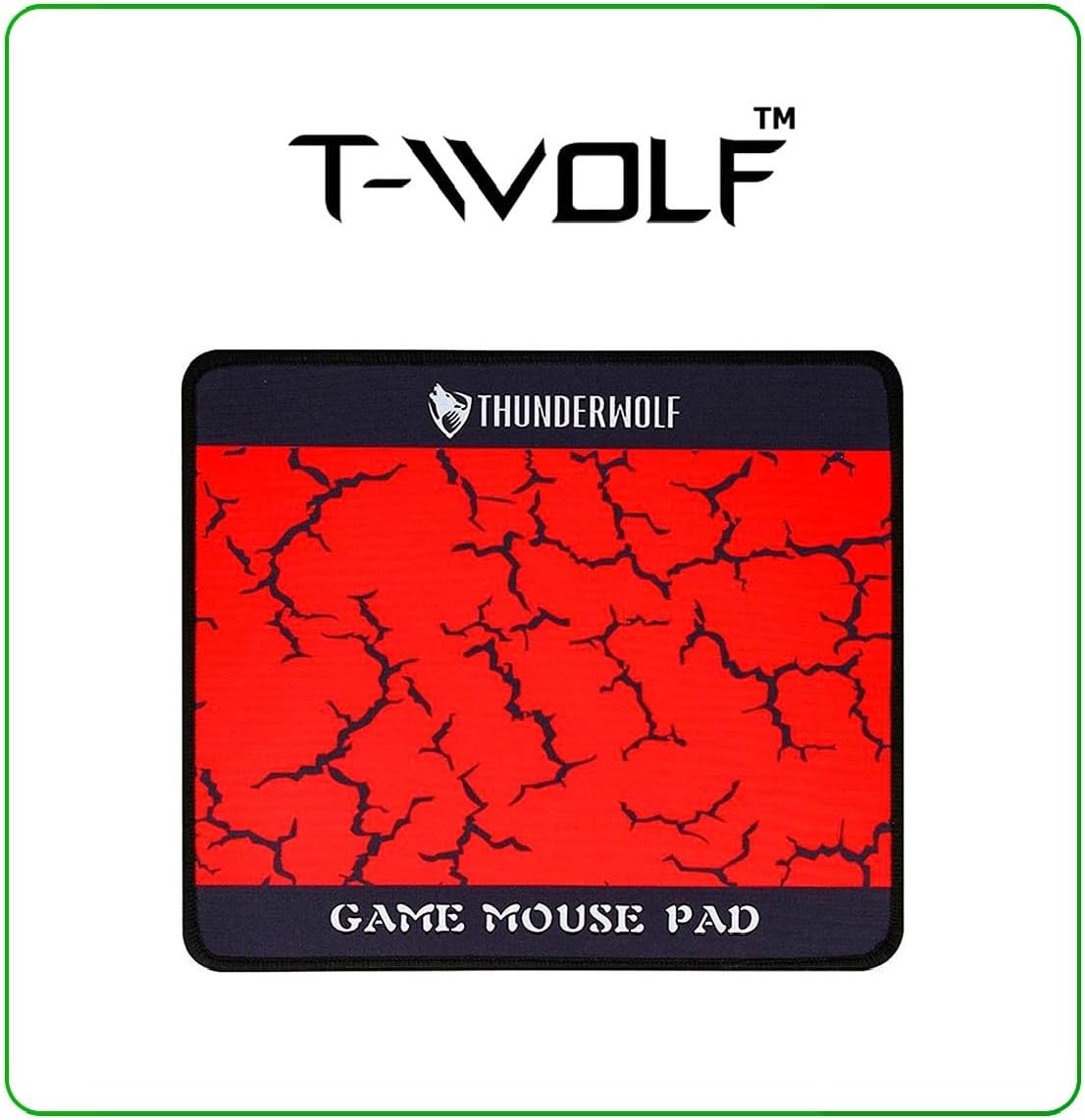
Image: T-Wolf Gaming Headset. This image shows the over-ear headset with a flexible microphone and red accents.
3.4 Mouse Pad Placement
- Col·loqueu el coixinet del ratolí sobre una superfície plana i neta.
- Ensure the non-slip rubber base is in full contact with the desk to prevent movement during use.
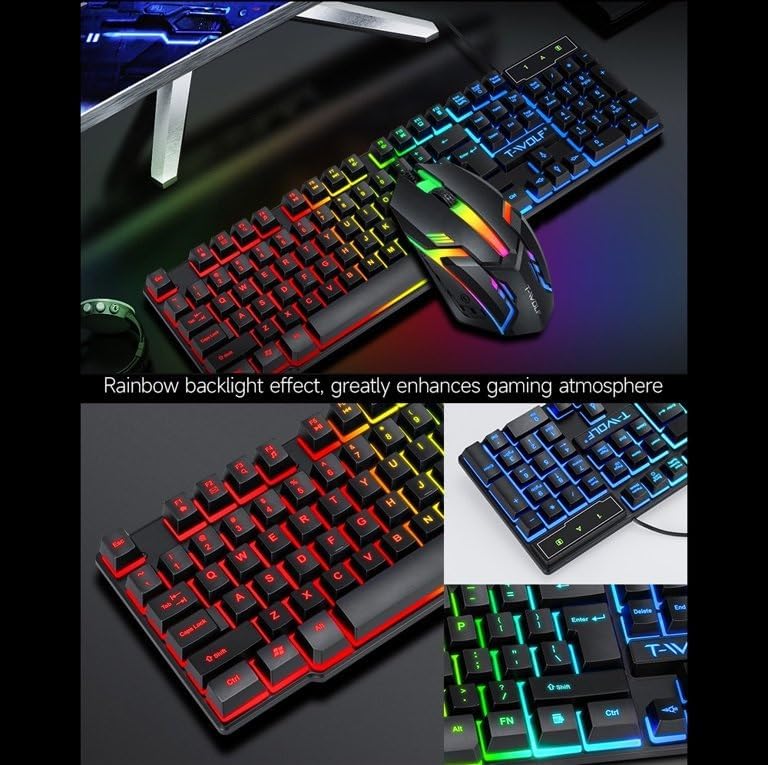
Image: T-Wolf Gaming Mouse Pad. This image features the mouse pad with a red cracked pattern and a black border, designed for optimal mouse precision.
4. Instruccions de funcionament
4.1 Funcionament del teclat
- Control de la llum de fons: The keyboard features a 3-color LED backlight (Red, Blue, Green). Press the Bloqueig de desplaçament key to toggle the backlight ON/OFF.
- Tecles multimèdia: Utilize the dedicated multimedia keys (usually F-keys combined with Fn) for quick access to volume control, media playback, and other functions. Refer to the keyboard layout for specific key assignments.
- Disseny ergonòmic: The keyboard is designed for comfortable typing during extended use.

Image: T-Wolf Keyboard and Mouse. This image illustrates the rainbow backlight effect on both the keyboard and mouse, enhancing the gaming atmosphere.
4.2 Funcionament del ratolí
- Ajust de DPI: The mouse supports adjustable DPI settings (up to 1200 DPI). Use the DPI button (typically located near the scroll wheel) to cycle through different sensitivity levels.
- Il·luminació LED: The mouse features 4-color circular breathing LED lighting, which activates automatically when connected.
- Botons: The mouse has 3 buttons for standard operation.
4.3 Headset Operation
- Control de volum: Adjust the audio volume using the in-line control wheel located on the headset cable.
- Ús del micròfon: The microphone is foldable. Position it appropriately for clear voice communication. Ensure your computer's audio settings recognize the headset microphone as the input device.
- So estèreo: The headset provides stereo sound for deep bass and crisp treble.

Image: T-Wolf Gaming Headset in use and with dimensions. This image shows a user wearing the headset and provides detailed dimensions (200x130x100mm) for the headset.
5. Manteniment
Proper maintenance ensures the longevity and optimal performance of your gaming combo.
- Neteja:
- Use a soft, dry cloth to wipe down the keyboard, mouse, and headset.
- Per a la brutícia persistent, lleugerament dampNetegeu el drap amb aigua o una solució de neteja suau. Eviteu productes químics agressius.
- Do not immerse any component in water.
- The mouse pad can be gently hand-washed with mild soap and water, then air-dried.
- Emmagatzematge:
- Store the combo in a cool, dry place away from direct sunlight and extreme temperatures.
- Avoid placing heavy objects on the keyboard or headset to prevent damage.
- Gestió de cables: Avoid sharp bends or kinks in the cables to prevent internal wire damage.
6. Solució De Problemes
If you encounter any issues with your T-Wolf TF800 Gaming Combo, refer to the following common problems and solutions:
- El teclat/ratolí no respon:
- Ensure the USB connectors are securely plugged into the computer's USB ports.
- Prova de connectar els dispositius a ports USB diferents.
- Reinicieu l'ordinador.
- Check if the Scroll Lock key is pressed (for keyboard backlight).
- Headset No Sound/Microphone Not Working:
- Ensure the 3.5mm audio jack is fully inserted into the correct port.
- Check the in-line volume control on the headset cable and ensure it is not muted or set to minimum.
- Verify your computer's audio settings:
- For output, ensure the headset is selected as the default playback device.
- For input, ensure the headset microphone is selected as the default recording device.
- Test the headset on another device if possible to rule out a device-specific issue.
- Els llums LED no funcionen:
- For the keyboard, press the Scroll Lock key to toggle the backlight.
- Ensure the devices are properly connected via USB.
- Some systems may require specific drivers or software for advanced lighting control, though basic functionality should be plug-and-play.
7. Especificacions
Detailed specifications for each component of the T-Wolf TF800 Gaming Combo:
7.1 Keyboard Specifications
| Backlight System | 3-color LED (Red, Blue, Green) |
| Disseny de claus | 104 keys, includes 'Ñ' |
| Interfície de connexió | USB 2.0 |
| Longitud del cable | 1.45 metres (4.8 peus) |
| Key Stroke Life | 1 milions de vegades |
| Dimensions | 430 x 130 x 30 mm |
| Pes | 650 g |
7.2 Mouse Specifications
| DPI | 1200 |
| Botons | 3 |
| Llum de fons | 4-color circular breathing LED |
| Interfície de connexió | USB 2.0 |
| Longitud del cable | 1.35 metres (4.4 peus) |
| Stroke Life | 2 milions de vegades |
| Pes | 95 g |
7.3 Headset Specifications
| Diàmetre de l'altaveu | 50 mm |
| Impedància | 32Ω ±15% |
| Resposta de freqüència | 20Hz-20kHz |
| Longitud del cable | 1.8 metres |
| Potència nominal | 25 mW |
| Potència d'entrada màxima | 100 mW |
| Tipus d'endoll | 3.5 mm |
| Sensibilitat del micròfon | -58dB ± 3dB |
| Dimensions | 200 x 130 x 100 mm |
| Pes | Not specified in detail, but generally lightweight |
7.4 Mouse Pad Specifications
| Mida | 300 x 250 x 2 mm |
| Material | Cloth surface, Rubber base |
| Característiques | Ultra-smooth weave surface, Anti-slip bottom |
| Pes | 122 g |
8. Informació de la garantia
This T-Wolf TF800 Gaming Combo comes with a standard manufacturer's warranty against defects in materials and workmanship. The specific duration and terms of the warranty may vary by region and retailer. Please retain your proof of purchase for warranty claims. For detailed warranty information, refer to the documentation provided at the point of purchase or contact your retailer.
9. Atenció al client
If you require further assistance or have questions not covered in this manual, please contact your retailer or the product manufacturer's customer support.
- Suport al detall: Refer to the contact information provided by your purchase retailer.
- Suport del fabricant: For general inquiries, please visit the official T-Wolf website (if available) or search for T-Wolf customer service online.