
Introducció
Thank you for choosing the Doubc Q13 Wireless Bluetooth 5.3 Earbuds. These earbuds are designed to provide a high-quality audio experience with advanced features such as HiFi stereo sound, ENC noise-cancelling microphones, and IPX7 waterproofing. This manual will guide you through the setup, operation, and maintenance of your new earbuds.

Image: The Doubc Q13 Wireless Bluetooth 5.3 Earbuds in their open charging case, displaying the digital battery indicator.
Contingut del paquet
Si us plau, comproveu el paquet per veure si hi ha els elements següents:
- Doubc Q13 Wireless Earbuds (Left and Right)
- Estoig de càrrega
- Cable de càrrega USB tipus C
- Manual d'usuari
- Puntes per a les orelles (diverses mides, normalment S/M/L)
Configuració
1. Càrrega inicial
Before first use, fully charge the earbuds and the charging case. Connect the provided USB Type-C cable to the charging port on the case and a power source. The LED display on the charging case will show the battery percentage. Una càrrega completa triga aproximadament 1.5 hores.
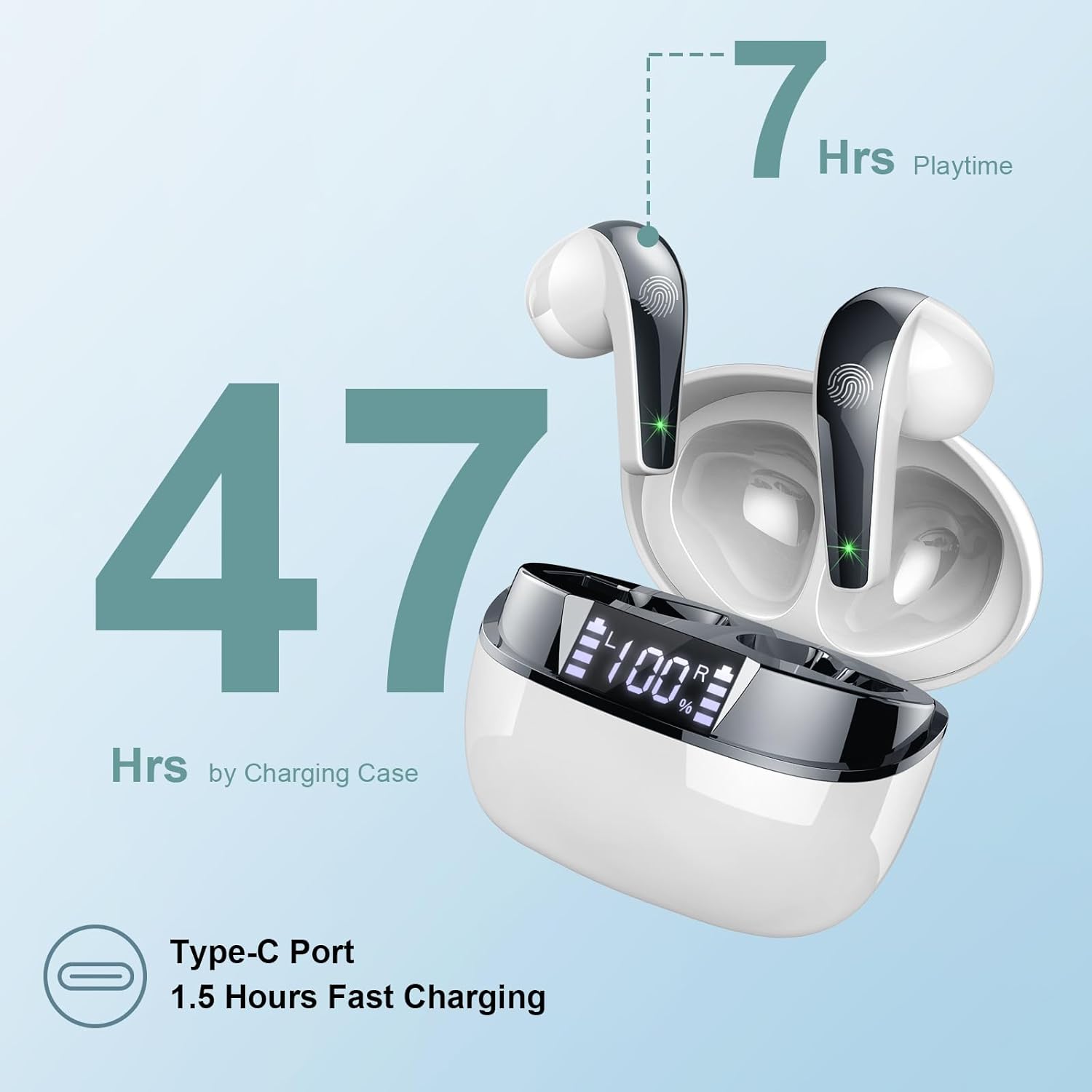
Image: The charging case highlighting 47 hours of total playtime and the Type-C charging port.

Image: A visual representation of the earbuds and charging case, emphasizing 7 hours of music time per charge and 47 hours total with the charging case, along with the dual LED digital display.
2. Vinculació amb un dispositiu
- Assegureu-vos que els auriculars estiguin carregats.
- Obre l'estoig de càrrega. Els auriculars entraran automàticament en mode d'emparellament.
- Al dispositiu (telèfon intel·ligent, tauleta, ordinador), aneu a la configuració de Bluetooth.
- Cerca available devices and select "Q13" from the list.
- Un cop connectats, sentireu un to de confirmació i els auriculars estaran a punt per al seu ús.
The Doubc Q13 earbuds feature one-step pairing and wide compatibility with iOS, Android, and Windows devices.

Image: The earbuds in their charging case next to a smartphone displaying Bluetooth settings, showing "Q13" as a discoverable device, illustrating the one-step pairing process.
Instruccions de funcionament
Controls tàctils
The Doubc Q13 earbuds feature smart touch controls for easy management of music and calls. The touch sensitive area is located on the outer surface of each earbud.

Image: A user wearing an earbud, with icons indicating various touch control functions such as volume adjustment, call management, music playback, and voice assistant activation.
| Acció | Funció |
|---|---|
| Toc únic (E/D) | Reproduir/Pausar música, Respondre/Finalitzar trucada |
| Doble toc (dreta) | Pista següent |
| Doble toc (esquerra) | Pista anterior |
| Toc tres vegades (dreta) | Puja el volum |
| Toc tres vegades (esquerra) | Baixa el volum |
| Premda llarga (2s) (E/D) | Rebutja la trucada, activa l'assistent de veu |
Encès/Apagat
- Encès: Open the charging case, and the earbuds will automatically power on. Alternatively, long-press the touch area on both earbuds for 3 seconds.
- Apagar: Place the earbuds back into the charging case and close the lid. They will automatically power off and begin charging. Alternatively, long-press the touch area on both earbuds for 5 seconds.
Manteniment
Neteja
To ensure optimal performance and charging, regularly clean the charging contacts on both the earbuds and the charging case. Use a cotton swab lightly dampened with alcohol to gently wipe the contacts.

Image: A diagram illustrating the location of charging contacts on the earbuds and inside the charging case, with instructions to clean them if charging issues occur.
Resistència a l'aigua
The earbuds are IPX7 waterproof, meaning they can withstand immersion in water up to 1 meter for 30 minutes. This makes them suitable for workouts and light rain. However, the charging case is not waterproof. Do not expose the charging case to water.

Image: Two earbuds covered in water droplets, visually representing their IPX7 waterproof capability.
Emmagatzematge
Store the earbuds in their charging case when not in use to protect them and keep them charged. Avoid extreme temperatures and direct sunlight.
Resolució de problemes
Els auriculars no es carreguen
- Assegureu-vos que el cable de càrrega estigui connectat correctament tant a la carcassa com a la font d'alimentació.
- Verify that the charging contacts on both the earbuds and the case are clean and free of debris. Use alcohol to clean them if necessary.
- Comproveu si la caixa de càrrega té prou càrrega de bateria.
Only One Earbud Has Sound
- Torneu a col·locar els dos auriculars a l'estoig de càrrega i tanqueu la tapa.
- On your phone's Bluetooth settings, manually "forget" or "unpair" the "Q13" device.
- After approximately 10 seconds, open the charging case. The earbuds should automatically re-enter pairing mode.
- Reconnect the earbuds with your phone via Bluetooth.
Image: A diagram illustrating solutions for common issues: cleaning charging contacts for charging problems and re-pairing steps for when only one earbud produces sound.
Els auriculars no es connecten
- Assegureu-vos que el Bluetooth estigui habilitat al vostre dispositiu.
- Make sure the earbuds are within the effective range (typically 10 meters) of your device.
- Turn off and then turn on your device's Bluetooth.
- Repetiu el procés d'emparellament tal com es descriu a la secció "Configuració".
Especificacions
| Característica | Detall |
|---|---|
| Número de model | P13 |
| Versió Bluetooth | 5.3 |
| Controlador d'àudio | 13mm Graphene Audio Driver |
| Interval de freqüència | 20 Hz - 20,000 Hz |
| Temps de joc (auriculars) | Fins a 7 hores (una sola càrrega) |
| Temps de reproducció total (amb estoig) | Fins a 47 hores |
| Port de càrrega | USB tipus C |
| Temps de càrrega | Aprox. 1.5 hores (caixa) |
| Classificació impermeable | IPX7 (només auriculars) |
| Micròfons | 4 ENC Noise Cancelling Microphones |
| Pes de l'auricular | Aprox. 3 g (cadascun) |
| Pes de la caixa de càrrega | Aprox. 29 g |
| Dimensions del producte | 2.13 x 1.81 x 1.34 polzades (estoig de càrrega) |

Imatge: Una imatge detallada view of the 13mm Graphene Audio Driver, emphasizing HiFi Stereo Sound and built-in microphones with noise reduction for HD calling.

Image: A diagram illustrating the benefits of Advanced Bluetooth 5.3 technology, including faster transfer, lower power consumption, more stable connection, and lower latency.

Image: A visual showing the comfortable and lightweight design of the earbuds and charging case, including their dimensions and individual weights (3g per earbud, 29g for the case).
Garantia i Suport
The Doubc Q13 Wireless Bluetooth 5.3 Earbuds come with a 3 any de garantia, garantint la tranquil·litat pel que fa a la qualitat i el rendiment del producte.
For technical support, warranty claims, or any inquiries, please refer to the contact information provided on the product packaging or the official Doubc website. Specific support contact details are not available in this manual.
Informació important de seguretat
- No desmunteu ni modifiqueu el producte.
- Mantenir allunyat de temperatures extremes i de la llum solar directa.
- Avoid exposing the charging case to water.
- Feu servir només el cable de càrrega proporcionat o un equivalent certificat.
- Eliminar el producte de manera responsable segons la normativa local.