
1. Producte acabatview
The JOMISE C810 is a mirror dash camera system designed to provide front and rear video recording, integrated with wireless CarPlay and Android Auto functionalities. It features a 2.5K front camera and a 1080P rear camera, enhanced night vision, and various smart features for a comprehensive driving experience.

Image 1.1: JOMISE C810 Mirror Dash Cam and included accessories.
2. Contingut del paquet
Verifiqueu que tots els elements siguin presents al paquet:
- JOMISE C810 Mirror Dash Cam Unit
- Càmera posterior
- Carregador de cotxe (cable d'alimentació)
- Mòdul GPS
- 64GB Storage Card
- Mounting Straps/Clips
- Manual d'usuari
3. Configuració i instal·lació
The JOMISE C810 is designed for a straightforward installation process. It is recommended to perform a test run of the system before final cable routing.
3.1 Muntatge de la càmera de salpicader amb mirall
- Connecteu la càmera del mirall al mirall posterior existent del vostre vehicleview mirror using the provided heavy-duty clips. Ensure it is securely fastened and does not obstruct your view.
- Adjust the angle of the front camera lens to capture the desired field of view.
3.2 Instal·lació de la càmera posterior
- Determine a suitable mounting location for the rear camera, typically above the license plate or inside the rear window.
- Fixeu la càmera posterior amb l'adhesiu o els cargols proporcionats.
- Route the rear camera cable to the main mirror dash cam unit. Ensure the cable is tucked away safely to avoid interference with vehicle operations.
3.3 Connexió d'alimentació
- Connect the provided car charger to the Type-C power port on the mirror dash cam unit.
- Connecteu el carregador del cotxe a la presa de corrent de 12 V del vostre vehicle (endoll de l'encenedor de cigarrets).
- Route the power cable neatly to avoid obstructing controls or passenger movement.
3.4 Connexió del mòdul GPS
Connect the GPS module to the designated port on the main unit. Position the GPS module in an area with a clear view of the sky for optimal signal reception, such as on the dashboard.
3.5 Storage Card Insertion
Insert the included 64GB storage card into the designated slot on the dash cam unit. Ensure it is inserted correctly until it clicks into place.
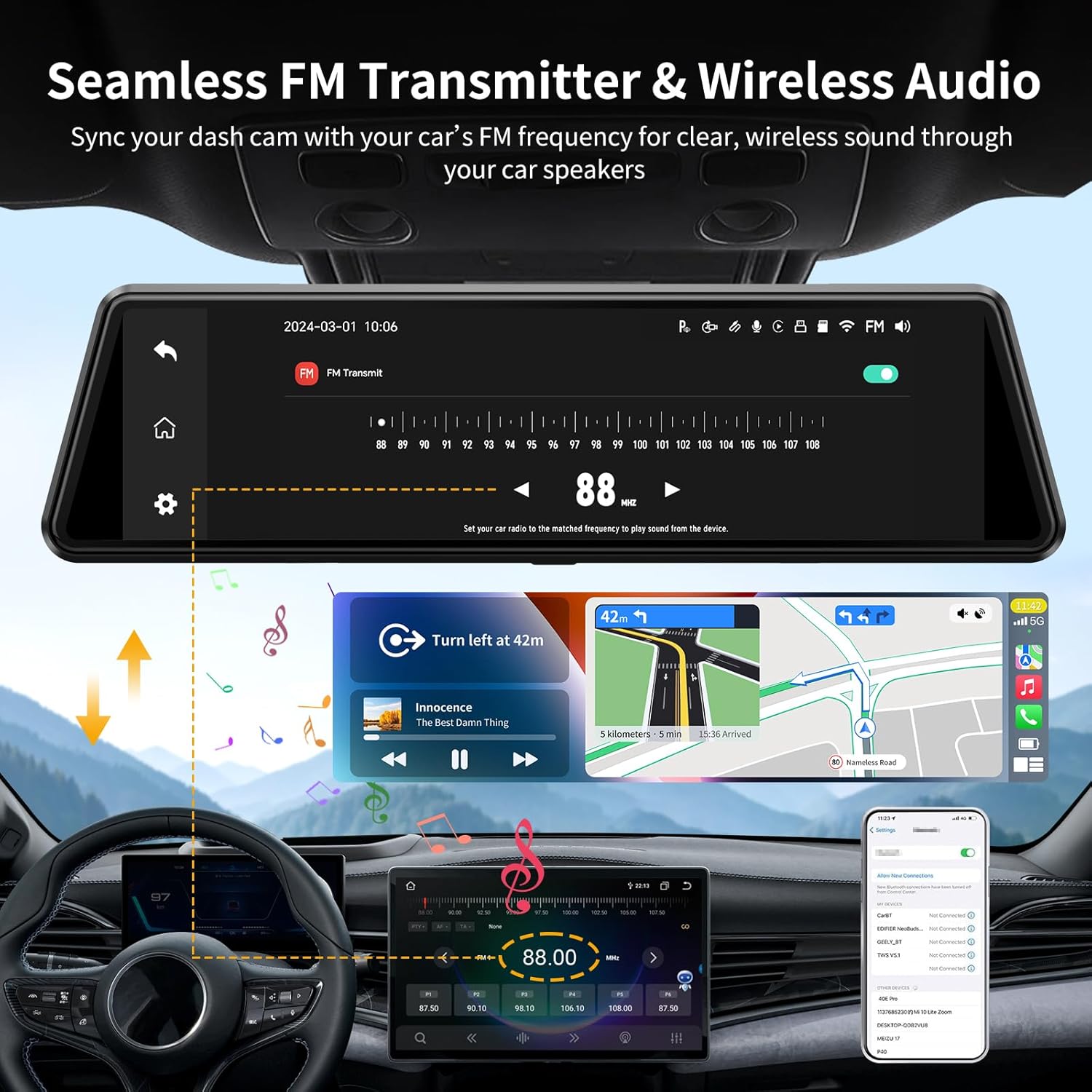
Image 3.1: General installation diagram for the mirror dash cam and its components.
4. Instruccions de funcionament
4.1 Engegada/apagada
The device will automatically power on when the vehicle's ignition is turned on and power off when the ignition is turned off.
4.2 Enregistrament bàsic
Upon powering on, the dash cam will automatically begin recording video from both the front (2.5K) and rear (1080P) cameras. Recordings are saved to the inserted storage card.

Image 4.1: Display showing simultaneous front (2.5K) and rear (1080P) camera views.
4.3 Visió nocturna
The camera system incorporates HDR technology for enhanced night vision, improving clarity and detail in low-light conditions.

Imatge 4.2: Ex.ample of enhanced night vision performance.
4.4 CarPlay sense fil i Android Auto
The device supports wireless CarPlay and Android Auto connectivity via 5.8GHz WiFi. To connect:
- Activa Bluetooth i Wi-Fi al teu telèfon intel·ligent.
- On the dash cam, navigate to the CarPlay or Android Auto settings.
- Pair your phone with the dash cam via Bluetooth.
- Once paired, the system will automatically establish a Wi-Fi connection for CarPlay or Android Auto.

Image 4.3: Wireless CarPlay interface displayed on the mirror dash cam.
4.5 FM Transmitter Function
The built-in FM transmitter allows audio from the dash cam (e.g., music, navigation prompts) to be played through your vehicle's speakers.
- Access the FM Transmitter settings on the dash cam.
- Select an unused FM frequency.
- Tune your vehicle's radio to the same FM frequency.

Image 4.4: Configuring the FM transmitter to sync with your car's audio system.
4.6 Control de veu intel·ligent
Operate key functions using voice commands for hands-free convenience. Common commands include:
- "Start recording"
- "Bloqueja el vídeo"
- "Turn on the screen"
- "Navigate to [destination]"
- "Pause music"
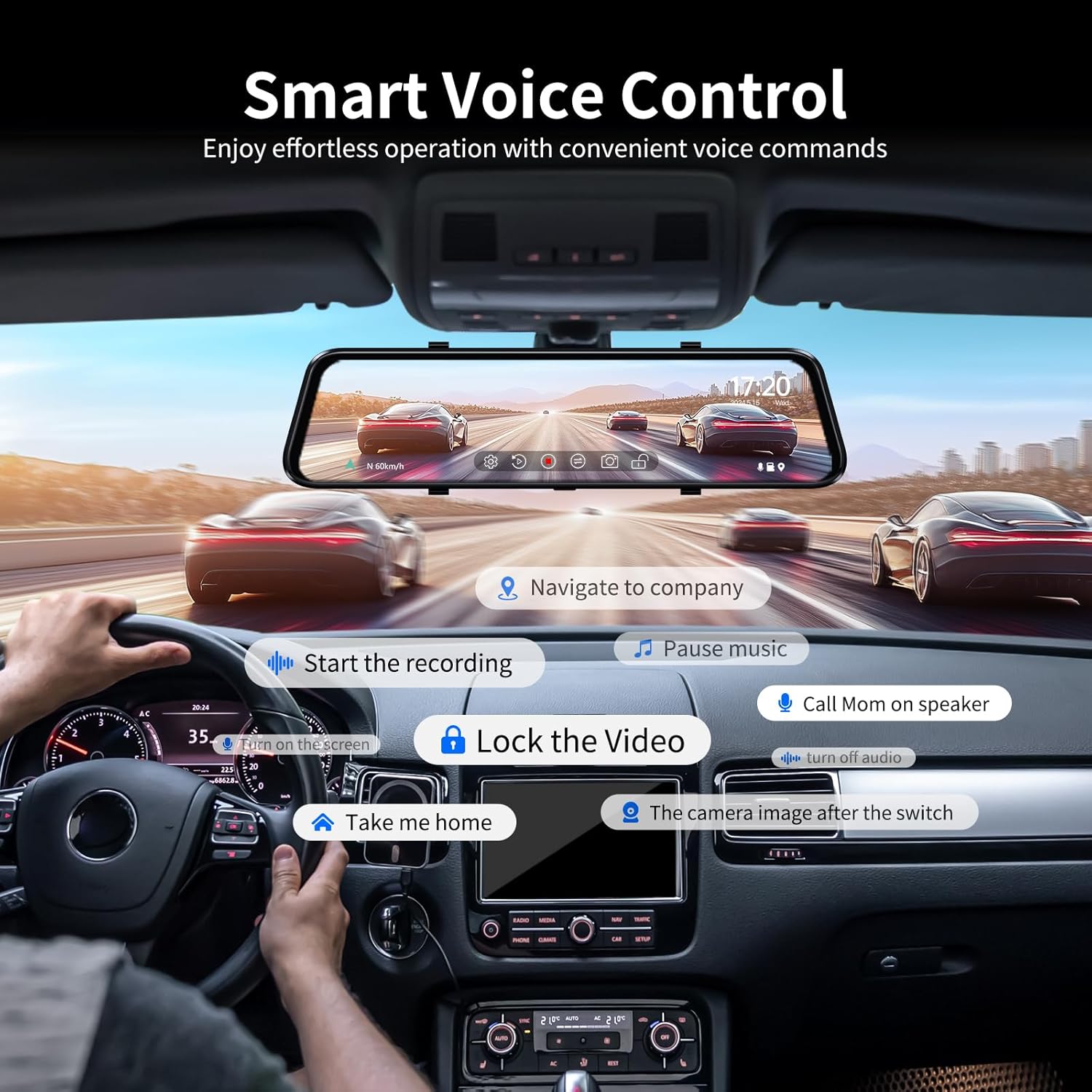
Imatge 4.5: Ex.amples of voice commands for controlling the dash cam.
4.7 Display Modes and Touchscreen Operation
The 10-inch IPS touchscreen allows for intuitive control and offers multiple display modes:
- Pantalla completa: Displays either the front or rear camera view, or the CarPlay/Android Auto interface.
- Pantalla dividida: Simultaneously displays two functions, such as recording and navigation, or recording and a call.
- Swipe Control: Swipe across the screen to switch between front and rear camera views or adjust display settings.

Image 4.6: Multiple display modes available on the 10-inch touchscreen.
4.8 Monitor d'aparcament les 24 hores
The parking monitor feature provides surveillance when the vehicle is parked. It operates in two modes:
- Mode de sensor G: Automatically detects sudden impacts or vibrations and initiates recording of an emergency video.
- Mode de lapse de temps: Records continuous video at a low frame rate, conserving storage space while providing a comprehensive overview d'esdeveniments.

Image 4.7: The 24-hour parking monitor feature in action.
4.9 GPS Tracking Function
The integrated GPS module records driving data, including location and speed. This information can be reviewed using a dedicated GPS player software on a computer, providing a detailed record of your journeys.

Image 4.8: GPS tracking data displayed on a computer.
5. Manteniment
5.1 Neteja del dispositiu
To maintain optimal performance, regularly clean the dash cam unit and camera lenses. Use a soft, dry cloth to wipe the screen and exterior. For lenses, use a lens cleaning cloth and solution if necessary, ensuring no residue is left.
5.2 Storage Card Management
Periodically format the storage card (at least once a month) to prevent data corruption and ensure smooth recording. Back up any important video files before formatting. The device supports up to 256GB storage cards.
5.3 Consideracions ambientals
The JOMISE C810 is designed to operate in temperatures ranging from -4°F to 158°F (-20°C to 70°C). Avoid exposing the device to extreme temperatures outside this range for prolonged periods to prevent damage.
6. Solució De Problemes
If you encounter issues with your JOMISE C810, refer to the following common problems and solutions:
- El dispositiu no s'encén:
Ensure the car charger is securely connected to both the dash cam and the vehicle's 12V power outlet. Verify the vehicle's power outlet is functioning. - Recording issues (e.g., freezing, skipped frames):
Format the storage card. Ensure you are using a high-speed (Class 10 or U3) microSD card. If the issue persists, try a different compatible storage card. - Bluetooth connection instability:
If Bluetooth connection becomes unstable, try restarting the device. Ensure there are no strong electromagnetic interferences in the area. A factory reset may resolve persistent connection issues. - Low audio volume:
Adjust the volume settings on the dash cam and your vehicle's audio system. If using the FM transmitter, ensure the frequency is clear and free from interference. - Parking Monitor not functioning:
Verify that the parking monitor feature is enabled in the device settings. Ensure the device is receiving continuous power (e.g., via a hardwire kit for 24-hour monitoring) if not relying solely on the internal battery for G-sensor events. - CarPlay/Android Auto connection problems:
Ensure Wi-Fi and Bluetooth are enabled on your phone. Try forgetting the device in your phone's Bluetooth settings and re-pairing. A factory reset of the dash cam can often resolve connectivity glitches.
7. Especificacions
| Característica | Especificació |
|---|---|
| Dimensions del producte | 1.3 x 10.1 x 2.7 polzades |
| Pes de l'article | 2.4 lliures |
| Número de model | C810 |
| Resolució de la càmera frontal | 2.5K (1440p) |
| Resolució de la càmera posterior | 1080P |
| Tecnologia de connectivitat | Wireless (5.8GHz WiFi for CarPlay/Android Auto) |
| Característiques especials | HDR Night Vision, 4-Way Audio (FM included), CarPlay & Android Auto, Navigation & DVR, Voice Control |
| Característiques de visualització | Pantalla tàctil IPS de 10 polzades |
| Components inclosos | Car Charger, 64GB Storage Card |
| Tipus de muntatge | posteriorview Muntatge del mirall |
| Camp de View | 170 graus (aprox.) |
| Temperatura de funcionament | -4 °F a 158 °F (-20 °C a 70 °C) |
8. Garantia i Suport
JOMISE products are designed for reliability and performance. For any inquiries or support, please refer to the following information:
- Garantia: 12 mesos de garantia limitada
- Política de devolució: 7 Days Return Policy for eligible purchases. Returns on defects are accepted.
Informació de contacte:
- Correu electrònic: jomise-us@jomise-cam.com
- Telèfon: +1 866 788 8775

Image 8.1: JOMISE warranty and support details.