
1. Introducció
Thank you for choosing the ZOMBIES CAT Wireless Bluetooth 5.3 Headphones, Model QSWSB202-DE. This manual provides essential information for setting up, operating, and maintaining your new headphones. Please read it carefully before use to ensure optimal performance and longevity of your device.

Image 1.1: ZOMBIES CAT Wireless Bluetooth 5.3 Headphones and Charging Case.
2. Contingut del paquet
Si us plau, comproveu el paquet per veure si hi ha els elements següents:
- ZOMBIES CAT Wireless Bluetooth 5.3 Headphones (Left and Right earbuds)
- Estoig de càrrega
- Cable de càrrega USB
- Manual d'usuari (Aquest document)
- Puntes per a les orelles (diverses mides)

Image 2.1: Product packaging and included items.
3. Informació de seguretat
- No exposeu els auriculars ni l'estoig de càrrega a temperatures extremes, humitat o líquids.
- Eviteu deixar caure o aplicar una força excessiva al dispositiu.
- Mantenir fora de l'abast dels nens i mascotes.
- No intenteu desmuntar o reparar el dispositiu vosaltres mateixos. Contacteu amb l'assistència al client per obtenir assistència.
- Feu servir només el cable de càrrega proporcionat o un equivalent certificat.
- Escolteu a volums moderats per evitar danys auditius.
4. Configuració
4.1 Càrrega inicial
- Obriu l'estoig de càrrega i retireu els dos auriculars.
- Important: Before first use, carefully check the charging contacts on the earbuds. Some units may have small protective stickers on these contacts. Remove any stickers to ensure proper charging.
- Torneu a col·locar els auriculars a la caixa de càrrega.
- Connecteu el cable de càrrega USB al port de càrrega de la carcassa i connecteu l'altre extrem a una font d'alimentació USB (per exemple, un ordinador, un adaptador de paret).
- Allow the case and earbuds to fully charge. Charging typically takes approximately 1.5 hours. The LED indicator on the case will show charging status.
4.2 Vinculació Bluetooth
To pair your ZOMBIES CAT headphones with a device:
- Assegureu-vos que els auriculars estiguin carregats.
- Obriu l'estoig de càrrega. Els auriculars entraran automàticament en mode d'emparellament, cosa que s'indicarà amb els llums LED intermitents dels auriculars.
- Al dispositiu (telèfon intel·ligent, tauleta, ordinador portàtil), activeu el Bluetooth.
- Cerca available Bluetooth devices. You should see "ZOMBIES CAT QSWSB202-DE" or a similar name in the list.
- Select the headphones to connect. Once connected, the earbud LEDs will stop flashing or change to a steady light, and you may hear an audible confirmation.
- If pairing fails, turn off Bluetooth on your device, place the earbuds back in the case, close the case, wait a few seconds, then repeat the steps.

Image 4.1: Bluetooth 5.3 connectivity for stable pairing.
5. Instruccions de funcionament
5.1 Encès/Apagat
- Encès: Obriu la funda de càrrega i els auriculars s'encendran automàticament.
- Apagar: Torna a col·locar els auriculars a l'estoig de càrrega i tanca la tapa. Es desconnectaran i s'apagaran automàticament.
5.2 Controls tàctils
The ZOMBIES CAT headphones feature intuitive touch controls on each earbud. Specific gestures may vary slightly, but common functions include:
- Reproduir/pausa: Un sol toc a qualsevol dels auriculars.
- Pista següent: Toqueu dues vegades l'auricular dret.
- Pista anterior: Toqueu dues vegades l'auricular esquerre.
- Pujar el volum: Toqueu tres vegades l'auricular dret.
- Baixar el volum: Toqueu tres vegades l'auricular esquerre.
- Respondre/Finalitzar la trucada: Toqueu un sol cop a qualsevol dels auriculars durant una trucada entrant.
- Rebutja la trucada: Premeu i manteniu premut qualsevol dels auriculars durant 2 segons durant una trucada entrant.
- Activa l'Assistent de veu: Manteniu premut qualsevol dels auriculars durant 3 segons.
5.3 Audio Quality and Features
These headphones are equipped with a 13mm dynamic driver for rich, detailed Hi-Fi stereo sound. The semi-in-ear design allows for natural sound reproduction while maintaining awareness of your surroundings.

Image 5.1: Hi-Fi sound quality components.
5.4 Efectes de llum LED
The headphones feature integrated LED light effects. These lights activate during certain operations, such as pairing mode, and can provide a visual indication of status.
6. Manteniment
6.1 Neteja
- Netegeu els auriculars i l'estoig de càrrega amb un drap suau, sec i sense borrissol.
- No utilitzeu netejadors abrasius, alcohol ni dissolvents químics.
- Ensure charging contacts are clean and free of debris for optimal charging.
6.2 Emmagatzematge
- Guarda els auriculars a la seva funda de càrrega quan no els facis servir per protegir-los i mantenir-los carregats.
- Emmagatzemar en un lloc fresc i sec, lluny de la llum solar directa i de temperatures extremes.
6.3 Cura de la bateria
Per maximitzar la durada de la bateria:
- Charge the headphones regularly, even if not used frequently.
- Eviteu descarregar completament la bateria durant períodes prolongats.
- No exposeu la bateria a altes temperatures.
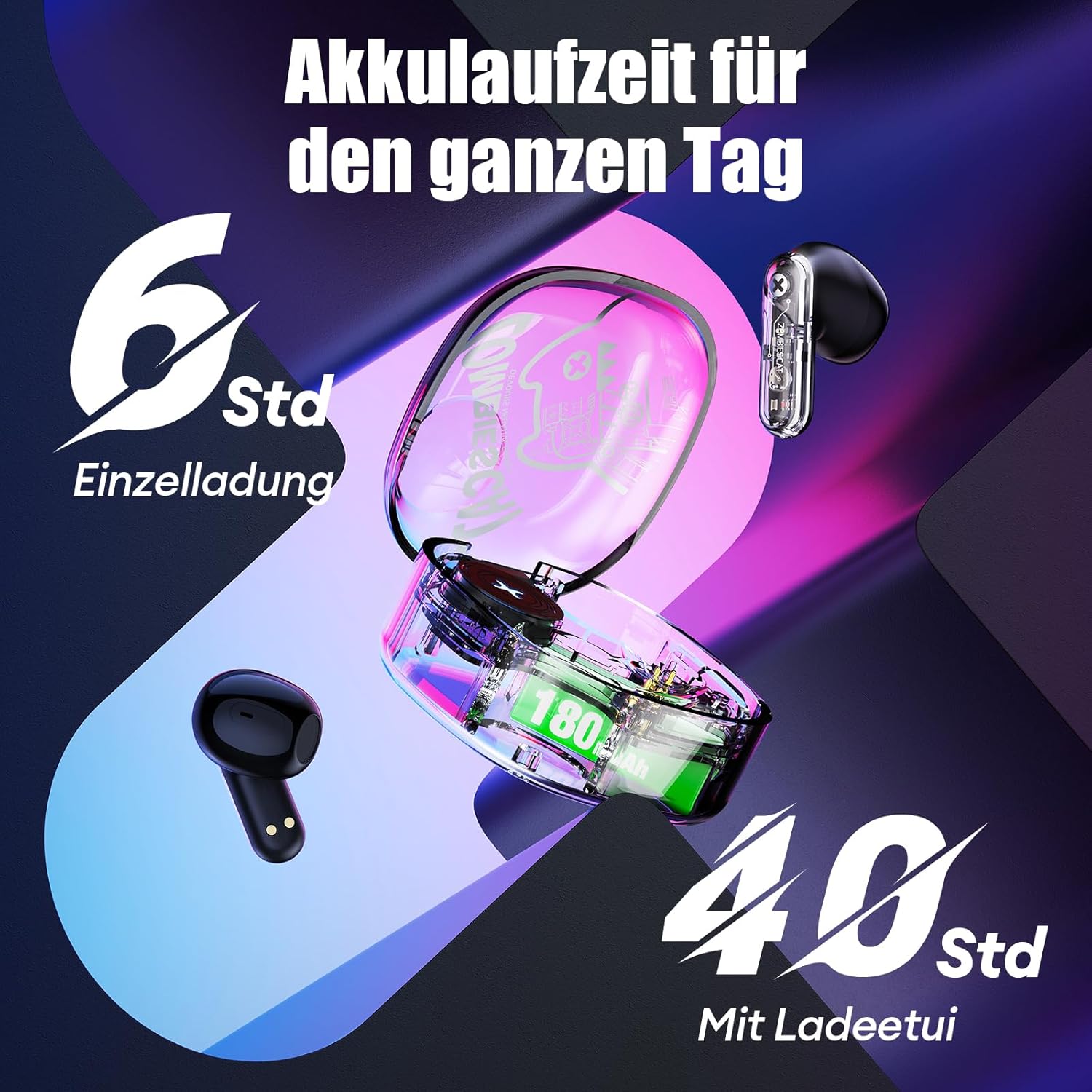
Image 6.1: Battery life overview.
7. Solució De Problemes
If you encounter issues with your headphones, please refer to the following common solutions:
- Headphones not charging or turning on:
Ensure the protective stickers on the earbud charging contacts have been removed. Place earbuds correctly in the charging case. Connect the charging case to a power source and ensure it is charging. - Unable to pair with device:
Ensure Bluetooth is enabled on your device. Make sure the earbuds are in pairing mode (LEDs flashing). Turn off Bluetooth on your device, restart it, and try pairing again. Ensure the headphones are not already connected to another device. - Sense so o so intermitent:
Check the volume level on both your device and the headphones. Ensure the headphones are properly connected to your device. Try re-pairing the headphones. Move closer to your device to avoid interference. - Els controls tàctils no responen:
Assegureu-vos que els dits estiguin nets i secs. Intenteu reiniciar els auriculars posant-los a l'estoig i traient-los. - Qualitat de trucada baixa:
Ensure the microphone is not obstructed. Move to an area with less background noise. Check your device's network signal.
8. Especificacions
| Característica | Especificació |
|---|---|
| Model | QSWSB202-DE |
| Versió Bluetooth | 5.3 |
| Capacitat de la bateria dels auriculars | 30 mAh |
| Caixa de càrrega Capacitat de la bateria | 180 mAh |
| Durada mitjana de la bateria (auriculars) | 5.5 - 6 hores |
| Temps de reproducció total (amb estoig) | Fins a 40 hores |
| Temps de càrrega | Aprox. 1.5 hores |
| Interval de freqüència | 20 Hz - 20,000 Hz |
| Impedància | 32 ohms |
| Tipus de control | Control tàctil |
| Resistència a l'aigua | Resistent a l'aigua |
| Control de soroll | Cancel·lació adaptativa del soroll |
| Material | Plàstic, metall |
| Pes del producte | 42 grams |
| Dimensions del producte | 5 x 2.5 x 5 cm |
| Dispositius compatibles | Mobile phones, laptops, smartwatches, tablets |
9. Garantia i Suport
Your ZOMBIES CAT Wireless Bluetooth 5.3 Headphones are covered by a standard manufacturer's warranty. Please refer to the retailer's return policy for details regarding returns and replacements.
For technical support or warranty claims, please contact the retailer or ZOMBIES CAT customer service through their official channels. Keep your purchase receipt as proof of purchase.