
1. Introducció
Welcome to the user manual for your new Lenovo IdeaCentre 27IRH9 F0HM000RUS All-in-One PC. This document provides comprehensive instructions to help you set up, operate, maintain, and troubleshoot your device. Please read this manual thoroughly before using your computer to ensure optimal performance and longevity.
The Lenovo IdeaCentre 27IRH9 F0HM000RUS is a powerful and elegantly designed all-in-one desktop computer, featuring a 27-inch Full HD touchscreen display, an Intel Core i7 13th Gen i7-13620H processor, 16GB of RAM, and a 512GB SSD. It comes pre-installed with Windows 11 Home, offering a stable, intuitive, and responsive computing environment for both productivity and creative tasks.
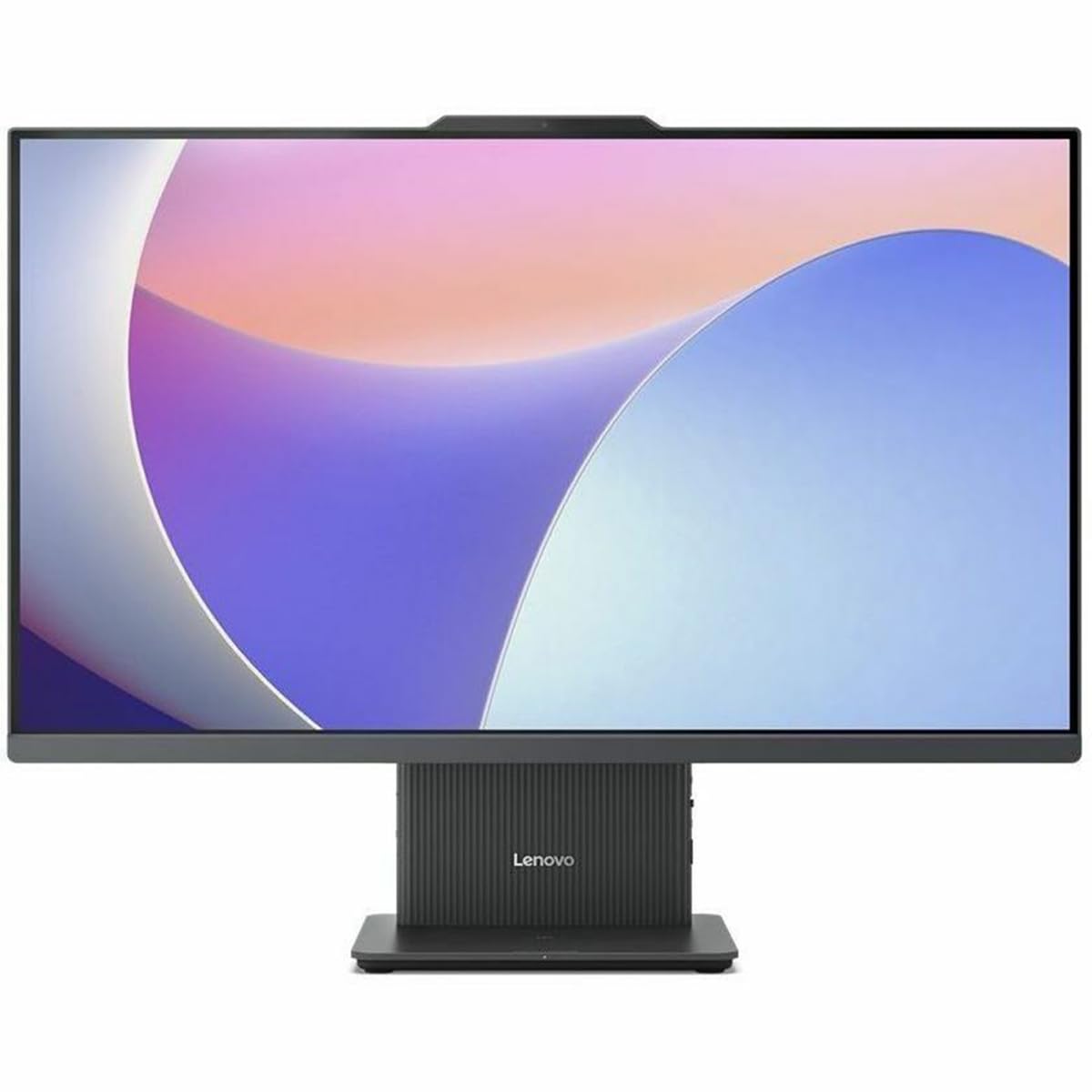
Figura 1: Frontal view of the Lenovo IdeaCentre 27IRH9 F0HM000RUS All-in-One PC.
2. Guia de configuració
2.1 Desembalatge i col·locació
- Carefully remove all components from the packaging. Ensure all items listed in the packing slip are present.
- Place the IdeaCentre All-in-One PC on a stable, flat surface, such as a desk or table. Ensure there is adequate ventilation around the device.
- Avoid placing the computer in direct sunlight or near heat sources.
2.2 Connexió de perifèrics
Connect the included wireless keyboard and mouse. The USB receiver for these devices is typically found in the mouse or keyboard packaging. Insert the USB receiver into an available USB port on the back of the computer.
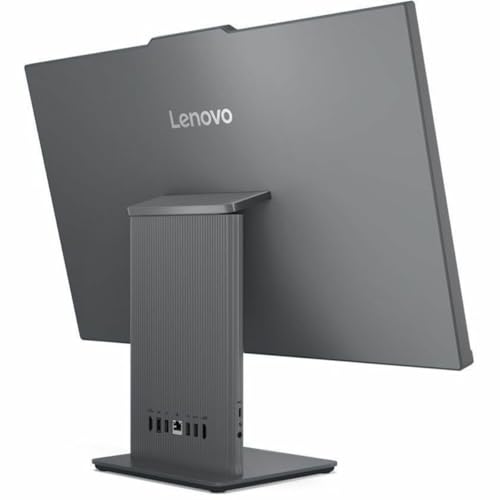
Figura 2: posterior view of the IdeaCentre, highlighting available ports for peripheral connections.
2.3 Connexió d'alimentació
- Connect the power adapter cable to the power input port on the back of the IdeaCentre PC.
- Connecteu l'adaptador d'alimentació a una presa de corrent amb connexió a terra.
2.4 Arrencada inicial
- Premeu el botó d'engegada, que normalment es troba al lateral o al marc inferior de la pantalla.
- Seguiu les instruccions que apareixen a la pantalla per completar el procés de configuració del Windows 11 Home, inclosa la selecció d'idioma, la connexió de xarxa i la creació d'un compte d'usuari.
3. Instruccions de funcionament
3.1 Windows 11 Home Basics
Your IdeaCentre PC runs on Windows 11 Home, offering a user-friendly interface. Familiarize yourself with the Start Menu, Taskbar, and File Explorer for efficient navigation and application management.
3.2 Funcionalitat de la pantalla tàctil
The 27-inch Full HD display supports multi-touch gestures. Use gestures such as tap, swipe, pinch-to-zoom, and two-finger scroll for intuitive interaction with applications and content.
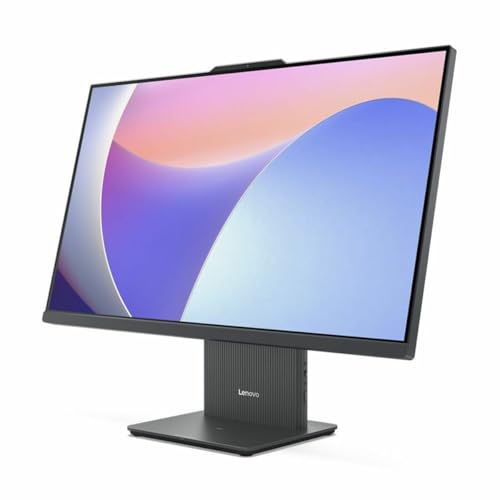
Figure 3: User interacting with the touchscreen display of the IdeaCentre.
3.3 Connectivitat de xarxa
- Wi-Fi: To connect to a wireless network, click the Wi-Fi icon in the taskbar, select your network, and enter the password. The device supports 802.11ax for stable and efficient online operations.
- Ethernet: Per a una connexió amb cable, connecteu un cable Ethernet al port RJ-45 de la part posterior de l'ordinador.
3.4 Bluetooth Devices
Per emparellar dispositius Bluetooth (per exemple, auriculars, altaveus), aneu a Configuració > Bluetooth i dispositius, turn on Bluetooth, and select your device from the list to pair. Bluetooth ensures stable wireless communication with minimal interference from nearby devices.
3.5 USB Type-C Port Usage
The USB Type-C port supports high-speed data transfer and power delivery, allowing for streamlined connectivity and efficient integration with various peripherals.
4. Manteniment
4.1 Neteja del dispositiu
- Pantalla: Utilitzeu un drap suau i sense pelusa lleugerament dampNetegeu amb aigua o un netejador de pantalles. Eviteu productes químics agressius.
- Xassís: Netegeu l'exterior amb un drap suau i sec. No utilitzeu productes de neteja abrasius.
- Assegureu-vos que el dispositiu estigui apagat i desconnectat abans de netejar-lo.
4.2 Actualitzacions de programari
Comproveu i instal·leu regularment si hi ha actualitzacions de Windows i controladors per garantir l'estabilitat, la seguretat i un rendiment òptim del sistema. Aneu a Configuració > Actualització de Windows per gestionar les actualitzacions.
4.3 Còpia de seguretat de dades
Feu una còpia de seguretat periòdica dels vostres elements importants files to an external drive or cloud storage to prevent data loss. Windows 11 offers built-in backup solutions.
5. Solució De Problemes
This section addresses common issues you might encounter with your IdeaCentre PC.
| Problema | Possible solució |
|---|---|
| Computer does not power on | Ensure the power cable is securely connected to both the computer and the electrical outlet. Test the outlet with another device. |
| No es mostra a la pantalla | Check if the computer is powered on. If connected to an external monitor, ensure the correct input source is selected on the monitor. |
| Problemes de connexió Wi-Fi | Restart your router and modem. Ensure Wi-Fi is enabled on your computer. Check network settings in Windows. |
| El teclat o el ratolí no responen | Check battery levels for wireless devices. Ensure the USB receiver is properly inserted. Try a different USB port. |
| El sistema és lent o no respon | Close unnecessary applications. Check for background processes using Task Manager. Ensure sufficient free space on the SSD. Run a system scan for malware. |
Si els problemes persisteixen, consulteu el suport tècnic de Lenovo. weblloc web o poseu-vos en contacte amb el servei d'atenció al client per obtenir més ajuda.
6. Especificacions
Detailed technical specifications for the Lenovo IdeaCentre 27IRH9 F0HM000RUS:
| Característica | Detall |
|---|---|
| Marca | Lenovo |
| Número de model | F0HM000RUS |
| Sistema operatiu | Windows 11 Home |
| Model de CPU | Intel Core i7-13620H (13th Gen) |
| Velocitat de la CPU | 4.9 GHz |
| Processador gràfic | Gràfics Intel UHD (integrats) |
| Memòria RAM | 16 GB DDR5 |
| Emmagatzematge | SSD de 512 GB |
| Mida de la pantalla | 27 polzades |
| Resolució de visualització | 1920 x 1080 (Full HD) |
| Tipus de visualització | IPS, Touchscreen |
| Relació d'aspecte | 16:9 |
| Connectivitat sense fil | Wi-Fi (802.11ax), Bluetooth |
| Ports USB | 4 (inclòs USB-C) |
| Ports HDMI | 1 |
| Consum d'energia | 135 watts |
| Dimensions del producte | 22.1 x 56.1 x 75.9 cm |
| Pes del producte | 24.25 lliures |
| Components inclosos | AIO Stand, Wireless Keyboard, Wireless Mouse, USB Receiver, Power Adapter |
| UPC | 197531855381 |
7. Garantia i Suport
7.1 Garantia del producte
Your Lenovo IdeaCentre 27IRH9 F0HM000RUS comes with a standard manufacturer's warranty. Please refer to the warranty card included in your product packaging or visit the official Lenovo weblloc web per obtenir informació detallada sobre els termes i condicions de la cobertura de la garantia, la durada i els procediments de servei.
7.2 Suport tècnic
For technical assistance, troubleshooting beyond this manual, or service inquiries, please contact Lenovo customer support. You can find contact information, FAQs, and additional resources on the official Lenovo support weblloc: support.lenovo.com. When contacting support, please have your product model number (F0HM000RUS) and serial number ready.