
Introducció
This manual provides instructions for the WINFLIKE VSQS1559 replacement remote control. This remote is designed to function as a direct replacement for original Panasonic remote models, offering seamless operation without the need for complex programming or pairing. It is compatible with various Panasonic VCR models including PV8450U, PV8450, PV8451K, PV8451, PV8550, PV8453, and VHQ860.
Configuració
Instal·lació de la bateria
The VSQS1559 remote control requires two AAA batteries for operation. Follow these steps to install the batteries:
- Localitzeu el compartiment de la bateria a la part posterior del comandament a distància.
- Feu lliscar la tapa del compartiment de la bateria cap avall o cap a fora per obrir-la.
- Introduïu dues piles AAA, assegurant-vos que els terminals positiu (+) i negatiu (-) s'alineïn correctament amb les marques de l'interior del compartiment.
- Feu lliscar la tapa del compartiment de la bateria fins que faci clic de manera segura.
No programming or pairing is required after battery installation; the remote is ready for immediate use with compatible devices.

Imatge: Part posterior view del comandament a distància amb la tapa de les piles treta, que il·lustra l'orientació correcta per a la inserció de piles AAA.
Instruccions de funcionament
The VSQS1559 remote control provides all essential functions for your compatible Panasonic VCR. The ergonomic design ensures comfortable handling and easy access to all buttons.
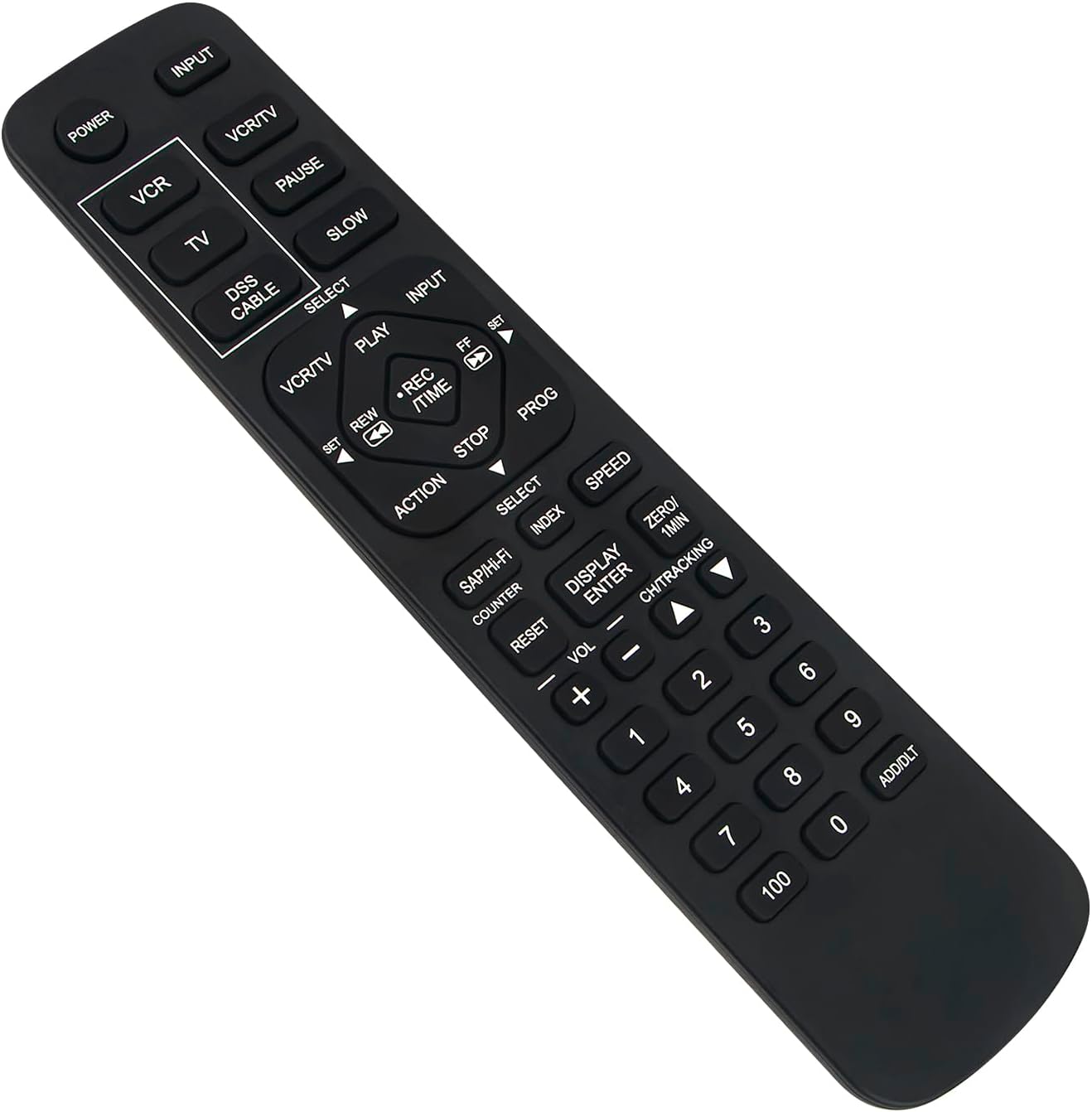
Imatge: Frontal view of the WINFLIKE VSQS1559 remote control, highlighting the button layout.
Funcions clau:
- POTÈNCIA: Encén o apaga el dispositiu connectat.
- ENTRADA: Selecciona la font d'entrada.
- VCR / TV: Toggles between VCR and TV control modes.
- JUGAR: Starts playback of a tape.
- PAUSA: Posa en pausa la reproducció.
- STOP: Atura la reproducció o la gravació.
- REW (Rebobinar): Rebobina la cinta.
- FF (Avançament ràpid): Avanceu ràpidament la cinta.
- REC / TIME: Initiates recording or accesses time-related functions.
- CH (Channel) Up/Down: Canvi de canals.
- VOL (Volume) Up/Down: Ajusta el volum.
- Botons numèrics (0-9, 100): Selecció directa de canals.
- DISPLAY / ENTER: Displays information or confirms selections.
- INDEX / SPEED: Accesses index functions or adjusts playback speed.
Point the remote control directly at the infrared receiver on your Panasonic VCR for optimal performance.
Manteniment
Canvi de bateria
Canvieu les piles quan la resposta del comandament a distància es torni lenta o deixi de funcionar. Canvieu sempre les dues piles AAA alhora per unes de noves. No barregeu piles velles i noves, ni piles de diferents tipus.
Neteja
To clean the remote control, wipe it with a soft, dry cloth. For stubborn dirt, lightly dampRenta el drap amb aigua. Evita utilitzar productes químics agressius, netejadors abrasius o humitat excessiva, ja que poden danyar la superfície o els components interns del comandament a distància.
Resolució de problemes
- El comandament a distància no respon:
- Ensure the remote is pointed directly at the device's sensor.
- Check if there are any obstructions between the remote and the device.
- Verify that the batteries are installed correctly with the correct polarity.
- Substituïu les piles per piles AAA noves.
- Funcions específiques que no funcionen:
- Ensure the remote is in the correct mode (e.g., VCR mode for VCR functions).
- Confirm that your device model is listed as compatible.
If issues persist after following these steps, please refer to the support section.
Especificacions

Imatge: Frontal view of the remote control displaying its approximate dimensions.
| Característica | Detall |
|---|---|
| Número de model | VSQS1559 |
| Marca | WINFLIKE |
| Color | Negre |
| Tipus de bateria | 2 piles AAA (no incloses) |
| Compatibilitat | Panasonic PV8450U, PV8450, PV8451K, PV8451, PV8550, PV8453, VHQ860 |
| Dimensions (aprox.) | Longitud: 19.2 cm (7.56 polzades), Amplada: 4.7 cm (1.85 polzades) |
Suport
If you encounter any problems with your WINFLIKE VSQS1559 remote control or have questions not covered in this manual, please do not hesitate to contact our customer support. We are committed to providing a satisfactory response within 24 hours to resolve any issues you may experience.
For assistance, please refer to the contact information provided with your purchase or visit the WINFLIKE official support channels.