
1. Introducció
Gràcies per la compraasing the Tomzon A24W Mini Drone. This manual provides detailed instructions for safe operation, setup, and maintenance of your drone. Please read this manual thoroughly before use to ensure proper function and to maximize your flying experience.

Image: A family enjoying the Tomzon A24W mini drone, highlighting its appeal for both children and adults.
2. Què hi ha a la caixa
The Tomzon A24W Mini Drone package includes the following items:
- Cos del drone
- 3 x bateries
- Cable de càrrega USB
- Hélices de recanvi
- Japanese Instruction Manual (User Manual)
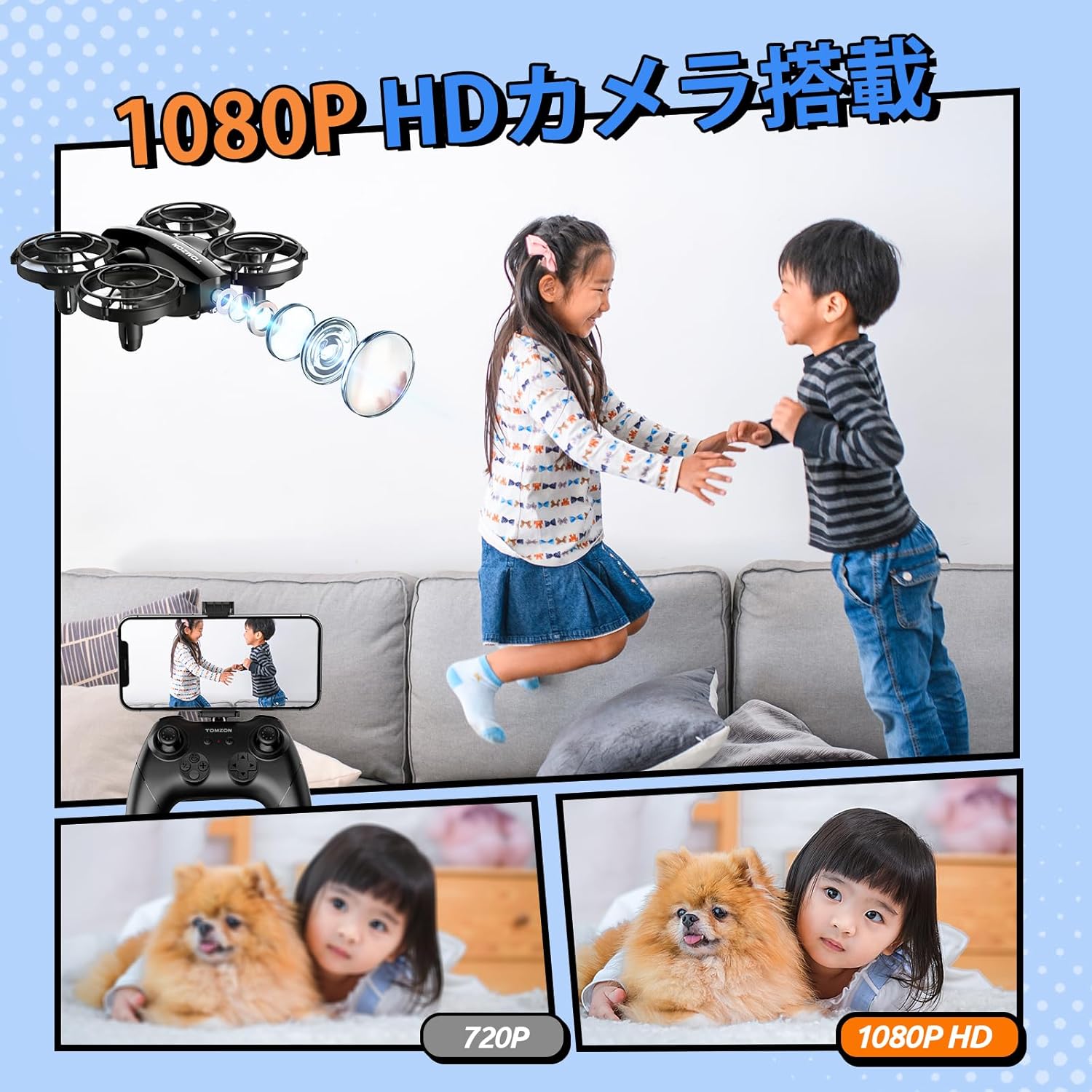
Image: The Tomzon A24W drone, remote controller, and three batteries, laid out as included in the package.
3. Característiques del producte
- 1080P Camera: Capture high-quality photos and videos from the air.
- Temps de vol ampliat: Three included batteries provide a total of 24 minutes of continuous flight (8 minutes per battery).
- Infrared Battle Mode: Engage in exciting aerial battles with other A24 series drones.
- Beginner-Friendly Functions: Hand-toss takeoff, one-key takeoff/landing, headless mode, and altitude hold for easy control.
- Múltiples modes de vol: Enjoy 3-speed adjustment, 3D flips, high-speed rotation, and circle flight.
- 360° Propeller Guard: Ensures safety for both the drone and users, absorbing impact during collisions.
- Disseny lleuger: Weighs less than 100g, requiring no registration.
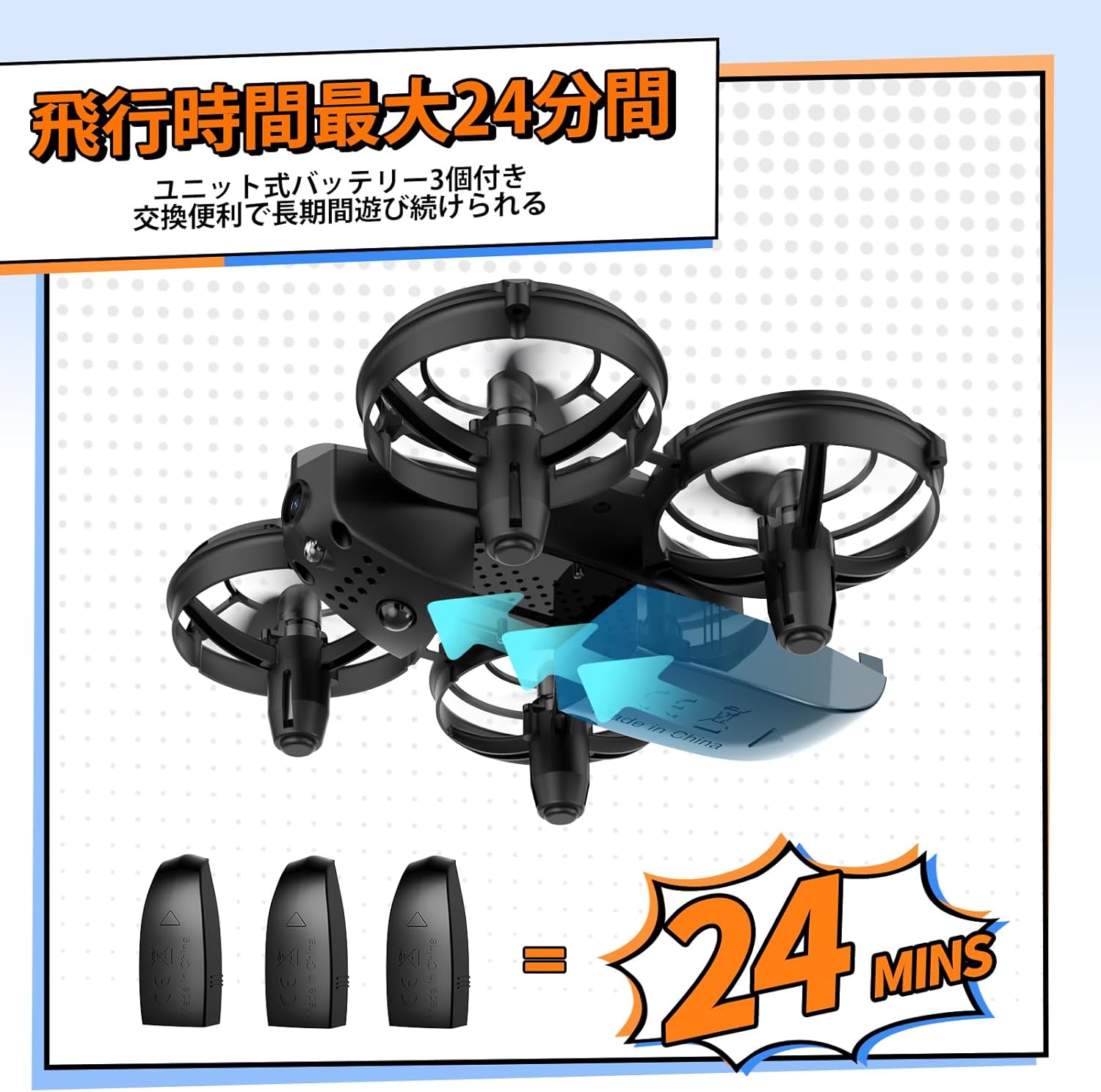
Image: The drone with its three batteries, emphasizing the extended flight duration.

Image: A child with the drone, demonstrating its safe and child-friendly design.
4. Configuració
4.1 Controller and Drone Pairing
- Insert your smartphone into the controller's phone holder.
- Turn on the drone's power. The drone's lights will flash red.
- Turn on the controller's power.
- The drone will automatically connect to the controller.
Video: Demonstrates how to pair the drone with its controller and connect to the mobile application.
4.2 Connexió a l'aplicació
- Open your smartphone's settings.
- Navigate to Wi-Fi settings.
- Connect to the Wi-Fi network named "Tomzon_A24W_xxxxxx".
- Open the FlyCam app. The app will indicate successful connection.
4.3 Drone Calibration
- After pairing, short press the calibration button on the controller.
- The drone will automatically calibrate.
5. Funcionament bàsic
5.1 Takeoff Methods
- Enlairament amb una sola clau: Short press the 'Takeoff' button on the controller. The drone will automatically ascend and hover.
- Enlairament manual: Simultaneously push both joysticks inward at a 45-degree angle to start the motors. Then, push the left joystick up to take off.
- Hand-Toss Takeoff: Hold the drone in your hand and gently toss it forward. The drone will automatically take off and hover.

Image: Demonstrates hand-toss takeoff and the drone's battle function.
Video: Shows three different takeoff methods: one-key takeoff, manual takeoff, and hand-toss takeoff.
5.2 Aterratge
To land the drone, short press the 'Landing' button on the controller. The drone will automatically descend and land.
5.3 Altitude Hold
El dron té una funció de manteniment d'altitud, que li permet mantenir una alçada estable per a un control més fàcil.
5.4 Ajust de velocitat
The drone offers 3-speed levels (low, medium, high) to suit different skill levels and flying environments.

Image: Visual guide to the drone's beginner-friendly features.
6. Funcionament de la càmera
6.1 Fer fotos
- Mitjançant l'aplicació: In the FlyCam app interface, tap the camera icon to take a photo.
- Mitjançant el controlador: Short press the designated photo button on the controller to capture an image.
Video: Demonstrates how to take photos and record videos using both the app and the controller.
6.2 Gravació de vídeos
- Mitjançant l'aplicació: In the FlyCam app interface, tap the video recording icon to start/stop recording.
- Mitjançant el controlador: Long press the designated video button on the controller to start recording. Short press again to stop.
7. Funcions especials
7.1 3D Flip
Short press the 'Flip' button on the controller, then push the direction joystick to perform a 360-degree flip in the desired direction (available within the first 5 minutes of flight in stable conditions).
7.2 Vol en cercle
Short press the 'Circle Flight' button on the controller. The drone will automatically fly in a circular path.
7.3 Rotació d'alta velocitat
Short press the 'Rotation' button on the controller. The drone will automatically rotate at high speed.
7.4 Mode de batalla
The drone is equipped with an infrared device for battle. Short press the 'Attack' button on the controller to attack another drone. A hit drone will shake left and right, and its lights will flash.

Image: Visual guide to the drone's special flight functions.
Video: Demonstrates 3D flip, circle flight, high-speed rotation, and battle mode.
8. Safety Precautions & Usage Notes
- Instal·lació de l'hèlix: Ensure propellers are installed correctly according to A and B markings.
- Comprovació del motor: Before flight, verify that no foreign objects (e.g., hair) are entangled in the motors.
- Càrrega de la bateria: Charge drone batteries using the included USB cable and a 5V/1A AC adapter. Do not restart the drone immediately after a low battery shutdown; fully charge before next use.
- Emmagatzematge de la bateria: Store batteries in a cool, dry environment below 35°C. For storage longer than two weeks, ensure batteries are fully charged.
- Bateries del controlador: Use 1.5V AAA batteries of the same type for the controller.
- Humitat: Avoid placing the product in humid environments to prevent rust and malfunction.
- Entorn de funcionament: This product uses the 2.4GHz band and is susceptible to Wi-Fi interference. Operate in spacious indoor areas.

Image: A visual summary of important usage notes for the drone.
9. Manteniment
- Regularly inspect propellers for damage and replace if necessary.
- Mantingueu el dron net i lliure de pols i deixalles.
- Store the drone and accessories in a safe, dry place when not in use.
10. Solució De Problemes
If you encounter any issues, please refer to the following common problems and solutions:
| Problema | Causa possible | Solució |
|---|---|---|
| El dron no s'encén. | La bateria no està carregada o no està inserida correctament. | Assegureu-vos que la bateria estigui completament carregada i inserida correctament. |
| Drone does not pair with controller. | Procediment d'aparellament incorrecte o interferències. | Follow pairing steps carefully. Ensure no strong Wi-Fi interference. |
| Unstable flight. | Drone not calibrated or damaged propellers. | Perform calibration. Check and replace damaged propellers. |
| La càmera no funciona. | App not connected or camera malfunction. | Ensure app is connected to drone Wi-Fi. Contact support if issue persists. |
11. Especificacions
| Especificació | Detall |
|---|---|
| Marca | Tomzon |
| Nom del model | A24W |
| Resolució de fixes efectius | 2 MP (1080P) |
| Tecnologia de connectivitat | Wi-Fi |
| Pes de l'article | 33 grams |
| Format de captura de vídeo | MP4 |
| Tipus de control | Control remot |
| Tecnologia de comunicació sense fils | infrarojos |
| Composició de les cèl·lules de la bateria | Ió de liti |
| Tecnologia de sensors òptics | CMOS |
| Tipus de suport | MicroSD |
| Dimensions del producte (L x A x A) | 8.4 x 11.8 x 15.2 cm |
12. Garantia i assistència
Tomzon strives to be a trusted company for its customers. Your purchase includes a 2-year warranty from the date of purchase. If you have any questions regarding operation or experience battery issues, please feel free to contact us.
Correu electrònic de contacte: support.jp@tomzontoys.com

Image: Tomzon's commitment to customer support, showing 24-hour response, 2-year warranty, and contact details.