
1. Introducció
Thank you for choosing the Moondrop Block True Wireless Earbuds. These earbuds are designed to provide a high-quality audio experience with advanced features such as a 13mm bass-enhanced dynamic driver, VDSF natural timbre tuning, dual-microphone beamforming ENC, and seamless monaural-binaural switching. This manual will guide you through the setup, operation, and maintenance of your new earbuds.

Image 1.1: Moondrop Block True Wireless Earbuds (Pink) with charging case.
2. Contingut del paquet
The Moondrop Block package includes the following items:
- Moondrop Block True Wireless Earbuds (Left and Right)
- Estoig de càrrega sense fil
- Manual d'usuari (aquest document)
3. Configuració
3.1 Càrrega dels auriculars i l'estoig
Before first use, fully charge the earbuds and the charging case. The charging case provides approximately 15 hours of additional battery life, while the earbuds offer up to 6 hours on a single charge.
- Col·loca els auriculars a l'estoig de càrrega. Assegura't que estiguin correctament col·locats a les seves ranures respectives.
- Connect the charging case to a power source using a compatible USB-C cable (not included).
- The indicator light on the charging case will show the charging status. A full charge typically takes about 1 hour.
3.2 Vinculació Bluetooth
Follow these steps to pair your Moondrop Block earbuds with your device:
- Obre l'estoig de càrrega. Els auriculars entraran automàticament en mode d'emparellament, cosa que s'indicarà amb una llum intermitent.
- On your smartphone, tablet, laptop, or smart speaker, navigate to the Bluetooth settings.
- Cerca available devices and select "Moondrop Block" from the list.
- Un cop connectats, l'indicador lluminós dels auriculars deixarà de parpellejar i el dispositiu confirmarà la connexió.
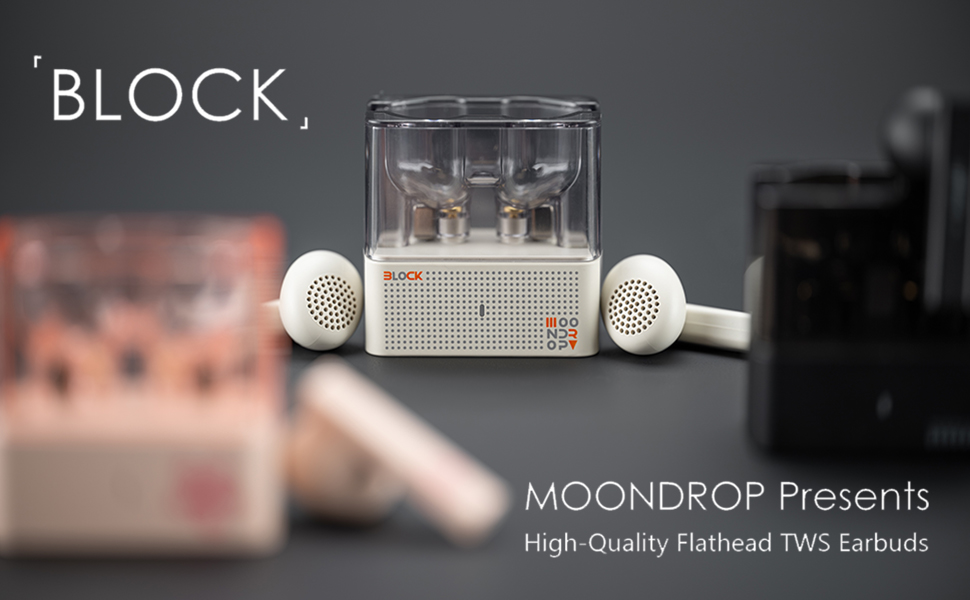
Image 3.1: Moondrop Block earbuds ready for pairing.
4. Instruccions de funcionament
4.1 Com posar-se els auriculars
The Moondrop Block features a flathead earbud design for a comfortable fit. Gently insert each earbud into your ear canal until it feels secure and comfortable.

Image 4.1: Proper wearing of the Moondrop Block earbud.
4.2 Controls tàctils
The earbuds support touch operations for various functions:
- Reproduir/pausa: Un sol toc a qualsevol dels auriculars.
- Pista següent: Toqueu dues vegades l'auricular dret.
- Pista anterior: Toqueu dues vegades l'auricular esquerre.
- Respondre/Finalitzar la trucada: Un sol toc a qualsevol dels auriculars.
- Rebutja la trucada: Prem i mantén premut qualsevol dels auriculars.
- Activa l'Assistent de veu: Toqueu tres vegades qualsevol dels auriculars.
- Canvi de mode: Specific modes (e.g., gaming mode) can be toggled by pressing and holding for a designated duration (refer to specific mode instructions).

Image 4.2: Demonstrating touch operation on the earbud.
4.3 Monaural-Binaural Switching (TWS Mirroring)
The Moondrop Block supports TWS mirroring, allowing seamless switching between using both earbuds (binaural mode) or just one (monaural mode). Simply place one earbud back into the charging case, and the other will continue to function independently.
4.4 Environmental Noise Cancellation (ENC) for Calls
Equipped with dual-microphone beamforming ENC, the earbuds effectively reduce environmental noise during voice calls, ensuring clear communication.

Image 4.3: Dual-microphone beamforming ENC in action.
4.5 Mode de joc de baixa latència
For an optimized gaming experience, the Moondrop Block features a low-latency gaming mode (55ms). Activate this mode via touch control (refer to specific mode switching instructions) to minimize audio delay during gameplay.

Image 4.4: Earbuds used for gaming with low latency.
5. Manteniment
Un manteniment adequat garanteix la longevitat i el rendiment òptim dels teus auriculars.
- Neteja: Netegeu regularment els auriculars i l'estoig de càrrega amb un drap suau, sec i sense borrissol. No utilitzeu productes químics agressius ni materials abrasius.
- Emmagatzematge: Quan no els utilitzeu, guardeu els auriculars a la seva funda de càrrega per protegir-los de la pols i els danys.
- Eviteu la humitat: Mantingueu els auriculars i la funda allunyats de l'aigua, la humitat i les temperatures extremes.
- Contactes de càrrega: Ensure the charging contacts on both the earbuds and the case are clean and free of debris to maintain a reliable connection.
6. Solució De Problemes
If you encounter any issues with your Moondrop Block earbuds, refer to the following common solutions:
| Problema | Solució |
|---|---|
| Els auriculars no s'aparellen |
|
| No hi ha so d'un auricular |
|
| Problema de càrrega |
|
| Poca qualitat de trucada |
|
7. Especificacions
Detailed technical specifications for the Moondrop Block True Wireless Earbuds:
- Nom del model: BLOC
- Factor de forma: True Wireless
- Col·locació de les orelles: In Ear (Flathead design)
- Tecnologia de connectivitat: Sense fil (Bluetooth)
- Versió Bluetooth: 5.4
- Rang Bluetooth: 10 metres
- Tipus de controlador d'àudio: Conductor dinàmic
- Mida del controlador d'àudio: 13 mil·límetres
- Material del diafragma: Composite Biological Diaphragm
- Interval de freqüència: 20 Hz - 20,000 Hz
- Durada de la bateria (auriculars): 6 hores
- Durada de la bateria (amb estoig de càrrega): 6 + 15 Hours (Total 21 Hours)
- Temps de càrrega: 1 hores
- Mètode de control: Toca
- Característiques especials: Dual-Microphone Beamforming ENC, VDSF Natural Timbre Tuning, B&K5128 Tuning, Low-Latency Game Mode (55ms), TWS Mirroring
- Dispositius compatibles: Telèfons intel·ligents, ordinadors portàtils, tauletes, altaveus intel·ligents
- Components inclosos: Estoig de càrrega sense fil
- Pes de l'article: 2.89 unces
- Dimensions del paquet: 2.92 x 2.48 x 2.05 polzades
8. Garantia i Suport
Moondrop products are manufactured to high-quality standards. For warranty information, technical support, or service inquiries, please refer to the warranty card included with your purchase or visit the official Moondrop weblloc web. Si us plau, conserveu el comprovant de compra per a reclamacions de garantia.