
Introducció
The Retevis NR30S is a professional-grade Analog GMRS two-way radio designed for reliable long-range communication in various environments. It features IP67 waterproofing and dustproofing, noise-canceling technology for clear audio, NOAA weather radio capabilities, and a robust 2800mAh battery. This manual provides essential information for setting up, operating, and maintaining your NR30S radio.
Contingut del paquet
Upon unboxing your Retevis NR30S, please ensure all items listed below are present:
- NR30S Walkie Talkie (x2)
- Bateria (x2)
- Cable de càrrega tipus C (x2)
- Base de càrrega (x2)
- Adaptador (x2)
- Clip de cinturó (x2)
- Corretja de mà (x2)
- Manual d'usuari (x2)

Configuració
1. Instal·lació i càrrega de la bateria
The NR30S radio is powered by a 2800mAh Li-ion battery. Before first use, fully charge the battery.
- Alineeu la bateria amb la part posterior de la ràdio i feu-la lliscar fins que faci clic.
- To charge, place the radio in the charging base or connect the Type-C charging cable directly to the radio.
- The charging indicator on the radio or base will show charging status. A full charge typically takes 6.5 hours.

2. Fixació de l'antena
Carefully screw the antenna clockwise onto the connector at the top of the radio until it is finger-tight. Do not overtighten.
3. Clip de cinturó i corretja de mà
Attach the belt clip to the back of the radio using the provided screws. The hand strap can be threaded through the loop at the top of the radio for secure carrying.
Instruccions de funcionament
1. Ràdio en offview i controls bàsics
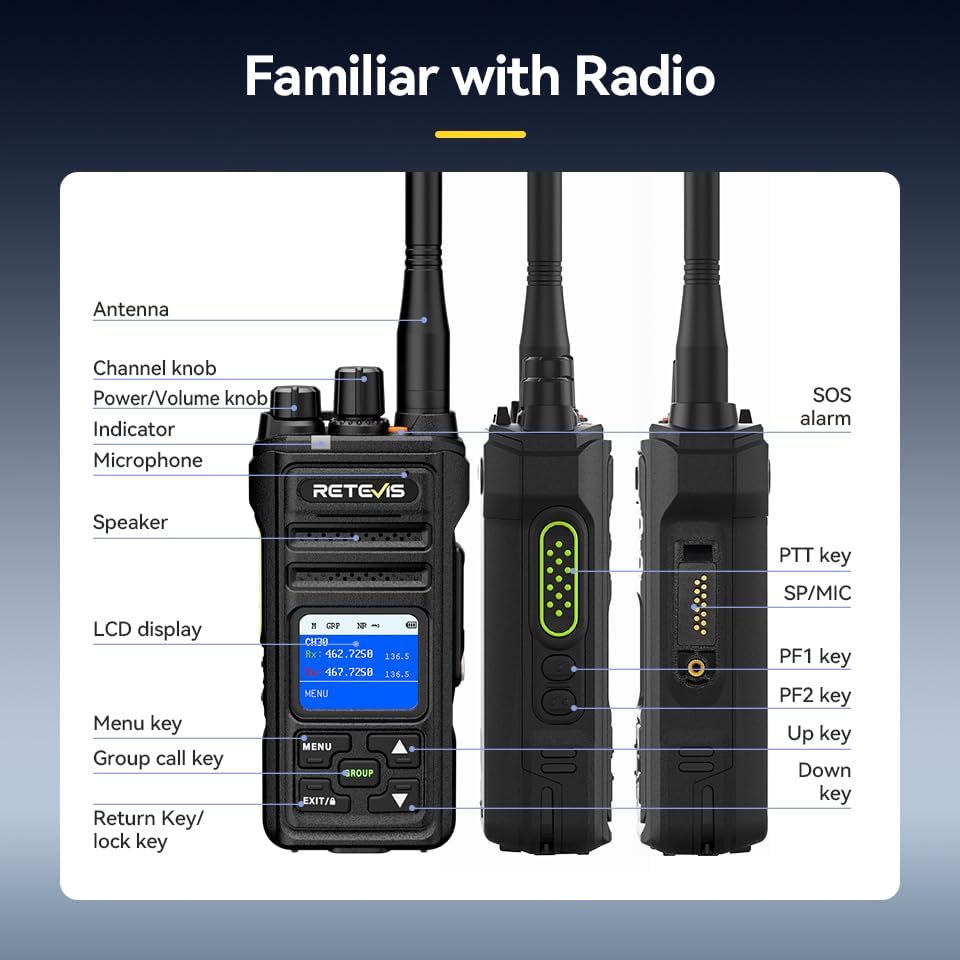
- Encès/apagat: Rotate the Power/Volume knob clockwise to turn on the radio. Rotate counter-clockwise until a click is heard to turn off.
- Ajust de volum: Gireu el botó d'encesa/volum per ajustar el volum d'escolta.
- Selecció de canals: Use the Channel knob to select desired communication channels. The LCD screen will display the current channel.
- Tecla Premeu per parlar (PTT): Press and hold the PTT key on the side of the radio to transmit your voice. Release to listen.
2. Group Call Function
The Group Call function allows you to communicate with multiple team members simultaneously, even if they are on different channels.
- Premeu el botó GRUP button to initiate a group call.
- All radios configured for the same group will receive the transmission.

3. Funció de reducció de soroll
The built-in two-way noise reduction chip helps filter out background noise for clearer communication.
- Access the menu via the MENÚ botó.
- Navigate to the Noise Reduction (NR) setting.
- Seleccioneu ON to activate noise reduction.

4. Canals meteorològics de la NOAA
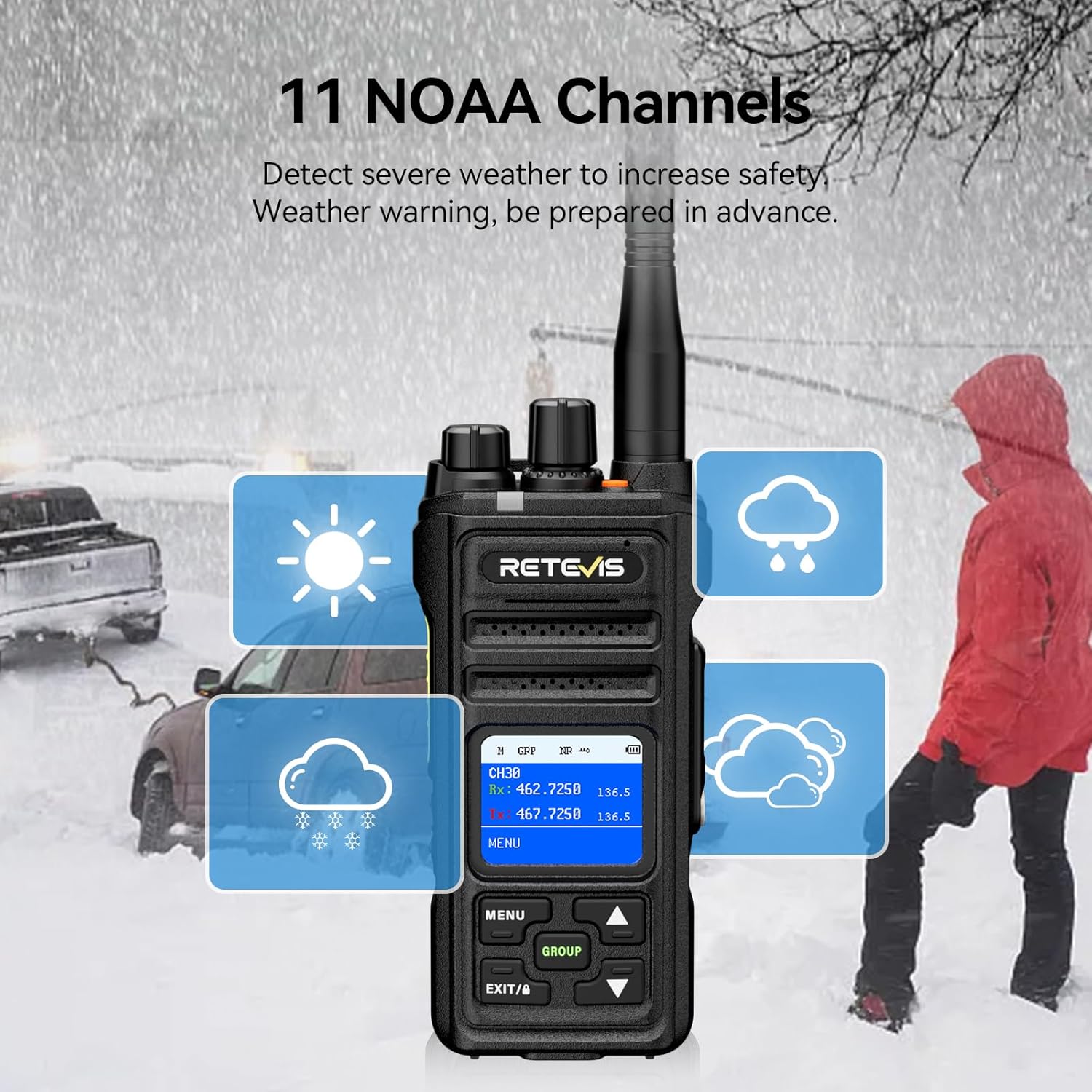
The NR30S can receive 11 NOAA weather channels, providing timely weather warnings to enhance safety.
- Access the menu and navigate to the NOAA Weather Channel option.
- Select the desired NOAA channel to monitor weather broadcasts.
5. Alarma d'emergència
In emergency situations, activate the SOS alarm to alert others.
- Premeu el botó dedicat Alarma SOS button (typically an orange button on top) to activate the alarm.
6. Bloqueig del teclat
To prevent accidental key presses, you can lock the keyboard.
- Manteniu premut el botó EXIT/A key to activate the keyboard lock function. Repeat to unlock.
7. Funció de seguiment
The monitoring function allows you to listen to weak signals on the current channel.
- Short press side button 1 to activate the monitoring function.
8. Funció d'escaneig
The scanning function allows the radio to automatically search for active channels.
- Briefly press side button 2 to activate the scanning function.
9. CTCSS/DCS Tones
CTCSS (Continuous Tone-Coded Squelch System) and DCS (Digitally Coded Squelch) tones help filter out unwanted transmissions and allow for private group communication.
- Refer to the radio's menu settings to configure CTCSS/DCS tones for specific channels.
Manteniment
- Neteja: Utilitzeu un suau, damp drap per netejar l'exterior de la ràdio. No utilitzeu productes químics agressius ni netejadors abrasius.
- Cura de la bateria: To prolong battery life, avoid overcharging and fully discharging the battery. Store the radio and battery in a cool, dry place when not in use.
- Cura impermeable/a prova de pols: Although IP67 rated, ensure all ports and covers are securely closed before exposing the radio to water or dust. Rinse with fresh water after exposure to saltwater.

Resolució de problemes
| Problema | Causa possible | Solució |
|---|---|---|
| Sense poder | Bateria esgotada o instal·lada incorrectament. | Carregueu la bateria o torneu-la a instal·lar correctament. |
| Cannot Transmit/Receive | Canal incorrecte, bateria baixa o fora de l'abast. | Verify channel, charge battery, or move closer to other radios. |
| Qualitat d'àudio deficient | Weak signal, high background noise, or antenna issue. | Move to a clearer area, activate noise reduction, or check antenna connection. |
| Teclat bloquejat | Keyboard lock function is active. | Press and hold the EXIT/A key to unlock. |
Especificacions
| Característica | Detall |
|---|---|
| Marca | Retevis |
| Número de model | NR30S |
| Color | Negre |
| Nombre de canals | 30 |
| Interval de freqüència | GMRS |
| Interval de conversa màxim | 5 milles |
| Nivell de resistència a l'aigua | Impermeable IP67 |
| Capacitat de la bateria | 2800 mAh Li-ion |
| Durada mitjana de la bateria | 17 Hours (Work), 120 Hours (Standby) |
| Temps de càrrega | 6.5 hores |
| Dimensions del producte | 1.51 "P x 2.63" W x 5.7" H |
| Pes de l'article | 570 grams |
| Característiques especials | IP67 Waterproof and dustproof, Intelligent two-way noise reduction, LCD screen with menu, Keyboard lock, One-key group call, NOAA, Alarm, Strong penetration long-range 2-way radio. |
Garantia i Suport
Retevis provides a 3-year warranty for the radio body and a 1-year warranty for accessories. Additionally, a 30-day no-reason return policy is offered. For any inquiries or support, please contact Retevis customer service on Amazon. They aim to reply within 12 hours.
Visita l'oficial Botiga Retevis per a més productes i informació.