
1. Introducció
Thank you for choosing the ODK Electric L-Shaped Standing Desk. This manual provides essential information for the safe assembly, operation, and maintenance of your new desk. Please read it thoroughly before use and keep it for future reference.

Figure 1: ODK L-Shaped Electric Standing Desk in a modern office setup.
2. Informació de seguretat
- This desk features electric height adjustment. Always ensure children and pets are not caught or injured during operation.
- When changing the desk height, confirm there are no obstacles around the desk that could impede its movement.
- No sobrecarregueu l'escriptori. Consulteu les especificacions per conèixer la capacitat màxima de pes.
- Ensure all cables are properly managed to prevent tripping hazards or damage during height adjustments.
- Només feu servir l'adaptador de corrent i els cables proporcionats.
3. Característiques del producte
- Stepless Height Adjustment: The desk height can be adjusted steplessly from 72 to 120cm, accommodating both children and adults. This allows for comfortable sitting or standing work positions. The main desktop can be configured for left or right-hand use to suit your space.
- Memory Function & Electric Operation: Save up to 3 preferred height presets. Pressing a memory button automatically adjusts the desk to the set height, allowing for easy transitions between sitting and standing.
- Sistema anticol·lisió: Equipped with an anti-collision motor for quiet, safe, and powerful lifting. If an obstacle is detected during height adjustment, the desk automatically stops, preventing injury or equipment damage.
- Preses de corrent integrades: Features two AC outlets and USB ports for convenient charging of laptops, smartphones, and other devices.
- Suport de monitor: Includes a monitor stand to improve posture and reduce strain on the neck and shoulders, enhancing comfort during long work or gaming sessions.
- Disseny resistent i durador: The L-shaped desktop has a load capacity of over 50kg. Constructed with high-strength melamine laminated board, it resists dirt, scratches, heat, and moisture. Reinforcement pipes, leg adjusters, and a durable steel frame ensure stability and a wobble-free experience.
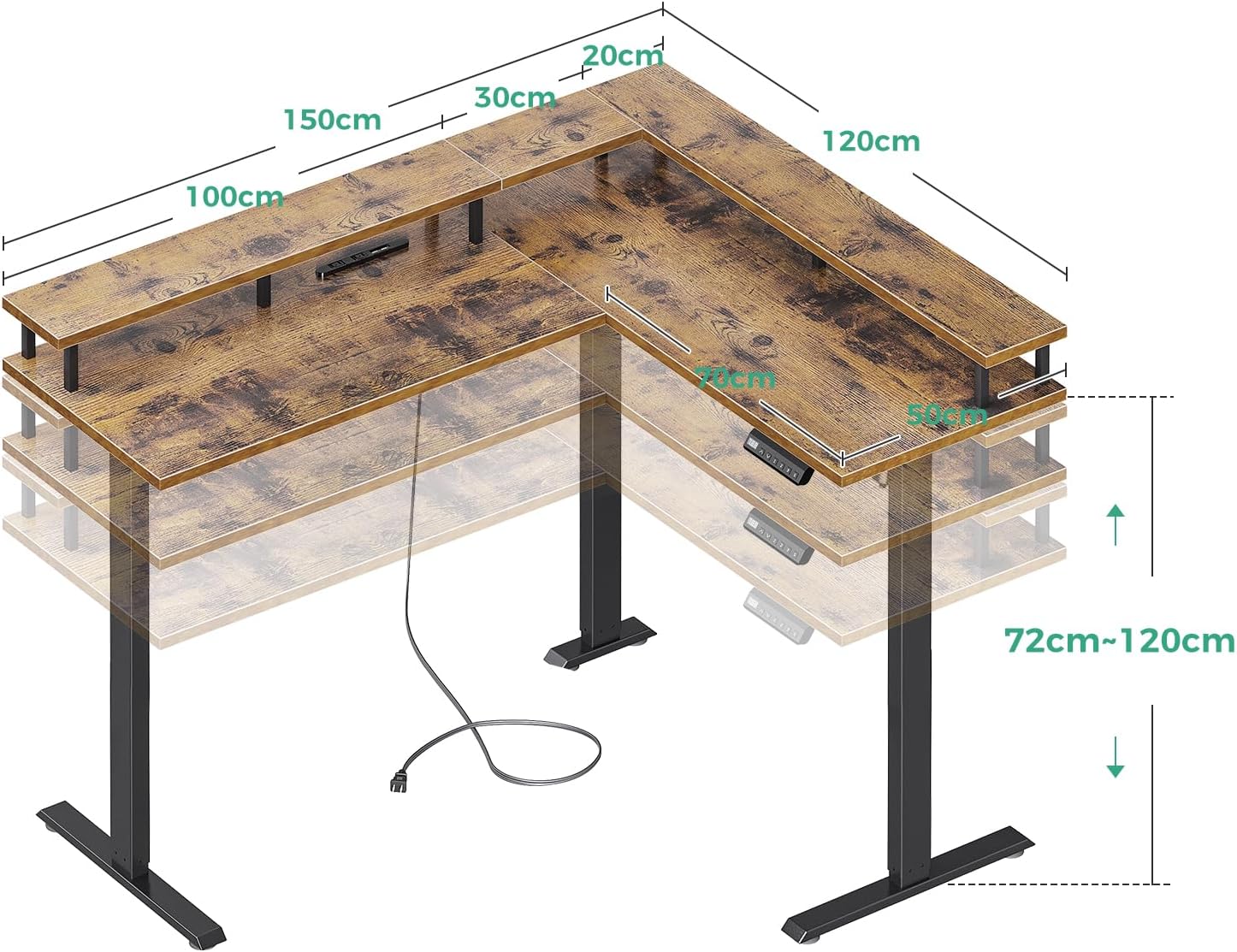
Figure 2: Desk Dimensions and Height Adjustment Range.

Figure 3: Control Panel with Memory Presets and Power Outlets.
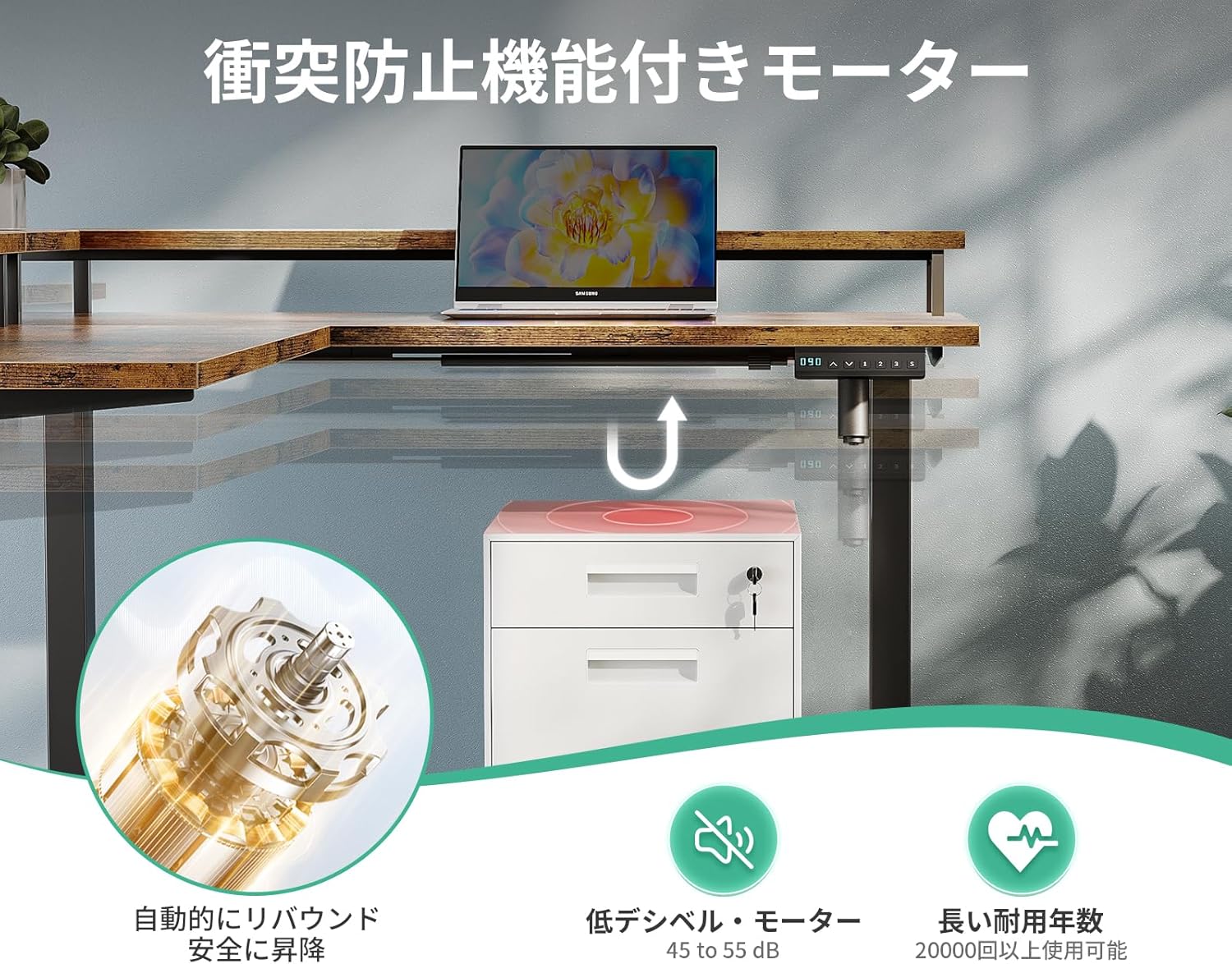
Figure 4: Anti-Collision Motor and Safety Features.
4. Instruccions de muntatge
Please follow the steps outlined in the video below for detailed assembly. Ensure you have all components before starting. A wrench is included for assembly, but a screwdriver or drill may be helpful (not included).
Video 1: Acrolix Reversible L-shaped Electric Standing Desk Assembly. This video demonstrates the step-by-step assembly process for an L-shaped electric standing desk, including attaching the frame, connecting components, and initial setup.
Passos clau del muntatge:
- Desempaquetar i verificar: Carefully unpack all components and verify against the parts list in your included manual.
- Muntar el marc: Attach the crossbars to the lifting columns using the provided screws. Ensure all connections are secure.
- Adjunta els panells d'escriptori: Secure the desktop panels to the assembled frame. The L-shaped configuration can be reversed to suit your preference.
- Connecta l'electrònica: Connect the motor cables and control panel to the main control box. Ensure all connections are firm.
- Instal·lació d'accessoris: Attach cable management hooks, power strip, and monitor stand as desired.
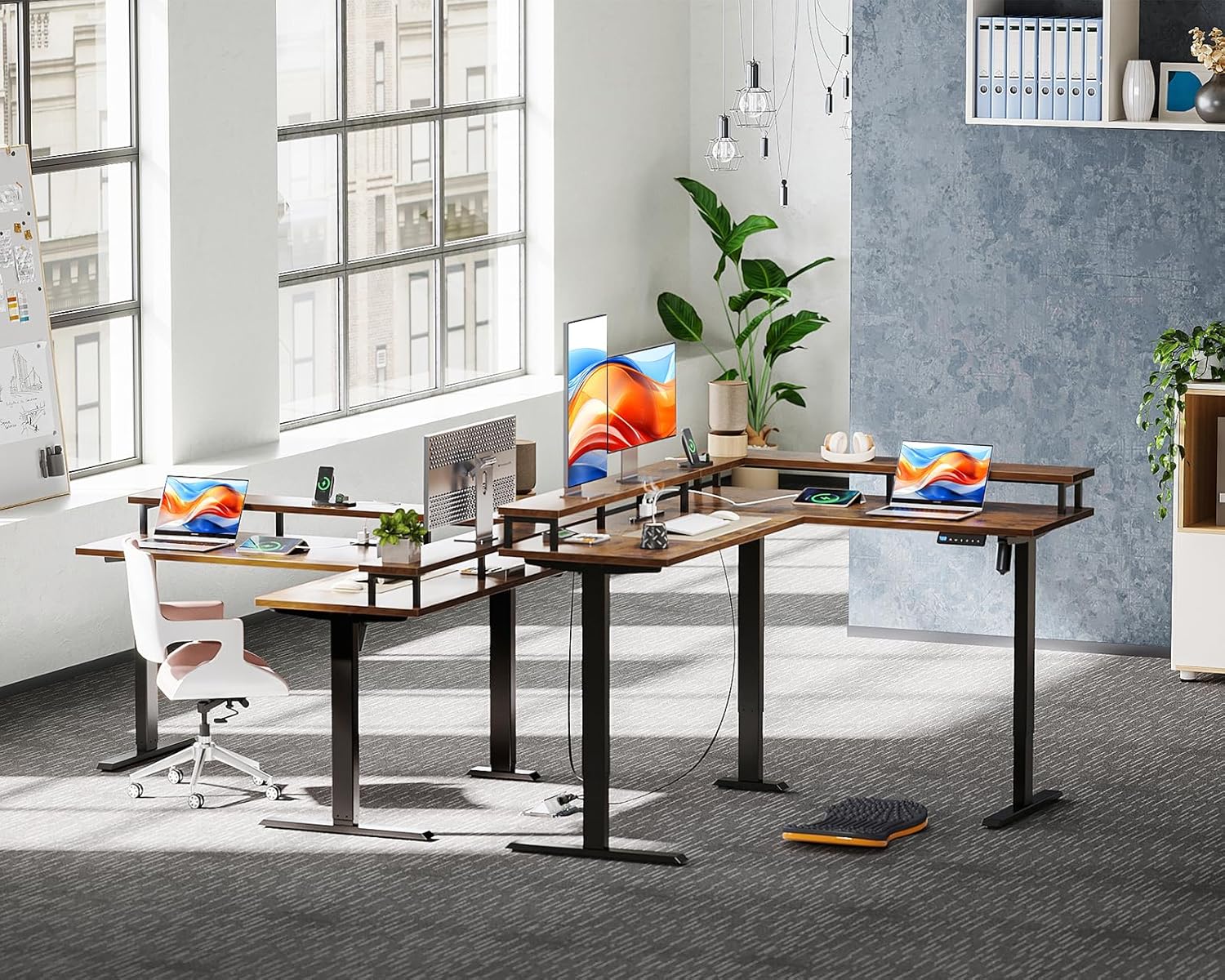
Figure 5: Desk Frame Components.
5. Instruccions de funcionament
Ajust d'alçada:
- Utilitza el Up (↑) i Down (↓) arrows on the control panel to adjust the desk height.
- The digital display will show the current height.
Preajustos de memòria:
- To save a height: Adjust the desk to your desired height. Press the "M" i, a continuació, premeu un dels botons numèrics (1, 2 o 3) within 3 seconds. The height is now saved to that preset.
- To use a saved height: Press the corresponding number button (1, 2 o 3). L'escriptori es mourà automàticament a l'alçada desada.
Funció anticol·lisió:
The desk is equipped with an anti-collision system. If the desk encounters an obstacle during height adjustment, it will automatically stop and slightly reverse direction to prevent damage or injury.
Ús de preses integrades:
Plug your devices into the AC outlets or USB ports located on the desk for convenient power access.
6. Especificacions
| Característica | Detall |
|---|---|
| Marca | ODK |
| Model | Escriptori de peu elèctric en forma de L |
| Dimensions del producte | 150cm (Depth) x 120cm (Width) x 72-120cm (Height) |
| Interval d'ajust d'altura | 72cm - 120cm (Stepless) |
| Capacitat de càrrega d'escriptori | Over 50kg |
| Material | High-strength Melamine Laminated Board, Steel Frame |
| Color | Vintage |
| Característiques especials | USB Outlets, AC Outlets, Memory Function, Anti-Collision, Monitor Stand |
| Tipus d'escriptori | Computer Desk, Standing Desk |
| Pes del paquet | Aprox. 39.2 kg |
7. Manteniment
- Neteja: Netegeu la superfície de l'escriptori amb un damp tela. Eviteu productes químics durs que puguin danyar l'acabat.
- Comproveu les connexions: Reviseu periòdicament tots els cargols i les connexions elèctriques per assegurar-vos que estiguin ben fixats.
- Gestió de cables: Keep cables tidy using the provided cable management solutions to prevent interference with desk movement.
8. Solució De Problemes
Desk Not Moving / Error Codes:
- Comproveu la potència: Ensure the desk is properly plugged into a working power outlet.
- Procediment de restabliment: If the display shows an error or the desk is unresponsive, perform a reset: Press and hold the "Reset" button (often marked with a circle or 'R') for 3 seconds. The display will flash "---". Wait for the reset mode to be released. The desktop will automatically rebound 3-5mm, and after the reset program is complete, it will move to the lowest position. Once this process is finished, you can begin using the lifting function freely.
- Obstacle Check: Verify there are no obstacles beneath or around the desk preventing movement.
Balanç:
- Assegureu-vos que tots els cargols de muntatge estiguin ben apretats.
- Adjust the leg levelers at the bottom of the desk feet to stabilize it on uneven floors.
9. Garantia i Suport
For any product defects or issues, please feel free to contact ODK customer support at any time. Refer to your purchase documentation for specific warranty terms and contact information.