
Introducció
Welcome to the CRKD ATOM user manual. This document provides comprehensive instructions for setting up, operating, and maintaining your CRKD ATOM controller. The ATOM is a compact, wireless controller compatible with multiple platforms, designed for gaming on the go.
Producte acabatview
The CRKD ATOM is a miniature Bluetooth controller featuring a D-pad, action buttons (X, Y, A, B), plus/minus buttons, and four shoulder buttons (L, R, ZL, ZR). It includes a wrist strap for portability and a USB-C charging port.
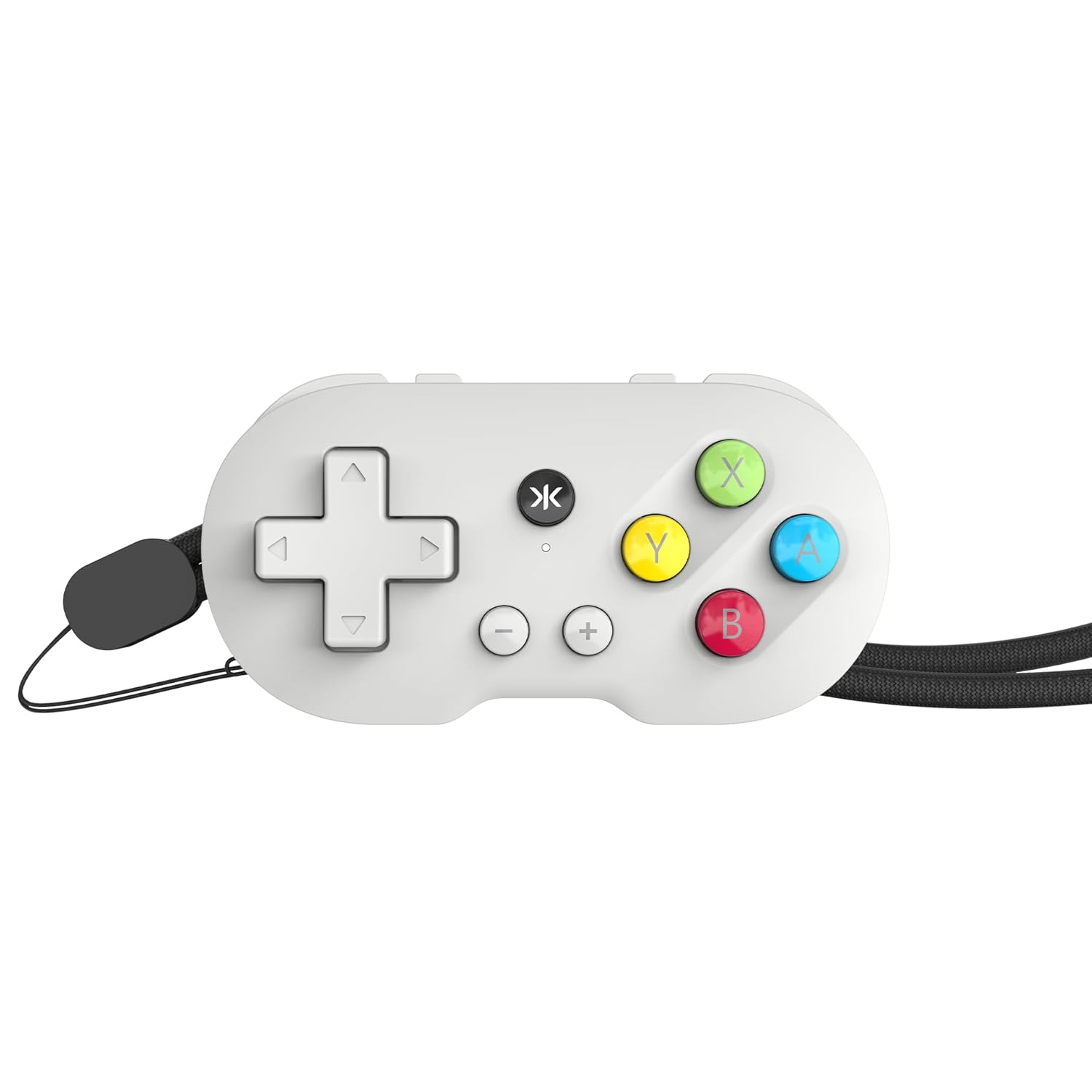
Imatge: Frontal view of the CRKD ATOM controller, showing the D-pad, action buttons, and CRKD logo.

Imatge: Lateral view of the CRKD ATOM controller, illustrating the L, R, ZL, and ZR shoulder buttons.

Image: The CRKD ATOM controller with its included wrist strap, enhancing portability and security.
Configuració
Carregant el controlador
The ATOM controller features a rechargeable battery providing up to 10 hours of gameplay on a single charge.

Image: A user holding the CRKD ATOM controller, representing its extended battery life.
- Connect the supplied USB-C charging cable to the controller's USB-C port.
- Connecteu l'altre extrem del cable a una font d'alimentació USB compatible.
- L'indicador LED mostrarà l'estat de càrrega i s'apagarà quan estigui completament carregat.
Maridatge inicial
The CRKD ATOM uses Bluetooth for wireless connection. Specific button combinations are required for different device types.

Image: The CRKD ATOM controller with a Bluetooth logo, indicating its wireless connectivity feature.
Emparellament amb Nintendo Switch
To pair with a Nintendo Switch, ensure the console's Bluetooth is enabled. Navigate to the 'Controllers' menu on your Switch and select 'Change Grip/Order' to initiate pairing. The controller will appear as an available device.
Pairing with PC/Mac
To pair with a PC or Mac, hold the Up direction on the D-pad and the CRKD button simultaneously until the LED indicator flashes. Then, select the controller from your device's Bluetooth settings.
Pairing with Android/Mobile Devices
To pair with an Android or other mobile device, hold the Avall direction on the D-pad and the CRKD button simultaneously until the LED indicator flashes. Then, select the controller from your device's Bluetooth settings.
Tornant a connectar-se a un dispositiu vinculat
For previously paired devices, quickly press the appropriate button combination (Up + CRKD for PC/Mac, Down + CRKD for Android) to reconnect.
Instruccions de funcionament
Controls bàsics
The CRKD ATOM features a standard D-pad, X, Y, A, B action buttons, plus (+) and minus (-) buttons, and L, R, ZL, ZR shoulder buttons. Button functions are typically mapped automatically by your device or game.
D-Pad Functionality (Android Specific)
On Android devices, the D-pad can be configured to function as a left or right analog stick, which may be necessary for certain games.
- Reset D-pad function to default: Mantén premut D-pad i Botó Menys (-). for 5 seconds. The status LED will blink and then return to solid.
- Change D-pad to function as Left Stick: Mantén premut D-pad i Botó Menys (-). for 5 seconds. The status LED will blink and then return to solid.
- Change D-pad to function as Right Stick: Mantén premut D-pad i Botó Menys (-). for 5 seconds. The status LED will blink and then return to solid.
Notes de compatibilitat
The ATOM controller is designed for games that do not heavily rely on analog joysticks. It is ideal for retro games, platformers, and titles where D-pad input is sufficient.
Nota: This controller does not feature analog joysticks, limiting compatibility with games requiring precise analog input for character movement or camera control.
Manteniment
Neteja
Use a soft, dry cloth to clean the controller. Avoid using harsh chemicals or abrasive materials, which may damage the finish or internal components.
Emmagatzematge
Store the controller in a cool, dry place away from direct sunlight and extreme temperatures. Prolonged exposure to heat or moisture can affect performance and battery life.
Cura de la bateria
To prolong battery life, avoid fully discharging the controller frequently. Charge the battery regularly, even if not in use for extended periods, to maintain optimal battery health.
Resolució de problemes
Problemes de connexió
If the controller fails to connect or repeatedly disconnects:
- Assegureu-vos que el controlador estigui prou carregat.
- Verify the correct pairing button combination is used for your device (Up + CRKD for PC/Mac, Down + CRKD for Android).
- Remove the controller from your device's Bluetooth list and attempt to pair again.
- Restart your device and the controller.
Button Unresponsiveness
If buttons are not responding as expected, ensure the controller is properly paired and charged. For Android, check D-pad mapping settings as described in the Operating Instructions section.
Assessorament general
Always refer to the specific pairing and operating instructions provided in this manual for optimal performance. If issues persist, consult the CRKD support resources.
Especificacions
- Model: 24-AT
- Dimensions: 2.72 x 0.59 x 1.34 polzades
- Pes: 3.52 unces
- Connectivitat: Bluetooth sense fil
- Bateria: 1 polímer de liti (inclòs)
- Durada de la bateria: Fins a 10 hores
- Port de càrrega: USB-C
- Compatibilitat: Nintendo Switch, PC, Mac, Mobile, Smart TV
Garantia i Suport
For warranty information and technical support, please visit the official CRKD website or contact CRKD customer service. Keep your proof of purchase for warranty claims.


