
Novzix S9 White And Black 2Pack
Novzix Android Compatible Tracker Tag Manual d'usuari
Model: S9 White And Black 2Pack
Brand: Novzix
Introducció
This manual provides comprehensive instructions for the Novzix Android Compatible Tracker Tag, Model S9. This 2025 new model tracker tag is designed for Android 9 and above, seamlessly integrating with the Google Find My Device network to help you locate your items. Its compact design allows for easy attachment to various personal belongings.
The device is built with high-quality, water- and dust-resistant materials, ensuring durability in various environments. Location updates are provided every 3-30 minutes through the Google Find My Device network.

Figure 1: Novzix Android Compatible Tracker Tag (Negre)
Guia de configuració
1. Initial Device Preparation
The Novzix Tracker Tag comes with a pre-installed CR2032 battery. Ensure the battery is properly seated. If the device does not power on, you may need to replace the battery (see Maintenance section).
2. Android Device Compatibility
This tracker tag is compatible with Android devices running Android 9 and above. Some devices may require additional system updates for optimal compatibility. Ensure your Android device's Google Play Services are up to date.
Figure 2: Compatible with Android Devices (Android 9.0+)
3. Pairing with Google Find My Device
The setup process is straightforward via the Google Find My Device app. Follow these steps:
- Update Google Services:
- Ves al teu telèfon Configuració.
- Desplaça't cap avall i toca Sobre el telèfon.
- Cerca i toca versió d'Android.
- Toqueu Actualització del sistema de Google Play and check for updates. Restart your phone if prompted.
- Factory Reset (if needed): If you encounter pairing issues, perform a factory reset on the tracker tag.
- Quickly press the button on the tracker tag quatre cops.
- Then, long press the fifth time until you hear a sound. This indicates a successful reset.
- Acoblament manual:
- Ves al teu telèfon Configuració.
- Desplaça't cap avall i toca Google.
- Toqueu All services.
- Seleccioneu Dispositius.
- Ensure "Scan for nearby devices" is enabled.
- Tap on "Wireless tag" (or similar name) when it appears to connect.
- Location Update Settings: To get faster location updates, configure the Find Hub App settings.
- Obriu el Find Hub App.
- Vés a Configuració de l'aplicació.
- Navega a Troba el centre.
- Seleccioneu Find your offline devices.
- Choose "With network in all areas" for comprehensive tracking.
Video 1: Google Tracker Connection Issue Fix - This video demonstrates how to update Google services, factory reset the tracker, manually pair it, and configure location update settings for optimal performance.
Instruccions de funcionament
Seguiment dels vostres articles
Once paired, your Novzix Tracker Tag will leverage the Google Find My Device network to provide location updates. You can view your item's location through the Google Find My Device app on your Android phone.
- Seguiment en temps real: Location updates occur every 3-30 minutes, depending on network conditions and device activity.
- Reproducció de so: Use the app to make the tracker tag play a sound, helping you locate items nearby.
- Mode perdut: If an item is lost, you can mark it as lost in the app. The Google Find My Device network will then help locate it, and you may receive notifications when it's found by another Android device.
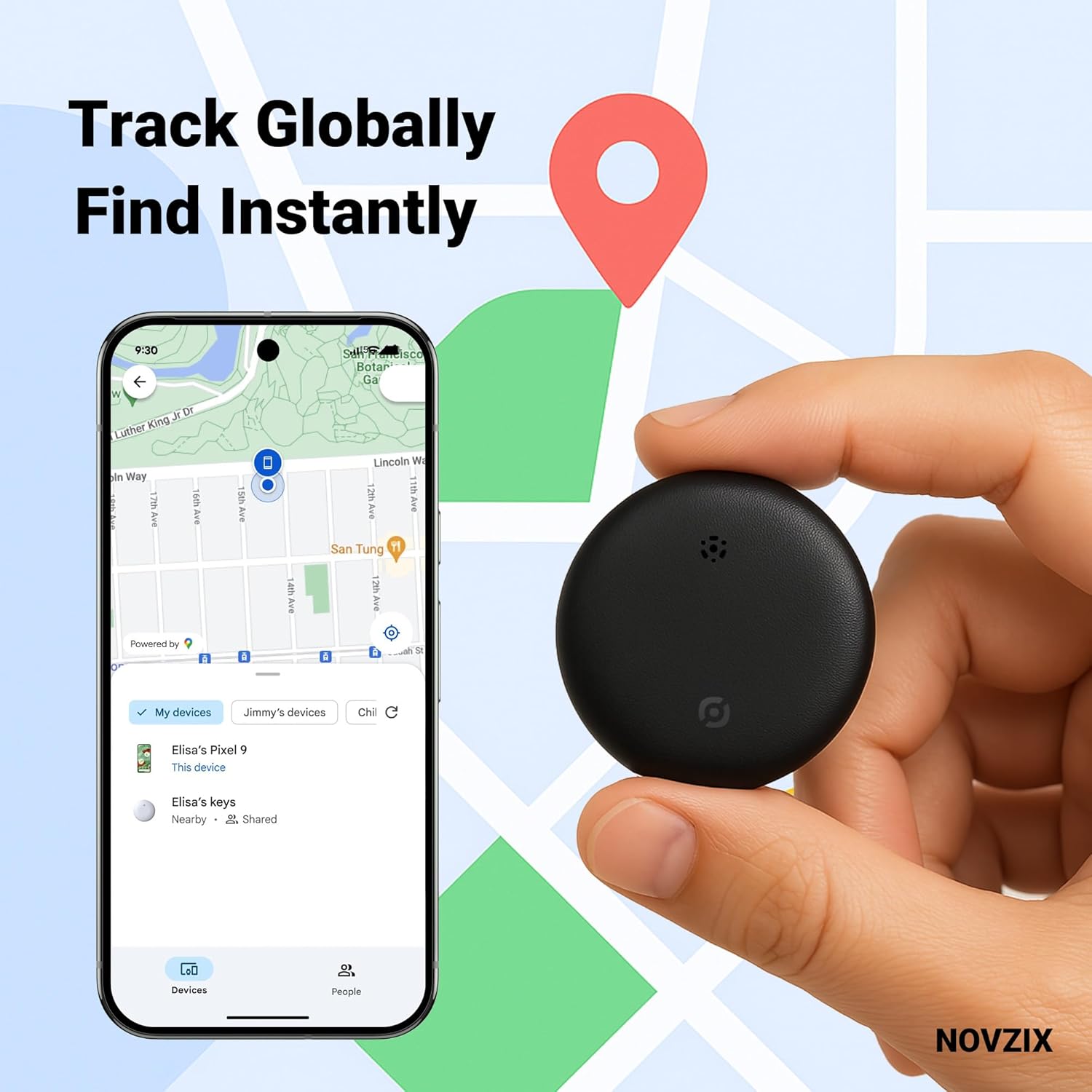
Figure 3: Track Globally, Find Instantly with the Google Find My Device app.
Adjuntant el rastrejador Tag
The compact design of the Novzix Tracker Tag allows it to be easily attached to various items. Use the included strap or lanyard for convenience.
- Claus: Attach to your keyring.
- Wallets/Bags: Slip into a wallet compartment or attach to a bag strap.
- Equipatge: Securely attach to luggage handles or zippers for travel.
- Altres objectes de valor: Can be used for backpacks, pet collars, or even hidden in vehicles.

Figure 4: Never lose your luggage again.

Figure 5: Protect your keys, bags, and other valuables.
Manteniment
Canvi de bateria
The Novzix Tracker Tag uses a standard CR2032 coin cell battery. A spare battery is included in some packages. To replace the battery:
- Locate the battery compartment on the back of the tracker tag.
- Use a small tool (like a coin) to twist open the battery cover counter-clockwise.
- Traieu la bateria CR2032 antiga.
- Insert the new CR2032 battery with the positive (+) side facing up.
- Alineeu la tapa de la bateria i gireu-la en sentit horari per fixar-la.
Cura i Neteja
El rastrejador tag is built with water and dust-resistant materials. To ensure longevity:
- Netegeu el dispositiu amb un drap suau i sec.
- Eviteu utilitzar productes químics aggressivs o netejadors abrasius.
- While water-resistant, avoid prolonged submersion in water.
Resolució de problemes
| Problema | Causa possible | Solució |
|---|---|---|
| El rastrejador no es connecta al telèfon. | Outdated Google Play Services, pairing issue, low battery. |
|
| Inaccurate or infrequent location updates. | Network settings, limited network coverage. |
|
| Tracker not making sound. | Low battery, speaker obstruction, device malfunction. |
|
Especificacions
- Model: S9 White And Black 2Pack
- Marca: Novzix
- Dimensions del producte: 1.26 x 0.31 x 1.26 polzades (32 mm x 8 mm x 32 mm)
- Pes de l'article: 0.81 unces
- Connectivitat: NFC, Bluetooth (for Google Find My Device network)
- Bateria: 1 x CR2032 (inclòs)
- Compatibilitat: Android 9.0+ devices
- Material: Plàstic
- Resistència a l'aigua i la pols: Yes (designed to withstand rain and outdoor conditions)
- Fabricant: NOVZIX
- País d'origen: Xina
- Primer disponible: 14 d'agost de 2024

Figura 6: Dimensions del producte i llista d'embalatge.
Garantia i Suport
For warranty information and customer support, please refer to the contact details provided with your product packaging or visit the official Novzix website. Ensure you have your product model number (S9 White And Black 2Pack) and purchase details ready when contacting support.
També podeu visitar el Novzix Store on Amazon per obtenir recursos addicionals i informació sobre el producte.
Ask a question about this manual
Ask about setup, troubleshooting, compatibility, parts, safety, or missing instructions. Manuals+ will review the question and use this page’s manual context to help answer it.