
PELONIS PSHC30DW6ABB
PELONIS 30-inch Smart Electric Space Heater Instruction Manual
Model: PSHC30DW6ABB
Instruccions importants de seguretat
Please read all instructions carefully before using this appliance and retain for future reference. Failure to follow these instructions may result in fire, electric shock, or injury.
- Connecteu sempre l'escalfador directament a una presa/receptacle de paret. No l'utilitzeu mai amb un cable d'extensió o una aixeta d'alimentació reubicable (presa de corrent/multipluig).
- Aquest escalfador està calent quan està en ús. Per evitar cremades, no deixeu que la pell nua toqui superfícies calentes. Feu servir les nanses per moure aquest escalfador.
- Mantingueu els materials combustibles, com ara mobles, coixins, roba de llit, papers, roba i cortines com a mínim a 3 peus (0.9 m) de la part davantera de l'escalfador i allunyeu-los dels laterals i de la part posterior.
- Cal extremar la precaució quan l'escalfador és utilitzat per o a prop de nens o persones invàlides i sempre que l'escalfador es deixi en funcionament i sense vigilància.
- Desconnecteu sempre l'escalfador quan no l'utilitzeu.
- No feu funcionar cap escalfador amb un cable o endoll danyats ni després que l’escalfador funcioni malament, s’hagi caigut o s’hagi danyat de qualsevol manera.
- No l'utilitzeu a l'exterior. Aquest escalfador només està pensat per a ús interior.
- Per desconnectar l'escalfador, gireu els controls a OFF i, a continuació, traieu l'endoll de la presa de corrent.
- No introduïu ni deixeu que entrin objectes estranys a cap obertura de ventilació o d'escapament, ja que això podria provocar una descàrrega elèctrica o incendi, o danyar l'escalfador.
- Per evitar un possible incendi, no bloquegeu de cap manera les entrades d'aire o l'escapament. No l'utilitzeu en superfícies toves, com un llit, on les obertures es poden bloquejar.
- This heater includes tip-over and overheat protection features for enhanced safety. If the heater tips over or overheats, it will automatically shut off.
- Constructed with UL94 V-0 flame-retardant materials to ensure unbreakable safety.
Producte acabatview
The PELONIS 30-inch Smart Electric Space Heater is designed to provide efficient and widespread warmth for large rooms. Featuring PTC ceramic heating technology, it delivers rapid and directional heat, capable of warming up to 300 sq ft quickly.

Davant view of the PELONIS 30-inch Smart Electric Space Heater, showcasing its sleek tower design and digital display.
Característiques principals:
- Powerful and Wide Warmth: 2X heating efficiency with an enlarged 308mm PTC element for rapid warm-up in 3 seconds. 75° oscillation covers up to 300 sq ft.
- Smart Schedules on Your Phone: Control and schedule operation via the SmartHome App. Supports voice control with Alexa and Google Assistant.
- Expanded Heating Capabilities: Five heating modes (H1/H2/H3/ECO/Fan only) to suit various needs, including an ECO mode for energy saving.
- Control precís de la temperatura: Set room temperature between 41-95°F with 1°F precision using a dedicated thermal sensor.
- Seguretat integral: ETL-listed with tip-over and overheat protection, enhanced safety plug, and UL94 V-0 flame-retardant materials.
- Funcionament silenciós: Operates at around 35dB, ideal for bedrooms and quiet workspaces.
Configuració
Desembalatge:
Carefully remove the heater from its packaging. Ensure all components, including the user manual and remote control, are present and undamaged. Retain the packaging for future storage.
Col·locació:
Place the heater on a firm, level surface. Ensure there is at least 3 feet (0.9 m) of clear space around the heater to allow for proper airflow and to prevent fire hazards. Do not place the heater on soft surfaces like carpets or rugs that may block the air intake.

The PELONIS space heater positioned on a wooden floor in a living room, illustrating ideal placement away from furniture.
Instruccions de funcionament
Tauler de control i control remot:
The heater can be operated using the touch controls on the top panel or the included remote control. The digital display shows the current temperature and selected mode.

Detallada view of the heater's top control panel with digital display and touch buttons for various functions.
Encès/apagat:
Press the power button on the control panel or remote to turn the heater on or off. The heater will start in the last used mode or a default setting.
Ajust de temperatura:
Use the '+' and '-' buttons on the control panel or remote to set your desired temperature. The temperature can be adjusted between 41°F and 95°F in 1°F increments.

An illustration highlighting the precise temperature control range of 41°F to 95°F with 1°F increments.
Selecting Heating Modes:
Cycle through the available heating modes using the Mode button: H1 (Low), H2 (Medium), H3 (High), ECO, and Fan Only. ECO mode automatically adjusts power consumption to maintain the set temperature, optimizing energy efficiency.
Visual representation of the five available heating modes: ECO, three heating levels (H1, H2, H3), and Fan only mode.
Funció d'oscil·lació:
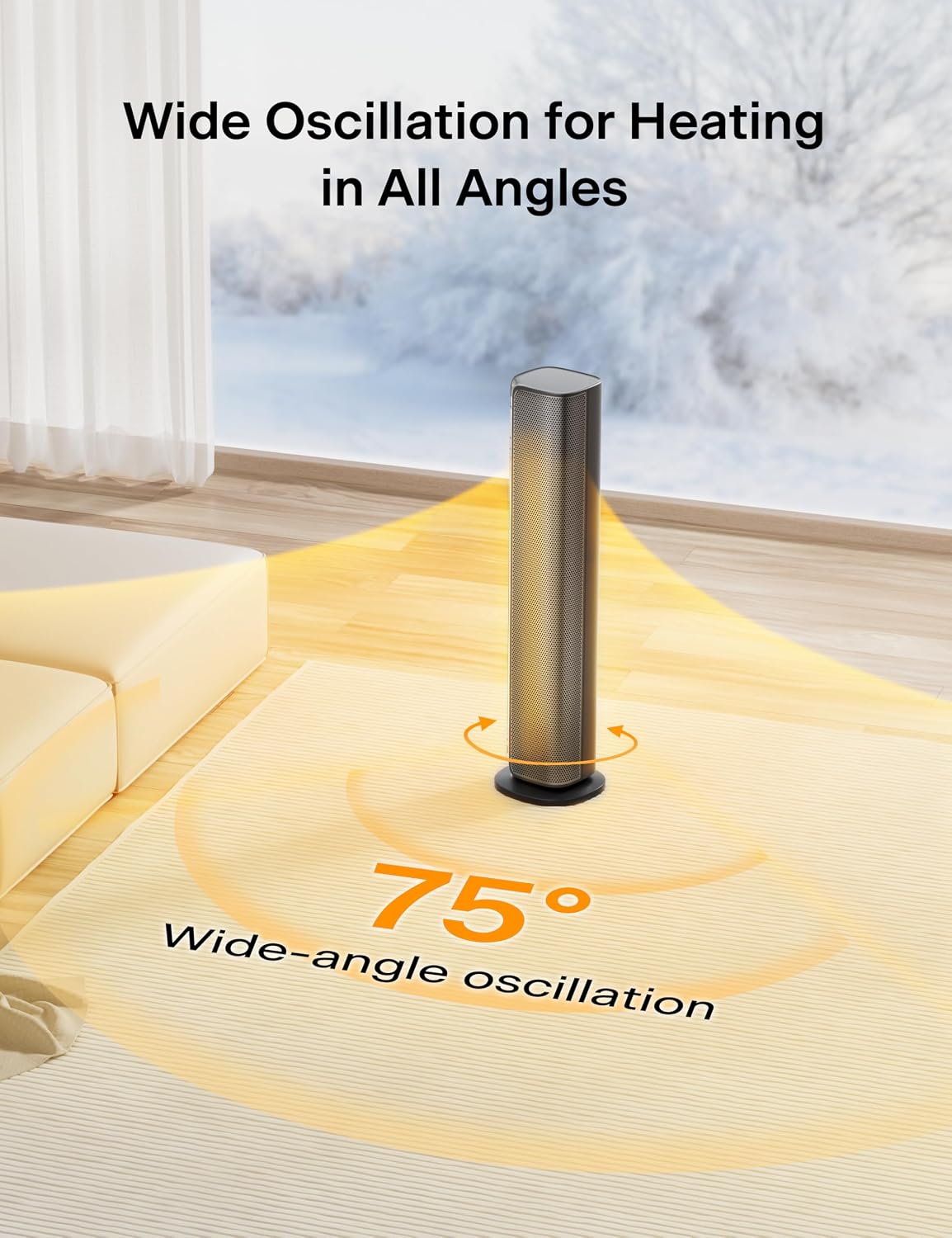
Activate the oscillation function to distribute heat across a wider area. The heater provides a 75° wide-angle oscillation for comprehensive room coverage.

Una sobrecàrrega view illustrating the 75-degree wide-angle oscillation feature of the PELONIS space heater.
Funció de temporitzador:
Set the 24-hour timer to automatically turn the heater on or off at specified times, allowing for convenient and energy-efficient operation.

An image depicting the 24-hour timer function, allowing users to schedule operation.
Control intel·ligent (aplicació i veu):
Download the SmartHome App to control your PELONIS heater remotely, set schedules, and monitor energy consumption. The heater is also compatible with Amazon Alexa and Google Assistant for convenient voice control.

An image showing the PELONIS heater being controlled via a smartphone app and voice commands through an Alexa device.
This video demonstrates the steps to connect your PELONIS Smart Space Heater with Amazon Alexa for voice control.
This video provides a guide on connecting your PELONIS Smart Space Heater to the SmartHome App for remote control and scheduling.
Manteniment
Neteja:
- Desconnecteu sempre l'escalfador abans de netejar-lo.
- Utilitzeu un suau, damp drap per netejar les superfícies exteriors de l'escalfador.
- No utilitzeu alcohol, gasolina, pols abrasives, poliment per a mobles o raspalls rugosos per netejar l'escalfador. Això pot causar danys o deteriorament a la superfície de l'escalfador.
- No submergiu l'escalfador a l'aigua.
Emmagatzematge:
- Si guardeu l'escalfador durant un període prolongat, netegeu-lo a fons.
- Emmagatzemeu l'escalfador en un lloc fresc i sec.
- Es recomana guardar l'escalfador en el seu embalatge original per protegir-lo de la pols i els danys.
Resolució de problemes
If your PELONIS Space Heater is not operating correctly, please refer to the following common issues and solutions:
| Problema | Possible causa/solució |
|---|---|
| L'escalfador no s'encén. |
|
| Sense sortida de calor. |
|
| Problemes de connectivitat Wi-Fi. |
|
| La calefacció s'apaga inesperadament. |
|
Especificacions
| Especificació | Detall |
|---|---|
| Marca | PELONIS |
| Número de model | PSHC30DW6ABB |
| Dimensions del producte | 7.5" de profunditat x 7.5" d'amplada x 30" d'alçada (19.05 cm de profunditat x 19.05 cm d'amplada x 76.2 cm d'alçada) |
| Pes de l'article | 7.78 lliures (3.53 kg) |
| Voltage | 120 volts (CA) |
| Cobertura de calefacció | Fins a 300 peus² (27.87 m²) |
| Característiques especials | Programmable Thermostat, Adjustable Temperature, Fast Heating, Oscillating, APP & Voice Control |
| Components inclosos | PELONIS 30in Tower Heater, Remote Control, User Manual |
| UPC | 810049711870 |
Garantia i Suport
PELONIS products are manufactured to the highest quality standards. For information regarding warranty coverage or technical support, please refer to the warranty card included with your product or visit the official PELONIS website. Please have your model number (PSHC30DW6ABB) and proof of purchase ready when contacting support.
Ask a question about this manual
Ask about setup, troubleshooting, compatibility, parts, safety, or missing instructions. Manuals+ will review the question and use this page’s manual context to help answer it.