
Introducció
This manual provides detailed instructions for the safe and effective use of your Andis 560980 Limited Edition Galaxy Envy Li Cordless Clipper and Slimline Pro Cordless Beard Trimmer Combo Kit. Please read all instructions carefully before operating the devices and retain this manual for future reference.
Informació important de seguretat
WARNING: To reduce the risk of electric shock, injury, or damage, always follow these basic safety precautions:
- Eviteu el contacte amb els ulls, la pell i l'aigua.
- Mantenir allunyat de fonts de calor i flames obertes.
- No l'utilitzeu durant la càrrega.
- Always unplug or remove the battery before cleaning.
- Do not use on infants or children without adult supervision.
- Seguiu els procediments de neteja i manteniment recomanats.
Contingut del paquet
Your Andis 560980 Combo Kit includes the following items:
- Andis Galaxy Envy Li Cordless Clipper
- Andis Slimline Pro Cordless Beard Trimmer
- Multiple Attachment Guide Combs (various sizes)
- Adaptadors de càrrega
- Oli de fulla
- Raspall de neteja
- Protector de fulla

Un detallat view of the accessories included with the Andis 560980 kit, showing the range of guide combs, power adapters, and lubricating oil for maintenance.
Configuració
1. Càrrega dels dispositius
Both the clipper and trimmer are equipped with rechargeable lithium-ion batteries, providing up to two hours of run-time. For optimal performance, fully charge the device before its first use.
- Connect the appropriate charging adapter to the device and plug it into a suitable power outlet.
- El llum indicador de càrrega s'il·luminarà.
- Deixeu que el dispositiu es carregui completament.
- The devices can also be used corded if the battery is low or for continuous operation.
2. Attaching and Removing Guide Combs
The kit includes various guide combs to achieve different cutting lengths. To attach a comb:
- Assegureu-vos que el dispositiu estigui apagat.
- Align the guide comb with the blade and slide it firmly into place until it clicks.
Per treure una pinta:
- Assegureu-vos que el dispositiu estigui apagat.
- Gently lift the back of the comb and slide it off the blade.
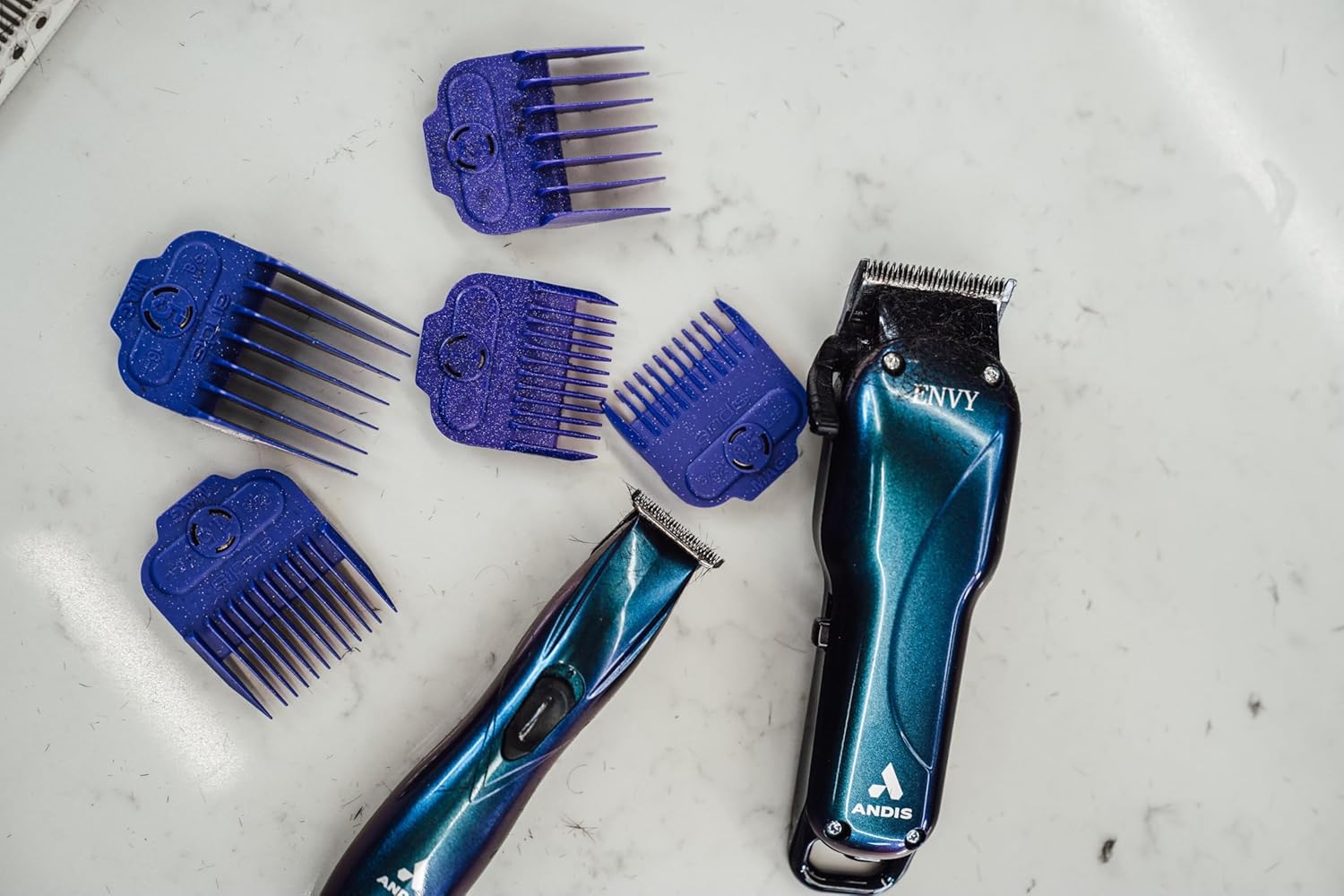
The Andis Galaxy Envy Clipper displayed with a selection of its included attachment combs, demonstrating the different cutting lengths available.
Instruccions de funcionament
1. Using the Clipper (Galaxy Envy Li)
The Galaxy Envy Li Cordless Clipper is designed for cutting, tapering, and fading hair. Its carbon-steel blade adjusts from 000 to 1.
- Select the desired guide comb and attach it securely.
- Engegueu la talladora de cabells amb l'interruptor d'alimentació.
- For tapers and fades, use the adjustable lever on the side of the clipper to change the blade height. The lever allows for precise adjustments between 000 (closest cut) and 1 (longer cut).
- For razor-sharp lines, the blade can be zero-gapped by a professional.
- Mou la talladora de cabells en la direcció contrària al creixement del pèl per obtenir un tall uniforme.
- Turn off the clipper after use.
2. Using the Trimmer (Slimline Pro)
The Slimline Pro Cordless Beard Trimmer is ideal for trimming beards, designing, and texturizing.
- Choose the appropriate guide comb for your desired beard length or use without a comb for close trimming and detailing.
- Enceneu el tallador.
- For beard trimming, move the trimmer in the direction of hair growth for a uniform trim.
- For detailing and sharp lines, use the edge of the blade carefully.
- Apagueu la retalladora després d'usar-la.

A professional barber using the Andis Slimline Pro Trimmer to create intricate designs on a client's hair, highlighting its precision capabilities.
Manteniment
1. Neteja de les fulles
Regular cleaning ensures optimal performance and longevity of your devices.
- Turn off and unplug the device (if corded).
- Use the provided cleaning brush to remove loose hair from the blades.
- For a more thorough cleaning, detach the blades if possible and clean under running water (refer to specific device instructions for water resistance). Ensure blades are completely dry before reattaching.
2. Lubricar les fulles
Apply blade oil regularly to keep the blades sharp and moving smoothly.
- After cleaning, apply a few drops of the provided blade oil across the top of the blades.
- Engegueu el dispositiu durant uns segons per distribuir l'oli uniformement.
- Netegeu l'excés d'oli amb un drap net.
3. Emmagatzematge
Store your clipper and trimmer in a cool, dry place. Use the blade protector to prevent damage to the blades when not in use.
Resolució de problemes
If you encounter any issues with your Andis devices, please refer to the following common solutions:
- El dispositiu no s'encén: Assegureu-vos que el dispositiu estigui completament carregat. Si l'utilitzeu amb cable, comproveu la connexió d'alimentació.
- Mal rendiment de tall: Clean and oil the blades. Ensure blades are free of hair and debris. Blades may need sharpening or replacement if dull.
- Sobreescalfament: Ensure blades are clean and oiled. Allow the device to cool down if it feels excessively warm.
For persistent issues, please contact Andis customer support.
Especificacions
| Característica | Detall |
|---|---|
| Número de model | 560980 |
| Marca | I és |
| Font d'alimentació | Funciona amb bateria (ió de liti recarregable) |
| Temps d'execució | Fins a 2 hores |
| Material de la fulla | Acer inoxidable |
| Ajust de la fulla de la talladora | 000 to 1 (adjustable lever) |
| Color | Galaxy (Limited Edition) |
| Pes de l'article | 1.02 quilograms (2.24 lliures) |
| Dimensions | 9.41 x 9.29 x 3.03 polzades (paquet) |
| Públic objectiu | Adults unisex |
| Tipus de cabell | Tots |
Garantia i Suport
Your Andis 560980 Combo Kit is covered by a Manufacturer’s 12-month limited warranty. Please retain your proof of purchase for warranty claims.
For product support, warranty information, or to purchase replacement parts, please visit the official Andis Store or contact their customer service directly.