
weelikeit Weelikeit P51L Tablet
Weelikeit P51L 12-inch Android Tablet User Manual
Model: Weelikeit P51L Tablet
Introducció
Thank you for choosing the Weelikeit P51L 12-inch Android Tablet. This device is designed to provide a versatile and powerful computing experience, featuring a high-resolution display, robust performance, and extensive connectivity options. This user manual will guide you through the setup, operation, maintenance, and troubleshooting of your new tablet to ensure optimal performance and longevity.

Image: The Weelikeit P51L tablet shown with its detachable keyboard, charger, and USB-C cable, highlighting its comprehensive package.
Producte acabatview i Característiques
The Weelikeit P51L tablet is equipped with advanced features for both productivity and entertainment.
- Visualització: 11.97-inch 2K FHD IPS (1200x2000 pixels) Incell display for clear and vibrant visuals, with blue light filtering for eye protection.
- Rendiment: Octa-Core UNISOC T616 processor and Mali G57 GPU for smooth multitasking and gaming.
- Memòria i emmagatzematge: 16GB RAM (8GB physical + 8GB extended) and 256GB internal storage, expandable up to 1TB via Micro SD card.
- Bateria: Large 8000mAh battery with 20W PD fast charging for extended use.
- Connectivitat: Dual SIM 4G LTE support, dual-band Wi-Fi (2.4GHz/5GHz), and Bluetooth 5.0 for reliable connections.
- Càmeres: 13MP rear camera and 5MP front camera for photos, video calls, and selfies.
- Sistema operatiu: Android 14 with GMS certification, providing access to a wide range of Google Play Store applications.
- Disseny: Slim 7.5mm all-metal body, weighing 570 grams, designed for portability.
- Àudio: Equipped with 4 sound chambers for an enhanced external listening experience.
- Navegació: Integrated GPS functionality for offline map usage and navigation.

Image: Visual representation of the tablet's core specifications including RAM, ROM, display size, battery, and camera details.
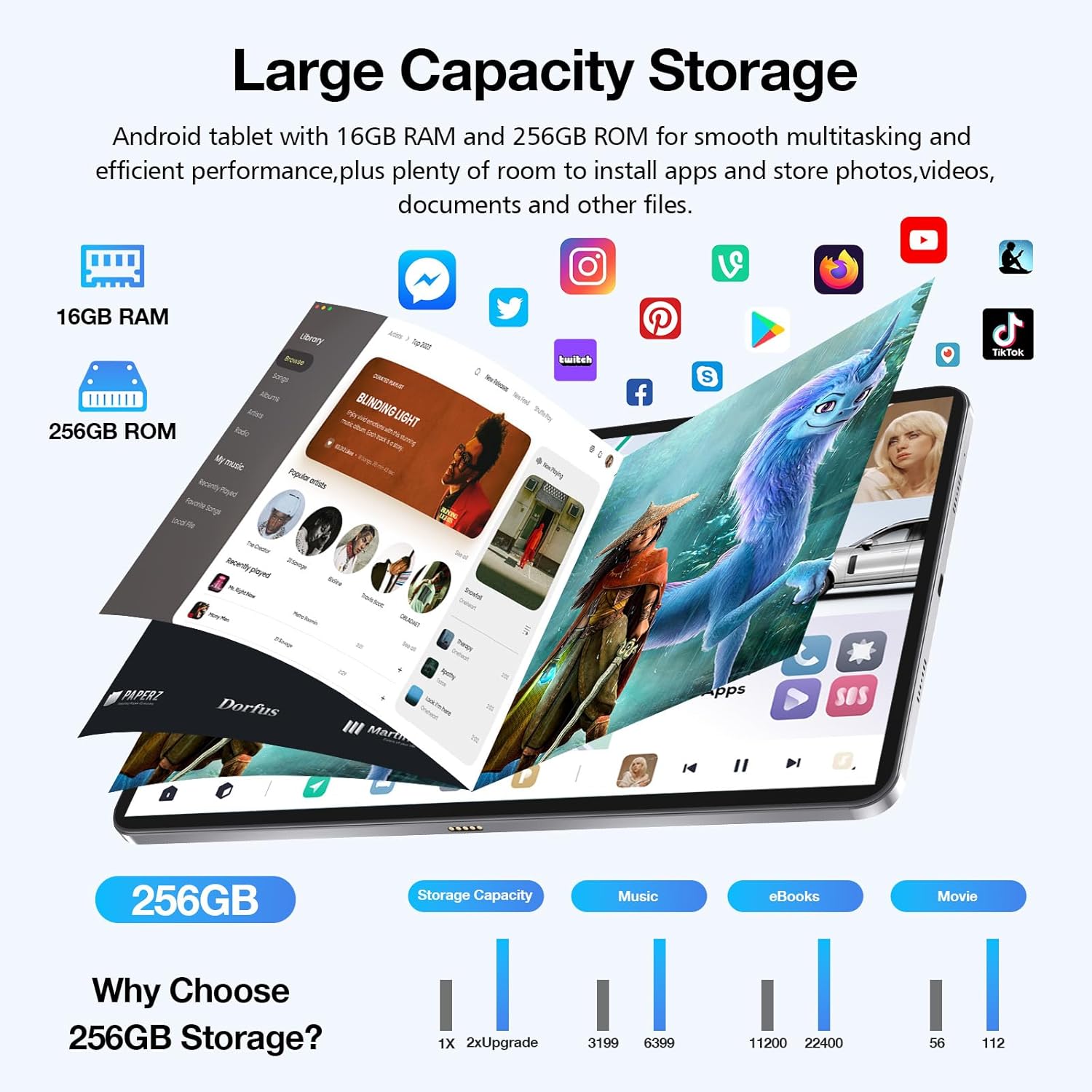
Image: An illustration demonstrating the tablet's large 256GB storage capacity, suitable for numerous apps, photos, videos, and documents.
Guia de configuració
1. Desembalatge i càrrega inicial
Carefully remove all components from the packaging. Before first use, fully charge the tablet using the provided 20W PD fast charger and Type-C cable. The battery indicator on the screen will show charging progress.

Image: The tablet laid out with its accessories, including the wireless keyboard, protective film, USB-C cable, and power adapter.
2. Inserció de targetes SIM i Micro SD
Locate the SIM/TF card tray on the side of the tablet. Use the provided SIM ejector tool to open the tray. Insert your 4G LTE SIM cards and/or a Micro SD card (up to 1TB) into the designated slots. Ensure the cards are correctly oriented as indicated on the tray. Gently push the tray back into the tablet until it clicks into place.
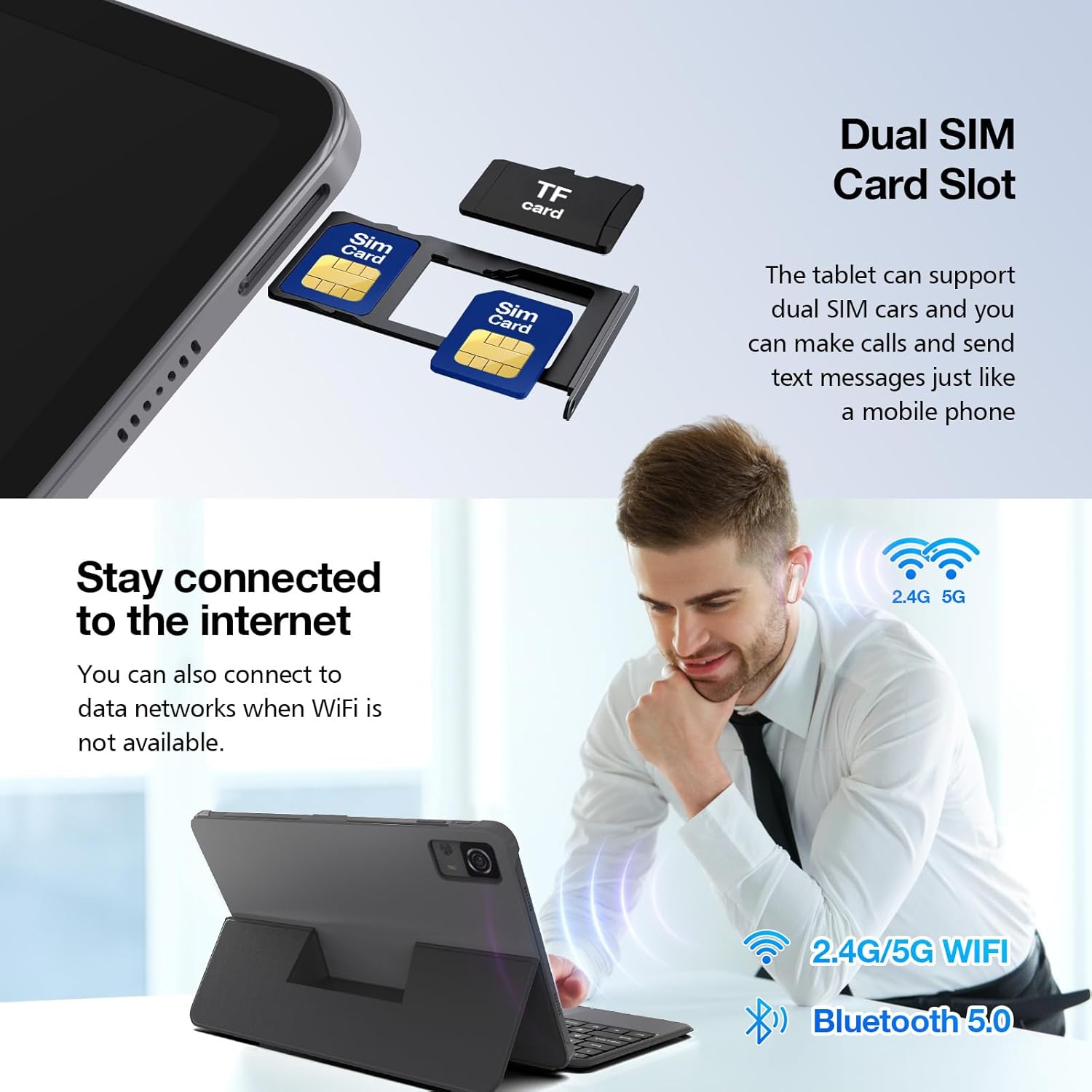
Imatge: Un primer pla view of the tablet's dual SIM card slot, illustrating how to insert SIM and TF (Micro SD) cards.
3. Connecting the Wireless Keyboard
The tablet comes with a detachable wireless keyboard. Align the tablet with the magnetic connector on the keyboard case. The keyboard will automatically connect via Bluetooth. Ensure Bluetooth is enabled on your tablet if the connection does not establish automatically.
4. Assistent d'encesa inicial i configuració
Press and hold the power button until the Weelikeit logo appears. Follow the on-screen instructions to complete the initial setup, including language selection, Wi-Fi connection, Google account login, and security settings.
Instruccions de funcionament
1. Navegació bàsica (Android 14)
The tablet runs on Android 14, offering an intuitive user interface. Use touch gestures for navigation:
- Toca: Selecciona un element o obre una aplicació.
- Llisca: Desplaçar-se per pantalles o llistes.
- Pessiga per fer zoom: Apropar o allunyar les imatges i web pàgines.
- Premsa llarga: Accedir a menús contextuals o moure icones.

Image: The tablet displaying a racing game, illustrating the smooth performance of Android 14 and its enhanced user experience.
2. Connexió a la Wi-Fi i a les dades mòbils
Per connectar-vos a la Wi-Fi, aneu a Configuració > Xarxa i Internet > Wi-Fi, select your network, and enter the password. For mobile data, ensure your SIM card is inserted and mobile data is enabled in Configuració > Xarxa i Internet > Xarxa mòbil.
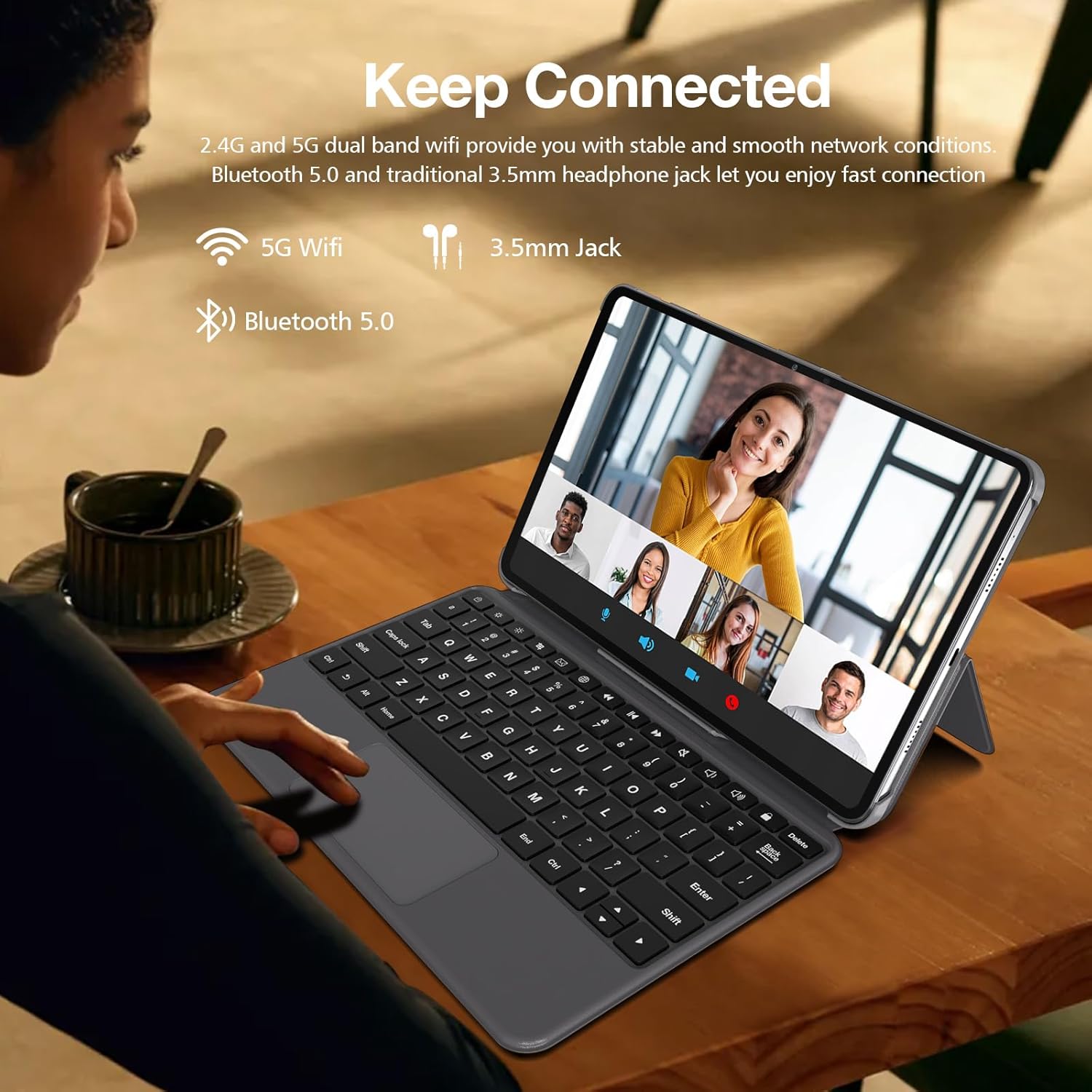
Image: A user interacting with the tablet, demonstrating its connectivity features like dual-band Wi-Fi and Bluetooth 5.0 for stable network access and peripheral connections.
3. Making Calls and Sending Messages (4G LTE)
With a compatible 4G LTE SIM card, you can make and receive calls and send text messages directly from your tablet, similar to a smartphone. Use the pre-installed Phone and Messages applications.
4. Ús de càmeres
The tablet features a 13MP rear camera and a 5MP front camera. Open the Camera app to capture photos and videos. Tap the screen to focus, and use the on-screen controls to switch between modes (photo, video, panorama) and cameras.

Image: A visual highlighting the tablet's 13MP rear camera and 5MP front camera, capable of capturing moments with clarity.
5. Gestió de l'emmagatzematge
To manage your 256GB internal storage and any inserted Micro SD card, navigate to Configuració > Emmagatzematge. Aquí pots view storage usage, free up space, and manage files.
6. Navegació GPS
The tablet includes GPS functionality. You can use pre-installed mapping applications or download others from the Google Play Store. For offline navigation, download maps in advance when connected to Wi-Fi.

Image: The tablet mounted in a car, demonstrating its GPS capabilities for real-time positioning and navigation.
Manteniment
1. Neteja de la tauleta
Feu servir un drap suau i sense borrissol per netejar la pantalla i el cos de la tauleta. Per a taques difícils, fregueu lleugerament.ampNetegeu el drap amb aigua o un netejador de pantalles. Eviteu utilitzar productes químics agressius o materials abrasius.
2. Cura de la bateria
To prolong battery life, avoid exposing the tablet to extreme temperatures. It is recommended to keep the battery charge between 20% and 80% for optimal long-term health. Use only the provided charger or a certified compatible charger.
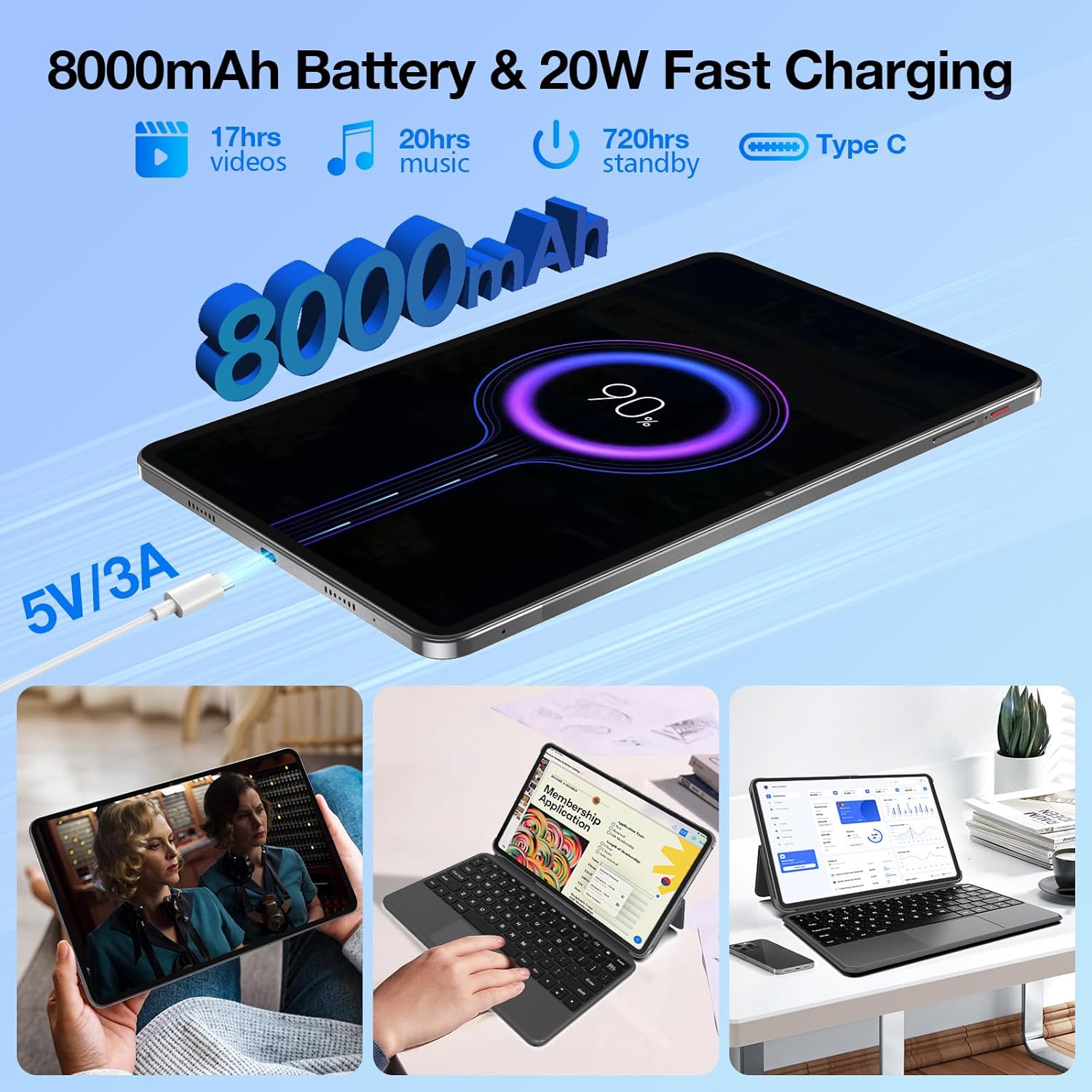
Image: An illustration of the tablet's 8000mAh battery and 20W fast charging capability, indicating long usage times for videos, music, and standby.
3. Actualitzacions de programari
Comproveu regularment si hi ha actualitzacions del sistema per assegurar-vos que la tauleta tingui les darreres funcions, pegats de seguretat i millores de rendiment. Aneu a Configuració > Sistema > Actualització del sistema per comprovar i instal·lar les actualitzacions disponibles.
Resolució de problemes
This section addresses common issues you might encounter with your Weelikeit P51L tablet.
- Tablet does not power on: Ensure the tablet is charged. Connect it to the charger and wait a few minutes before attempting to power on again. If it still doesn't turn on, perform a forced restart by holding the power button for 10-15 seconds.
- La pantalla no respon: Reinicia la tauleta. Si el problema persisteix, assegura't que la pantalla estigui neta i sense brutícia.
- No es pot connectar a Wi-Fi: Check if Wi-Fi is enabled in settings. Restart your Wi-Fi router. Forget the network on your tablet and try reconnecting.
- Poor mobile data signal or cannot set up APN: Ensure your SIM card is correctly inserted and activated with your carrier. For APN settings, contact your mobile service provider for the correct configuration details and manually enter them in Configuració > Xarxa i Internet > Xarxa mòbil > Noms de punts d'accés.
- Apps are crashing or running slowly: Close background applications. Clear the cache of problematic apps (Configuració > Aplicacions > [Nom de l'aplicació] > Emmagatzematge i memòria cau > Esborra la memòria cau). Si el problema continua, penseu en desinstal·lar i tornar a instal·lar l'aplicació.
- La bateria es descarrega ràpidament: Redueix la brillantor de la pantalla. Desactiva les funcions que no utilitzis com el Bluetooth o el GPS. Tanca les aplicacions en segon pla. Comprova l'ús de la bateria a Configuració > Bateria per identificar aplicacions que consumeixen molta energia.
Si teniu problemes que no es cobreixen aquí, consulteu la secció Garantia i assistència per obtenir més ajuda.
Especificacions
| Característica | Especificació |
|---|---|
| Marca | weelikeit |
| Número de model | Weelikeit P51L Tablet |
| Sistema operatiu | Android 14 |
| Marca del processador | Unisoc |
| Velocitat del processador | 2 GHz |
| Mida de la pantalla | 11.97 polzades |
| Resolució de visualització | 2000 x 1200 Pixels (2K FHD IPS) |
| Mida de la memòria RAM | 16 GB (8GB + 8GB extended) |
| Capacitat d'emmagatzematge | 256 GB (ampliable fins a 1 TB amb Micro SD) |
| Capacitat de la bateria | 8000 mAh |
| Carregant | 20W PD Fast Charging |
| Connectivitat | 4G LTE, Dual SIM, Wi-Fi (802.11ax, 2.4GHz/5GHz), Bluetooth 5.0 |
| Càmera posterior | 13 MP |
| Càmera frontal | 5 MP |
| Dimensions (L x A x A) | 27.8 x 17.4 x 0.75 cm |
| Pes | 1.6 kilograms (approx. 570 grams for tablet only) |
| Característiques especials | Fast Charging, Detachable Keyboard, Cellular Connectivity, Phone Call Functionality, Expandable Storage, GPS |
Garantia i Suport
Weelikeit offers a 24 mesos de garantia i servei tècnic de per vida for your P51L tablet. If you encounter any problems after purchasing our products, please do not hesitate to contact our professional technical team. We are committed to providing the best possible support to resolve any issues you may have.
For support, please refer to the contact information provided with your product packaging or visit the official Weelikeit support weblloc.
Ask a question about this manual
Ask about setup, troubleshooting, compatibility, parts, safety, or missing instructions. Manuals+ will review the question and use this page’s manual context to help answer it.