
1. Producte acabatview
The CIGMAN 4x360° 16 Lines Laser Level (Model CM-S02) is a versatile and precise tool designed for various installation and leveling tasks. It features four 360° laser planes, offering comprehensive coverage for horizontal and vertical alignment. This device supports both remote control via a dedicated app and manual operation, ensuring high efficiency and accuracy in construction, home renovation, and other DIY projects.

Figure 1: CIGMAN 4x360° 16 Lines Laser Level with included accessories.
2. Contingut del paquet
Verifiqueu que tots els elements siguin presents al paquet:
- 1x CIGMAN CM-S02 Laser Level Tool
- 2x 2600mAh Chargeable Lithium Batteries
- 1x cable de càrrega USB-C
- 1x Multi-functional Magnetic "L" Bracket
- 1x Mini Tripod Base (Lifting Base)
- 1x Laser Target Plate
- 1x Bluetooth Remote Control
- 1x Portable Carry Bag
- 1 x manual d'usuari

Figure 2: All components included in the CIGMAN Laser Level package.
3. Configuració i funcionament inicial
3.1 Instal·lació de la bateria
The laser level is powered by a 2600mAh lithium battery. Two batteries are included for extended use. To install a battery:
- Localitzeu el compartiment de la bateria a la part inferior del nivell làser.
- Obriu la tapa del compartiment de la bateria.
- Insert one of the provided lithium batteries, ensuring correct polarity.
- Tanqueu bé la tapa del compartiment de la bateria.
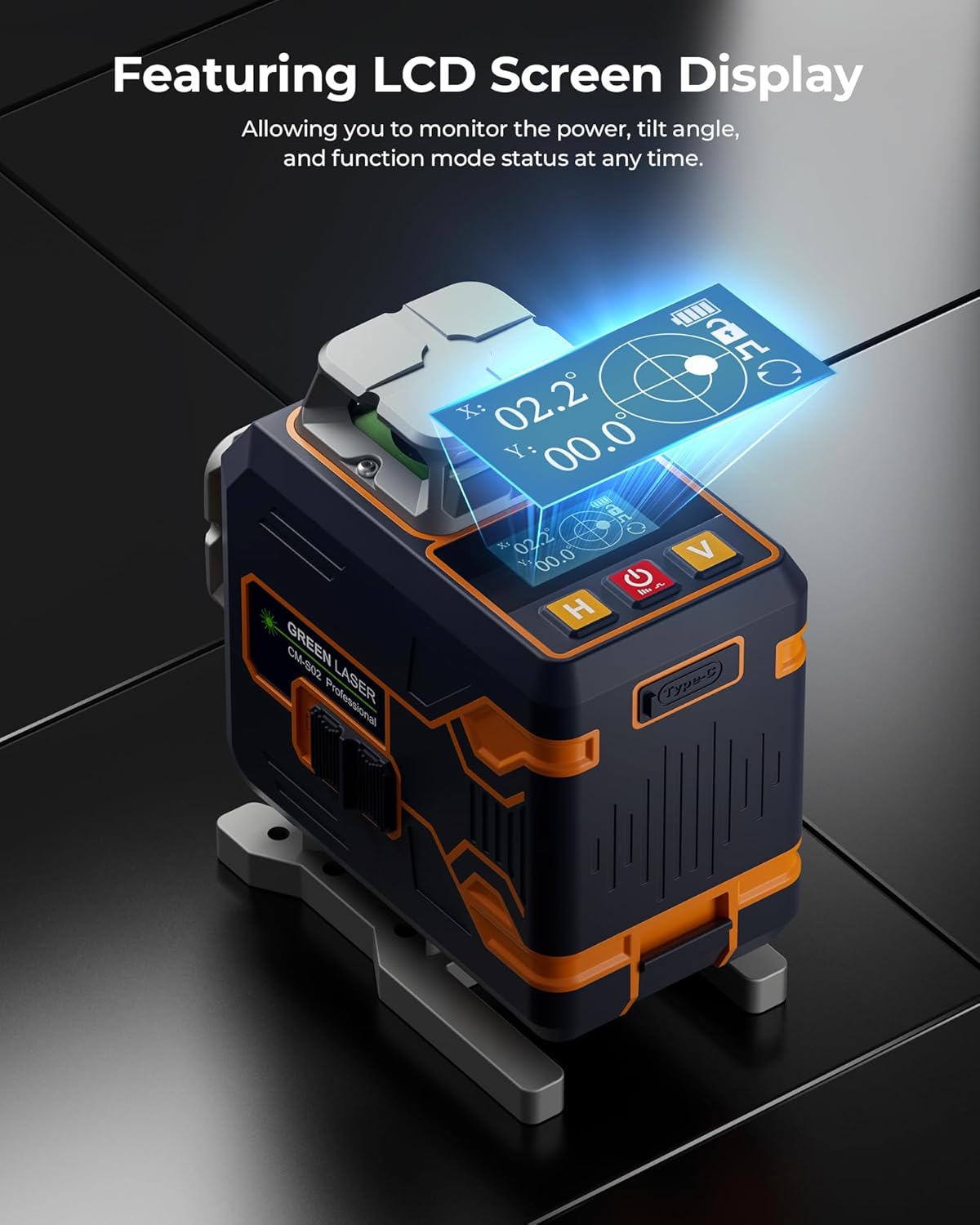
Figure 3: Battery installation in the CIGMAN Laser Level.
3.2 Càrrega de la bateria
The batteries can be charged via the Type-C charging port on the laser level or directly on the battery itself. Use the provided USB-C charging cable.

Figure 4: Charging the CIGMAN Laser Level via USB-C.
4. Modes de funcionament
4.1 Mode d'autonivellació
For automatic leveling, ensure the pendulum lock is in the unlocked position. The laser will self-level within a few seconds. If the device is outside its self-leveling range, the laser lines will blink rapidly to indicate it's not level.
4.2 Mode manual
To use the laser at any angle, engage the pendulum lock. This disables the self-leveling function, allowing you to project lines at custom inclinations.
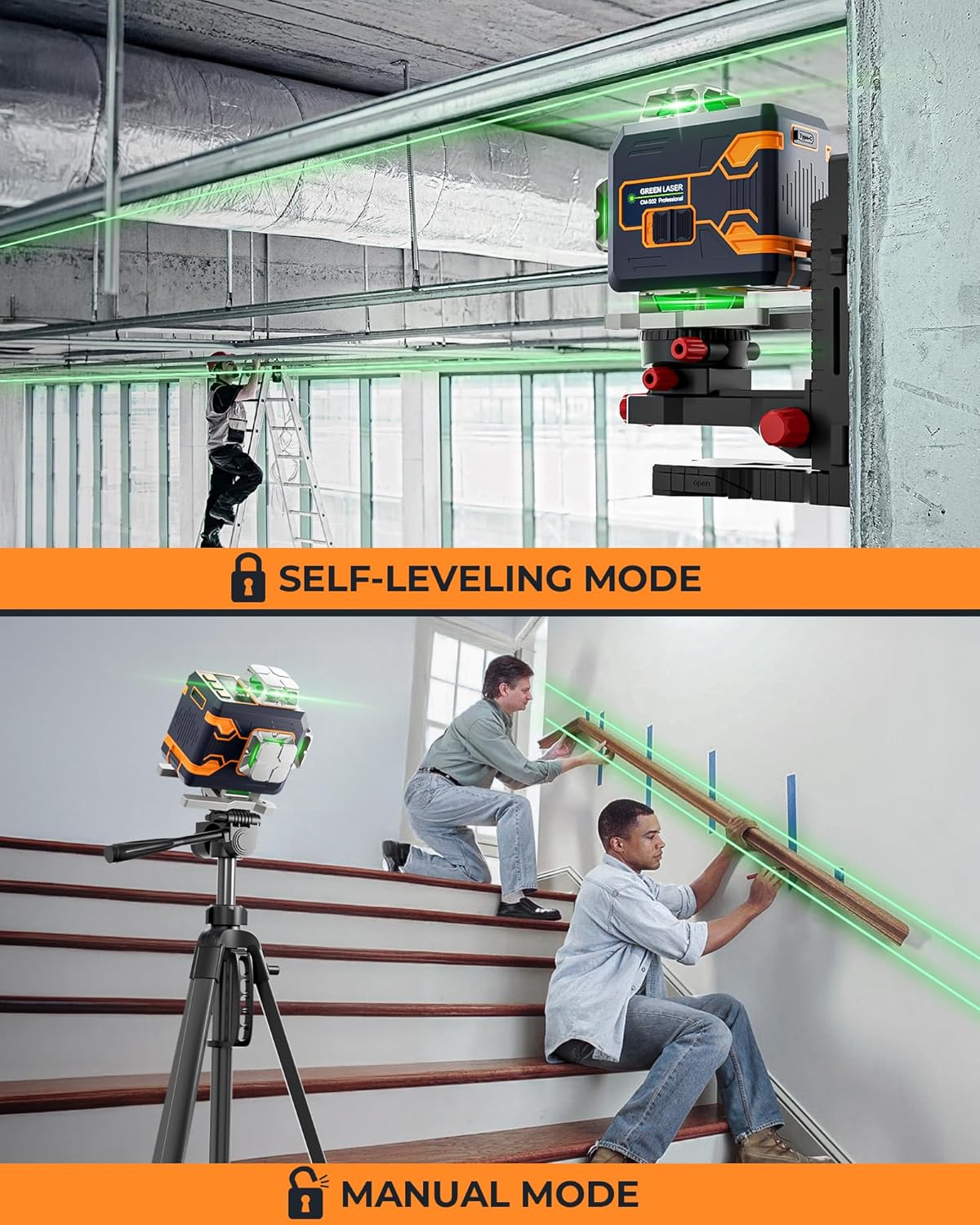
Figure 5: Illustration of Self-Leveling Mode (top) and Manual Mode (bottom).
4.3 Mode de pols
In self-leveling mode, press and hold the power button to enable Pulse Mode. This mode extends the laser range and is particularly useful in bright conditions or when using an optional laser receiver (sold separately).

Figure 6: Pulse Mode extends the laser's working range.
5. Laser Line Selection and Brightness
The CM-S02 features four 360° laser planes: two horizontal (H) and two vertical (V). You can select which lines are active and adjust their brightness.
5.1 On-Device Control
Use the 'H' button to cycle through horizontal lines and the 'V' button for vertical lines. The power button can adjust brightness levels (4 levels) when the lock switch is set to unlocked.
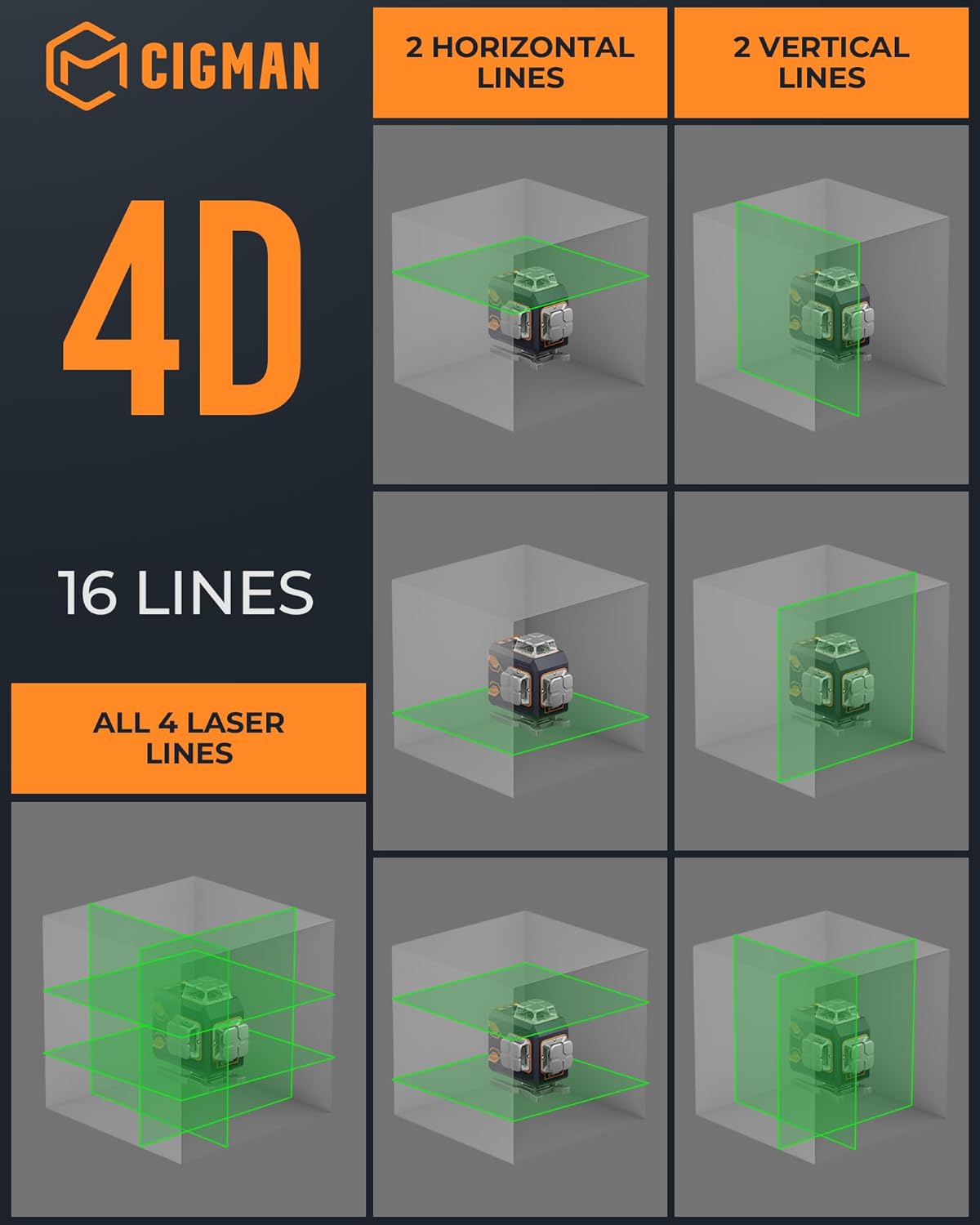
Figure 7: The 4D 16-line projection capabilities of the laser level.
5.2 Control remot i per aplicació
The included Bluetooth remote control and the CIGMAN app (available for smartphones) allow for convenient adjustment of laser lines, brightness, and pulse mode from a distance. The app also displays battery life and tilt angle.

Figure 8: Control the laser level remotely using the CIGMAN app.
Video 1: Unboxing and initial setup of the CIGMAN 4x360 CM-S02 Laser Level, demonstrating its components and basic functionality.
Vídeo 2: Revisió detalladaview of the CIGMAN Pro Laser, highlighting its features and performance in a workshop setting.
6. Accessoris i muntatge
The laser level comes with several accessories to enhance its usability in various scenarios:
- Multi-functional Magnetic "L" Bracket: Allows for attachment to metal surfaces and offers fine adjustment capabilities.
- Mini Tripod Base (Lifting Base): Provides precise height adjustment for floor-level applications.
- Laser Target Plate: Improves visibility of the laser lines in bright conditions.
Figure 9: The multi-functional magnetic bracket and lifting base provide versatile mounting options.
Video 3: Demonstrates various control options for the CIGMAN laser level, including remote and app control, and self-leveling features.
7. Manteniment i cura
- Keep the laser level clean and free from dust and debris. Use a soft, dry cloth for cleaning.
- Eviteu exposar el dispositiu a temperatures extremes o a la llum solar directa durant períodes prolongats.
- Store the laser level in its protective carry bag when not in use to prevent damage.
- Ensure the pendulum lock is engaged during transport to protect the internal mechanism.
8. Solució De Problemes
| Problema | Causa possible | Solució |
|---|---|---|
| Laser lines are blinking rapidly. | El dispositiu està fora del rang d'autonivelació. | Place the device on a more level surface. |
| Les línies làser són tènues. | Bateria baixa o llum ambiental intensa. | Charge the battery or activate Pulse Mode. |
| Remote/App not connecting. | Bluetooth is off or device is out of range. | Ensure Bluetooth is on and device is within range. |
9. Especificacions
- Marca: CIGMAN
- Model: CM-S02
- Material: Metall
- Color: Làser verd
- Mode de funcionament: Automàtic (autonivellament) / Manual
- Bateria: 2x 2600mAh Lithium-Ion (included)
- Font d'alimentació: Battery Powered / Type-C Charging
- Pes de l'article: 5.17 lliures
- Dimensions del paquet: 12.48 x 10.39 x 4.65 polzades
- País d'origen: Xina
10. Garantia i Suport
CIGMAN offers a 3-year after-sale service and lifetime technical support for this product. For any inquiries or assistance, please refer to the contact information provided in your user manual or visit the official CIGMAN weblloc.