
Introducció
This manual provides essential instructions for the setup, operation, and maintenance of your BLOW Portable Internet Radio RI 1. Please read this manual thoroughly before using the device to ensure proper functionality and to prevent damage.
Informació important de seguretat
- No exposeu el dispositiu a la pluja o la humitat.
- No desmunteu el dispositiu. Encarregueu tot el manteniment a personal qualificat.
- Utilitzeu només l'adaptador d'alimentació subministrat.
- Eviteu les temperatures extremes i la llum solar directa.
- Mantingueu el dispositiu allunyat de camps magnètics forts.
Contingut del paquet
Assegureu-vos que tots els elements siguin presents al paquet:
- BLOW Internet Radio RI 1
- Adaptador d'alimentació
- User Manual (in Polish and English)

Image: The BLOW Internet Radio RI 1 packaging, showing the radio unit, power adapter, and user manual.
Producte acabatview
The BLOW Portable Internet Radio RI 1 offers a wide range of features for an enhanced audio experience. It includes internet radio access, FM tuner, Bluetooth connectivity, and a clear LCD display.

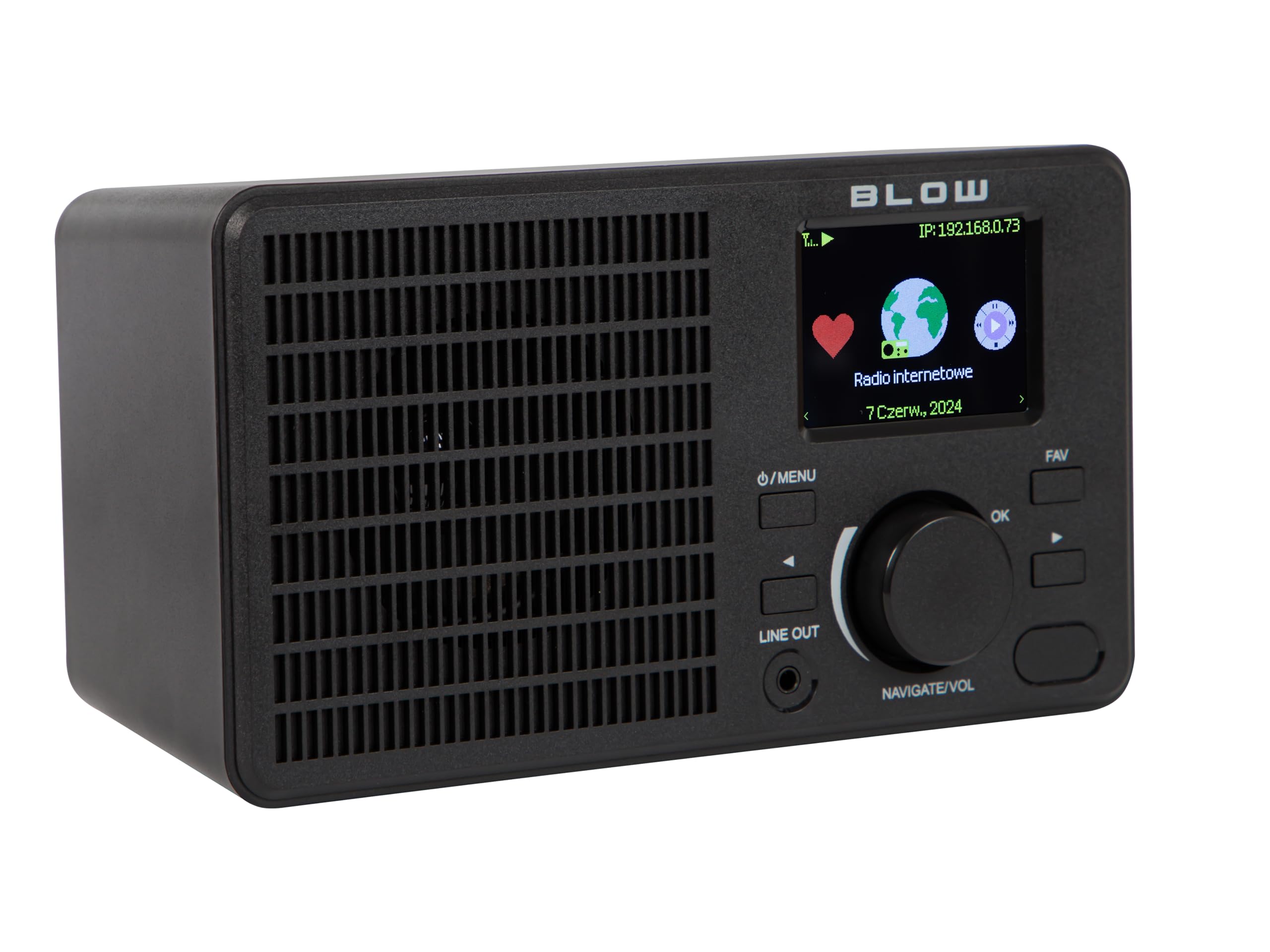
Imatge: Frontal view of the BLOW Internet Radio RI 1, showcasing the display, speaker grille, and control buttons.
Característiques principals:
- Ràdio per Internet: Access thousands of stations worldwide via Wi-Fi.
- Connectivitat Wi-Fi: Wireless access to internet radio and network features.
- Bluetooth: Stream music from mobile devices.
- Pantalla TFT en color de 2.4 polzades: Shows station information and track details.
- Dual Alarm with Snooze: Wake up to music or news.
- Sortida de línia: Connecteu-vos a un amplifier or external audio system.
- Disseny compacte: Elegant black design suitable for various interiors.
- Sintonitzador FM: For local radio broadcasts.
Imatge: Part posterior view of the BLOW Internet Radio RI 1, showing the DC 5V power input and product information label.
Configuració
1. Connexió d'alimentació
- Connect the provided power adapter to the DC 5V input port on the back of the radio.
- Connecteu l'adaptador d'alimentació a una presa de corrent estàndard.
- The radio will power on automatically or enter standby mode.

Image: The power adapter included with the BLOW Internet Radio RI 1, showing the plug and DC connector.
2. Initial Wi-Fi Setup
- Upon first power-on, the radio will guide you through the initial setup process.
- Use the navigation dial and OK button to select your preferred language.
- La ràdio buscarà les xarxes Wi-Fi disponibles. Seleccioneu la vostra xarxa de la llista.
- Enter your Wi-Fi password using the navigation controls. Confirm with the OK button.
- Un cop connectada, la ràdio mostrarà un missatge de confirmació.

Image: The BLOW Internet Radio RI 1 display showing the internet radio interface with network status.
Instruccions de funcionament
Controls bàsics
- Botó d'engegada/menú: Press to turn on/off or access the main menu.
- Navigate/Volume Dial: Rotate to navigate menus or adjust volume. Press to confirm selection.
- Botó D'acord: Confirma les seleccions.
- Botó FAV: Accedeix a les emissores preferides.
- Sortida de línia: 3.5mm jack for connecting to external audio systems.

Imatge: Un primer pla view of the BLOW Internet Radio RI 1's control panel, highlighting the display and buttons.
Mode de ràdio per Internet
- Al menú principal, seleccioneu "Ràdio per Internet".
- Browse stations by location, genre, or search by name.
- Select a station and press OK to start playback.
- To save a station as a favorite, navigate to the station and press the FAV button.
Mode de ràdio FM
- Al menú principal, seleccioneu "Ràdio FM".
- Use the navigation dial to tune to a frequency or perform an auto-scan for stations.
- Press OK to select a station.
Mode Bluetooth
- From the main menu, select "Bluetooth". The radio will enter pairing mode.
- On your mobile device (smartphone, laptop), enable Bluetooth and search for "BLOW RI 1".
- Select the radio to pair. Once connected, you can stream audio from your device to the radio.

Image: The BLOW Internet Radio RI 1 shown alongside a smartphone, illustrating Bluetooth connectivity for music streaming.
Funció de despertador
- Access the "Alarm" settings from the main menu.
- Configura fins a dues alarmes independents.
- Configure alarm time, source (buzzer, internet radio, FM), and snooze duration.
- Ensure the radio is connected to power for the alarm to function reliably.
Manteniment
- Neteja: Use a soft, dry cloth to clean the radio's surface. Do not use liquid cleaners or abrasive materials.
- Emmagatzematge: Quan no la feu servir durant períodes prolongats, guardeu la ràdio en un lloc fresc i sec.
- Actualitzacions de programari: Periodically check for firmware updates through the radio's system settings to ensure optimal performance and access to new features.
Resolució de problemes
| Problema | Possible solució |
|---|---|
| Sense poder | Check if the power adapter is securely connected to the radio and the electrical outlet. Try a different outlet. |
| No es pot connectar a la Wi-Fi | Ensure your Wi-Fi password is correct. Check if your router is working. Try restarting the radio and your router. Ensure the radio is within range of your Wi-Fi signal. |
| Internet radio stations not playing | Verify your internet connection is active. Some stations may be temporarily offline. Try other stations. |
| L'aparellament de Bluetooth falla | Ensure the radio is in Bluetooth pairing mode. Make sure Bluetooth is enabled on your mobile device and it's within range. Try unpairing and re-pairing. |
| Mala recepció FM | Adjust the radio's position. Ensure there are no strong interference sources nearby. |
Especificacions
| Característica | Detall |
|---|---|
| Marca | Cop |
| Model | 5900804137467 |
| Tecnologia de connectivitat | Wi-Fi, Bluetooth, Aux, Line Out |
| Tecnologia del sintonitzador | FM |
| Tipus de visualització | LCD (2.4-inch TFT Color Display) |
| Font d'alimentació | Corded Electric (AC: 100-240V, 50/60Hz; DC: 5V/1A) |
| Dispositius compatibles | Smartphone, Laptop, Headphones |
| Característiques especials | Lightweight, Portable, Dustproof, Built-in Clock, Dual Alarm with Snooze |
| Dimensions del producte | 19.4 cm (L) x 8.8 cm (A) x 11 cm (Al) |
| Color | Negre |
Garantia i Suport
For warranty information and technical support, please refer to the contact details provided in the separate warranty card included with your product or visit the official BLOW weblloc.
Fabricant: COP
Weblloc: www.blow.pl