
Rainbuvvy Smartwatch
Rainbuvvy Smart Watch User Manual
Model: Smartwatch
Brand: Rainbuvvy
1. Introducció
Thank you for choosing the Rainbuvvy Smart Watch. This device is designed to enhance your daily life with its advanced features, including a 1.78-inch AMOLED HD display, built-in GPS, Bluetooth calling, comprehensive fitness tracking, and smart notifications. This manual provides detailed instructions to help you set up, operate, and maintain your new smartwatch.

Figure 1.1: Rainbuvvy Smart Watch, showcasinel seu disseny elegant i la seva pantalla vibrant.
2. Què hi ha a la caixa
Si us plau, verifiqueu que tots els elements siguin presents al vostre paquet:
- Rellotge intel·ligent
- Carregador
- Manual d'usuari
3. Producte acabatview
The Rainbuvvy Smart Watch features a slim and lightweight design, making it comfortable for all-day wear. It incorporates a high-resolution AMOLED display and a multi-functional side button for intuitive control.

Figure 3.1: Detail of the dual-color button, which can be rotated for navigation.
3.1 Components físics
- Visualització: 1.78-inch AMOLED HD color screen with 3D curved tempered glass.
- Botó lateral/corona: Used for navigation, menu access, and specific functions.
- Sensors: Located on the rear for health monitoring.
- Ports de càrrega: Magnetic charging pins on the rear.
4. Configuració
4.1 Càrrega del rellotge intel·ligent
Before first use, fully charge your smartwatch. Connect the magnetic charger to the charging pins on the back of the watch and plug the USB end into a power source (e.g., computer USB port, USB wall adapter).

Figure 4.1: The smartwatch connected to its magnetic charger, indicating charging status.
4.2 Installing the "Fitbeing" App
To unlock the full potential of your smartwatch, download and install the "Fitbeing" app on your smartphone. The app is available on both the Google Play Store (for Android devices) and the Apple App Store (for iOS devices).
- Scan the QR code in the manual or on the watch display (if available) to directly download the app.
- Alternatively, search for "Fitbeing" in your phone's app store and install it.
4.3 Emparellament amb el telèfon intel·ligent
After installing the app, follow these steps to pair your smartwatch:
- Assegureu-vos que el Bluetooth estigui habilitat al vostre telèfon intel·ligent.
- Open the "Fitbeing" app and create an account or log in.
- Follow the in-app instructions to add a new device. The app will search for your smartwatch.
- Select your Rainbuvvy Smart Watch from the list of discovered devices.
- Confirma la sol·licitud d'emparellament tant al telèfon com al rellotge.
The smartwatch is compatible with smartphones running iOS 12 or Android OS 7 or above.
5. Instruccions de funcionament
5.1 Navegació per la pantalla
The smartwatch features a responsive touchscreen and a side button for navigation:
- Llisca cap amunt/avall: Desplaça't pels menús i les notificacions.
- Llisca cap a l'esquerra/dreta: Access quick panels or different widgets.
- Toca: Seleccioneu un element o obriu una aplicació.
- Premeu el botó lateral: Torna a la pantalla d'inici o accedeix al menú de l'aplicació.
5.2 Making and Receiving Bluetooth Calls
With its built-in speaker and microphone, the smartwatch allows you to manage calls directly from your wrist when connected to your phone via Bluetooth.
- Per fer una trucada: Access the dialer or contacts from the watch menu.
- Per rebre una trucada: An incoming call notification will appear on the watch. Tap the green icon to answer or the red icon to decline.
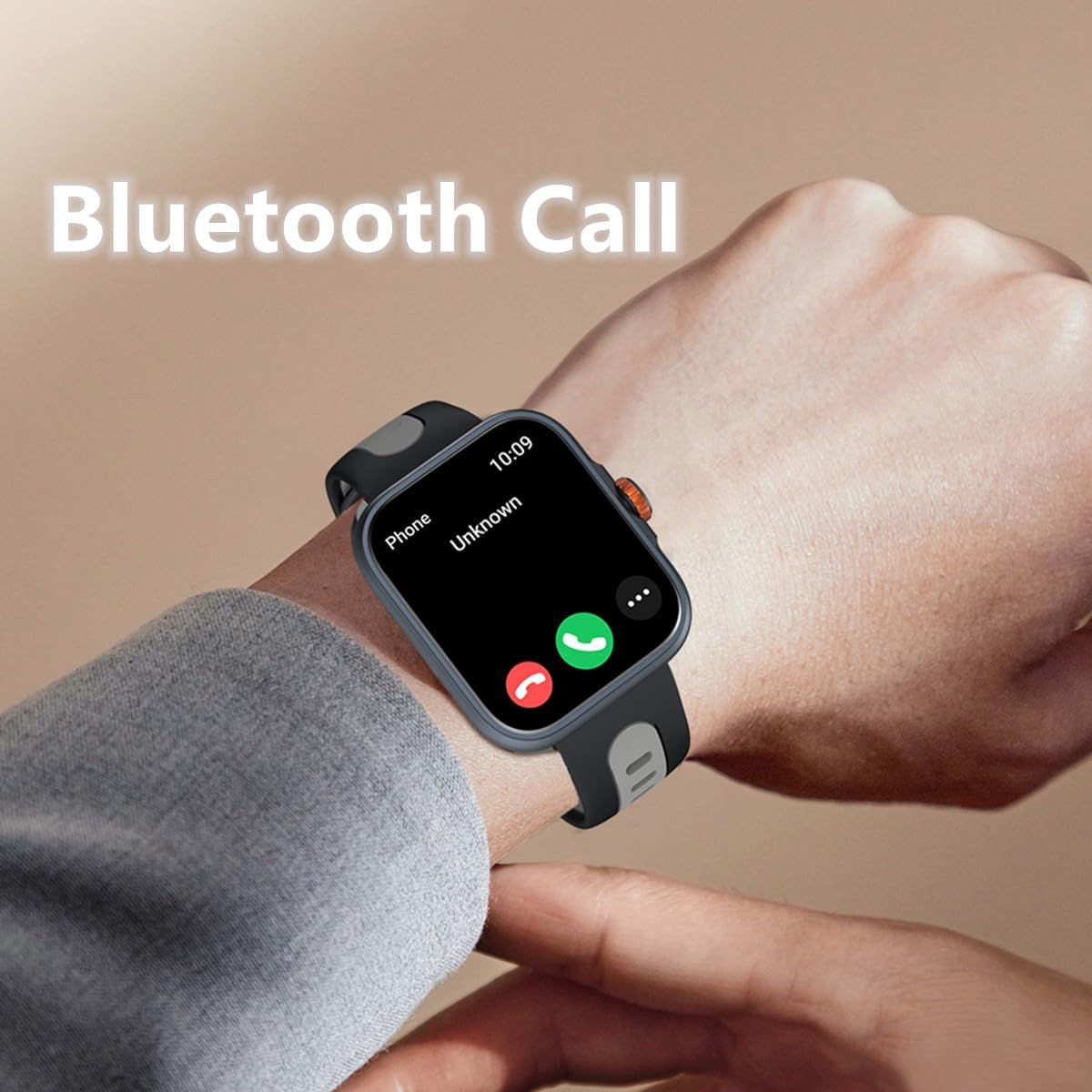
Figure 5.1: Answering a Bluetooth call directly from the smartwatch.
5.3 Receiving Message Notifications
Stay informed with real-time notifications for SMS, Email, and social media apps like WhatsApp, Twitter, Facebook, and Instagram. Ensure notification permissions are enabled in the "Fitbeing" app and your phone settings.

Figure 5.2: The smartwatch supports notifications from various communication platforms.
5.4 Using the Built-in Voice Assistant (Alexa)
The smartwatch features a built-in voice assistant, allowing you to ask for news, weather updates, set reminders, and more using voice commands.

Figure 5.3: Interacting with the voice assistant for quick information and commands.
5.5 Tracking Fitness and Sports Activities
The watch supports over 100 sports modes, including running, cycling, hiking, and yoga. The built-in GPS accurately tracks your distance and pace, and you can view your workout routes in the app.
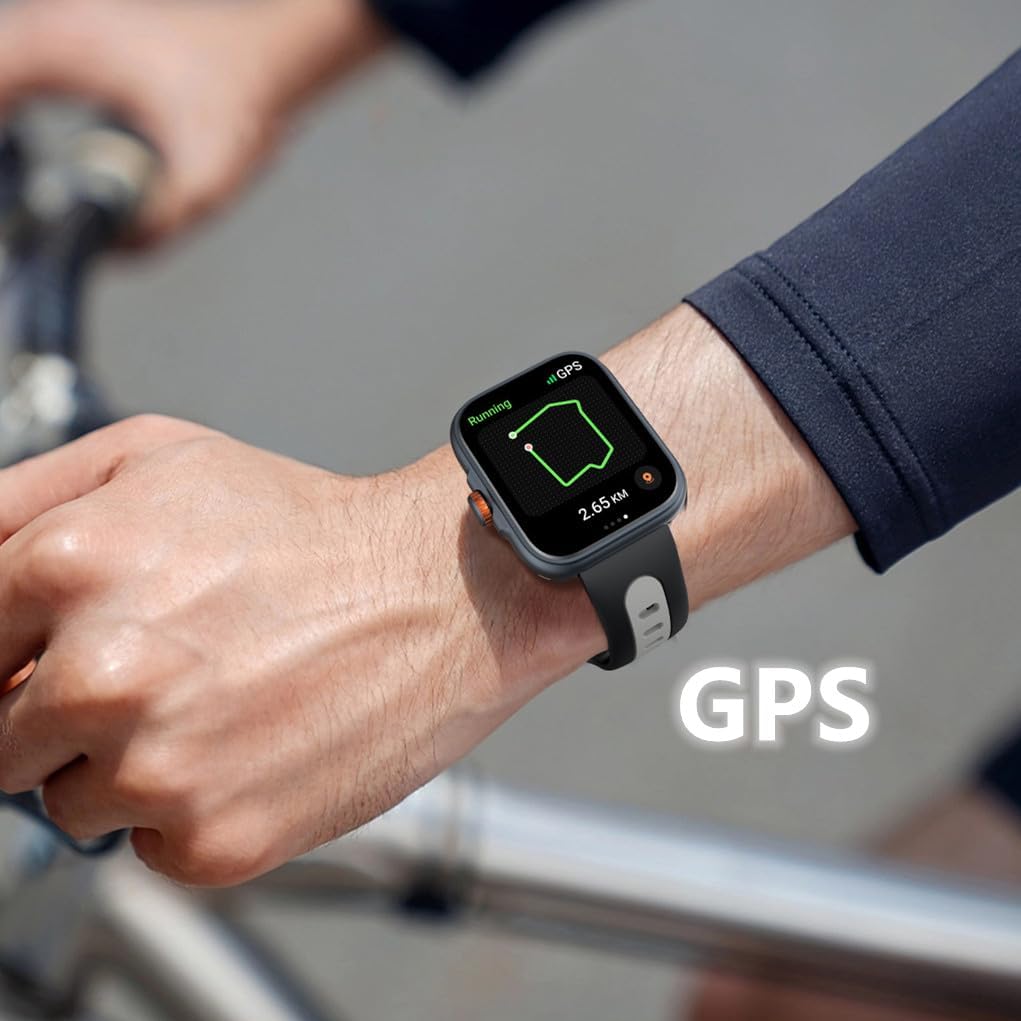
Figure 5.4: Real-time GPS tracking during outdoor activities.
5.6 Personalització de les esferes del rellotge
Personalize your smartwatch with over 100 online watch faces available in the "Fitbeing" app. You can also upload your own photos to create custom backgrounds.
5.7 Monitoring Health Data
El rellotge intel·ligent ofereix funcions completes de control de salut:
- Seguiment del son: Monitoritza els teus patrons i la qualitat del son.
- Freqüència cardíaca: Monitorització contínua de la freqüència cardíaca.
- Monitorització de l'estrès: Helps you track and manage stress levels.
- Saturació d'oxigen en sang (SpO2): Mesura els nivells d'oxigen a la sang.
- Recordatori del cicle fisiològic: Supports real-time recording and reminders for menstrual cycles.

Figure 5.5: Sleep tracking interface on the smartwatch.

Figure 5.6: Stress monitoring and physiological cycle tracking features.
5.8 Controlling Music
Control music playback on your smartphone directly from your wrist. Play, pause, skip tracks, and adjust volume without taking out your phone.

Figure 5.7: Music control interface on the smartwatch.
5.9 Control remot de la càmera
Use your smartwatch as a remote shutter for your smartphone camera, making it easier to take group photos or selfies.

Figure 5.8: Music and camera remote control features.
5.10 Altres funcions intel·ligents
The smartwatch includes several practical daily functions:

Figure 5.9: Various smart functions available on the watch.
- Pronòstic del temps: Rep actualitzacions meteorològiques en temps real.
- Despertador: Configura alarmes directament des del teu canell.
- Temporitzador i cronòmetre: Useful for workouts or daily tasks.
- Recordatori sedentari: Et demana que et moguis després de períodes d'inactivitat.
- Cerca el telèfon: Ajuda a localitzar el telèfon intel·ligent emparellat fent-lo sonar.
6. Resistència a l'aigua
The Rainbuvvy Smart Watch features an IP68 waterproof design, meaning it is resistant to dust and can withstand immersion in water up to 1.5 meters for 30 minutes. It is suitable for daily use, such as hand washing, rain, and shallow water activities. However, it is not recommended for hot showers, saunas, or diving, as steam and hot water can compromise the seal.
7. Manteniment
To ensure the longevity and optimal performance of your smartwatch, follow these maintenance guidelines:
- Neteja: Netegeu regularment el rellotge i la corretja amb un drap suau i sec. Per a la brutícia resistent, utilitzeu un drap lleugerament sec.amp drap i després eixugueu-lo bé. Eviteu productes químics agressius o materials abrasius.
- Càrrega: Use only the provided charger. Ensure the charging pins are clean and dry before connecting.
- Emmagatzematge: Guardeu el rellotge en un lloc fresc i sec quan no l'utilitzeu.
- Eviteu condicions extremes: Do not expose the watch to extreme temperatures, direct sunlight for prolonged periods, or strong magnetic fields.
8. Solució De Problemes
If you encounter issues with your Rainbuvvy Smart Watch, refer to the following common problems and solutions:
| Problema | Causa possible | Solució |
|---|---|---|
| El rellotge no s'encén | Bateria baixa | Carregueu el rellotge durant almenys 30 minuts. |
| No es pot emparellar amb el telèfon | Bluetooth desactivat, problema amb l'aplicació, rellotge no detectable | Ensure phone Bluetooth is on. Restart both watch and phone. Reinstall "Fitbeing" app. |
| No s'han rebut notificacions | App permissions, phone settings | Check notification permissions in "Fitbeing" app and phone settings. Ensure app is running in background. |
| Dades de salut inexactes | Ajust incorrecte, obstrucció del sensor | Ensure watch is snug on wrist. Clean sensors on the back of the watch. |
| GPS tracking issues | Weak signal, environmental factors | Ensure you are in an open area with clear sky. Wait for GPS signal acquisition. |
9. Especificacions
Detailed technical specifications for the Rainbuvvy Smart Watch:

Figure 9.1: Key dimensions of the Rainbuvvy Smart Watch.
- Visualització: 1.78 Inches AMOLED HD Color Display (368*448 resolution)
- Dimensions (Watch Body): Approximately 38.6mm (width) x 12.6mm (thickness)
- Longitud de la corretja: Uns 260 mm
- Pes de l'article: 4.8 ounces (approx. 28g for watch body)
- Capacitat de la bateria: 350 milionsamp Hores (polímer de liti)
- Connectivitat: Bluetooth 5.3
- GPS: GPS integrat
- Resistència a l'aigua: IP68
- Compatibilitat del sistema operatiu: Android OS 7 or above, iOS 12 or above
- Número de model: Rellotge intel·ligent
10. Garantia i Suport
Rainbuvvy is committed to providing high-quality products. For information regarding product warranty, returns, or technical support, please refer to the official Rainbuvvy website or contact customer service through your point of purchase. Protection plans may also be available for extended coverage.
Per a més ajuda, podeu visitar el Rainbuvvy Store on Amazon.
Ask a question about this manual
Ask about setup, troubleshooting, compatibility, parts, safety, or missing instructions. Manuals+ will review the question and use this page’s manual context to help answer it.