
1. Introducció
Thank you for choosing the Rainbuvvy Smart Watch. This device is designed to enhance your daily life with its advanced features, including a built-in GPS, a vibrant 1.78-inch AMOLED HD display, Bluetooth calling capabilities, and comprehensive health tracking. This manual provides essential information for setting up, operating, and maintaining your new smartwatch to ensure optimal performance and longevity.
2. Què hi ha a la caixa
- Rainbuvvy Smart Watch
- Cable de càrrega
- Manual d'usuari
3. Producte acabatview
The Rainbuvvy Smart Watch combines intelligent features with a sleek design. It features a durable CNC aluminum alloy frame and an optoelectronic rotary encoder for intuitive navigation.
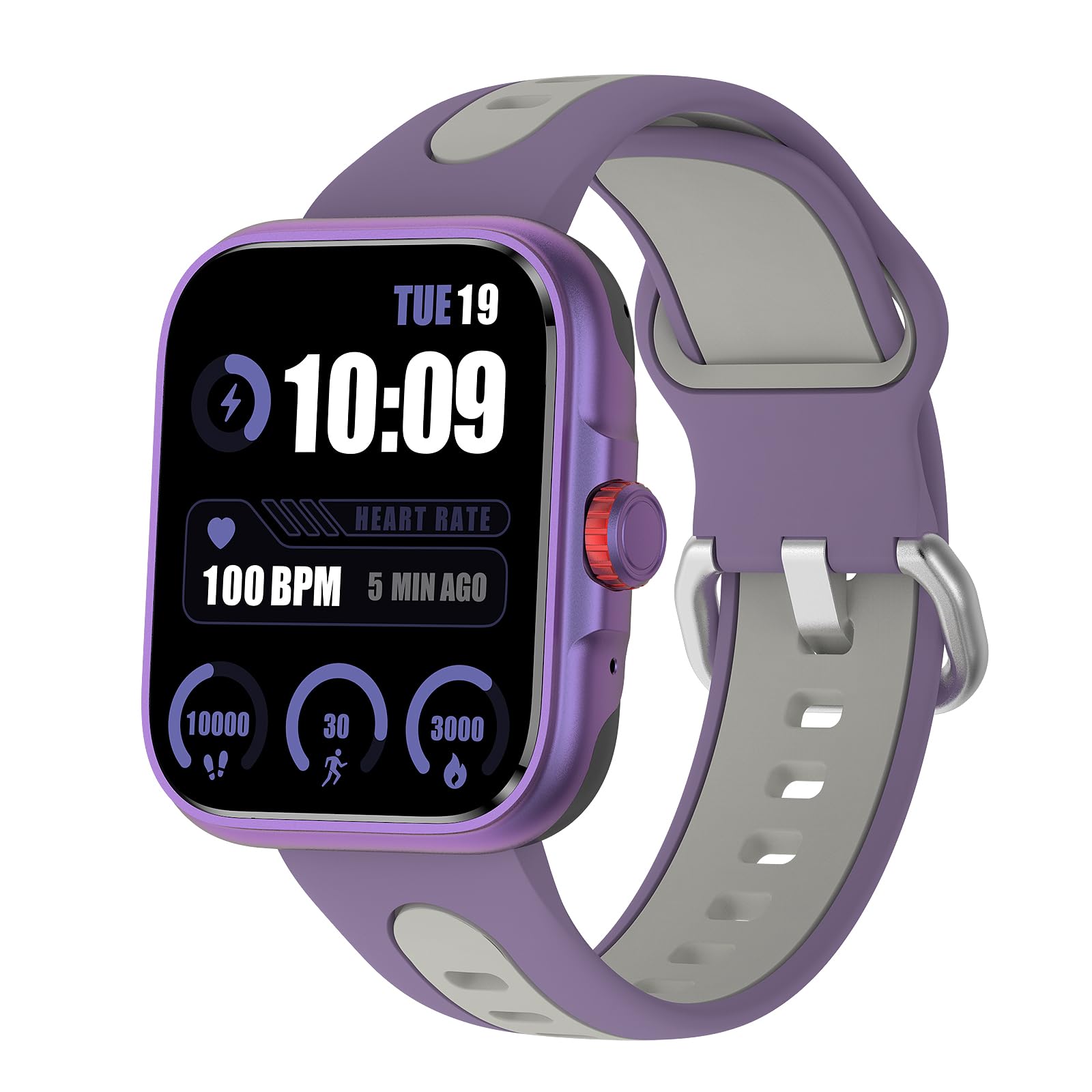
Image: The Rainbuvvy Smart Watch displaying its main interface.
Característiques principals:
- 1.78-inch AMOLED HD Display: Offers clear visuals and vibrant colors, with adjustable brightness for visibility in various lighting conditions.
- GPS integrat: Accurately tracks distance, pace, and workout routes.
- Bluetooth Call & Message Reminder: Make and receive calls directly from your wrist and get notifications for SMS, email, and social media.
- Assistent de veu: Integrated voice assistant for news, weather, and setting reminders.
- Més de 100 modes esportius: Supports a wide range of activities including running, cycling, hiking, and swimming.
- Més de 100 esferas personalitzables: Personalize your watch face through the companion app.
- Impermeable IP68: Designed to withstand daily water exposure and suitable for swimming.
4. Guia de configuració
4.1 Càrrega inicial
Before first use, fully charge your smartwatch. Connect the charging cable to the watch's charging port and a USB power adapter (not included). The watch display will indicate charging status.
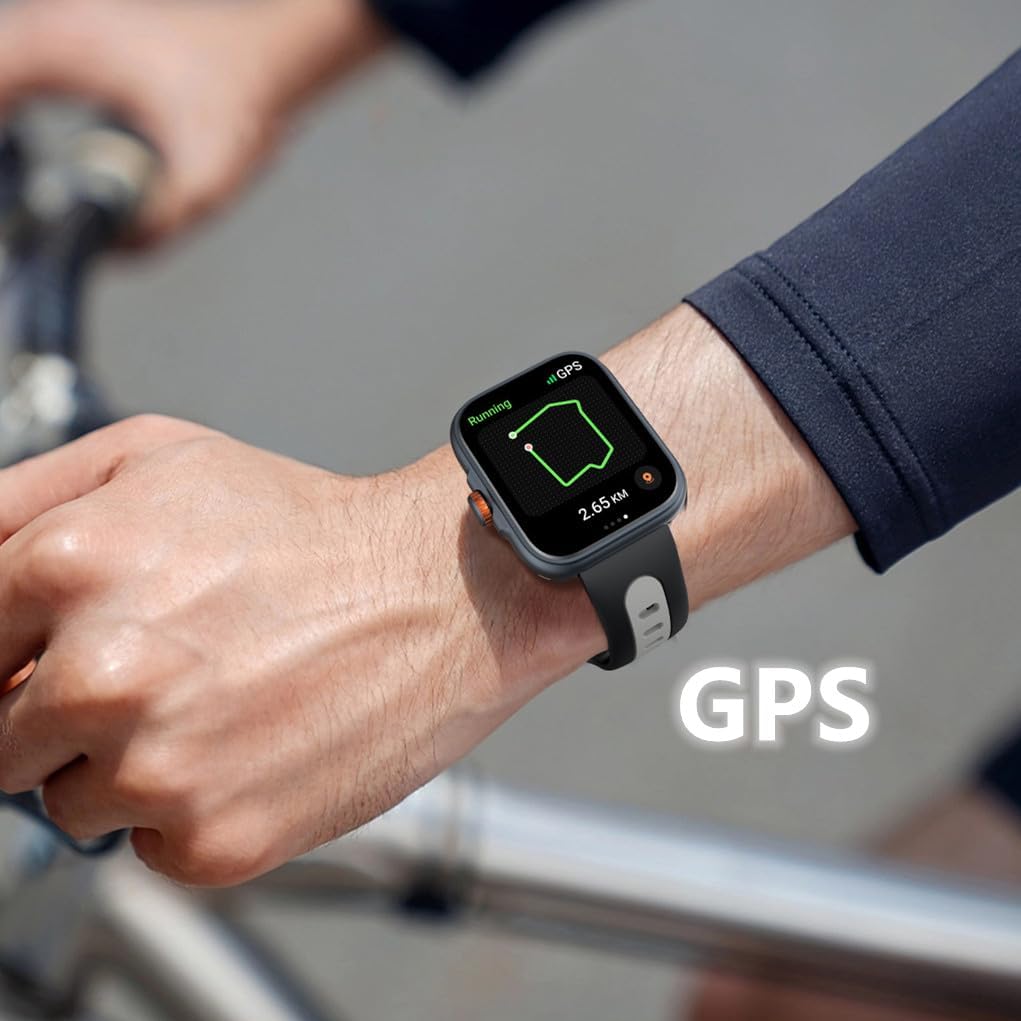
Image: The smartwatch connected to its charging cable.
4.2 Descàrrega i instal·lació d'aplicacions
To unlock the full potential of your smartwatch, download the "Fitbeing" app from the App Store (iOS) or Google Play Store (Android). Cerca "Fitbeing" and install the application on your smartphone.
4.3 Emparellament de dispositius
- Assegureu-vos que el Bluetooth estigui habilitat al vostre telèfon intel·ligent.
- Open the "Fitbeing" app and follow the on-screen instructions to create an account or log in.
- In the app, navigate to the device pairing section and select your Rainbuvvy Smart Watch from the list of available devices.
- Confirma la sol·licitud d'emparellament tant al teu telèfon intel·ligent com al rellotge intel·ligent.
5. Instruccions de funcionament
5.1 Navegació bàsica
- Llisca cap amunt/avall: Desplaça't pels menús i les notificacions.
- Llisca cap a l'esquerra/dreta: Accediu a funcions ràpides o widgets.
- Toca: Seleccioneu un element o obriu una aplicació.
- Botó lateral/corona: Press to return to the home screen or activate specific functions (refer to app settings for customization). Rotate the crown for scrolling.

Image: Detail of the smartwatch's optoelectronic rotary encoder for navigation.
5.2 Bluetooth Call & Message Functions
Once paired, your smartwatch allows you to manage calls and messages directly from your wrist.
- Fer trucades: Access the phone dialer or contacts list on your watch to initiate a call.
- Recepció de trucades: Answer or reject incoming calls directly from the watch screen.
- Notificacions de missatges: View incoming SMS, email, and social media notifications.
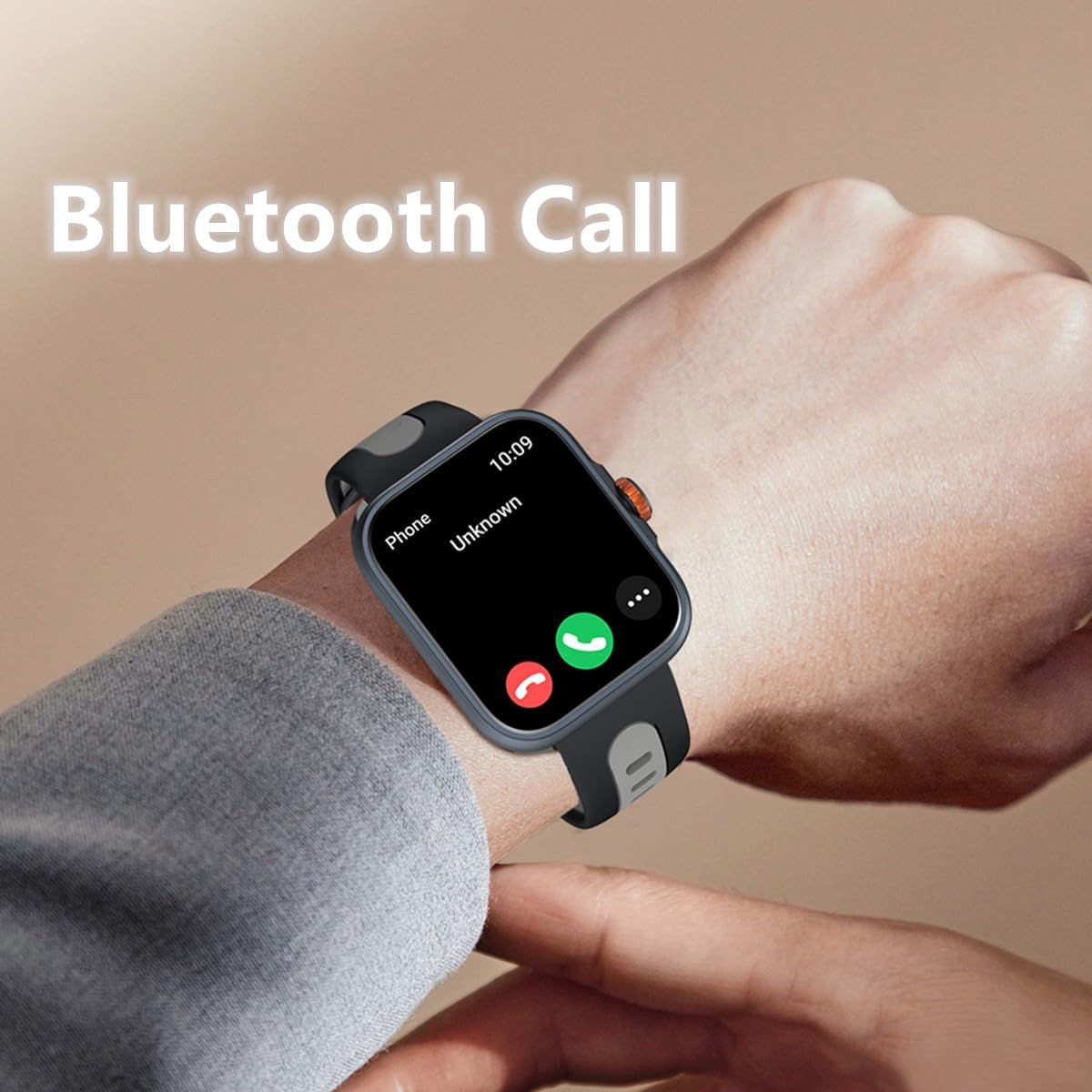
Image: The smartwatch showing an incoming call via Bluetooth.
5.3 GPS & Sports Modes
The built-in GPS accurately tracks your outdoor activities. Select from over 100 sports modes to record your workouts.
- Començar un entrenament: Navigate to the 'Workout' app on your watch, select your desired activity (e.g., running, cycling), and tap 'Start'.
- Seguiment GPS: For outdoor activities, ensure GPS is active. The watch will record your route, distance, and pace. View detailed maps and data in the Fitbeing app.
- Ending a Workout: Swipe right or press the side button to pause or end your workout.
Video: An official product video demonstrating the smartwatch's GPS tracking and various sports modes, including accurate calculation of route, distance, and speed.
5.4 Vigilància de la salut
Monitoritza les teves mètriques de salut directament des del teu canell.
- Freqüència cardíaca: Access the Heart Rate app to measure your current heart rate.
- Oxigen en sang (SpO2): Use the Blood Oxygen app for on-demand SpO2 measurements.
- Monitorització de l'estrès: The watch can help monitor your stress levels.
- Seguiment del son: Wear the watch to bed to track your sleep patterns, including sleep duration and stages.

Image: The smartwatch screen showing sleep duration and sleep stages.
5.5 Altres funcions intel·ligents
Your smartwatch offers a variety of convenient daily functions:
- Assistent de veu: Activate the built-in voice assistant to ask questions, check weather, or set alarms.
- Control de música: Controla la reproducció de música al teu telèfon intel·ligent directament des del rellotge.
- Cerca el telèfon: Feu servir aquesta funció per localitzar el telèfon intel·ligent emparellat.
- Pronòstic del temps: Rep actualitzacions meteorològiques en temps real.
- Rellotge despertador i temporitzador: Set alarms and timers for various needs.
- Comandament a distància de la càmera: Fes servir el rellotge com a disparador remot per a la càmera del telèfon.
- Recordatori sedentari: Rep alertes per moure't si has estat inactiu durant massa temps.

Image: The smartwatch interface showing icons for timer, world clock, photograph (camera remote), find phone, weather, and stopwatch functions.
6. Manteniment i cura
- Neteja: Netegeu el rellotge i la corretja regularment amb un drap suau i sec. Per a la brutícia resistent, utilitzeu un drap lleugerament sec.amp drap i sabó suau, després esbandiu i assequeu bé.
- Resistència a l'aigua: The watch is IP68 waterproof. It is suitable for swimming and daily water exposure. Avoid hot water, steam, or prolonged submersion in deep water.
- Eviteu productes químics: No exposeu el rellotge a productes químics forts, detergents o dissolvents, ja que poden danyar els materials.
- Emmagatzematge: Guardeu el rellotge en un lloc fresc i sec quan no l'utilitzeu.
7. Solució De Problemes
7.1 El rellotge no s'encén
- Assegura't que el rellotge estigui completament carregat. Connecta'l al carregador durant almenys 30 minuts.
- Press and hold the side button for several seconds to power on.
7.2 Problemes de connectivitat (Bluetooth)
- Make sure Bluetooth is enabled on your smartphone and the watch.
- Assegureu-vos que el rellotge estigui dins de l'abast del Bluetooth del telèfon (normalment 10 metres).
- Reinicia tant el rellotge com el telèfon intel·ligent.
- Try unpairing and re-pairing the device through the "Fitbeing" app.
7.3 Dades de salut inexactes
- Assegureu-vos de portar el rellotge ben ajustat al canell, ni massa ajustat ni massa fluix.
- Netegeu els sensors de la part posterior del rellotge.
- Eviteu moviments excessius durant les mesures.
7.4 App Not Syncing Data
- Comprova la connexió a Internet del teu telèfon.
- Ensure the "Fitbeing" app has all necessary permissions enabled in your phone's settings.
- Close and reopen the "Fitbeing" app.
8. Especificacions
| Característica | Especificació |
|---|---|
| Número de model | Rellotge intel·ligent |
| Mida de la pantalla | 1.78 polzades |
| Tipus de visualització | AMOLED HD Color Screen |
| Compatibilitat de sistemes operatius | iOS 12 or above, Android OS 7 or above |
| Connectivitat | Bluetooth 5.3 |
| GPS | GPS integrat |
| Resistència a l'aigua | IP68 |
| Capacitat de la bateria | 350 milionsamp Hores (polímer de liti) |
| Pes de l'article | 4.8 unces |
| Dimensions del paquet | 9.8 x 3.7 x 0.8 polzades |

Image: The smartwatch displaying its screen and illustrating its physical dimensions.
9. Garantia i Suport
For warranty information and customer support, please refer to the documentation included with your purchase or contact Rainbuvvy customer service through their official channels. Keep your purchase receipt for warranty claims.