AZDOME PG17 4K 12" Rear View Manual d'usuari de la càmera mirall
Model: PG17 | Brand: AZDOME
Introducció
This manual provides detailed instructions for the installation, operation, and maintenance of your AZDOME PG17 4K 12" Rear View Mirror Camera. This comprehensive system includes a high-resolution mirror dash cam, a rear camera, a GPS module, a Type-C hardwire kit, and a 256GB SD card, designed to enhance your driving safety and recording capabilities. Please read this manual thoroughly before using the product to ensure proper function and longevity.
Què hi ha a la caixa
Si us plau, verifiqueu que tots els components que s'enumeren a continuació siguin presents al vostre paquet:
AZDOME PG17 4K 12" Rear View Càmera mirall
Càmera posterior
Mòdul GPS
Type-C Dash Cam Hardwire Kit
256GB Micro SD Card (U3, Class 10, A2)
Targeta Micro SD de 64 GB (preinstal·lada o inclosa)
Manual d'usuari (aquest document)
Mounting Straps/Accessories
Image: All components included in the AZDOME PG17 package, featuring the main mirror unit, rear camera, GPS module, hardwire kit, and both 64GB and 256GB SD cards.
Configuració i instal·lació
Instal·lació del kit de cablejat
The included Type-C hardwire kit enables 24-hour parking monitoring and protects your vehicle's battery by automatically halting recording if the battery voltage drops too low. Follow these steps for proper installation:
Localitza la caixa de fusibles: Identify the fuse box in your vehicle, typically found under the dashboard or in the engine bay.
Find Correct Fuse Slot: Using a circuit pen, find the correct fuse slot for ACC (Accessory) / BAT(+) (Battery Positive) that provides power only when the ignition is on, and constant power respectively.
Identify Fuse Type: Determine the correct type of fuse for your car to ensure compatibility with the hardwire kit.
Connectar els cables:
Red wire (BAT+): Connect to a constant fuse that provides continuous power.
Yellow wire (ACC): Connect to an ACC fuse that provides power only when the ignition is on.
Black wire (GND): Connect to a metal bolt or screw on the vehicle's chassis for grounding.
Test and Route Cables: After connecting, test the dash cam to ensure it powers on and functions correctly. Carefully route the cables to conceal them and prevent interference with driving.
Image: Visual guide illustrating the six steps for installing the hardwire kit, from locating the fuse box to routing cables.
Image: Detailed wiring diagram for the hardwire kit, showing the red (BAT+), yellow (ACC), and black (GND) wires connecting to the fuse box and a metal ground point, with output to the dash cam.
The hardwire kit intelligently identifies and automatically converts 12V/24V vehicle voltage to 5V/2.5A max output for the dash cam.
Instal·lació de la targeta SD
Your AZDOME PG17 comes with a 256GB Micro SD card, providing ample storage for your recordings. A 64GB card may also be included or pre-installed. Ensure the card is inserted correctly before first use.
Locate the Micro SD card slot on the side of the mirror dash cam.
Insert the 256GB Micro SD card with the gold contacts facing the back of the camera until it clicks into place.
It is recommended to format the SD card within the dash cam's settings upon first use to ensure optimal performance and compatibility.
Instruccions de funcionament
Mode de monitorització d'aparcament
With the hardwire kit connected, your AZDOME PG17 supports 24-hour parking monitoring. This feature provides continuous surveillance even when your vehicle is parked and turned off. There are two primary parking modes:
Mode d'estacionament de detecció de col·lisions: The built-in G-sensor detects sudden impacts or collisions. Upon detection, the dash cam automatically locks the current video segment to prevent it from being overwritten, ensuring critical event footage es conserva.
Mode d'estacionament temporal: This mode allows the dash cam to record continuously for 24 hours at a low frame rate (e.g., 1 frame per second). This compresses long periods of time into short, viewable videos, saving storage space while providing comprehensive coverage of your parked vehicle.
Image: Illustration detailing the 24-hour parking mode, showing both Collision Detection Parking Mode (triggered by impact) and Time-Lapse Parking Mode (continuous recording at 1fps).
Enregistrament en bucle
The AZDOME PG17 features loop recording, which ensures continuous recording without manual intervention. When the SD card reaches its full capacity, the dash cam will automatically overwrite the oldest unlocked footage. This means you never have to worry about running out of storage space.
Els segments de vídeo normalment es graven en intervals d'1, 3 o 5 minuts (el valor per defecte és 1 minut).
In the event of a collision detected by the G-sensor, the current video segment will be locked and protected from being overwritten.
Image: Flowchart demonstrating loop recording: deleting unlocked oldest clips, storing new footage, locking clips upon event, and recording new clips.
SD Card Usage and Compatibility
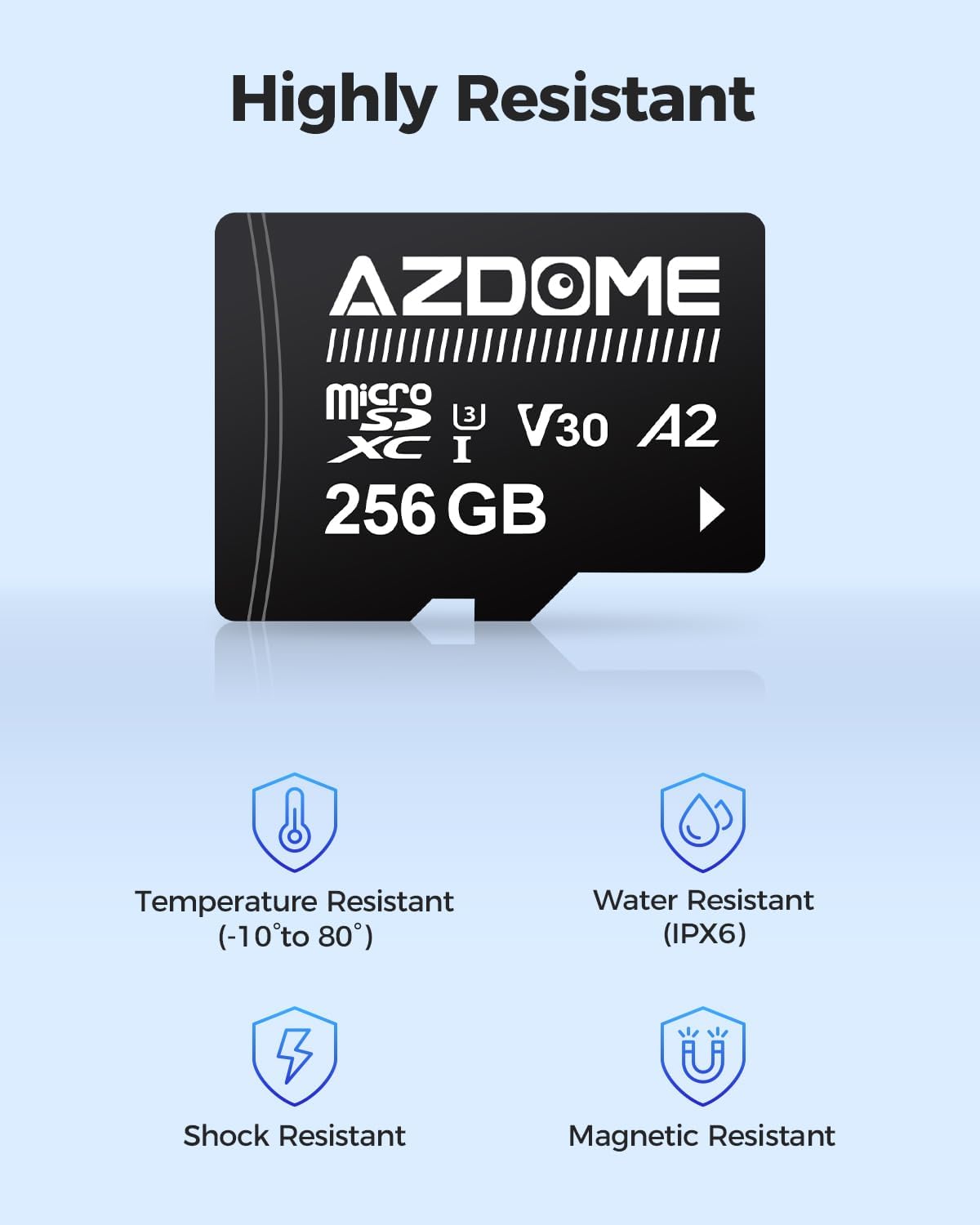
The included AZDOME 256GB Micro SDXC Card is specifically designed for dash cam use, offering enhanced durability and performance compared to standard memory cards. It provides four times the storage capacity of a typical 64GB card, allowing for longer recording durations.
Especificacions: U3, CLASS 10, A2 rated, ensuring high read (up to 100MB/s) and write (up to 80MB/s) speeds necessary for continuous 4K video recording.
Durabilitat: Rigorously tested for resistance to temperature (-10°C to 80°C), water (IPX6), shock, and magnetic interference, ensuring reliable performance in various vehicle environments.
Compatibilitat: While optimized for AZDOME dashcams, this SD card is widely compatible with most dashcams on the market that support microSDXC cards.
Image: The AZDOME 256GB Micro SD card displayed with several different AZDOME dash cam models, highlighting its wide compatibility.
Image: A visual representation of fast data transfer speeds, showing the AZDOME 256GB Micro SD card with vehicles in motion, symbolizing quick read and write capabilities.
Image: Icons depicting the robust features of the AZDOME Micro SD card, including resistance to temperature, water (IPX6), shock, and magnetic fields.
Manteniment
Neteja: Use a soft, dry cloth to clean the camera lens and screen. Avoid using abrasive cleaners or solvents that could damage the surfaces.
Cura de la targeta SD: Regularly format the SD card (e.g., once a month) within the dash cam's settings to maintain optimal performance and prevent data corruption. Back up important footage abans de formatar.
Actualitzacions de firmware: Check the official AZDOME website periodically for firmware updates. Keeping your dash cam's firmware up-to-date can improve performance and add new features.
Temperatura: Avoid exposing the device to extreme temperatures for prolonged periods, as this can affect battery life and component integrity.
Resolució de problemes
Problema
Possible causa/solució
La càmera del salpicader no s'encén.
Check power connection to the hardwire kit or car charger.
Ensure the vehicle's ignition is on if connected to an ACC fuse.
Verify fuse integrity in the fuse box.
"SD Card Error" message.
Torneu a inserir la targeta SD.
Format the SD card within the dash cam's settings.
Try a different compatible SD card (U3, Class 10, A2 recommended).
Ensure the SD card is not full or corrupted.
Vídeo footage és borrós o poc clar.
Netegeu la lent de la càmera amb un drap suau.
Traieu qualsevol pel·lícula protectora de la lent.
Assegureu-vos que la càmera estigui ben muntada i que no vibri.
Parking monitoring not working.
Ensure the hardwire kit is correctly installed and receiving constant power.
Verify parking monitoring mode is enabled in the dash cam settings.
AZDOME products are manufactured with high-quality standards and undergo rigorous testing. For specific warranty details, please refer to the warranty card included in your product packaging or visit the official AZDOME website. In case of any issues or questions regarding your AZDOME PG17, please contact AZDOME customer support through their official channels. Providing your product model (PG17) and ASIN (B0DDTCJ9RB) will help expedite your support request.
Fabricant: AZDOME
Data de primera disponibilitat: 21 d'agost de 2024
Ask about setup, troubleshooting, compatibility, parts, safety, or missing instructions. Manuals+ will review the question and use this page’s manual context to help answer it.