
1. Introducció
The YiKaiEn 12V 3A 36W Max USB-C to Cigarette Lighter Adapter is designed to convert a USB-C Power Delivery (PD) port into a 12V cigarette lighter socket. This allows you to power various automotive electronics that typically use a 12V cigarette lighter plug, such as GPS units, dashcams, smart rearview mirrors, and LED light strips, from a modern USB-C power source in your vehicle or elsewhere.
This adapter provides a maximum output of 12V 3A (36W). For optimal performance and to achieve the full 36W output, the USB-C input port must support the Power Delivery (PD) fast charging protocol. It is not suitable for high-power devices exceeding 36W, such as car vacuums or car refrigerators.
2. Producte acabatview

Figura 1: Frontal view of the YiKaiEn USB-C to Cigarette Lighter Adapter, showing the USB-C connector and the 12V socket.
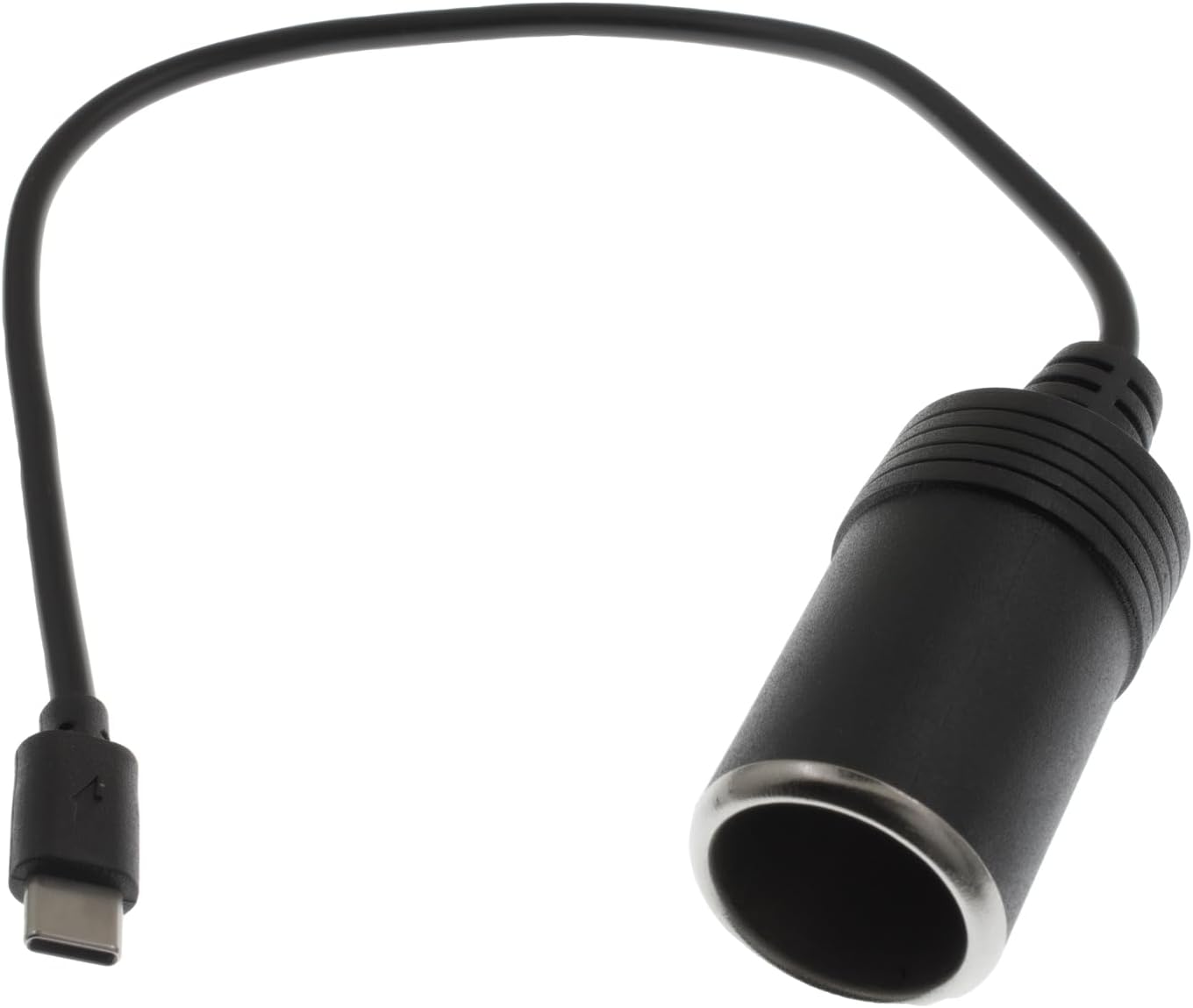
Figura 2: lateral view of the adapter, highlighting the USB-C male connector and the female cigarette lighter socket.
The adapter features a USB-C male connector on one end and a standard 12V female cigarette lighter socket on the other. Its compact design ensures portability and ease of use.
3. Configuració i instal·lació
- Identify a Compatible USB-C Power Source: Ensure your vehicle or external power bank has a USB-C port that supports Power Delivery (PD) fast charging. This is crucial for the adapter to deliver its maximum 36W output. Without PD support, the adapter's performance may be limited.
- Connecteu l'adaptador: Plug the USB-C male connector of the YiKaiEn adapter into the compatible USB-C PD port.
- Connecteu el vostre dispositiu: Insert the 12V cigarette lighter plug of your automotive electronic device (e.g., GPS, dashcam) into the female cigarette lighter socket of the YiKaiEn adapter.
- Verifica l'alimentació: Once connected, your device should receive power. If not, refer to the Troubleshooting section.

Figure 3: Illustration of the adapter connected to various compatible devices such as GPS, dashcams, and LED strips.
4. Instruccions de funcionament
The YiKaiEn USB-C to Cigarette Lighter Adapter operates on a plug-and-play principle. Once properly connected to a PD-enabled USB-C port and your 12V device, it will automatically begin supplying power.
- Potència de sortida: The adapter provides a stable 12V output, up to 3A (36W), suitable for most low-power automotive accessories.
- Compatibilitat del dispositiu: Use with devices such as GPS units, smart rearview mirrors, car DVRs, driving recorders, and car LED strips.
- Nota important: This adapter is not designed for devices requiring more than 36W, including but not limited to car vacuums, air compressors, or car refrigerators. Attempting to power such devices may result in insufficient power delivery or damage to the adapter/device.

Figura 4: Intern view highlighting the double-layer inner wall and intelligent protection chip, designed to prevent overvoltage, overcharge, overcurrent, overdischarge, trickle, short circuit, and overheat issues.
5. Manteniment i cura
- Neteja: Wipe the adapter with a dry, soft cloth. Do not use liquid cleaners or solvents.
- Emmagatzematge: Guardeu l'adaptador en un lloc fresc i sec, allunyat de la llum solar directa i de temperatures extremes quan no l'utilitzeu.
- Manipulació: Avoid bending or twisting the cable excessively, especially near the connectors, to prevent internal wire damage.
- Desconnexió: Always pull from the plug, not the cable, when disconnecting the adapter from the USB-C port or the 12V device.
6. Solució De Problemes
| Problema | Causa possible | Solució |
|---|---|---|
| El dispositiu no s'encén. |
|
|
| L'adaptador s'escalfa durant l'ús. | Funcionament normal, especialment sota càrrega pesada. | If excessively hot or emitting smoke/smell, disconnect immediately and cease use. This indicates a potential fault. |
| Adapter or cable appears damaged. | Physical stress or manufacturing defect. | Discontinue use immediately. Damaged cables or connectors can be a safety hazard. Contact customer support if within warranty. |
| Volum de sortidatage is lower than 12V (e.g., 9V). | USB-C source is not PD-enabled or is providing insufficient power. | Confirm your USB-C power source explicitly supports Power Delivery (PD) and can output 12V. Generic USB-C ports or non-PD fast chargers may not provide the necessary voltage. |
7. Especificacions
| Número de model | YiKaiEn-[ModelNumber] |
| Connector d'entrada | USB-C mascle |
| Connector de sortida | 12V Cigarette Lighter Female Socket |
| Entrada Voltage Requisit | USB-C Power Delivery (PD) compatible, 5V minimum (for basic function), 12V for full output. |
| Vol. De sortidatage | 12 V |
| Corrent de sortida màx | 3A |
| Potència de sortida màxima | 36W |
| Longitud del cable | Aproximadament 30 cm (12 polzades) |
| Dimensions (Socket) | Approx. 6.6cm (Length) x 2.6cm (Diameter) |
| Pes | 1.76 unces (aprox. 50 g) |
| Característiques especials | PD Fast Charging compatibility, Overvoltage Protection, Overcharge Protection, Overcurrent Protection, Overdischarge Protection, Trickle Protection, Short Circuit Protection, Overheat Protection, Power Identification. |

Figure 5: Detailed dimensions of the adapter's cigarette lighter socket and overall length.
8. Garantia i Suport
For warranty information and technical support, please refer to the documentation included with your purchase or contact YiKaiEn customer service directly through their official channels. Please have your product model number (YiKaiEn-[ModelNumber]) and purchase date available when contacting support.
Fabricant: YiKaiEn