
BORUIT V30-1
BORUIT V30 EDC Flashlight User Manual
Model: V30-1 | Brand: BORUIT
1. Introducció
The BORUIT V30 is a versatile and powerful Everyday Carry (EDC) flashlight designed for a wide range of applications, from daily use to outdoor activities and emergency situations. It features multiple lighting modes, including white, red, and UV light, along with various colored side lights and a 120DB buzzer for enhanced safety. Its compact design, 180° rotating head, magnetic base, and power bank function make it an indispensable tool.
2. Què hi ha a la caixa
Si us plau, comproveu el contingut del paquet per assegurar-vos que hi hagi tots els elements:
- 1 x BORUIT V30 EDC Flashlight
- 1 x cable de càrrega USB (tipus C)
- 1 x cordó
- 1 x Manual d'usuari

Figure 2.1: Package Contents of the BORUIT V30 Flashlight.
3. Configuració
3.1 Càrrega inicial
Before first use, fully charge your BORUIT V30 flashlight. The device features a built-in 2000mAh rechargeable battery and supports USB-C fast charging.
- Locate the USB-C charging port on the flashlight.
- Connect the provided USB-C charging cable to the flashlight and a compatible USB power source (e.g., wall adapter, computer USB port, power bank).
- The charging indicator will show a llum vermella while charging. It will turn verd quan estigui completament carregat.
- Charging typically takes under 3 hours.

Figure 3.1: Charging the BORUIT V30 Flashlight.
3.2 Fixació del cordó
Attach the included lanyard for secure carrying and to prevent accidental drops.
- Thread the thin loop of the lanyard through the small hole at the tail end of the flashlight.
- Pass the larger strap of the lanyard through the thin loop and pull tight to secure.
4. Modes de funcionament
The BORUIT V30 features two main buttons for operation: the Main Light Button (power symbol) and the Side Light Button (lightning bolt symbol).
4.1 Main Light Modes
The main light offers multiple brightness levels and specialized light types.
- Mode turbo momentani: Long press the Main Light Button to turn on Turbo mode. Release the button to turn off.
- Constant White Light Modes (Low, Medium, High, Turbo): Double-click the Main Light Button to enter constant white light mode. Click the button again to cycle through Low, Medium, High, and Turbo brightness levels. The flashlight has a memory function for these modes.
- Mode de llum vermella: Triple-click the Main Light Button to activate the Red light mode.
- 365nm UV Light Mode: Triple-click the Main Light Button again (after Red light) to activate the 365nm UV light mode.
- Turn Off Main Light: Long press the Main Light Button in any constant mode to turn off the main light.

Figure 4.1: Main Light Modes and Operation.
4.2 Side Light Modes
The side lights provide various colored illumination options.
- Constant Side Light Modes (White, Red, Warm, Green): Double-click the Side Light Button to enter constant side light mode. Click the button again to cycle through White, Red, Warm, and Green colors. The flashlight has a memory function for these modes.
- Red & Blue Flashing Mode: Triple-click the Side Light Button to activate the Red & Blue Flashing mode.
- 120DB Buzzer Mode: Long press the Side Light Button to activate the 120DB Buzzer mode. Release the button to turn off.
- Turn Off Side Light: Long press the Side Light Button in any constant mode to turn off the side light.

Figure 4.2: Side Light Modes and Operation.
Video 4.1: Demonstration of BORUIT V30 EDC Flashlight with Red and 365nm UV light.
5. Característiques clau
5.1 180° Rotating Head
The flashlight head can rotate 180 degrees, allowing for multi-angle lighting. This feature is ideal for hands-free operation when clipped to a hat or clothing, directing light precisely where needed.

Figure 5.1: 180° Rotating Head for Adjustable Lighting.
5.2 Two-Way Clip and Magnetic Base
Equipped with a two-way clip and a strong magnet at the tail, the V30 can be easily attached to hats, clothing pockets, or any metal surface, providing convenient hands-free illumination.
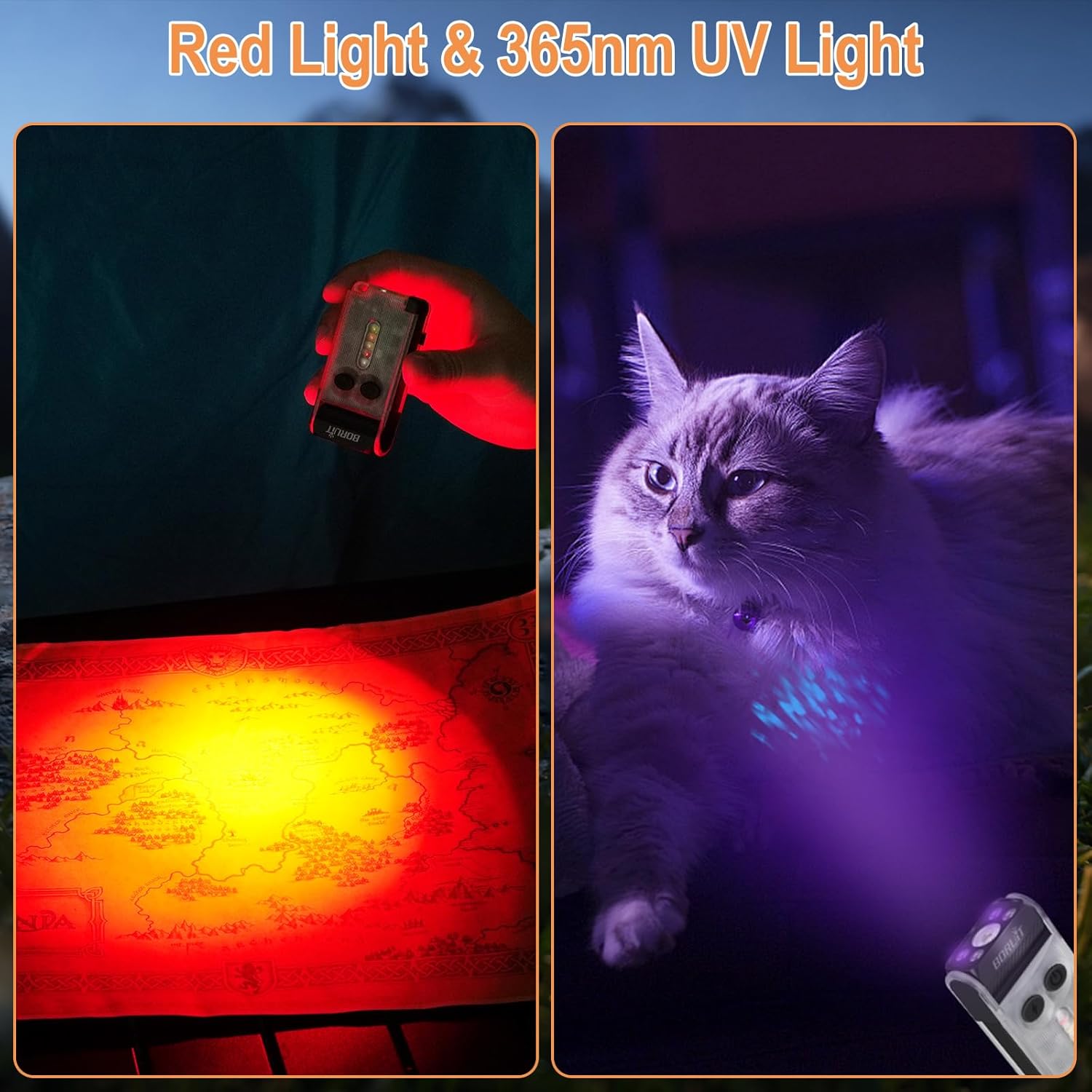
Figure 5.2: Versatile Attachment Options with Two-Way Clip and Magnetic Base.
5.3 Funció de bateria externa
The built-in 2000mAh battery allows the flashlight to function as a power bank, capable of charging your phone or other small devices in emergency situations. Triple-click the Side Light Button to enter USB output mode, triple-click again to exit.

Figure 5.3: Power Bank Functionality.
5.4 Classificació d'impermeabilitat IP65
The BORUIT V30 is rated IP65 waterproof, making it suitable for use in various weather conditions, including rain and dusty environments.

Figura 5.4: Classificació d'impermeabilitat IP65.
6. Manteniment
To ensure the longevity and optimal performance of your BORUIT V30 flashlight, follow these maintenance guidelines:
- Neteja: Netegeu la llanterna amb un suau, damp drap per eliminar la brutícia o les restes. No utilitzeu productes de neteja abrasius ni dissolvents.
- Emmagatzematge: Guardeu la llanterna en un lloc fresc i sec, lluny de la llum solar directa i de temperatures extremes.
- Cura de la bateria: Si l'emmagatzemeu durant períodes prolongats, carregueu la bateria cada 3-6 mesos per mantenir-ne el bon estat.
- Eviteu l'exposició directa dels ulls: Do not look directly into the light beam, especially on high or turbo modes, as it can cause visual damage.
7. Solució De Problemes
If you encounter any issues with your BORUIT V30 flashlight, refer to the following common problems and solutions:
| Problema | Causa possible | Solució |
|---|---|---|
| La llanterna no s'encén. | Low battery or incorrect operation. | Charge the battery fully. Refer to Section 4.1 for correct operation of main and side lights. |
| La sortida de llum és tènue. | Low battery or incorrect mode selected. | Recharge the battery. Cycle through brightness modes (Low, Medium, High, Turbo) to select desired output. |
| La funció del banc d'energia no funciona. | Battery too low or incorrect activation. | Ensure flashlight battery is sufficiently charged. Triple-click the Side Light Button to activate USB output mode. |
| Buzzer not activating. | Activació incorrecta. | Long press the Side Light Button to activate the 120DB Buzzer mode. |
8. Especificacions
| Característica | Detall |
|---|---|
| Model | V30-1 |
| Brillantor | Fins a 900 lúmens |
| Distància del feix | 100 metres (328 peus) |
| Capacitat de la bateria | 2000 mAh |
| Port de càrrega | USB tipus C |
| Temps de càrrega | Menys de 3 hores |
| Material | PC and Aluminum Alloy |
| Classificació impermeable | IP65 |
| Pes de l'article | 3.36 unces (98 g) |
| Dimensions del producte | 84 x 42.5 x 19.5 mm de profunditat x 5,17 cm d'amplada x 4,57 cm d'alçada |
| Característiques especials | 180° Head Swivel, Two-way Clip, Strong Magnet, 365nm UV Light, 120DB Buzzer, Power Bank Function, Memory Function |
9. Garantia i Suport
BORUIT products are manufactured to high-quality standards. For warranty information or technical support, please refer to the contact details provided in your product packaging or visit the official BORUIT weblloc.
For any questions or assistance, please contact our customer service team. We are dedicated to providing excellent support for our products.

Figure 9.1: BORUIT Customer Support.
Documents relacionatsV30-1


Ask a question about this manual
Ask about setup, troubleshooting, compatibility, parts, safety, or missing instructions. Manuals+ will review the question and use this page’s manual context to help answer it.