
Introducció
This manual provides detailed instructions for the installation, operation, and maintenance of your Chieftec AZ-01B-OP Mini Tower Computer Case. Please read this manual thoroughly before beginning any installation or operation to ensure proper use and to prevent damage to the product or other components.
The Chieftec AZ-01B-OP is an m-ATX Mini-Tower PC case designed for optimal hardware and cooling compatibility, featuring a brushed front panel and soundproofing material for reduced noise levels.
Informació de seguretat
Observeu les següents precaucions de seguretat durant la instal·lació i el funcionament:
- Desconnecteu sempre l'alimentació de la presa de corrent abans d'instal·lar o treure qualsevol component.
- Porteu una polsera antiestàtica per evitar danys per descàrrega electrostàtica (ESD) als components sensibles.
- Handle components carefully, avoiding contact with pins or circuit boards.
- Ensure all cables are properly routed and secured to prevent interference with cooling fans or moving parts.
- Do not operate the computer case in environments with excessive dust, humidity, or extreme temperatures.
Contingut del paquet
Verifiqueu que tots els elements siguin presents al paquet:
- Chieftec AZ-01B-OP Mini Tower Computer Case
- Accessory kit (screws, standoffs, cable ties)
- Manual d'usuari (aquest document)
- 1 x 120 mm PWM fan (pre-installed)
Configuració i instal·lació
1. Obertura de la caixa
Remove the side panels to access the interior of the case. Typically, this involves unscrewing thumbscrews at the rear of the case and sliding the panels backward.

Figura 1: Interior view of the Chieftec AZ-01B-OP, showing the main compartment for motherboard and components.
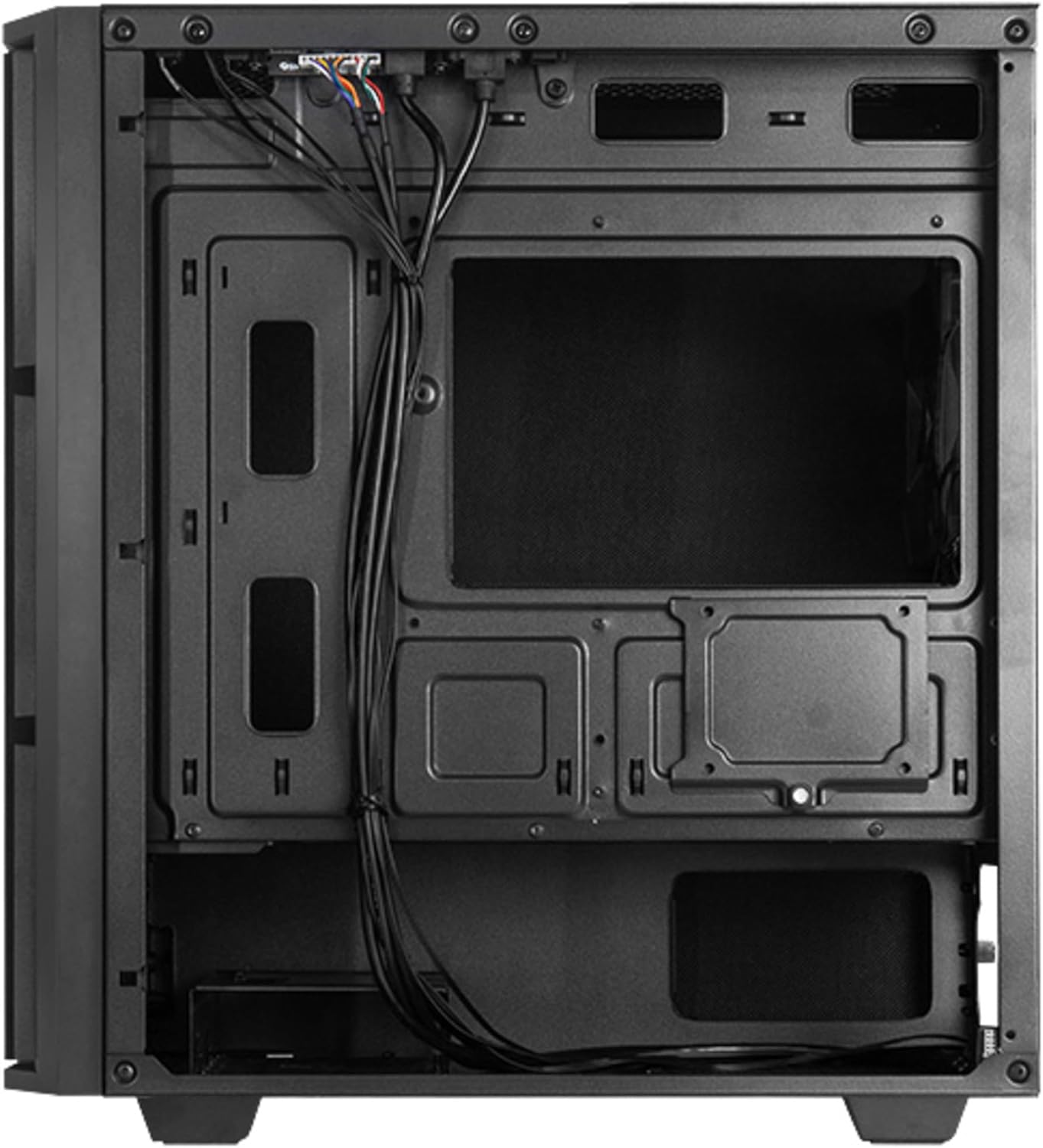
Figura 2: Interior posterior view, illustrating cable management space and additional drive mounts.
2. Instal·lació de la placa base
- Instal·leu la protecció d'E/S a l'obertura posterior de la carcassa.
- Align the motherboard with the standoffs inside the case. Ensure the standoffs match the motherboard's form factor (Micro ATX).
- Fixeu la placa base amb els cargols proporcionats.
3. Instal·lació de la font d'alimentació
- Position the power supply unit (PSU) in the designated bottom-mount area.
- Secure the PSU to the rear of the case with screws.
- Route the necessary power cables through the cable management cutouts.

Figura 3: posterior view of the case, indicating the PSU mounting location.
4. Instal·lació d'unitats d'emmagatzematge (HDD/SSD)
The case supports multiple drive configurations. Refer to the internal layout for specific mounting points.
- For 3.5" HDDs: Mount drives in the drive cage, typically located at the bottom front or behind the motherboard tray.
- For 2.5" SSDs: Mount drives on dedicated SSD trays or directly onto the motherboard tray using screws.

Figura 4: A baix view, showing potential HDD/SSD mounting areas and the PSU dust filter.
5. Instal·lació de la targeta d'expansió
- Traieu les cobertes de les ranures d'expansió necessàries de la part posterior de la carcassa.
- Insert the expansion card (e.g., graphics card) into the appropriate PCIe slot on the motherboard.
- Secure the card with a screw or the case's retention mechanism.
6. Gestió de cables
Aprofita els retalls de cables i els punts d'amarratge que hi ha darrere de la safata de la placa base per organitzar els cables. Això millora la circulació del flux i l'estètica.
7. Tancament del cas
Once all components are installed and cables are managed, reattach the side panels. Ensure they are properly aligned and secured with the thumbscrews.

Figura 5: Frontal view of the assembled case.
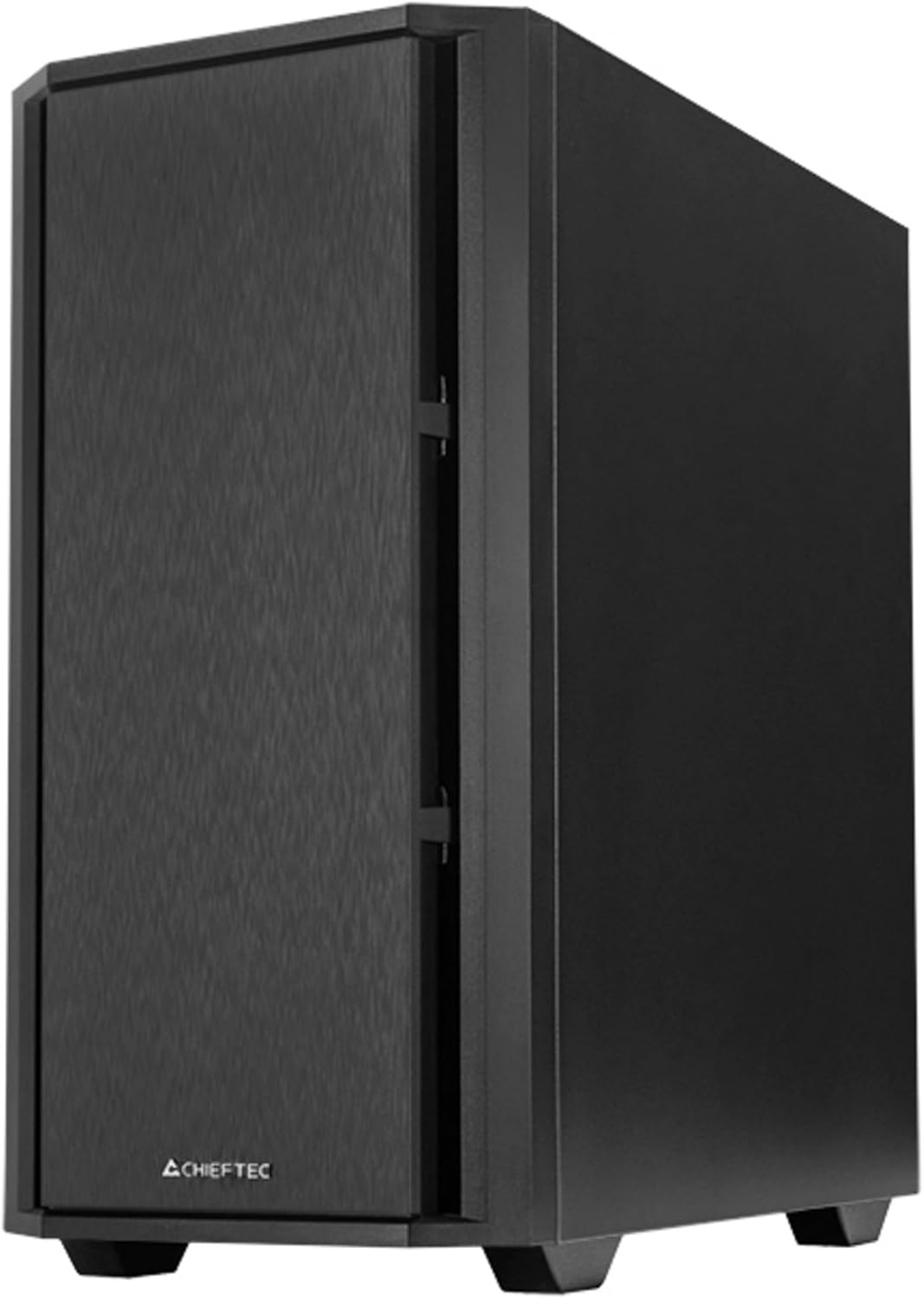
Figura 6: Front inclinat view of the assembled case.
En funcionament
1. Connexió de perifèrics
Connect your monitor, keyboard, mouse, and other peripherals to the appropriate ports on your motherboard's I/O panel and any installed expansion cards.

Figure 7: Top I/O panel for easy access to USB and audio ports.
2. First Power-On
- Connecteu el cable d'alimentació a la font d'alimentació i a una presa de corrent.
- Gireu l'interruptor d'alimentació de la font d'alimentació a la posició "ON".
- Press the power button on the front of the case to start your computer.
Manteniment
1. Cleaning the Case
Netegeu regularment l'exterior de la carcassa amb un drap suau iamp drap. Eviteu productes de neteja o dissolvents abrasius.
2. Manteniment del filtre de pols
The Chieftec AZ-01B-OP includes dust filters to prevent dust buildup inside the system. Periodically remove and clean these filters (e.g., with compressed air or by washing with water and allowing to dry completely) to maintain optimal airflow and cooling performance.
Resolució de problemes
Si teniu problemes, tingueu en compte les solucions habituals següents:
- Sense energia: Ensure the power cable is securely connected to both the PSU and the wall outlet. Check that the PSU switch is in the 'ON' position. Verify all internal power cables (24-pin ATX, 8-pin CPU, GPU power) are correctly seated.
- Sense pantalla: Confirm the monitor is connected to the graphics card (not the motherboard's integrated graphics ports, unless you are using integrated graphics). Reseat the graphics card and RAM modules.
- Sobreescalfament: Check that all case fans and CPU cooler fans are spinning. Ensure dust filters are clean and not obstructing airflow. Verify proper thermal paste application on the CPU.
- Soroll inusual: Identify the source of the noise. It could be a loose cable hitting a fan, a faulty fan, or a hard drive. Secure loose components or replace faulty fans.
Especificacions
| Característica | Especificació |
|---|---|
| Marca | Chieftec |
| Nom del model | AZ-01B-OP |
| Tipus de cas | Mini-torre |
| Compatibilitat amb la placa base | Micro ATX |
| Material | Acer d'aliatge |
| Color | Negre |
| Pes de l'article | 5.15 quilograms (11.33 lliures) |
| Dimensions del producte (LxWxH) | 18.9 x 18.9 x 10.63 polzades |
| Tipus de muntatge de la font d'alimentació | Muntatge inferior |
| Mètode de refrigeració | Aire |
| Ventiladors preinstal·lats | 1 x 120 mm PWM fan |
| Característiques especials | Sound-absorbing material, Elegant and modern design |
Informació de la garantia
Chieftec products are manufactured to high-quality standards. This product is covered by a limited warranty against defects in materials and workmanship. The specific warranty period and terms may vary by region and retailer. Please retain your proof of purchase for warranty claims.
For detailed warranty information, please refer to the official Chieftec weblloc web o poseu-vos en contacte amb el vostre distribuïdor local.
Suport
For technical assistance, troubleshooting, or further inquiries, please visit the official Chieftec support weblloc o poseu-vos en contacte amb el seu departament d'atenció al client.
- Oficial Weblloc: www.chieftec.eu
- Contacte d'assistència: Consulteu el weblloc web amb informació de contacte regional.