
Introducció
Thank you for choosing the Raddy RF320 Shortwave Radio. This manual provides essential information for the safe and efficient operation of your device. Please read it thoroughly before use and retain it for future reference. The RF320 is a versatile portable radio offering comprehensive reception across AIR, FM, VHF, MW, SW, and WB bands, along with Bluetooth 5.0 connectivity, TF card playback, and emergency features like a flashlight and SOS function.
Informació de seguretat
- Do not expose the radio to extreme temperatures, direct sunlight, or high humidity.
- Eviteu deixar caure o sotmetre el dispositiu a forts impactes.
- Keep the radio away from water and other liquids. It is not waterproof.
- Feu servir només el cable de càrrega i l'adaptador d'alimentació especificats per evitar danys.
- Do not attempt to disassemble or modify the radio. This will void the warranty and may cause harm.
- Eliminar les bateries segons la normativa local.
Contingut del paquet
Verifiqueu que tots els elements siguin presents al paquet:
- Raddy RF320 Shortwave Radio
- Cable de càrrega USB
- 3m Cable Antenna
- Auriculars
- Manual del propietari
Producte acabatview
Familiaritzeu-vos amb els components i els controls de la ràdio.
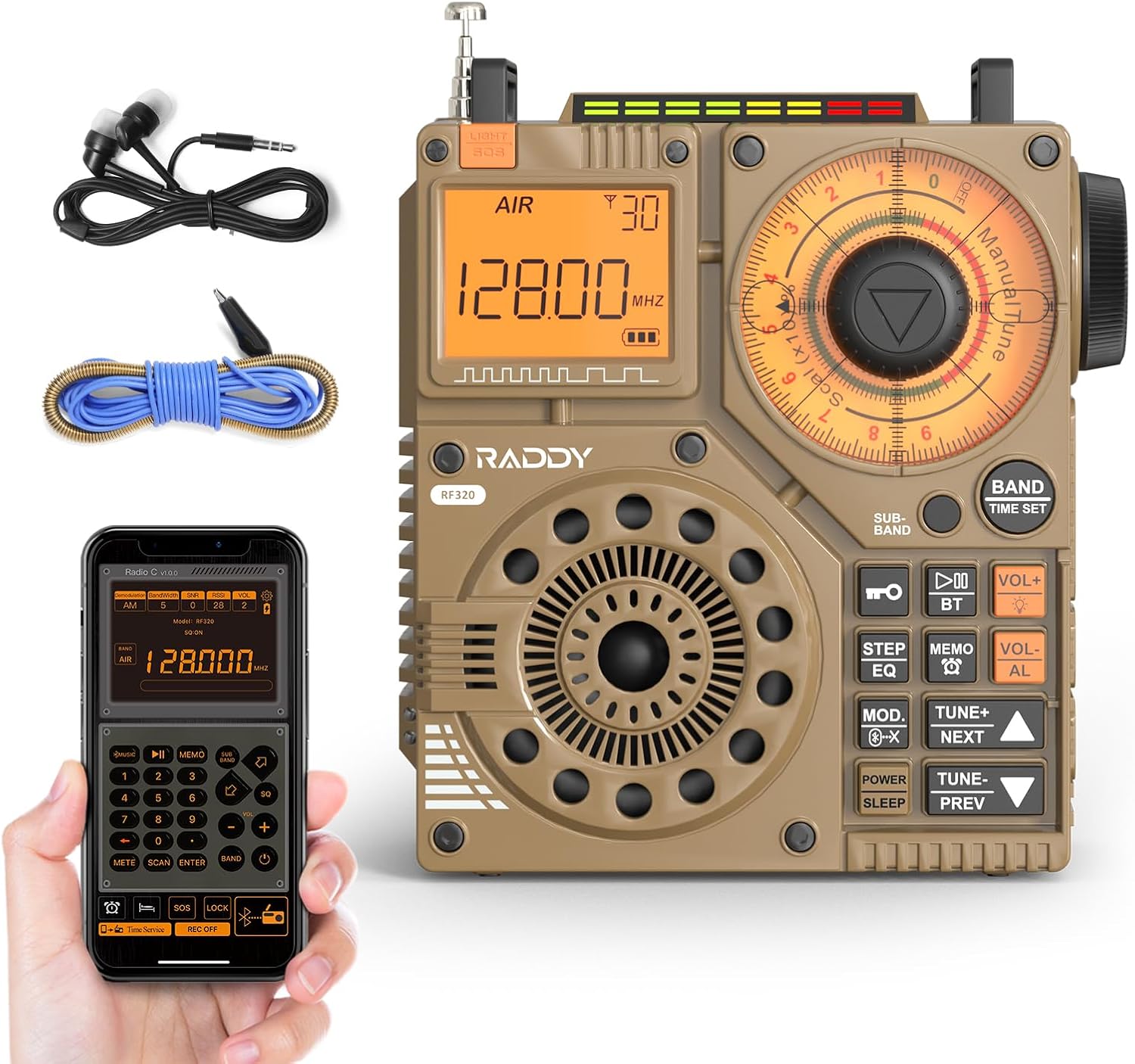
Figura 1: Frontal view of the Raddy RF320 Shortwave Radio, showing the display, speaker, and control buttons.

Figura 2: lateral view of the Raddy RF320, illustrating the fine-tuning knobs and their function for precise frequency adjustment.
Característiques principals:
- Pantalla digital: Shows frequency, band, and other operational information.
- Tuning Knobs: For manual and fine-tuning adjustments.
- Band Selection Buttons: To switch between AIR, FM, VHF, MW, SW bands.
- Control de volum: Ajusta el nivell de sortida d'àudio.
- Llanterna integrada: Per a la il·luminació en condicions de poca llum.
- Funció SOS: Activates an emergency signal.
- Bluetooth 5.0: Per a la transmissió d'àudio sense fil.
- Ranura per a targetes TF: For direct playback of stored audio files.
- Conector d'àudio de 3.5 mm: For earphone connection.
Configuració
1. Carregant la bateria
The RF320 is powered by a built-in Lithium-ion battery. Before first use, fully charge the radio.
- Connect the USB charging cable to the radio's charging port.
- Connecteu l'altre extrem del cable USB a un adaptador de corrent USB compatible (no inclòs) o al port USB d'un ordinador.
- The charging indicator on the display will show the charging status. It will typically turn off or change color when fully charged.
2. Connectar l'antena
For optimal reception, especially on SW and AIR bands, extend the telescopic antenna or connect the included 3m cable antenna.
- Antena telescòpica: Extend it fully and adjust its direction for best signal.
- Cable Antenna: Plug the cable antenna into the designated antenna jack on the radio. Extend the cable antenna as much as possible, ideally outdoors or near a window, for improved shortwave reception.
Instruccions de funcionament
1. Encendre/apagar
Manteniu premut el botó PODER botó per encendre o apagar la ràdio.
2. Selecció de bandes
Premeu el botó BANDA button repeatedly to cycle through the available frequency bands: FM, AM (MW), SW, VHF, AIR, WB.
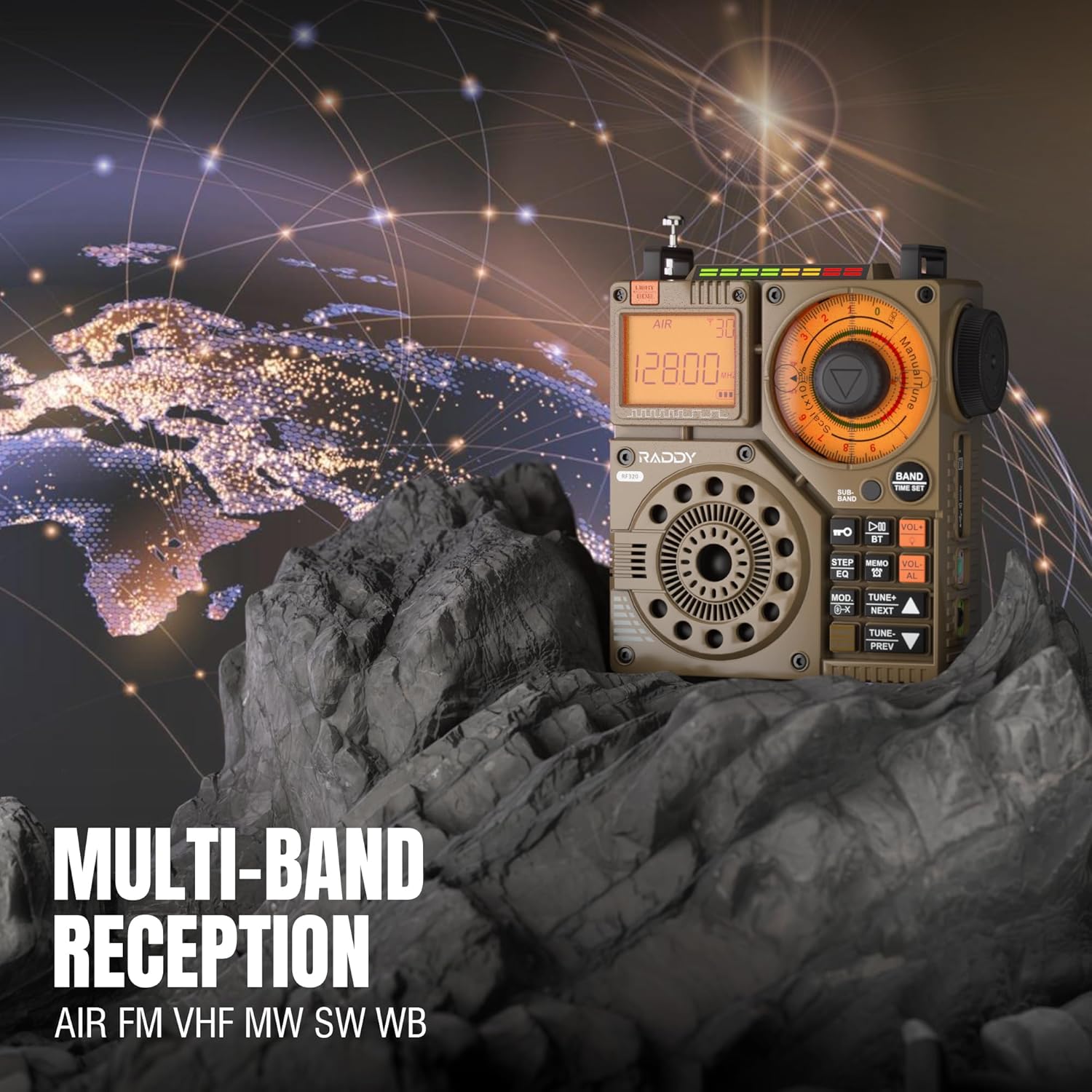
Figure 3: The Raddy RF320 radio on a rocky surface, symbolizing its multi-band reception capabilities across AIR, FM, VHF, MW, SW, and WB bands.
3. Mètodes d'afinació
The RF320 offers multiple tuning options:
- Sintonització manual: Use the main tuning knob to adjust the frequency incrementally. The precise tuning knobs offer a minimum step value of 0.005 MHz for accurate frequency selection.
- Sintonització digital: Use the numeric keypad (if available on the device or via app) to directly enter a frequency.
- Cerca automàtica: Premeu el botó ESCÀNER AUTOMÀTIC botó per escanejar i emmagatzemar automàticament les emissores disponibles.
- Semi-Automatic Search: This function allows for scanning within a specific range or with user intervention. Refer to the on-screen prompts or app interface for details.
4. Station Storage
The radio can store up to 955 stations (199 for each of AIR, FM, VHF, MW, and SW bands).
- Sintonitza l'emissora desitjada.
- Manteniu premut el botó MEMO button (or equivalent) to save the station.
- Utilitza el SEGÜENT/ANTERIOR botons per navegar per les emissores emmagatzemades.
5. Bluetooth (BT) Mode
Connect your smartphone or other Bluetooth-enabled device to stream audio wirelessly.
- Premeu el botó MODE button until 'BT' or 'Bluetooth' is displayed.
- On your device, search for Bluetooth devices and select 'Raddy RF320'.
- Un cop emparellat, pots reproduir àudio des del dispositiu a través de l'altaveu de la ràdio.
6. Reproducció de targetes TF
Reprodueix àudio files directly from a TF (MicroSD) card.
- Insert a TF card (up to 32GB, FAT32 format) with audio files a la ranura de la targeta TF.
- Premeu el botó MODE button until 'TF' or 'Card' is displayed.
- Utilitza el SEGÜENT/ANTERIOR botons per navegar per pistes.

Figure 4: The Raddy RF320 radio next to a smartphone displaying music, highlighting its three operational modes: Bluetooth, TF Card, and Radio Receiver.
7. Flashlight and SOS Function
The RF320 includes an integrated flashlight and an SOS emergency signal.
- Llanterna: Premeu el botó LLUM button to turn the flashlight on/off.
- SOS: Manteniu premut el botó SOS button to activate the emergency alarm and flashing light. Press again to deactivate.

Figure 5: Close-up of the Raddy RF320 radio with its integrated flashlight active, demonstrating its outdoor lighting capability.
8. Control d'aplicacions
The Raddy RF320 can be controlled via a dedicated application on iOS, Android, and HarmonyOS systems.
- Download the 'Radio C' application from your device's app store.
- Ensure Bluetooth is enabled on your smartphone and the RF320 radio.
- Open the app and follow the on-screen instructions to connect to your RF320.
- The app allows for digital tuning, channel naming, recording broadcasts, and other advanced controls.

Figure 6: The Raddy RF320 radio displayed alongside a smartphone running its control application, illustrating the ease of use with app integration.
Manteniment
- Netegeu la ràdio amb un drap suau i sec. No utilitzeu productes de neteja abrasius ni dissolvents.
- Quan no la feu servir durant períodes prolongats, guardeu la ràdio en un lloc fresc i sec.
- Periodically charge the battery to maintain its lifespan, even if the radio is not being used.
- Ensure the telescopic antenna is retracted when not in use to prevent damage.
Resolució de problemes
| Problema | Causa possible | Solució |
|---|---|---|
| La ràdio no s'encén. | La bateria està esgotada. | Carregueu la ràdio completament. |
| Mala recepció de ràdio. | Senyal feble; antena no estesa. | Extend the telescopic antenna or connect the 3m cable antenna. Adjust antenna position. Move to an area with better signal. |
| La connexió Bluetooth falla. | Radio not in BT mode; device too far; pairing issue. | Ensure radio is in BT mode. Bring devices closer. Delete 'Raddy RF320' from your device's BT list and re-pair. |
| La targeta TF no funciona. | Card not inserted correctly; unsupported format; corrupted files. | Reinsert TF card. Ensure card is FAT32 format. Check if audio files estan admesos. |
| El control de l'aplicació no funciona. | Bluetooth not connected; app not updated. | Ensure radio is paired via Bluetooth. Update the 'Radio C' app to the latest version. |
Especificacions
| Característica | Especificació |
|---|---|
| Marca | Raddy |
| Número de model | RF320 |
| Bandes de ràdio compatibles | AIR, FM, VHF, MW (AM), SW |
| Tecnologia d'afinació | FM, AM, VHF, SW, AIR |
| Tecnologia de connectivitat | Bluetooth 5.0 |
| Característiques especials | Digital Display, Integrated Flashlight, Rechargeable, Automatic Squelch, Keypad Lock, TF Card Playback, App Control, SOS Function |
| Dimensions del producte (L x A x A) | 15 L x 9 W x 15 H centímetres |
| Font d'alimentació | Alimentat per bateria (1 bateria de liti-ió inclosa) |
| Tipus de visualització | Digital Display (LCD/LED) |
| Interfície del maquinari | 3.5mm Àudio Jack |
| Nivell de resistència a l'aigua | No impermeable |
| Material intern | Metall |
| País d'origen | Xina |
Garantia i Suport
Informació de la garantia
Raddy products typically come with a standard manufacturer's warranty. Please refer to the warranty card included in your package or visit the official Raddy website for detailed warranty terms and conditions specific to the RF320 model. Keep your purchase receipt as proof of purchase for warranty claims.
Atenció al client
For technical assistance, troubleshooting beyond this manual, or warranty inquiries, please contact Raddy customer support through their official website or the contact information provided with your product packaging. When contacting support, please have your product model (RF320) and purchase details ready.