
1. Introducció
Welcome to the AUHIFVAX V88 Drone user manual. This guide provides essential information for the safe and effective operation of your new 8K 5G GPS professional HD aerial photography quadcopter. Please read this manual thoroughly before first use and retain it for future reference.
1.1 Directrius de seguretat
- Llegeix les instruccions: Always read the entire manual before operating the drone.
- Restricció d'edat: Aquest producte està pensat per a ús adult.
- Entorn de vol: Operate in open, clear areas, away from people, animals, buildings, and power lines. Avoid flying in strong winds or adverse weather conditions.
- Seguretat de la bateria: Use only the provided charger and battery. Do not overcharge or puncture batteries.
- Seguretat de l'hèlix: Keep hands and face clear of rotating propellers. Ensure propellers are correctly installed before flight.
- Línia de visió: Mantingueu la línia de visió amb el dron en tot moment durant el vol.
- Normativa local: Adhere to all local laws and regulations regarding drone operation.
2. Contingut del paquet
Verifiqueu que tots els elements que s'enumeren a continuació s'inclouen al vostre paquet:
- 1 x AUHIFVAX V88 RC Quadcopter
- 1 x comandament a distància
- 1 x 3.7V 2200mAh Li-polymer Battery
- 1 x cable de càrrega USB
- 4 hèlixs de recanvi
- 1 x tornavís
- 2 x User Manual (this document and potentially a quick start guide)
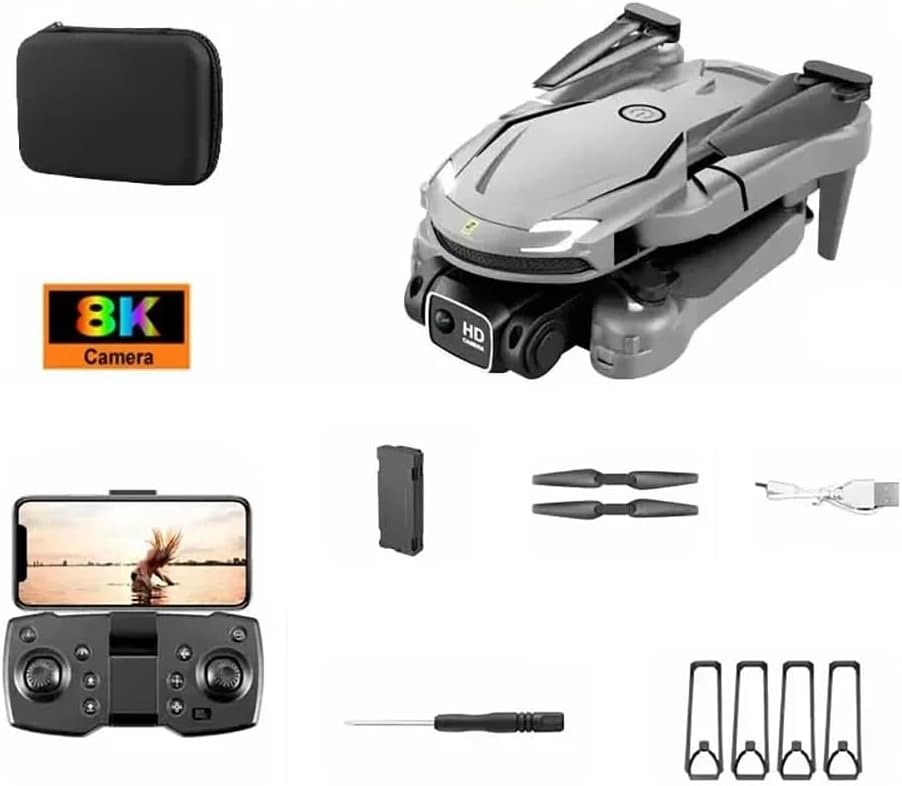
Image 2.1: Contents of the AUHIFVAX V88 Drone package, including the drone, remote control, battery, charging cable, spare propellers, and screwdriver.
3. Producte acabatview
3.1 Components del dron
Familiarize yourself with the main components of your V88 Drone:
- Braços plegables: Per a emmagatzematge i transport compactes.
- Hèlixs: Generar sustentació per al vol.
- Càmera dual 8K HD: Captures high-resolution photos and videos.
- Compartiment de la bateria: Houses the drone's power source.
- Llums indicadores LED: Provide status information.
- Sensor de flux òptic: Ajuda a mantenir el vol estacionari estable.

Image 3.1: The AUHIFVAX V88 Drone, highlighting its sleek design and dual camera system.
3.2 Disseny del comandament a distància
Understand the functions of each button and joystick on the remote control:

Image 3.2: Detailed diagram of the remote control, indicating functions such as speed switching, one-click takeoff/landing, throttle, direction lever, headless mode, power switch, and fine tuning.
- Joystick esquerre (accelerador/guinyada): Controla l'altitud i la rotació.
- Right Joystick (Direction): Controla el moviment endavant, enrere, a l'esquerra i a la dreta.
- One-Click Takeoff/Landing Button: Inicia l'enlairament o l'aterratge automàtic.
- Speed Switching Button: Alterna entre diferents velocitats de vol.
- Botó de mode sense cap: Simplifica l'orientació en vol.
- 360° Roll Button: Executes a stunt roll.
- Interruptor d'alimentació: Encén/apaga el comandament a distància.
- Titular del telèfon: Secures your smartphone for FPV (First Person View) and app control.
4. Configuració
4.1 Instal·lació i càrrega de la bateria
- Drone Bateria: Insert the 3.7V 2200mAh Li-polymer battery into the drone's battery compartment until it clicks into place.
- Càrrega: Connect the drone battery to the USB charging cable, then plug the USB cable into a 5V/1A USB power adapter (not included). The indicator light on the cable will show charging status. Charging typically takes 60-90 minutes.
- Bateries de control remot: Open the battery compartment on the back of the remote control and insert 3x AAA batteries (not included), ensuring correct polarity.
4.2 Fixació de l'hèlix
Ensure propellers are securely attached. Match propellers marked 'A' with motor shafts marked 'A', and 'B' with 'B'. Use the provided screwdriver to fasten them.
4.3 Descàrrega i connexió de l'aplicació
- Descarregar l'aplicació: Scan the QR code in the quick start guide or search for the designated app (e.g., 'V88 Drone' or similar) on your smartphone's app store.
- Connectar Wi-Fi: Turn on the drone. On your smartphone, go to Wi-Fi settings and connect to the drone's Wi-Fi network (e.g., 'V88-XXXXXX').
- Inicia l'aplicació: Open the drone app. You should see the camera's live feed, indicating a successful connection.
5. Instruccions de funcionament
5.1 Engegada/apagada
- Drone: Premeu i manteniu premut el botó d'engegada del dron fins que els llums indicadors s'encenguin.
- Comandament a distància: Slide the power switch to the 'ON' position.
- Apagar: Reverse the steps to power off both the drone and remote control after use.
5.2 Emparellament i calibratge
- Maridatge: Turn on the drone, then the remote control. Push the left joystick (throttle) all the way up, then all the way down. The drone's lights will stop flashing, indicating successful pairing.
- Calibració del giroscopi: Place the drone on a flat surface. Push both joysticks down and to the right simultaneously. The drone's lights will flash rapidly and then become solid, indicating successful calibration.
5.3 Funcionalitat del GPS
The V88 Drone features integrated GPS for enhanced stability and intelligent flight modes. Ensure you have a clear view of the sky for optimal GPS signal acquisition before flight.
- GPS Lock: After powering on, place the drone outdoors. Wait for the GPS indicator (usually flashing slowly) to become solid, indicating a sufficient number of satellites have been acquired.
- Retorn a casa (RTH): In GPS mode, the drone can automatically return to its takeoff point with the press of a button on the remote control or via the app.
5.4 Controls de vol
Refer to the remote control diagram (Image 3.2) for button locations.
- Enlairament: Press the One-Click Takeoff button or push both joysticks outwards and downwards to start the motors, then gently push the left joystick up.
- Aterratge: Press the One-Click Landing button or gently pull the left joystick down.
- Altitud: Joystick esquerre amunt/avall.
- Endavant/Enrere: Joystick dret amunt/avall.
- Left/Right Sideways Flight: Joystick dret esquerra/dreta.
- Rotació (guinyada): Joystick esquerre esquerra/dreta.
- Ajust de velocitat: Use the Speed Switching button to cycle through low, medium, and high speeds.
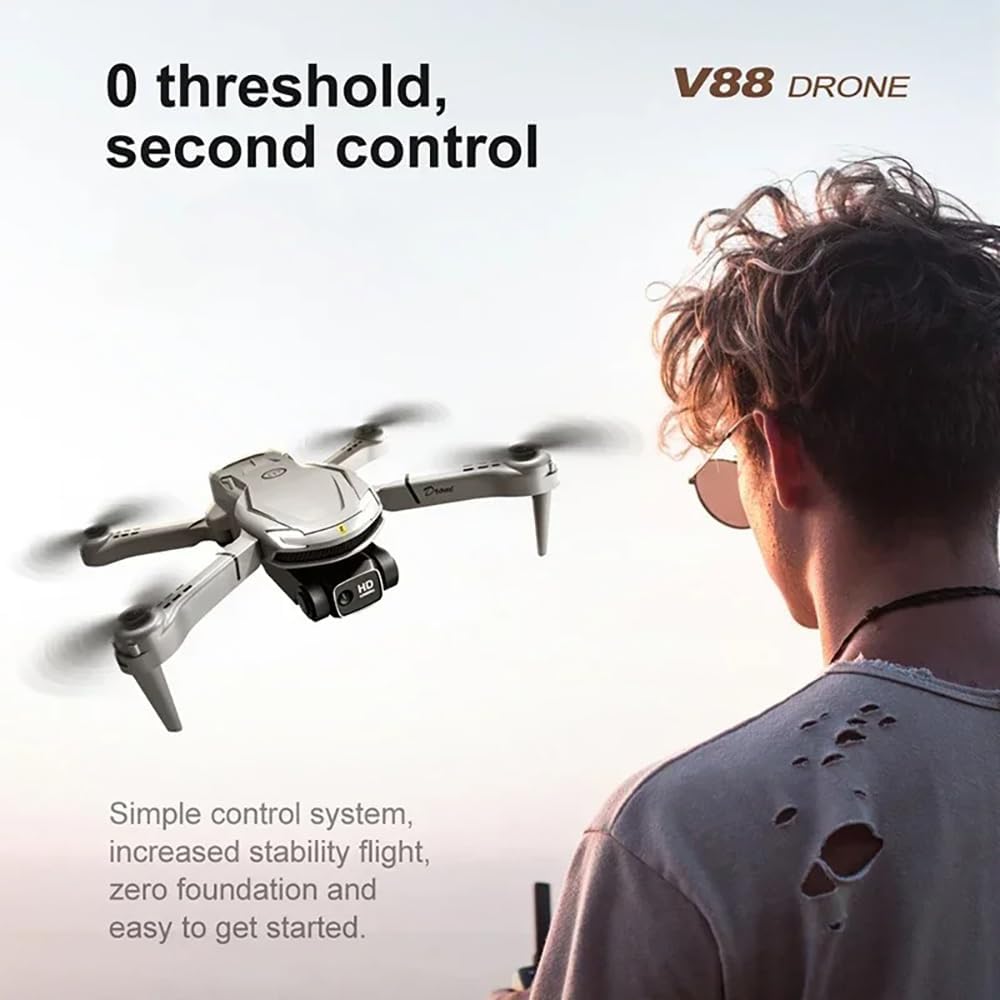
Image 5.1: A user operating the AUHIFVAX V88 Drone with the remote control, demonstrating the ease of control.
5.5 8K HD Camera Operation
The V88 Drone is equipped with an 8K ultra HD camera for capturing high-quality aerial footage.
- Viu View: Connect your smartphone to the drone's Wi-Fi and open the app to view l'alimentació de la càmera en directe.
- Foto/vídeo: Feu servir els botons dedicats del comandament a distància o de la interfície de l'aplicació per fer fotos o iniciar/aturar la gravació de vídeo.
- Emmagatzematge: Photos and videos are typically saved to your smartphone's gallery or an inserted SD card (if supported by the drone).
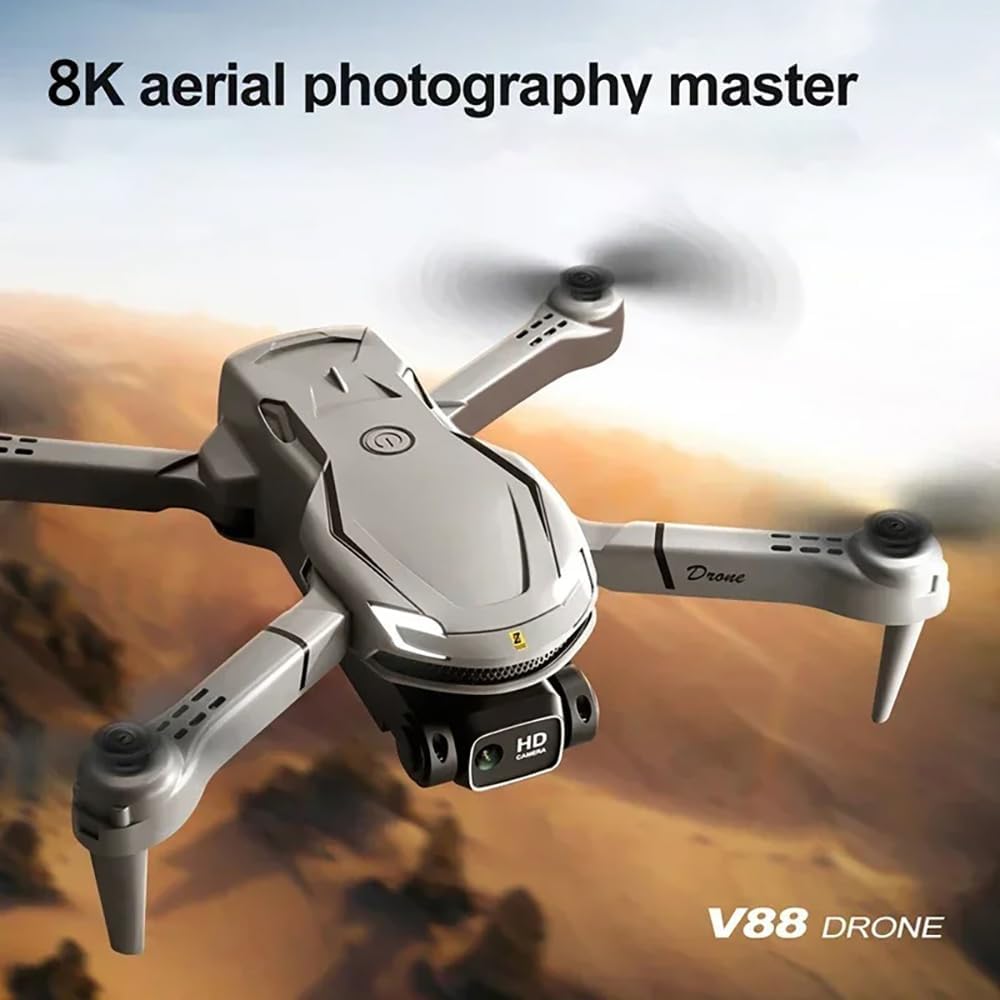
Image 5.2: The AUHIFVAX V88 Drone in flight, showcasing its capability as an 8K aerial photography master.
5.6 Modes de vol especials
- Intelligent Hovering: The drone uses air pressure calculation to maintain flight altitude in real-time, reducing the need for constant throttle adjustments. This feature enhances stability and ease of control.

Image 5.3: The AUHIFVAX V88 Drone demonstrating its intelligent hovering capability, maintaining a stable position without manual throttle input.
- Rotlle acrobàtic de 360°: Press the 360° Roll button on the remote control, then push the right joystick in any direction to perform an aerial flip. Ensure sufficient altitude and clear surroundings before attempting.

Image 5.4: The AUHIFVAX V88 Drone executing a 360-degree stunt roll during flight.
6. Manteniment
6.1 Neteja
- Netegeu el dron i el comandament a distància amb un drap suau i sec després de cada ús.
- Eviteu utilitzar aigua o productes químics de neteja, ja que poden danyar els components electrònics.
- Regularly check propellers for dirt, debris, or damage. Clean or replace as necessary.
6.2 Emmagatzematge
- Guardeu el dron i els seus accessoris en un lloc fresc i sec, allunyat de la llum solar directa i de temperatures extremes.
- Remove batteries from both the drone and remote control if storing for extended periods to prevent leakage.
- Fold the drone arms for compact storage.
7. Solució De Problemes
If you encounter issues with your V88 Drone, refer to the table below for common problems and solutions:
| Problema | Causa possible | Solució |
|---|---|---|
| El dron no s'encén | Low battery; Battery not installed correctly | Charge drone battery; Reinstall battery securely |
| El comandament a distància no respon | Low remote control batteries; Not paired | Replace AAA batteries; Perform pairing procedure (Section 5.2) |
| El dron es desvia durant el vol | Gyro not calibrated; Uneven surface during takeoff | Perform gyro calibration (Section 5.2); Take off from a flat surface |
| Poor camera feed or no image | Wi-Fi not connected; App not open; Weak signal | Reconnect to drone's Wi-Fi; Relaunch app; Fly closer to drone |
| Drone loses GPS signal | Flying indoors; Obstructions; Bad weather | Fly outdoors in clear conditions; Avoid areas with tall buildings or interference |
| Les hèlixs no giren | Obstruction; Propellers not installed correctly; Motor issue | Check for obstructions; Reinstall propellers; Contact support if motor is faulty |
8. Especificacions
Technical details for the AUHIFVAX V88 Drone:
| Característica | Detall |
|---|---|
| Marca | AUHIFVAX |
| Nom del model | V88 |
| Característiques especials | High Definition Camera, Integrated GPS |
| Interval d'edat (descripció) | Adult |
| Color | Gris |
| Resolució de captura de vídeo | 8K |
| Tecnologia de connectivitat | APP Controller, Remote Control, Wi-Fi Connection |
| Nivell d'habilitat | Tots |
| Pes de l'article | 550 grams |
| Bateria | 3.7V 2200mAh Li-polymer |
9. Garantia i Suport
AUHIFVAX products are manufactured to high-quality standards. For information regarding warranty coverage, please refer to the warranty card included in your product packaging or contact your retailer. For technical support or inquiries, please reach out to the customer service department of your purchase point.