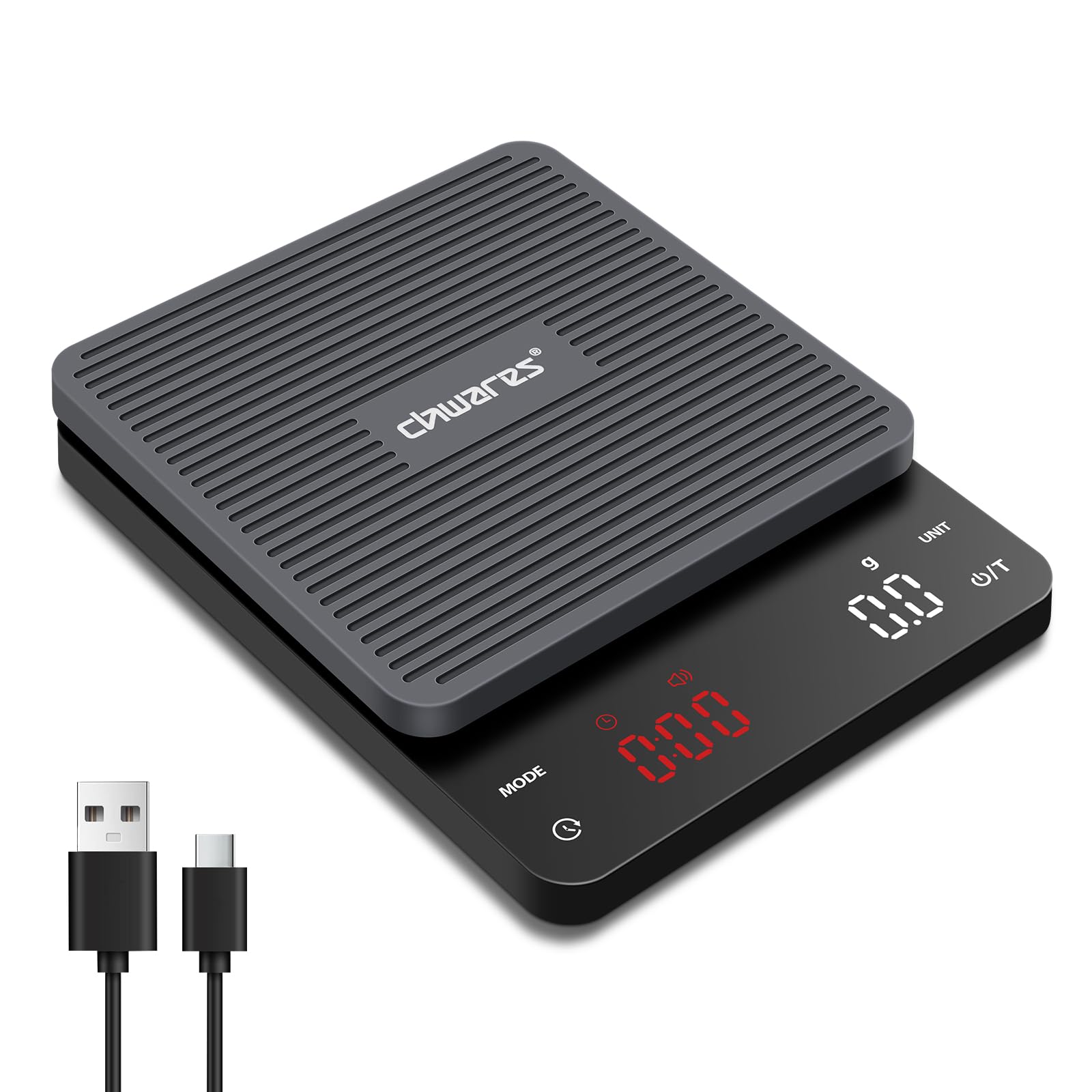
The CHWARES Digital Coffee Scale CH0028XS is a high-precision rechargeable scale designed for coffee enthusiasts. It features a 3kg capacity with 0.1g increments, multiple unit options, and integrated manual and automatic timing functions. Its compact design and easy-to-clean features make it suitable for various brewing methods, including pour-over and espresso.
Image: The CHWARES Digital Coffee Scale, showcasinel seu disseny elegant i la seva pantalla LED.
Configuració
Carregant la bàscula
Before first use, fully charge the scale using the provided Type-C charging cable. The charging indicator lights will illuminate during charging and turn off when fully charged. Ensure you use the original charging cable for optimal performance and battery longevity.
Image: The coffee scale connected to its Type-C charging cable, illustrating the charging process.
Col·locació inicial
Place the scale on a flat, stable surface to ensure accurate readings. Avoid placing it near strong electromagnetic fields or vibrating equipment.
Instruccions de funcionament
Encès/Apagat
Per encendre, premeu el botó Power/Tare (U/T) botó breument.
Per apagar-lo, manteniu premut el botó Power/Tare (U/T) botó durant uns segons.
Conversió d'unitats
Premeu el botó UNITAT button to cycle through the available measurement units: grams (g), milliliters (ml), ounces (oz), pounds (lb), pounds:ounces (lb:oz), and fluid ounces (fl'oz).
Image: The scale displaying weight in grams, highlighting its precise measurement and multi-unit capability.
Funció Tara
The tare function allows you to subtract the weight of a container or previously added ingredients. Place the empty container on the scale, then briefly press the Power/Tare (U/T) button. The display will reset to zero, allowing you to measure ingredients accurately.
Image: A step-by-step illustration of using the tare function to zero out the weight of a container before adding coffee beans.
Timing Modes (Manual/Automatic)
The scale offers both manual and automatic timing modes for brewing.
Manual Timing Mode: Premeu el botó MODE button to select manual timing. Press the Temporitzador button (clock icon) to start or stop the timer.
Automatic Timing Mode: Premeu el botó MODE button to select automatic timing. The timer will automatically start when water is poured onto the scale and stop when the brewing device is removed.
Image: The scale displaying both manual and automatic timing modes during espresso preparation and pour-over brewing.
Sound Switch (Mute Mode)
To toggle the sound (e.g., button presses, timer alerts) on or off, press and hold the MODE botó durant aproximadament 3 segons.
Manteniment
Neteja
The scale features a detachable silicone protective pad. Remove the pad for easy cleaning. Wash the silicone pad with mild soap and water, then wipe the scale surface with a damp cloth. Ensure all parts are dry before reassembling and using the scale.
Image: A hand removing the silicone pad from the scale, demonstrating its easy-to-clean design.
Emmagatzematge
Store the scale in a dry place away from extreme temperatures and direct sunlight. Its compact size allows for convenient storage in drawers or cabinets.
Image: The compact dimensions of the scale are highlighted, emphasizing its portability and ease of storage.
Resolució de problemes
Scale not turning on or displaying "Low Battery": Ensure the scale is fully charged using the provided Type-C cable. If the issue persists, try a different compatible Type-C cable and power adapter.
Lectures inexactes: Ensure the scale is placed on a flat, stable, and level surface. Avoid placing it near sources of vibration or drafts. Recalibrate if necessary (refer to specific calibration instructions if available in a separate guide, as this model does not detail user calibration).
Tare function not working: Make sure no weight is on the scale before pressing the tare button, or that the weight of the container is stable before taring.
Timer not starting/stopping automatically: In automatic timing mode, ensure the brewing process involves pouring liquid onto the scale. The sensor detects changes in weight to trigger the timer.
Video: An official product video demonstrating the features and usage of the CHWARES Digital Coffee Scale, including sensitive measurement, unit conversion, sound switch, tare function, manual and auto timing modes, charging, and compact design.
Garantia i Suport
For warranty information and customer support, please refer to the product packaging or contact CHWARES customer service directly. Keep your purchase receipt for any warranty claims.
Ask a question about this manual
Ask about setup, troubleshooting, compatibility, parts, safety, or missing instructions. Manuals+ will review the question and use this page’s manual context to help answer it.