
1. Introducció
This manual provides detailed instructions for the setup, operation, and maintenance of your CNBRO BY16 Wireless Smart Touch Screen Earbuds. Please read this manual thoroughly before use to ensure proper functionality and to maximize your user experience.
2. Què hi ha a la caixa
- 1 Pair of CNBRO BY16 Wireless Smart Touch Screen Earbuds
- 1 Charging Case with Touch Screen
- 1 cable de càrrega USB tipus C
- 1 Manual d'usuari (aquest document)
- Exquisite Packaging Box
3. Producte acabatview
The CNBRO BY16 earbuds feature a smart touch screen on the charging case, offering intuitive control over various functions. They are designed for comfort and deliver immersive audio with advanced noise cancellation.

Figure 3.1: CNBRO BY16 Earbuds and Charging Case with Touch Screen Interface.
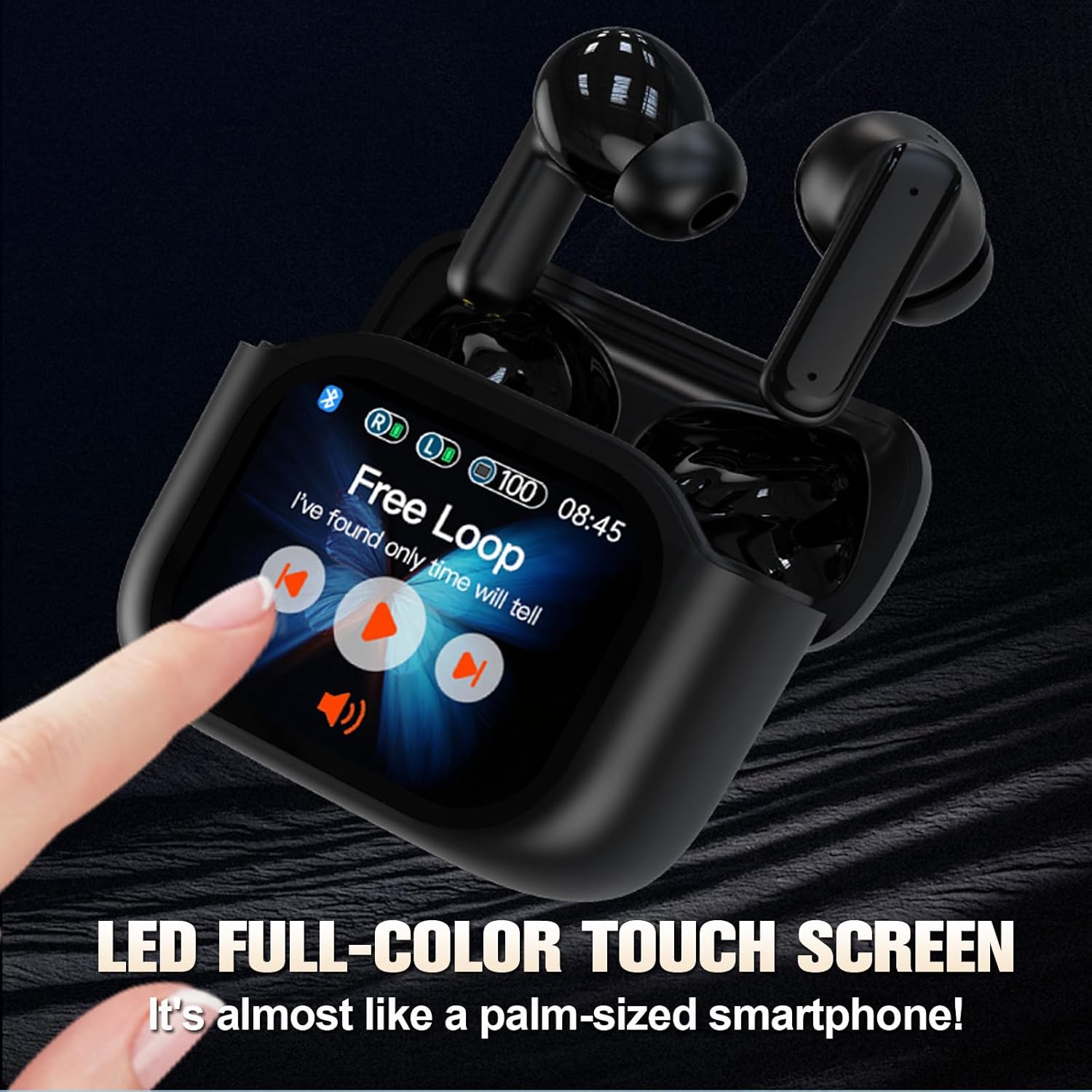
Figure 3.2: The LED full-color touch screen on the charging case provides direct control over functions like music playback.

Figure 3.3: Internal components of the earbud, designed for immersive audio delivery.
4. Configuració
4.1 Càrrega dels auriculars i l'estoig
- Col·loca els auriculars a l'estoig de càrrega. Assegura't que estiguin correctament col·locats a les seves ranures respectives.
- Connect the USB Type-C cable to the charging port on the case and plug the other end into a compatible USB power source (e.g., wall adapter, computer USB port).
- The screen on the charging case will indicate the charging status. A full charge for the case and earbuds typically takes approximately 1.5 hours.
4.2 Vinculació Bluetooth
- Assegureu-vos que els auriculars estiguin carregats i col·locats dins de l'estoig de càrrega.
- Obre la tapa de la funda de càrrega. Els auriculars entraran automàticament en mode d'emparellament.
- Al dispositiu (telèfon intel·ligent, tauleta, ordinador portàtil), navegueu fins a la configuració de Bluetooth.
- Cerca available Bluetooth devices. Select "CNBRO BY16" (or similar name) from the list.
- Once connected, the screen on the charging case may display a connection indicator, and your device will confirm successful pairing.
- Els auriculars es tornaran a connectar automàticament a l'últim dispositiu emparellat quan es treguin de l'estoig, si el Bluetooth està activat al dispositiu.
5. Instruccions de funcionament
5.1 Touch Controls (Earbuds)
The earbuds feature touch-sensitive surfaces for controlling audio playback, calls, and voice assistants. Specific touch gestures may vary; refer to the on-screen prompts on the charging case or experiment with common gestures:
- Toc senzill: Reproduir/Pausar música, Respondre/Finalitzar trucada.
- Doble toc: Pista següent (auricular dret), Pista anterior (auricular esquerre).
- Toca tres vegades: Activa l'assistent de veu.
- Premsa llarga: Reject call, Switch between Noise Cancellation modes (ANC/Transparency/Normal).
5.2 Funcions de la pantalla tàctil de la caixa de càrrega
The full-color touch screen on the charging case provides direct access to various features. Swipe left or right to navigate through the menu options.

Figure 5.1: Multiple practical functions accessible via the charging case touch screen.
- Reproducció de música: Control play/pause, skip tracks, and adjust volume directly from the screen.
- Gestió de trucades: Respondre o finalitzar trucades.
- Noise Cancellation Modes: Switch between Active Noise Cancellation (ANC), Transparency Mode, and Normal Mode.
- Canvi d'idioma: Canvia l'idioma del sistema del dispositiu.
- Search Earphones: Localitza els auriculars extraviats activant una alerta audible.
- Fotografia a distància: Use the charging case as a remote shutter for your smartphone camera.
- Modes d'equalització: Select from various equalizer presets to customize your audio experience.
- Llanterna: Activate a small flashlight function on the case.
- Apagar: Safely power off the earbuds and case.
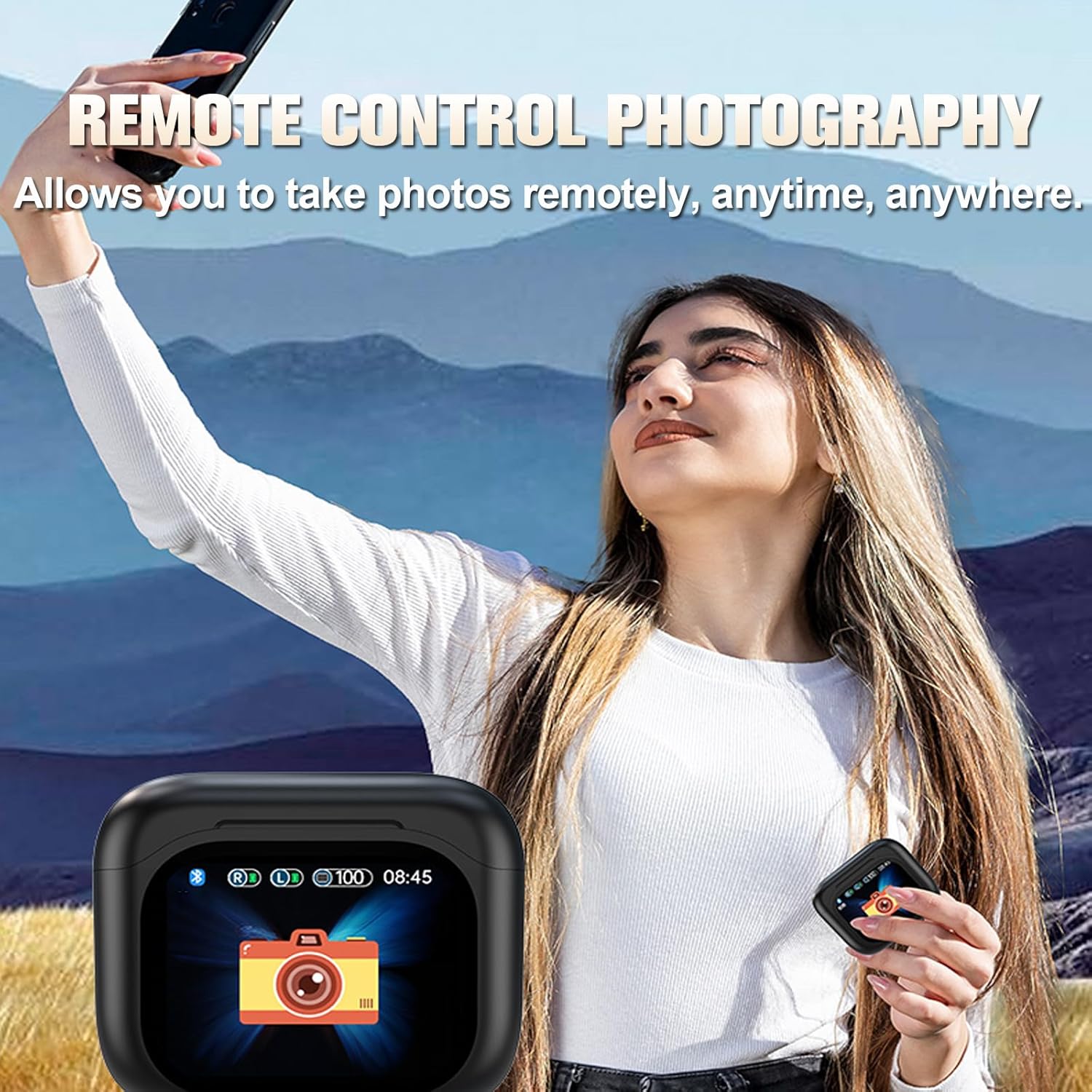
Figure 5.2: Remote control photography function using the charging case.
5.3 Cancel·lació activa de soroll (ANC) i mode de transparència
The earbuds feature ANC and ENC (Environmental Noise Cancellation) technology to reduce ambient noise during audio playback and calls. Transparency Mode allows you to hear your surroundings without removing the earbuds.

Figure 5.3: Visual representation of ANC and ENC noise cancellation effectiveness.
- ANC: Bloqueja el soroll extern per a una experiència auditiva immersiva.
- Mode de transparència: Allows ambient sounds to pass through, enhancing situational awareness.
- ENC: Focuses on clear voice pickup during calls by reducing background noise.
Switch between these modes using the touch controls on the earbuds or via the charging case screen.
6. Manteniment
6.1 Neteja
- Netegeu regularment els auriculars i l'estoig de càrrega amb un drap suau, sec i sense borrissol.
- No utilitzeu materials abrasius, dissolvents ni aerosols.
- Gently remove any earwax or debris from the earbud tips and speaker grilles using a small, soft brush or cotton swab.
6.2 Resistència a l'aigua
The earbuds are rated IPX5 water-resistant, meaning they can withstand a sustained, low-pressure water jet spray. They are suitable for exercise and light rain but should not be submerged in water or exposed to high-pressure water.
6.3 Emmagatzematge
- Quan no els utilitzeu, guardeu els auriculars a la seva funda de càrrega per protegir-los i mantenir-los carregats.
- Guardeu el dispositiu en un lloc fresc i sec, allunyat de temperatures extremes i de la llum solar directa.
7. Solució De Problemes
If you encounter issues with your CNBRO BY16 earbuds, refer to the following common solutions:
| Problema | Possible solució |
|---|---|
| Els auriculars no s'aparellen |
|
| Sense so ni volum baix |
|
| Problemes de càrrega |
|
| La pantalla tàctil no respon |
|
Si el problema persisteix després d'intentar aquestes solucions, poseu-vos en contacte amb l'atenció al client.
8. Especificacions
| Característica | Especificació |
|---|---|
| Nom del model | BY16 |
| Versió Bluetooth | 5.3 |
| Capacitat de la bateria dels auriculars | 30 mAh |
| Caixa de càrrega Capacitat de la bateria | 200 mAh |
| Temps de reproducció individual | 5-6 hores |
| Temps de reproducció total (amb estoig) | Fins a 20 hores |
| Temps de càrrega | Aprox. 1.5 hores |
| Distància de transmissió | Fins a 10 metres (33 peus) |
| Nivell impermeable | IPX5 |
| Mètode de control | Toca |
| Control de soroll | Cancel·lació activa de soroll (ANC), Cancel·lació de soroll ambiental (ENC) |
| Dispositius compatibles | Smartphones, Tablets, Laptops, Desktops, Bluetooth-enabled Devices |
| Material | Plàstic |
| Pes de l'article | 0.64 unces (auriculars) |
| Dimensions del producte | 1 x 1 x 1 polzades (aproximadament) |
9. Garantia i Suport
For warranty information and customer support, please refer to the documentation provided with your purchase or contact the retailer. If you have any questions or encounter issues not covered in this manual, please reach out to the manufacturer's customer service for assistance.