
Crivit PMSHM2 A3
Parkside PMSHM2 A3 Multifunction Detector User Manual
Model: PMSHM2 A3
Introducció
The Parkside PMSHM2 A3 Multifunction Detector is a versatile tool designed for precise detection of various hidden elements within walls, ceilings, and floors. It can accurately locate live electrical wires, metallic components (such as pipes or rebar), wooden beams (studs), and cavities. This manual provides essential information for the safe and effective operation, maintenance, and troubleshooting of your device.

Figura 1: Frontal view of the Parkside PMSHM2 A3 Multifunction Detector, showing its display and control buttons.
Instruccions de seguretat
- Always read the entire manual before operating the device.
- No utilitzeu el dispositiu en mullat o damp condicions.
- Ensure the device is clean and free from debris before use.
- No intenteu obrir ni reparar el dispositiu vosaltres mateixos. Demaneu ajuda a personal qualificat.
- Fixeu-vos en el voltage alert indicator when detecting live wires. Exercise extreme caution.
Producte acabatview
The PMSHM2 A3 features an intuitive LCD display and simple controls for ease of use. It is designed for quick and reliable detection in various construction materials.
Característiques principals:
- Detects live wires, metal components, wooden beams, and cavities.
- Precise location indicated by an intensity graph on the LCD display.
- Acoustic signal provides additional feedback during detection.
- Three adjustable sensitivity levels for live wire detection.
- Vol integrattage alert indicator for enhanced safety.

Figura 2: Primer pla view of the detector's LCD display, showing detection indicators and sensitivity settings.
Configuració
Instal·lació de la bateria:
- Localitzeu el compartiment de la bateria a la part posterior del dispositiu.
- Obriu la tapa del compartiment de la bateria.
- Insert the required batteries (e.g., 9V battery, as per device markings) ensuring correct polarity (+/-).
- Tanqueu bé la tapa del compartiment de la bateria.
Encesa inicial:
Premeu el botó ON/OFF button to power on the device. The LCD display will illuminate, and a brief self-test may occur.
Instruccions de funcionament
The detector offers different modes for various detection tasks. Ensure the surface is clean and dry before scanning.
Selecting Detection Mode:
Use the mode selection button (AC Sens) to switch between sensitivity levels for AC wire detection (I, II, III). Other detection modes (Stud, Metal, Cavity) are typically automatic or selected by specific buttons on the device, as indicated on the display.
Scanning for Studs (Wooden Beams):
- Select the appropriate mode for stud detection.
- Place the detector flat against the wall surface.
- Feu lliscar lentament el detector horitzontalment per la superfície.
- La pantalla mostrarà un incrementasing signal strength as it approaches a stud. An acoustic signal may also sound.
- Mark the edges of the stud as indicated by the device.

Figure 3: A user operating the detector on a wall, demonstrating typical usage for locating hidden elements.
Scanning for Metal:
- Select the appropriate mode for metal detection.
- Place the detector flat against the surface.
- Slowly move the detector across the area.
- The device will indicate the presence of metal objects (e.g., pipes, rebar) with a visual and/or acoustic signal.
- The intensity graph will help pinpoint the exact location.
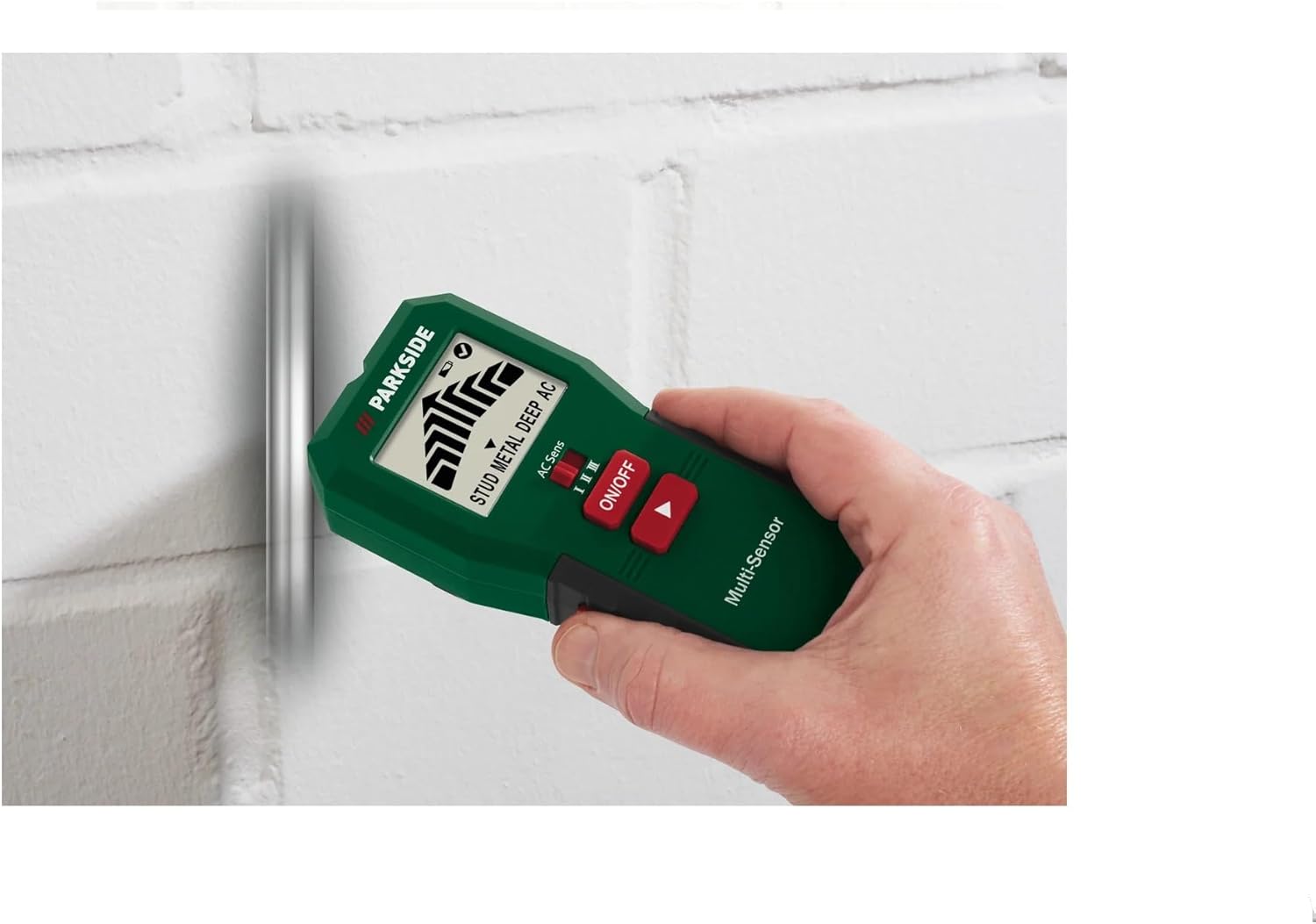
Figure 4: The detector being used to identify the location of a metal pipe embedded within a wall.
Scanning for Live AC Wires:
- Select the AC wire detection mode.
- Adjust the sensitivity level (I, II, III) using the dedicated button (AC Sens) to suit the depth of the wires. Start with lower sensitivity and increase if needed.
- Move the detector slowly across the surface.
- The device will indicate the presence of live AC wires with a distinct visual alert (e.g., flashing icon, voltage alert indicator) and an acoustic signal.
- Precaució: Always verify the absence of live wires with a non-contact voltage tester before drilling or cutting.
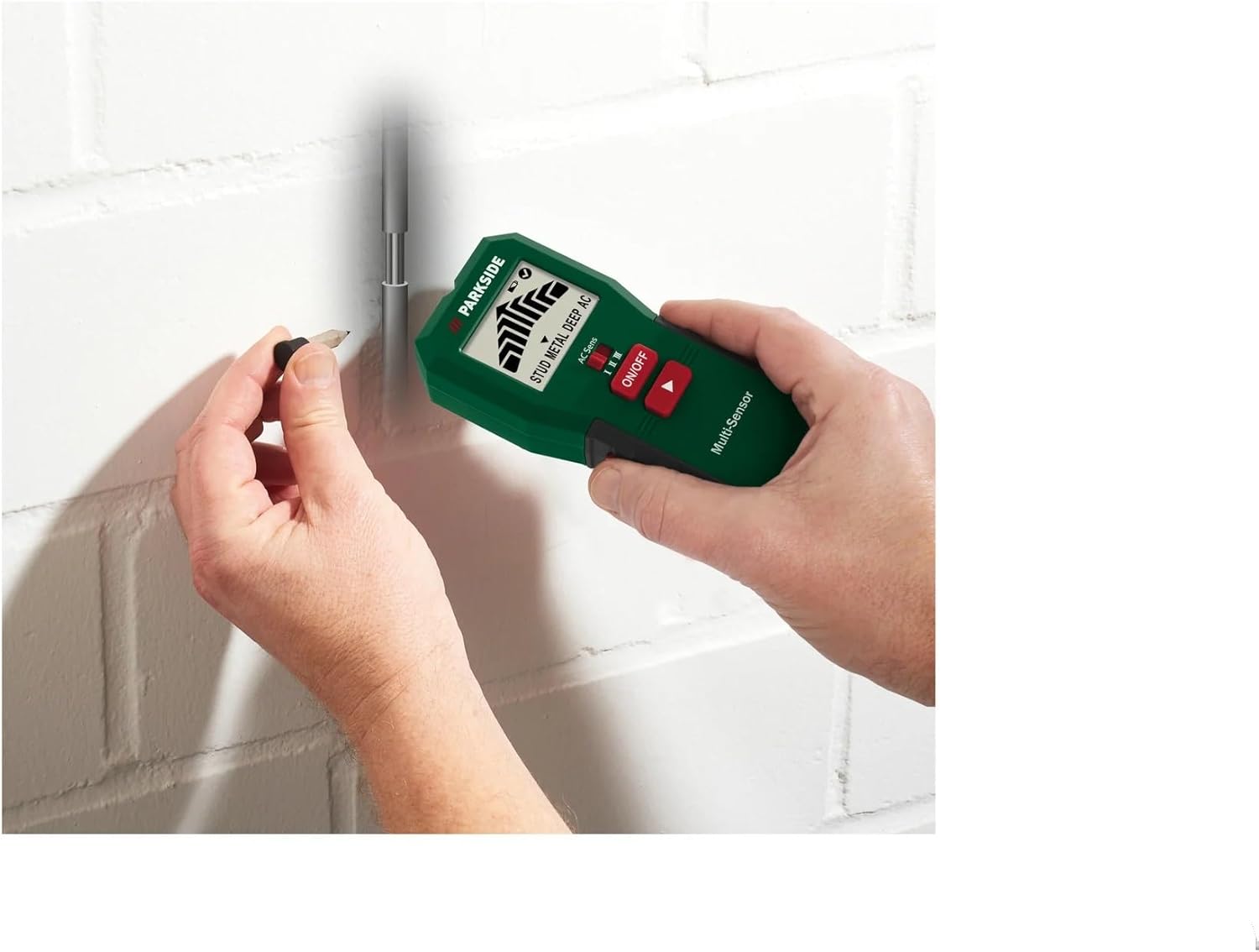
Figure 5: The detector indicating a detected point on a wall, likely after locating a stud or wire, with a pencil marking the spot.
Detecting Cavities:
The detector can also identify hollow spaces or cavities behind surfaces. This mode typically works by detecting changes in material density. Follow the general scanning procedure, and the device will indicate areas of lower density.
Manteniment
- Neteja: Netegeu el dispositiu amb un drap suau i sec després de cada ús. No utilitzeu productes de neteja abrasius ni dissolvents.
- Emmagatzematge: Store the detector in a cool, dry place, away from direct sunlight and extreme temperatures. Remove batteries if the device will not be used for an extended period to prevent leakage.
- Substitució de la bateria: Canvieu les piles quan aparegui l'indicador de bateria baixa a la pantalla per garantir lectures precises.
Resolució de problemes
| Problema | Causa possible | Solució |
|---|---|---|
| El dispositiu no s'encén. | Piles gastades o instal·lades incorrectament. | Comproveu la polaritat de la bateria; substituïu les piles. |
| Lectures inexactes. | Low battery, improper calibration, or interference. | Replace batteries. Ensure proper calibration (if applicable, refer to device instructions). Avoid scanning near strong electromagnetic fields. |
| No hi ha detecció en mode de corrent altern. | Sensitivity too low, or wires are too deep. | Increase sensitivity level. Ensure the device is flat against the surface. |
| False positives/negatives. | Surface conditions (e.g., dampness), or user technique. | Ensure surface is dry. Scan slowly and consistently. |
Especificacions
| Atribut | Detall |
|---|---|
| Número de model | PMSHM2 A3 |
| Dimensions (L x A x A) | 6.5 x 3.3 x 14.5 cm |
| Pes | 128 grams |
| Material | Plàstic |
| Font d'alimentació | Battery powered (Batteries required: Yes) |
| Tipus de visualització | LCD |
| Color | Verd |
| Ús recomanat | General detection (live wires, metal, wood, cavities) |
| Longitud ampliada | 50 Millimeters (Note: This specification might refer to a specific probe or measurement capability not explicitly detailed in the product description.) |
Garantia i Suport
For warranty information and customer support, please refer to the documentation included with your purchase or visit the official Crivit weblloc web. Conserveu el comprovant de compra per a reclamacions de garantia.
For technical assistance or service, contact Crivit customer service. Do not attempt to repair the device yourself, as this may void the warranty.
Ask a question about this manual
Ask about setup, troubleshooting, compatibility, parts, safety, or missing instructions. Manuals+ will review the question and use this page’s manual context to help answer it.