
1. Introducció
Thank you for choosing the MekedeTech M6 Pro Android 13 Car Radio. This advanced multimedia system is specifically designed for Opel Mokka models manufactured between 2012 and 2016, offering a seamless upgrade to your vehicle's infotainment. This manual provides essential information for installation, operation, and maintenance to ensure optimal performance and user satisfaction.
2. Característiques del producte
- Sistema operatiu Android 13: Experience the latest Android features and app compatibility.
- High-Performance CPU: UIS7862S 2.0GHz Octa-core processor (2x ARM Cortex A75 + 6x ARM Cortex A55) for fast and responsive operation.
- QLED Touch Screen: 1280x720 resolution QLED full-fit screen provides excellent display quality, even in sunlight, with reduced reflection.
- Memòria i emmagatzematge: Available with 8GB RAM and 256GB internal storage for smooth multitasking and ampespai per a aplicacions i contingut multimèdia.
- Connectivitat sense fils: Integrated 4G LTE, 5GHz WiFi, and upgraded Bluetooth 5.1 (Qualcomm 3031 chip) for stable and fast connections.
- Carplay sense fil i Android Auto: Seamless integration with your smartphone for navigation, calls, messages, and music without cables.
- Processament d'àudio avançat: TDA7850/7851 power amplifier, TDA7708 Radio IC, DSP with 36-band EQ, and DTS 4.1/5.1 channel surround sound for a superior audio experience.
- Control de veu: Intelligent voice control support for hands-free operation, enhancing driving safety and convenience.
- Sistema de refrigeració: Built-in powerful cooling fan to maintain optimal performance during extended use.
- Navegació GPS: Supports GPS, GLONASS, and BDS for accurate positioning and real-time traffic conditions.
3. Configuració i instal·lació
The MekedeTech M6 Pro is designed for a plug-and-play installation in compatible Opel Mokka vehicles (2012-2016). While the system is designed for ease of installation, professional installation is recommended to ensure proper wiring and functionality.
3.1 Compatibilitat
This Android car screen is exclusively compatible with Opel Mokka models from 2012, 2013, 2014, 2015, and 2016.
3.2 Finalització de la instal·lacióview
The unit replaces the factory radio and integrates seamlessly into the dashboard. Ensure all cables are securely connected, including the upgraded Fakra GPS Antenna and Fakra 4G Antenna, for optimal signal reception.

Imatge 3.1: Comparison of the car dashboard before and after the installation of the MekedeTech M6 Pro car radio, showing the integrated display.
3.3 Component Integration
The M6 Pro motherboard includes dedicated ports for the Fakra GPS Antenna, Fakra 4G Antenna, and other essential connections. Refer to the wiring diagram provided with your unit for specific connection points.

Imatge 3.2: Detallada view of the M6 Pro motherboard highlighting components like the Unisoc processor, TDA sound amplifier chips, and connections for Fakra GPS and 4G antennas.
4. Instruccions de funcionament
The MekedeTech M6 Pro offers an intuitive user interface based on Android 13. Navigate through menus using the touch screen and utilize various features for an enhanced driving experience.
4.1 Carplay sense fil i Android Auto
Connect your iPhone or Android smartphone wirelessly to access Carplay or Android Auto. This allows you to use navigation, make calls, send/receive messages, and play music directly from your phone's interface on the car screen.
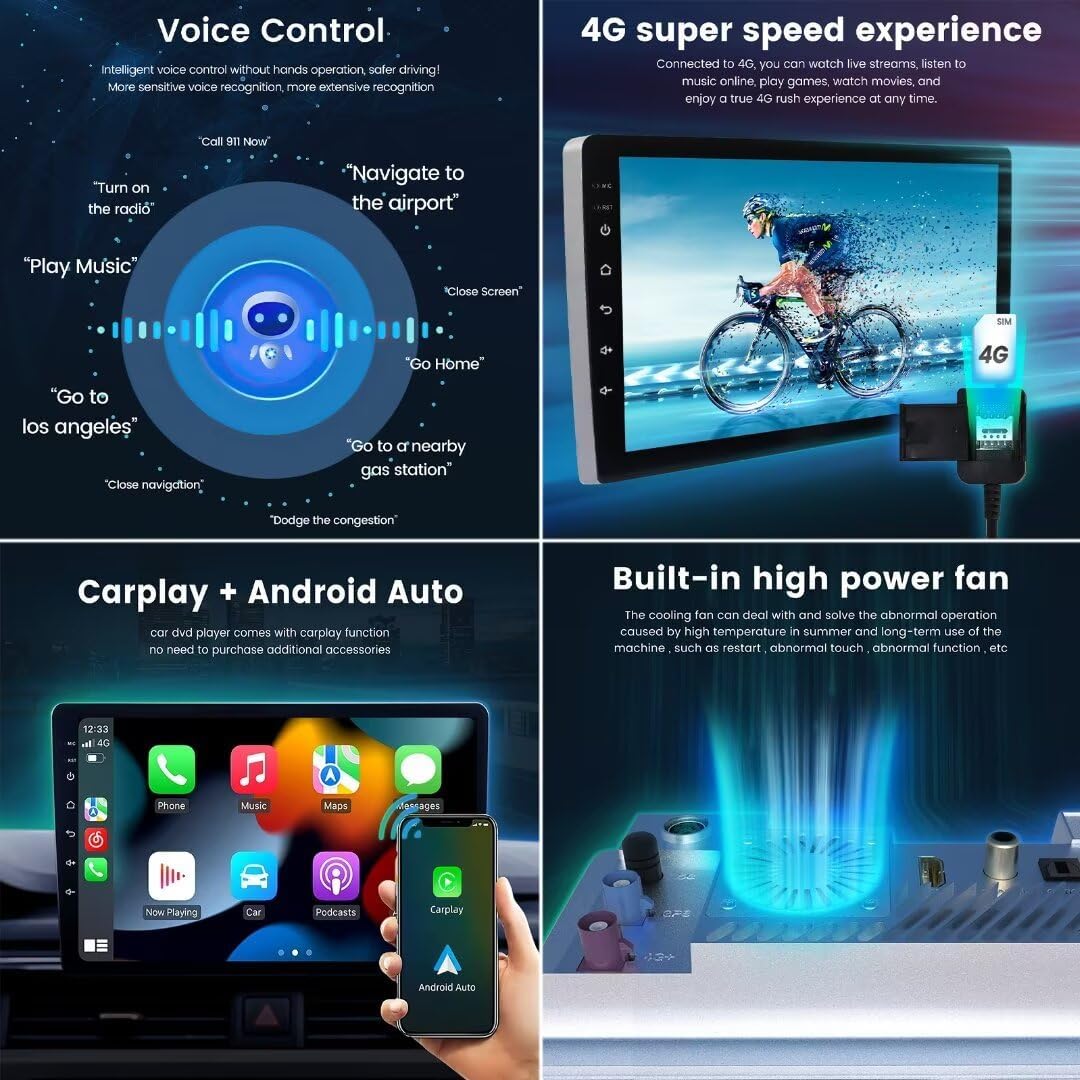
Imatge 4.1: Display showing the Wireless Carplay and Android Auto interfaces, allowing seamless smartphone integration.
4.2 Control de veu
Activate voice control to perform various functions hands-free. Use commands like "Turn on the radio," "Navigate to the airport," or "Play Music" to control the system safely while driving. The system supports integration with Siri and other voice assistants.
4.3 Audio Settings (DSP & EQ)
Access the Digital Sound Processor (DSP) settings to fine-tune your audio. The 36-band equalizer allows for precise sound customization. Utilize DTS 4.1/5.1 channel surround systems for an immersive audio experience with dynamic and smooth sound.
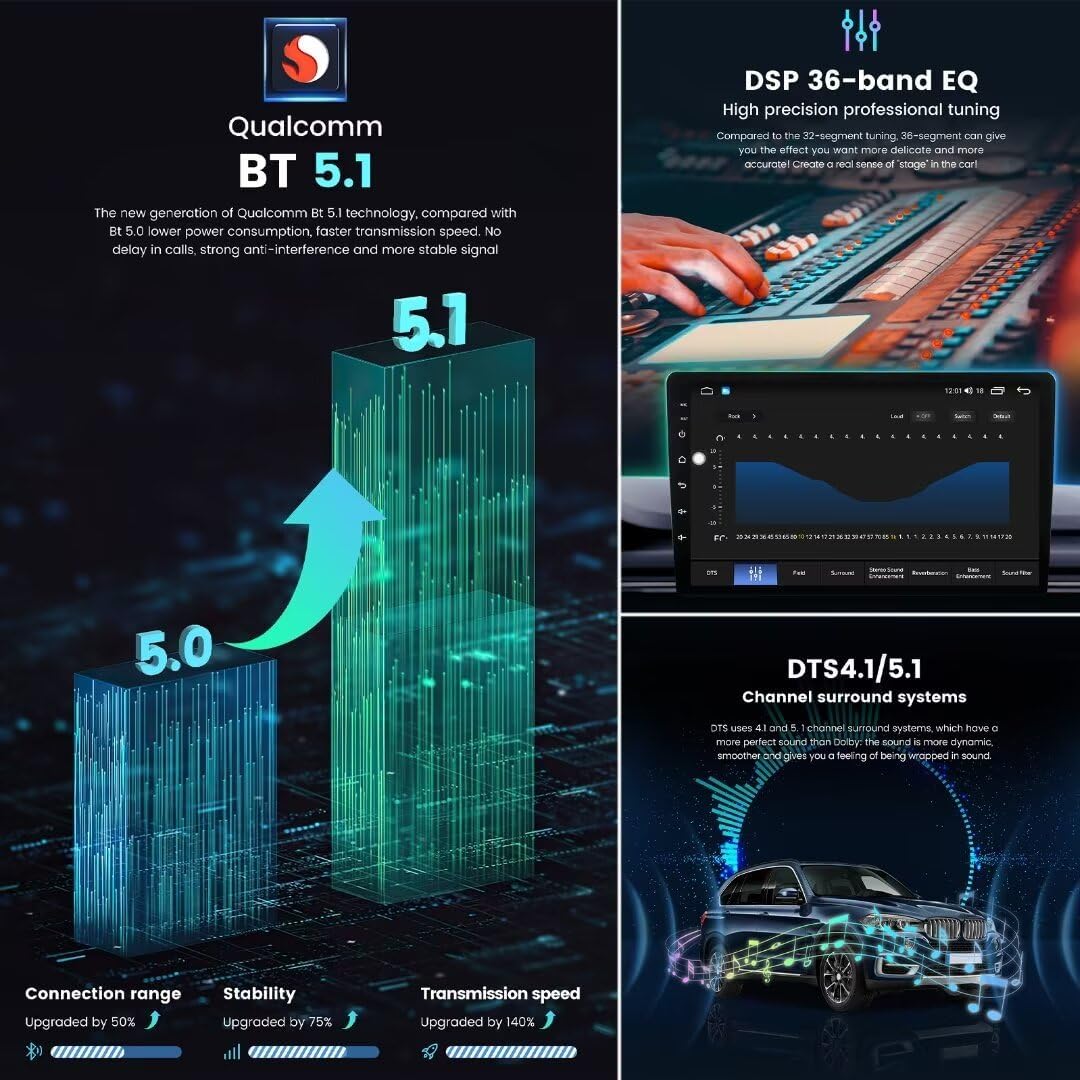
Imatge 4.2: Screenshots illustrating the DSP 36-band equalizer interface and the DTS 4.1/5.1 channel surround sound system features.
4.4 Funcionament de la ràdio
The unit features an FM/AM RDS radio with the TDA7708 IC. Scan for stations, save presets, and enjoy clear radio reception.
4.5 Funcionalitat de pantalla dividida
Utilize the split-screen feature to run two applications simultaneously, such as navigation on one side and music playback on the other, enhancing convenience and multitasking.

Imatge 4.3: Displays showing the FM/AM radio interface, options for customizing the main interface, the split-screen function, and the multi-language selection menu.
4.6 Navegació GPS
The built-in GPS system provides accurate positioning and supports various navigation applications. Enjoy real-time traffic updates and precise route guidance.
Imatge 4.4: A screenshot of the GPS navigation interface, demonstrating accurate positioning and route display.
4.7 User Interface Customization
The M6 Pro offers various UI display options (e.g., UI08, UI22, UI29, UI34) allowing you to choose a theme that suits your preferences. You can also customize the icon positions on the main interface and add shortcuts for frequently used apps.

Imatge 4.5: Examples of different user interface (UI) display collections available for customization on the M6 Pro.
5. Manteniment
To ensure the longevity and optimal performance of your MekedeTech M6 Pro car radio, follow these maintenance guidelines:
- Neteja de pantalla: Use a soft, lint-free cloth specifically designed for electronics to clean the touch screen. Avoid abrasive materials or harsh chemical cleaners.
- Actualitzacions de programari: Periodically check for and install software updates to ensure you have the latest features, bug fixes, and security enhancements.
- Control de temperatura: The built-in cooling fan helps manage internal temperatures. Ensure the unit is not obstructed to allow proper airflow.
- Eviteu líquids: Prevent any liquids from coming into contact with the unit to avoid damage to internal components.
6. Solució De Problemes
If you encounter issues with your MekedeTech M6 Pro, refer to the following common troubleshooting steps:
- Sense energia: Comproveu totes les connexions d'alimentació i els fusibles. Assegureu-vos que el vehicle estigui engegat.
- Sense so: Verify speaker connections. Check volume levels and ensure the mute function is not active. Confirm audio output settings.
- La pantalla tàctil no respon: Try restarting the unit. If the issue persists, a factory reset might be necessary (note: this will erase personal data).
- Problemes amb el senyal GPS: Ensure the Fakra GPS Antenna is properly connected and has a clear view of the sky. Avoid areas with heavy overhead obstruction.
- Bluetooth/WiFi Connectivity Problems: Ensure Bluetooth/WiFi is enabled on both the unit and your device. Try unpairing and re-pairing devices. Check for interference from other electronic devices.
- Carplay/Android Auto no es connecta: Ensure your phone's operating system is up to date. Check for any app permissions required by Carplay/Android Auto. Try restarting both the unit and your phone.
If these steps do not resolve the issue, please contact MekedeTech customer support for further assistance.
7. Especificacions
| Nom del model | M6Pro |
| Sistema operatiu | Android 13 |
| CPU | UIS7862S 2.0GHz Octa-core (2x ARM Cortex A75 + 6x ARM Cortex A55) |
| Tipus de pantalla | Pantalla tàctil QLED |
| Resolució de pantalla | 1280 x 720 |
| Memòria (RAM) | 8 GB |
| Emmagatzematge (ROM) | 256 GB |
| Bluetooth | BT 5.1 (Qualcomm 3031 chip) |
| WiFi | 5 GHz |
| Xarxa | 4G LTE |
| Poder Amplificador IC | TDA7850/7851 |
| Circuit integrat de ràdio | TDA7708 (Supports RDS) |
| DSP | 36-band Equalizer, DTS 4.1/5.1 |
| Característiques especials | Wireless CarPlay, Wired Android Auto, Voice Control, Built-in Cooling Fan, GPS/GLONASS/BDS |
| Vehicles compatibles | Opel Mokka (2012-2016) |

Imatge 7.1: Visual representation of the 12nm Octa-core processor, 1280x720 resolution, and the benefits of the full-fit screen design.
8. Garantia i Suport
MekedeTech is committed to providing high-quality products and customer satisfaction. For warranty information, please refer to the documentation included with your purchase or contact your retailer.
8.1 Atenció al client
If you have any questions, require technical assistance, or need to report an issue, please contact MekedeTech customer support through the official website or your purchase platform. Provide your model number (M6Pro) and a detailed description of the issue for efficient service.