
Introducció
This manual provides detailed instructions for the VENTION External USB DAC 7.1 Sound Card (Model CVAB0). This device enhances your audio experience with virtual 7.1 surround sound, high-fidelity 24-bit/192kHz audio, and versatile connectivity, making it suitable for gaming, movies, and general audio use across various platforms.

Descripció de la imatge: Un front view of the VENTION External USB DAC 7.1 Sound Card, showcasing its sleek design and dynamic RGB lighting. The device features a central control knob and several buttons for audio adjustments.
Característiques del producte
- Immersive 7.1 Virtual Surround Sound: Utilizes advanced audio processing for virtual 7.1 surround sound, providing an immersive listening experience for gaming and movies by clearly distinguishing sounds from different directions.
- Àudio d'alta fidelitat: Supports 24-bit/192kHz high-resolution audio with a professional DSP sound card chip, ensuring clear, detailed, and rich sound quality.
- Connectivitat versàtil: Equipped with USB-C and three 3.5mm jacks (for microphone, headphones, and other audio devices). Supports both TRS and TRRS microphones.
- Àmplia compatibilitat: Compatible with PCs, laptops, gaming consoles (PS5, PS4, Xbox One, Nintendo Switch), and speaker systems. Driver-free support for Windows 8/8.1/10/11, Mac OS, and Linux systems.
- Powerful Sound Adjustment and Control: Features an independent equalizer with 16 preset sound effects. Includes volume control, one-click mute, and one-click switching between Game, Movie, and Standard audio modes.
- Optimized for Gaming: Precise sound effects help capture key audio cues in games, improving reaction times. Four additional game sound effects are available.
- Dual Output Support: Allows simultaneous connection of headphones and external speakers.
- Il·luminació RGB: Features vibrant RGB lighting, specifically designed to enhance your gaming setup.
- Easy Software Installation: Install the VENTION Audio Center software for full audio performance and customization. The software supports multiple languages.
Configuració
1. Connexió de maquinari
- Connect the VENTION External USB DAC to your computer or gaming console using the provided USB-C cable.
- Connecteu els auriculars a la presa d'auriculars.
- If using a microphone, connect it to the microphone jack.
- For external speakers, connect them to the audio output jack.

Descripció de la imatge: A diagram illustrating the available ports on the VENTION sound card, including the microphone input, headphone connection, and a general audio interface for headphones or speakers. It highlights the dual output capability.
2. Driver Installation (Optional for Full Features)
The device supports driver-free operation on Windows 8/8.1/10/11, Mac OS, and Linux for basic functionality. However, to unlock the full performance, including virtual 7.1 surround sound and advanced equalizer settings, it is recommended to install the VENTION Audio Center software.
- Visit the official VENTION website to download the latest VENTION Audio Center software.
- Seguiu les instruccions a la pantalla per completar la instal·lació.
- Reinicieu l'ordinador si se us demana.

Descripció de la imatge: A compatibility chart detailing various 3.5mm jack devices (headphones, headsets, speakers, microphones, audio cables) and USB-connected devices (laptops, desktops, PS4/PS5, Switch). It also lists supported operating systems: macOS, Windows, and Linux.
Instruccions de funcionament
1. Controls bàsics
- Control de volum: Use the central knob to adjust the master volume.
- Funció de silenci: Press the dedicated mute button to quickly mute/unmute audio.
- Silència del micròfon: Press the microphone mute button to mute/unmute your microphone.
2. Modes d'àudio
The sound card offers three distinct audio modes for different scenarios. Press the mode button to cycle through them:
- Mode de joc: Enhances gaming positioning and sound effects for a more immersive and competitive experience.
- Mode pel·lícula: Optimized for cinematic audio, providing a rich and enveloping soundstage for films.
- Mode estàndard: A balanced audio profile suitable for music listening, calls, and general use.

Descripció de la imatge: An illustration depicting the three one-touch switchable audio modes: Game Mode for enhanced positioning, Movie Mode for immersive viewing and listening, and Standard Mode for clear music and calls.
3. Game/Voice Volume Control
The device features independent control for game audio volume and voice chat volume.
- Ajust del volum del joc: Press and hold the "GAME VOL" button to increase the game volume (main application) and decrease the voice chat volume (secondary application).
- Adjusting Voice Volume: Conversely, press and hold the "VOICE VOL" button to increase the voice chat volume and decrease the game volume accordingly.

Descripció de la imatge: A visual representation of the Game Volume and Voice Volume controls, indicating how to adjust the balance between game audio and voice chat.
4. VENTION Audio Center Software
Once installed, the VENTION Audio Center software provides advanced customization options:
- Equalitzador: Fine-tune audio frequencies with the independent equalizer, offering 16 preset sound effects.
- 7.1 So envoltant: Enable and configure the virtual 7.1 surround sound feature for precise directional audio.
- Gaming Sound Effects: Access and apply four additional game-specific sound effects (FPS, RPG, MMORPG, Sports).

Descripció de la imatge: A screenshot of the VENTION Audio Center software interface, showing the independent equalizer adjustment with various frequency bands and 16 sound effects. It also highlights four new game sound effects: FPS, RPG, MMORPG, and Sports.
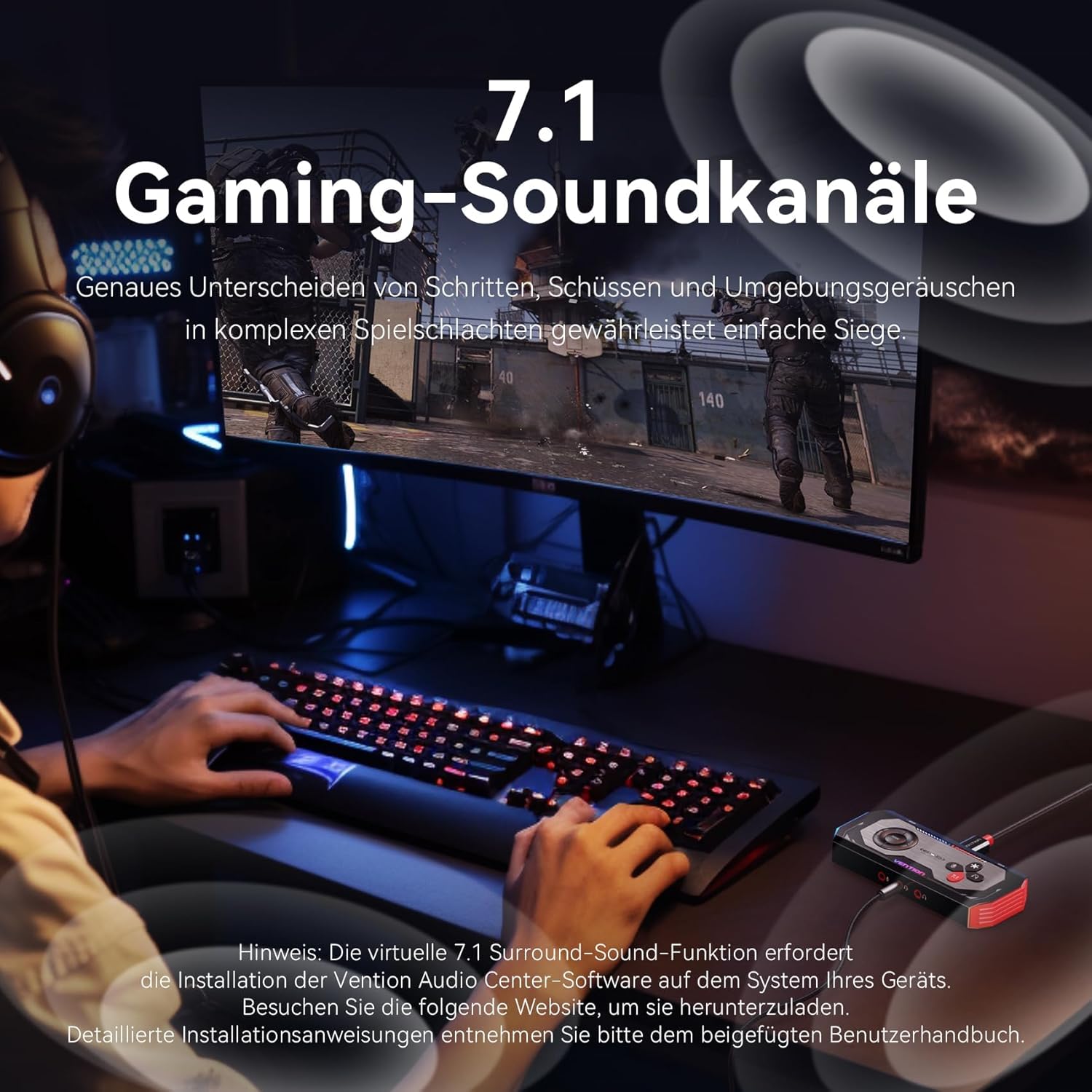
Descripció de la imatge: A gamer using a headset in front of a monitor, with an overlay indicating "7.1 Gaming Sound Channels." The text emphasizes precise distinction of footsteps, shots, and environmental sounds for complex game battles. A note below mentions that the virtual 7.1 surround sound function requires the VENTION Audio Center software.
Manteniment
- Keep the device clean by wiping it with a soft, dry cloth. Avoid using liquid cleaners.
- Guardeu el dispositiu en un lloc fresc i sec, allunyat de la llum solar directa i de temperatures extremes.
- Eviteu deixar caure o sotmetre el dispositiu a forts impactes.
- Ensure cables are connected securely but without excessive force to prevent damage to ports.
Resolució de problemes
- Sense sortida de so:
- Check all cable connections (USB, headphones, speakers).
- Ensure the device is selected as the default audio output in your operating system's sound settings.
- Verify that the volume is not muted on the device or in your system settings.
- If using the VENTION Audio Center software, ensure it is correctly installed and configured.
- El micròfon no funciona:
- Ensure the microphone is properly connected to the correct jack.
- Check if the microphone is muted on the device or in your system's sound input settings.
- Verify that the VENTION device is selected as the default input device.
- Confirm your microphone type (TRS/TRRS) is compatible.
- Problemes de programari/controlador:
- If experiencing issues with advanced features (e.g., 7.1 surround sound, equalizer), ensure the VENTION Audio Center software is installed correctly and is up to date.
- Try reinstalling the software if problems persist.
- Consult the VENTION support website for the latest drivers and troubleshooting guides.
- Qualitat de so baixa:
- Ensure you are using high-quality audio sources.
- Check your equalizer settings in the VENTION Audio Center software; reset to default if necessary.
- Test with different headphones/speakers to rule out issues with peripherals.
Especificacions
| Marca | Venció |
| Número de model | CVAB0 |
| Interfície | USB 3.0 (USB-C connection) |
| Mode de sortida d'àudio | 7.1 So envoltant virtual |
| Max SampTarifa ling | 192 kHz / 24 bits |
| Dispositius compatibles | PS5, PS4, Xbox One, Nintendo Switch, PC, Headphones |
| Plataformes compatibles | Windows 8/8.1/10/11, Mac OS, Linux |
| Plataforma de maquinari | Ordinador personal |

Descripció de la imatge: A close-up image of a DSP (Digital Signal Processor) sound card chip, emphasizing the high-quality sound capabilities. The text highlights that with a DSP sound card chip, the 192kHz@24bit sampling rate offers higher audio resolution and a wider dynamic range than standard CD quality (44.1kHz@16bit).
Informació de la garantia
Specific warranty details for the VENTION External USB DAC 7.1 Sound Card (Model CVAB0) are typically provided with the product packaging or on the official VENTION weblloc web. Consulteu aquestes fonts per obtenir els termes i condicions de garantia més precisos i actualitzats.
Suport
For technical support, product inquiries, or further assistance, please visit the official VENTION support website. You can usually find contact information, FAQs, and additional resources there.
Recursos en línia:
- Official VENTION Weblloc: www.ventiontech.com (o lloc web regional pertinent)
- Product Support Page: Check the VENTION website for a dedicated support page for model CVAB0.