
1. Producte acabatview
The Machenike Machcreator Mini Desktop, Model 4762H, is a compact and powerful computing solution designed for various applications, from business to everyday use. It features a 13th Gen Intel Core i7-13620H processor, 16GB DDR5 RAM, and a 512GB PCIe M.2 SSD, providing high-speed performance and efficient multitasking capabilities. This mini PC supports 4K dual monitor output and comes pre-installed with Windows 11 Pro.
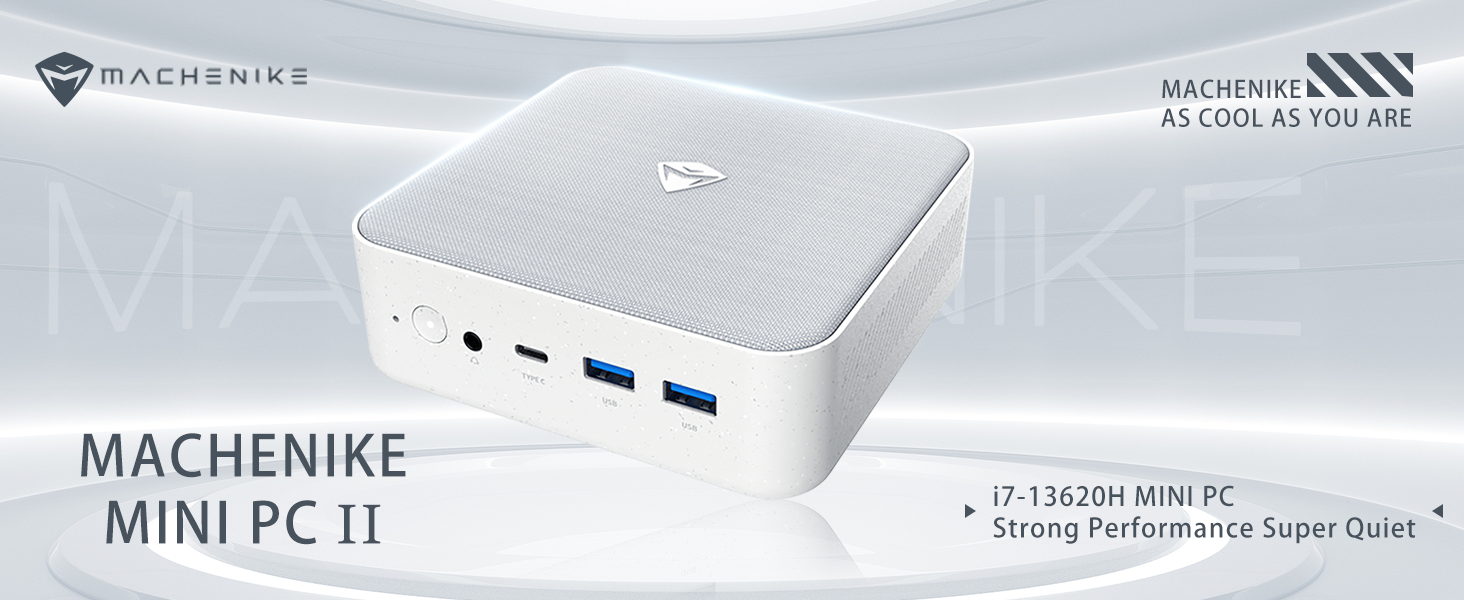
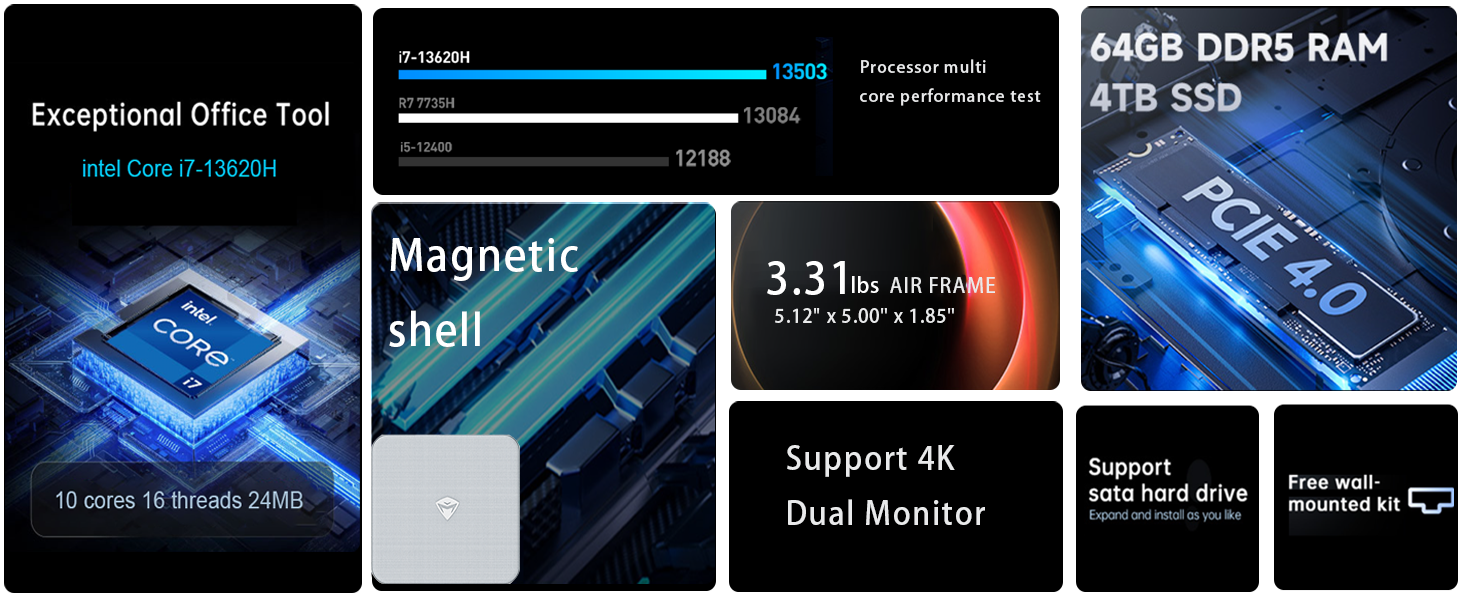
Imatge: Més deview of the Intel Core i7 processor, highlighting 10 Cores, 16 Threads, 4.90 GHz Max Turbo Frequency, and 24 MB L3 Cache.
Característiques principals:
- Processador: Intel Core i7-13620H (10 nuclis, 16 fils de treball, fins a 4.9 GHz)
- Memòria: 16GB DDR5 SODIMM RAM (expandable up to 64GB)
- Emmagatzematge: 512GB PCIe M.2 Solid State Drive (supports dual M.2 expansion)
- Sistema operatiu: Windows 11 Pro
- Gràfics: Integrated Intel UHD Graphics, supporting 4K dual monitor output via HDMI 2.0 and DisplayPort 1.4
- Connectivitat: Wi-Fi 6, Bluetooth, 2 x RJ45 Ethernet, USB 3.2 Gen2 Type-A, USB Type-C
- Sistema de refrigeració: Twin turbine cooling fan with deluxe all-copper radiator
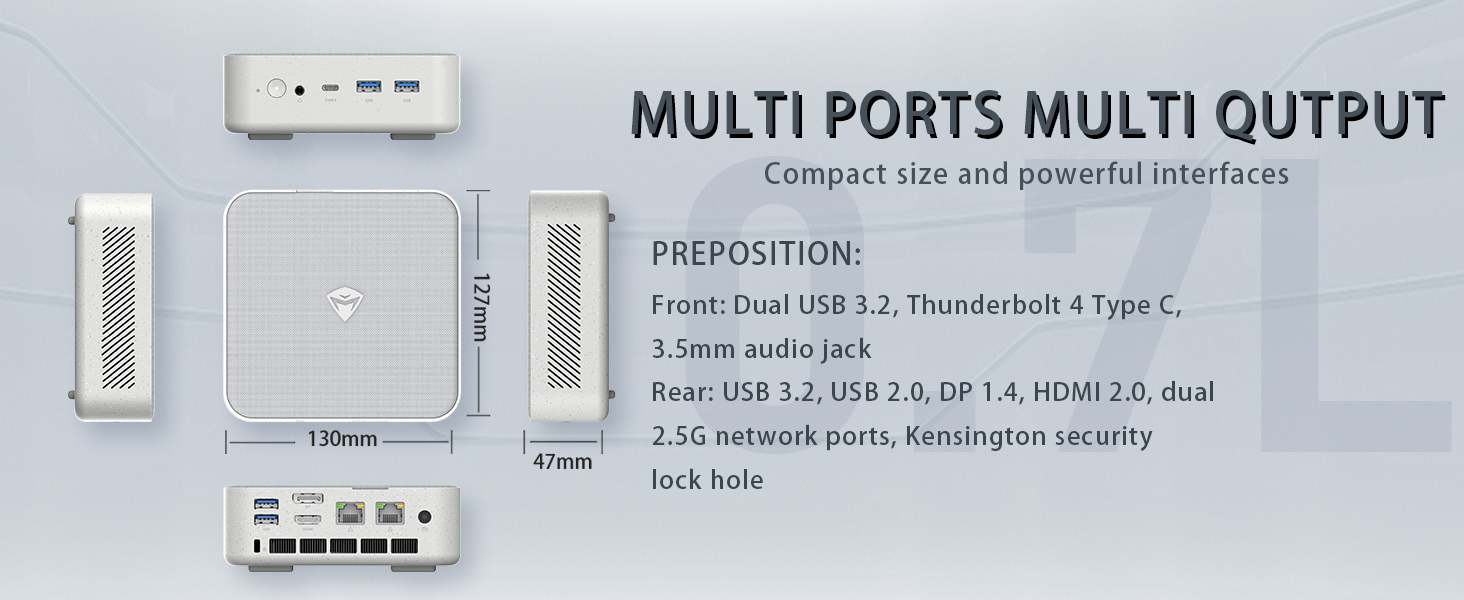
Image: Illustration of PCIe 4.0 SSD and memory slots, indicating support for up to 64GB DDR5 RAM and up to 4TB PCIe SSD expansion.
2. Guia de configuració
2.1 Desembalatge del dispositiu
Traieu amb cura tots els components de l'embalatge. Assegureu-vos que hi hagi els elements següents:
- Machenike Machcreator Mini Desktop (Model 4762H)
- Adaptador d'alimentació
- Manual d'usuari (aquest document)
- (Optional) VESA Mount Kit
2.2 Connexió de perifèrics
Abans d'encendre el dispositiu, connecteu els perifèrics essencials:
- Visualització: Connect your monitor(s) to the HDMI 2.0 or DisplayPort 1.4 ports on the rear of the mini PC. The USB Type-C port also supports video output.
- Teclat i ratolí: Connect your USB keyboard and mouse to any of the available USB 3.2 Gen2 Type-A ports.
- Xarxa: For a wired connection, connect an Ethernet cable to one of the RJ45 ports. For wireless, ensure your Wi-Fi network is available.
- Potència: Connect the power adapter to the DC-in port on the mini PC, then plug the adapter into a power outlet.
Imatge: Detallada view of the mini PC's front and rear ports, including USB 3.2 Gen2 Type-A, USB Type-C, 3.5mm Audio Jack, HDMI 2.0, DisplayPort 1.4, and RJ45 Ethernet ports. Dimensions are also shown.
2.3 Initial Boot-up and Windows 11 Pro Setup
- Press the power button located on the front of the mini PC.
- The system will boot into the Windows 11 Pro setup wizard. Follow the on-screen instructions to configure your language, region, network, and user account.
- Once setup is complete, your mini PC is ready for use.
3. Instruccions de funcionament
3.1 Encès/Apagat
- Encès: Premeu el botó d'encesa una vegada.
- Apagar: Feu clic al botó Inici del Windows i, a continuació, seleccioneu Energia > Apagar.
- Reinicia: Feu clic al botó Inici del Windows i, a continuació, seleccioneu Energia > Reiniciar.
- Dormir: Feu clic al botó Inici del Windows i, a continuació, seleccioneu Energia > Suspensió.
3.2 Configuració de la pantalla
The mini PC supports up to two 4K displays simultaneously. To configure display settings:
- Feu clic amb el botó dret a l'escriptori i seleccioneu "Configuració de la pantalla".
- Here you can detect multiple displays, arrange them, change resolution, and adjust scaling.
3.3 Connectivitat de xarxa
- Wi-Fi: Click the network icon in the taskbar, select your Wi-Fi network, enter the password, and connect.
- Ethernet: If an Ethernet cable is connected, the system should automatically establish a wired network connection.
3.4 Cooling System Modes
The mini PC features an advanced cooling system with adjustable modes via the BIOS to optimize performance and noise levels. These modes include:
- Mode de silenci: Prioritizes quiet operation, suitable for light tasks.
- Mode d'equilibri: Offers a good balance between performance and noise.
- Mode de rendiment: Maximizes performance (up to 65W power release), ideal for demanding applications.
To change these settings, access the BIOS during startup (typically by pressing Del or F2 repeatedly after powering on) and navigate to the relevant power or performance settings.
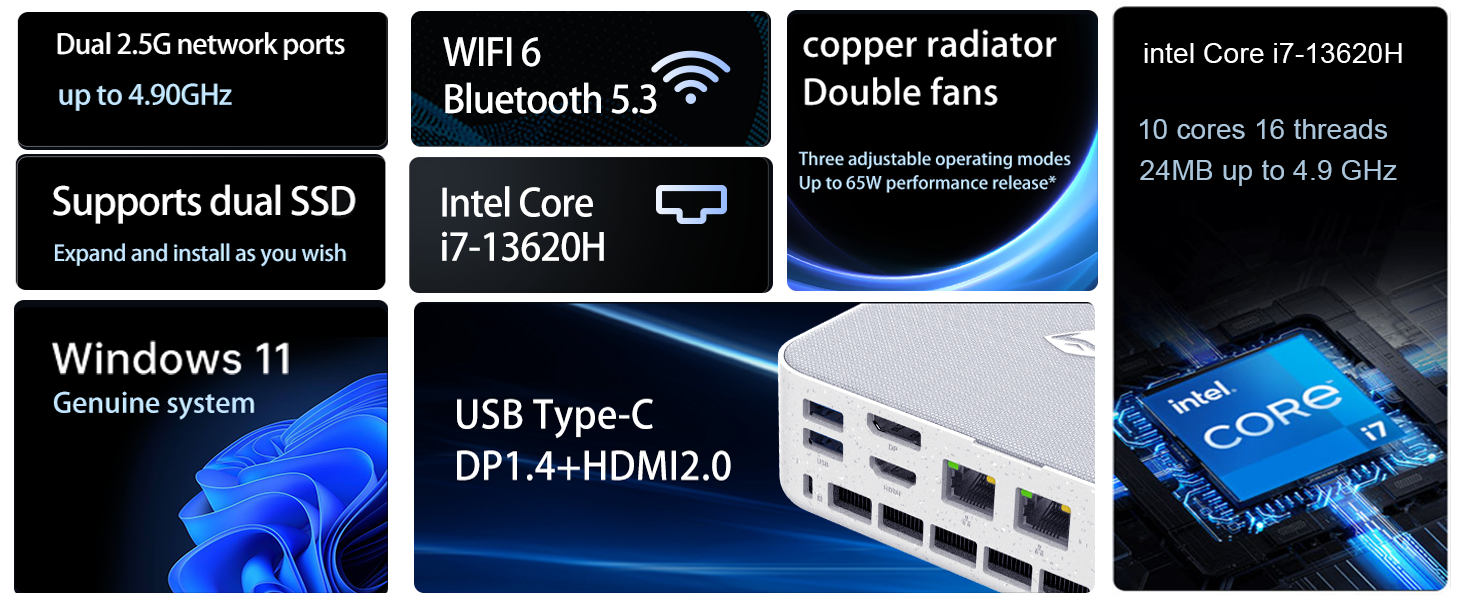
Image: Illustration of the twin turbine cooling fan and deluxe all-copper radiator, explaining how it prevents slowdowns due to overheating and offers silence, balance, and performance modes.
4. Manteniment
4.1 Neteja del dispositiu
To ensure optimal performance and longevity, regularly clean your mini PC:
- Power off the device and disconnect it from the power outlet.
- Feu servir un drap suau i sec per netejar l'exterior.
- Use compressed air to gently clear dust from ventilation openings. Do not insert any objects into the vents.
4.2 Actualitzacions de programari
Keep your Windows 11 Pro operating system and drivers updated to ensure security and performance:
- Actualitzacions de Windows: Go to Start > Settings > Windows Update and check for updates.
- Actualitzacions de controladors: Visit the Machenike official weblloc web per obtenir els controladors més recents per al vostre model específic.
4.3 Expansió d'emmagatzematge i memòria
The Machenike Machcreator Mini Desktop supports upgrades for both RAM and storage:
- RAM: The device has 2 SODIMM slots and supports up to 64GB DDR5 RAM.
- Emmagatzematge: It supports dual PCIe M.2 SSDs, allowing for significant storage expansion up to 4TB.
Nota: Opening the device for upgrades may void your warranty. Consult a qualified technician or refer to specific upgrade guides from Machenike if available.
5. Solució De Problemes
Aquesta secció tracta els problemes habituals que podeu trobar. Per a problemes més complexos, poseu-vos en contacte amb l'atenció al client.
5.1 Sense poder
- Ensure the power adapter is securely connected to both the mini PC and a working power outlet.
- Verifiqueu que la presa de corrent funciona connectant-hi un altre dispositiu.
- Comproveu si l'adaptador de corrent presenta algun dany visible.
5.2 Sense sortida de pantalla
- Confirmeu que el monitor estigui encès i que s'hagi seleccionat la font d'entrada correcta.
- Ensure the HDMI or DisplayPort cable is securely connected to both the mini PC and the monitor.
- Prova un cable de pantalla o monitor diferent si estàs disponible.
- Si feu servir diverses pantalles, proveu de connectar-ne només una alhora.
5.3 Problemes de connectivitat de xarxa
- Cablejat (Ethernet): Check if the Ethernet cable is properly connected to both the mini PC and the router/modem. Verify router/modem status.
- Sense fil (Wi-Fi): Ensure Wi-Fi is enabled in Windows settings. Restart your router/modem. Check if other devices can connect to the Wi-Fi network.
- Run Windows Network Troubleshooter (Start > Settings > Network & internet > Advanced network settings > Network troubleshooter).
6. Especificacions
Detailed technical specifications for the Machenike Machcreator Mini Desktop, Model 4762H:
| Característica | Especificació |
|---|---|
| Marca | Machenike |
| Número de model | 4762H |
| Sistema operatiu | Windows 11 Pro |
| Model de CPU | Intel Core i7-13620H |
| Velocitat de la CPU | Up to 4.9 GHz (Max Turbo Frequency) |
| Mida instal·lada de la memòria RAM | 16 GB DDR5 (Expandable to 64 GB) |
| Velocitat de rellotge de memòria | 4800 MHz |
| Ranures de memòria disponibles | 2 |
| Capacitat d'emmagatzematge de memòria | 512 GB PCIe M.2 SSD (Supports dual M.2, up to 4TB) |
| Coprocessador gràfic | Gràfics Intel UHD (integrats) |
| Interfície de sortida de vídeo | HDMI 2.0, DisplayPort 1.4, USB Type-C |
| Resolució de pantalla màxima | 3840x2160 (4K) |
| Interfície del maquinari | 3.5mm Audio, Bluetooth, DisplayPort, Ethernet (2x RJ45), HDMI, USB, USB Type C |
| Connectivitat sense fil | Wi-Fi 6 (802.11ax), Bluetooth |
| Dimensions de l'article (LxWxH) | 5.12 x 5 x 1.85 polzades |
| Pes de l'article | 49.8 lliures (Note: This weight may be a data entry error; actual weight for a mini PC is typically much less.) |
| UPC | 193200587317 |
7. Garantia i Suport
7.1 Informació de la garantia
Machenike products typically come with a limited manufacturer's warranty. Please refer to the warranty card included with your purchase or visit the official Machenike website for detailed warranty terms and conditions specific to your region and product model. Keep your proof of purchase for warranty claims.
7.2 Atenció al client
For technical assistance, troubleshooting beyond this manual, or warranty inquiries, please contact Machenike customer support:
- Assistència en línia: Visit the official Machenike weblloc (www.machenike.com - exampl'enllaç, l'enllaç real pot variar) i navegueu fins a la secció d'assistència.
- Suport per correu electrònic: Refer to your product documentation for the specific support email address.
- Suport telefònic: Check the Machenike weblloc web per a números de telèfon d'assistència regional.
When contacting support, please have your product model number (4762H) and serial number ready.