
runstar FG2016
Runstar Smart Scale User Manual
Model: FG2016
Producte acabatview
The Runstar Smart Scale is an advanced digital bathroom scale designed to provide comprehensive insights into your body composition. Featuring an upgraded 8-in-1 VA large display, it offers real-time visibility of 8 essential metrics directly on the screen, including body weight, BMI, body fat, muscle mass, heart rate, body type, motivational icons, and recent trends. Utilizing Bio-electrical Impedance Analysis (BIA) technology, this high-precision scale measures and tracks 22 detailed body indicators, helping you monitor your health and fitness journey effectively.
The scale supports multiple user profiles and can sync data seamlessly with the Starfit APP, Apple Health, Fitbit, and Health Connect, allowing for easy tracking and sharing of your progress over days, weeks, months, and years. Its sleek, modern design ensures it fits perfectly into any bathroom environment.

Figure 1: Runstar Smart Scale with accompanying mobile app and smartwatch display, illustrating its connectivity and data visualization capabilities.
Característiques clau
- Upgraded 8-in-1 VA Large Display: Unlike regular scales, the Runstar smart scale features a large VA screen, providing clear insights into 8 essential metrics: body weight, BMI, body fat, muscle mass, heart rate, body type, motivational icons, and recent trends.
- High Precision & Accuracy: The scale is equipped with sensitive electrodes and upgraded high-precision sensors, tested over 100,000 times, ensuring high accuracy weighting to 0.1lb/0.05kg and supporting up to 400lb/180kg.
- 22 Body Composition Data: Using BIA technology, the digital body scale measures and tracks 22 detailed human indicators including body weight, BMI, body fat, muscle mass, heart rate, visceral fat, and more, quickly generating a professional body composition analysis.
- Starfit APP Integration: Download the Starfit APP to sync data to Apple Health, Fitbit, and Health Connect, allowing you to visualize your progress and adjust your fitness or diet plan accordingly.
- Multiple Modes for Your Needs: Our digital bathroom scale adjusts to different modes through the Starfit app, tailored for adults and pregnant users. The safe, current-free pregnant mode is available for accurate weight tracking.
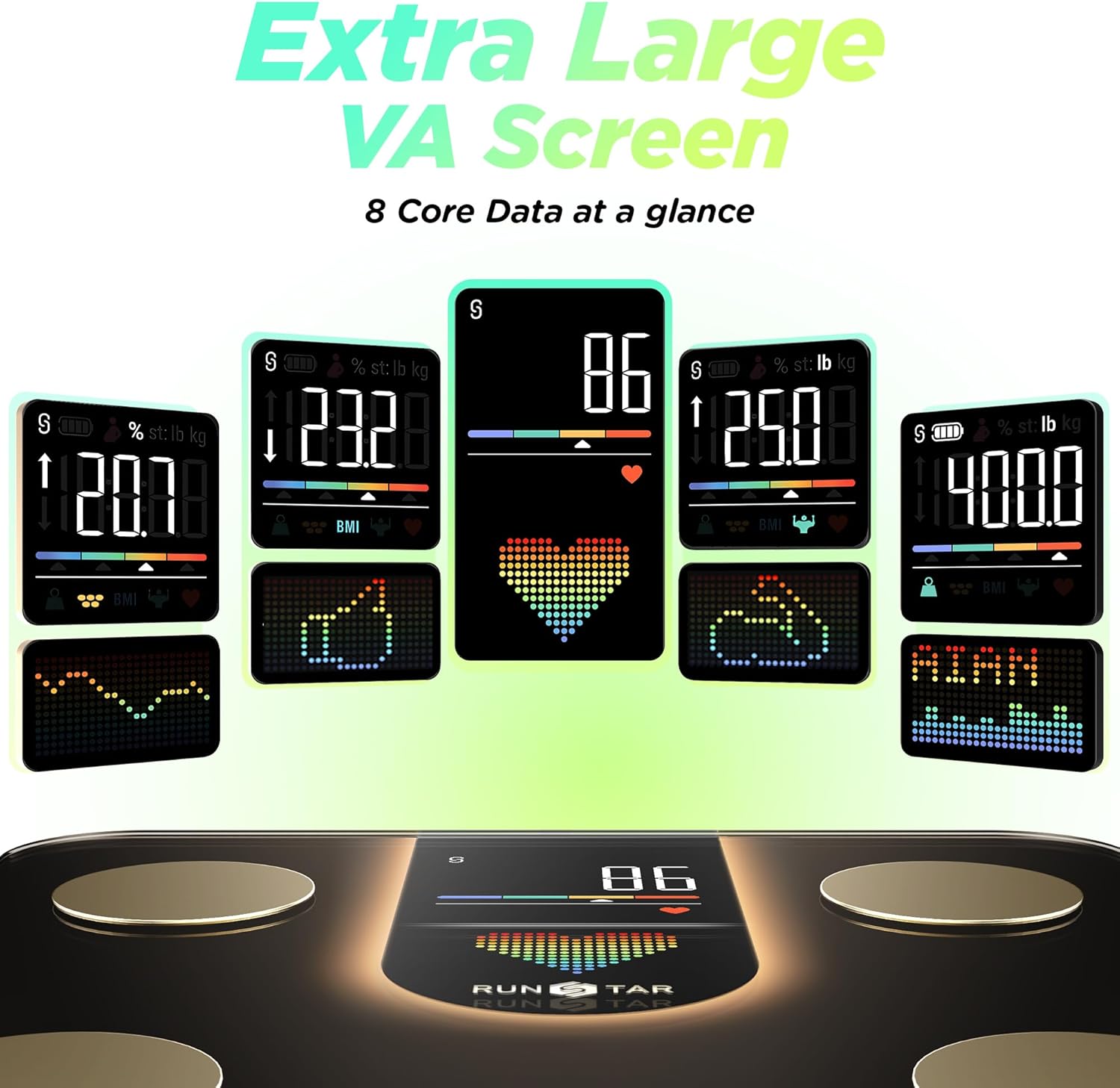
Figure 2: Close-up of the Runstar Smart Scale's VA display, highlighting 8 core data points for quick reference.
Guia de configuració
- Unboxing: Carefully remove the scale from its packaging. Ensure all components, including the scale and any included documentation, are present.
- Activació de la bateria: The scale comes with 4 AAA batteries pre-installed. Locate the battery compartment on the underside of the scale and remove the insulator strip to activate the batteries.
- Col·locació: Place the scale on a hard, flat surface for accurate readings. Avoid soft surfaces like carpets or rugs.
- Download Starfit APP: Download the free "Starfit" application from your smartphone's app store (available on App Store and Google Play).
- Vinculació amb Bluetooth:
- Open the Starfit APP and complete the registration process.
- Navigate to "Account" and then "My Devices".
- Click on the "+" icon in the upper right corner, then select the "Bluetooth" logo to search for smart devices.
- When "Runstar-RX" appears (the Bluetooth name of the scale), click to complete the connection. A connected logo will appear on the scale's screen.
- Activació inicial: Step on the scale briefly and then step off to allow it to activate. Wait for the screen to display "0.0" before using.
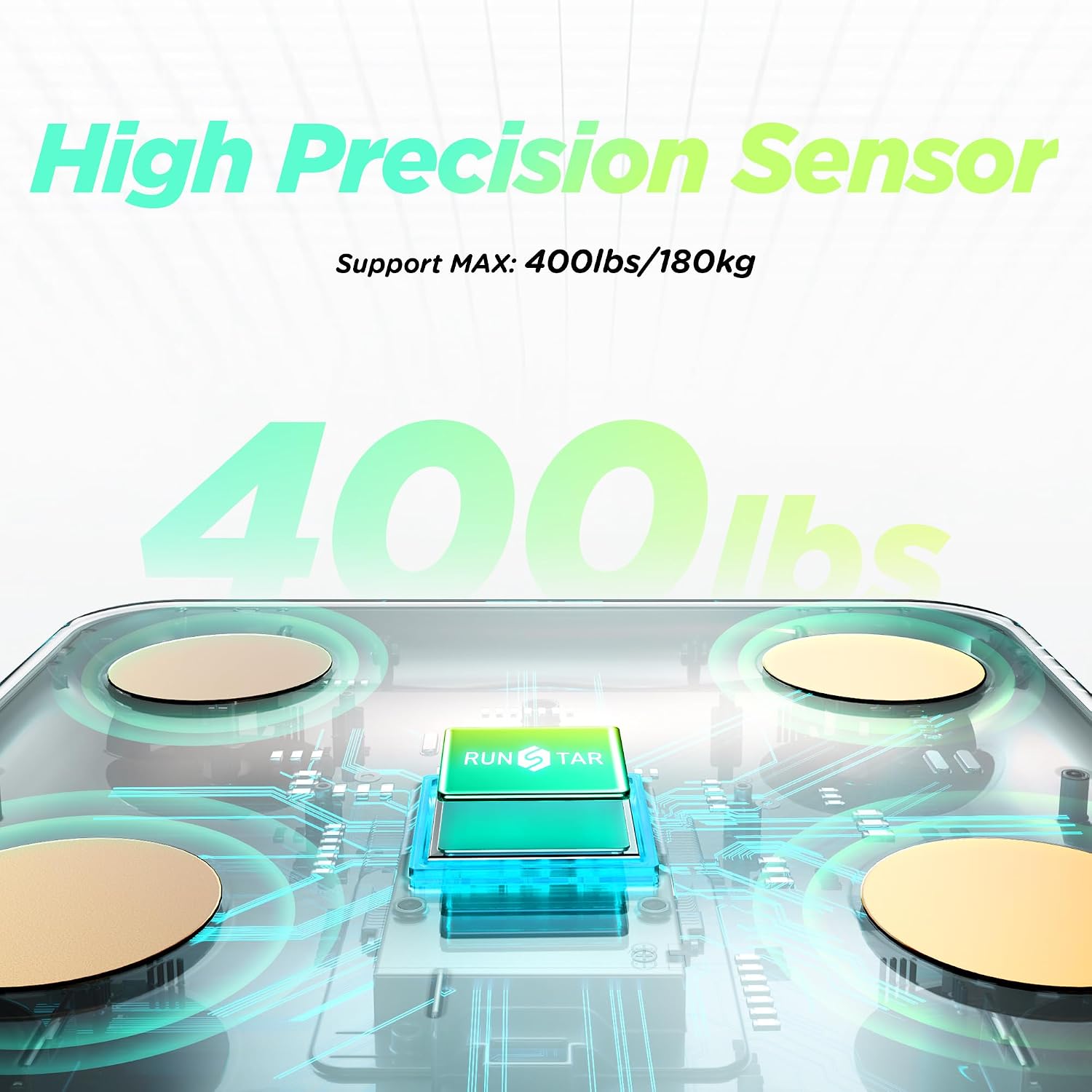
Figure 3: The internal high-precision sensor of the Runstar Smart Scale, ensuring accurate measurements.
Instruccions de funcionament
- Prendre una mesura:
- Ensure the Starfit APP is open and connected to the scale via Bluetooth.
- Step onto the scale with bare feet, ensuring your feet are positioned on the metal electrodes for accurate body composition analysis.
- Remain still until the measurements stabilize on the scale's display. The scale will automatically measure your weight, heart rate, BMI, and other core metrics.
- The detailed 22 body composition indicators will be sent directly to the Starfit APP for a comprehensive analysis. This process typically takes about 20 seconds.
- Tracking Progress:
- Within the Starfit APP, you can view your body metrics over days, weeks, months, and years.
- The app provides visual trends and graphs to help you monitor your progress and adjust your fitness or diet plan accordingly.
- Data can be synced to Apple Health, Fitbit, and Health Connect, and shared on social media platforms like Instagram, Facebook, or Twitter.
- Múltiples usuaris Profiles: The Starfit APP allows for the creation of unlimited user profiles, making it suitable for family use. The scale can auto-identify and match user profiles.
- Mode embarassada: For pregnant users, activate the safe, current-free pregnant mode within the Starfit app for accurate weight tracking without BIA measurements.

Figure 4: The Runstar Smart Scale supports multiple user profiles for family tracking, with data synced to the app for individual progress monitoring.

Figure 5: The Runstar Smart Scale features a dedicated pregnant mode, ensuring safe and accurate weight tracking for expectant mothers.
Manteniment
- Neteja: Netegeu la superfície de la bàscula amb un drap suau iamp drap. No utilitzeu productes de neteja abrasius ni submergiu la bàscula en aigua.
- Emmagatzematge: Store the scale in a cool, dry place. Avoid extreme temperatures or direct sunlight.
- Substitució de la bateria: If the display becomes dim or shows a low battery indicator, replace all 4 AAA batteries.
- Calibració: If the scale is moved, step on it briefly and then step off to allow it to recalibrate to "0.0" before taking a measurement.
Resolució de problemes
| Problema | Causa possible | Solució |
|---|---|---|
| L'escala no s'encén. | Battery insulator strip not removed or batteries are dead. | Remove the insulator strip from the battery compartment. Replace batteries if necessary. |
| Lectures inexactes. | Scale is on a soft surface; not calibrated; feet are not bare or properly positioned. | Place scale on a hard, flat surface. Step on briefly, then off to recalibrate. Ensure bare feet are on electrodes. |
| L'aplicació no sincronitza les dades. | Bluetooth is off; app is not open; scale is not paired. | Ensure Bluetooth is enabled on your phone. Open the Starfit APP. Re-pair the scale if disconnected. |
| Body composition data not showing. | User is wearing socks/shoes; feet not making proper contact with electrodes. | Step on the scale with bare feet, ensuring full contact with all four metal electrodes. |
Especificacions
- Número de model: FG2016
- Marca: Runstar
- Dimensions del producte: 11.02 x 11.02 x 1.1 polzades
- Pes de l'article: 4.1 lliures
- Capacitat de pes: Up to 400lb / 180kg
- Precisió: 0.1 lliures / 0.05 kg
- Tipus de visualització: Pantalla LCD VA
- Font d'alimentació: 4 piles AAA (incloses)
- Connectivitat: Bluetooth
- Característiques especials: Heart Rate, Large Display, Auto Shut Off, Smart, Muscle Mass, 22 Body Composition Metrics
- Usos recomanats: Adults
- País d'origen: Xina
Garantia i Suport
For warranty information and customer support, please refer to the official Runstar website or contact their service team directly. You can activate your warranty within 15 days of purchase by visiting https://vip.runstar.store/ o correu electrònic service@runstar.store.
Avís legal: Statements regarding dietary supplements have not been evaluated by the FDA and are not intended to diagnose, treat, cure, or prevent any disease or health condition. This product is not a medical device. The measurement data and results are for reference only, not as a medical diagnosis.
Ask a question about this manual
Ask about setup, troubleshooting, compatibility, parts, safety, or missing instructions. Manuals+ will review the question and use this page’s manual context to help answer it.